Binance MCP Server
Multi-language Documentation
Power your agent
การติดตั้งจากผู้เผยแพร่ ไม่ใช่เอนด์พอยต์ของ PlugMCP
URL แบบรีโมตหรือคำสั่งบนเครื่องของคุณ? การติดตั้งสองแบบต่างกันอย่างไร
รันบน PlugMCP
A new server you create. It is not this listing's official endpoint. Use the publisher install when you want their URL and their credentials.
เปิดA Model Context Protocol (MCP) server that provides Claude Code with Binance exchange API functionality.
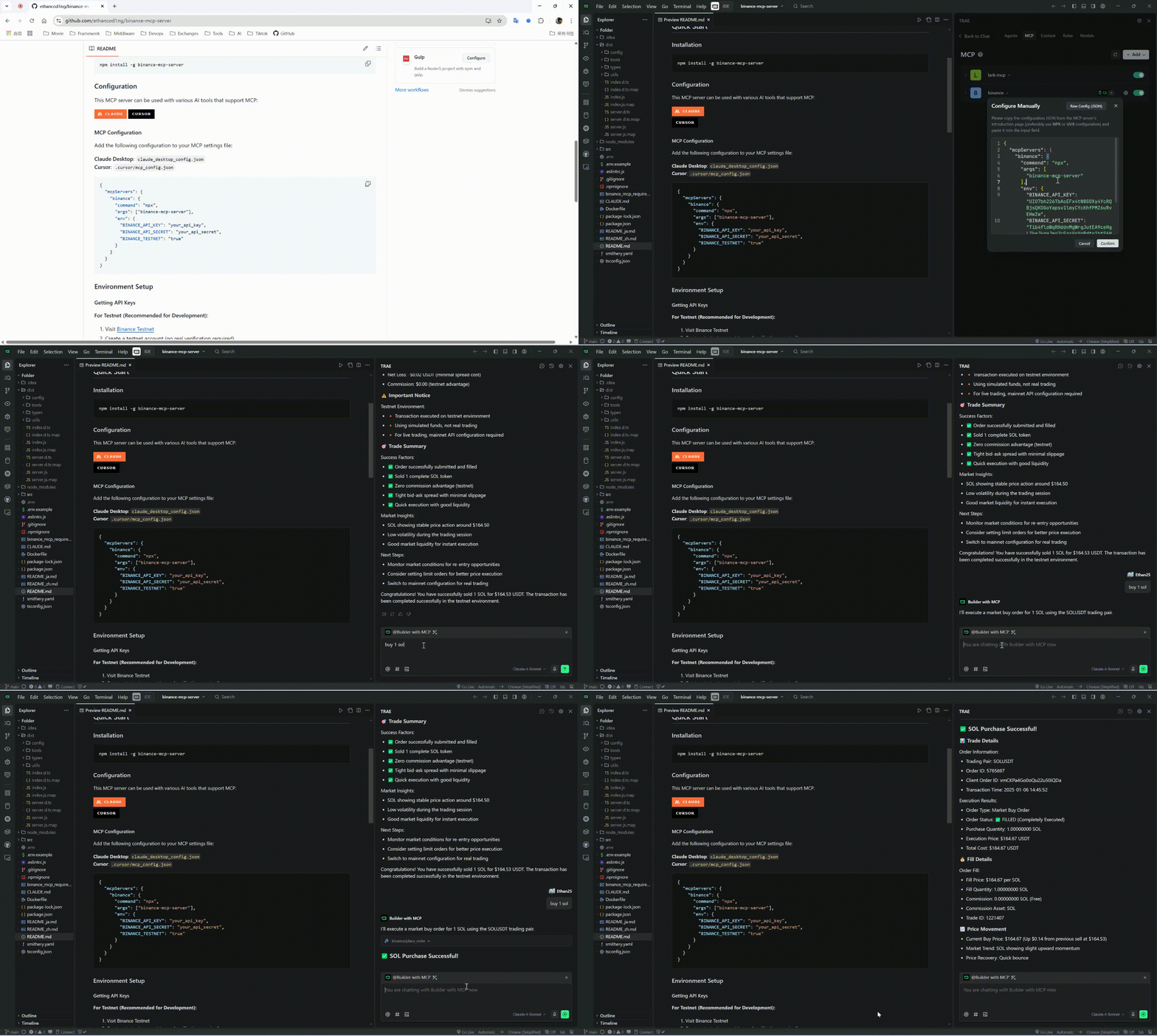
Watch our comprehensive MCP usage tutorial to get started quickly:
npm install -g binance-mcp-server
This MCP server can be used with various AI tools that support MCP:
Add the following configuration to your MCP settings file:
{
  "mcpServers": {
    "binance": {
      "command": "npx",
      "args": ["binance-mcp-server"],
      "env": {
        "BINANCE_API_KEY": "your_api_key",
        "BINANCE_API_SECRET": "your_api_secret",
        "BINANCE_TESTNET": "false"
      }
    }
  }
}
Note: Set
BINANCE_TESTNETto"true"if you want to use the Binance testnet for development and testing.
claude mcp add binance --env BINANCE_API_KEY=YOUR_API_KEY --env BINANCE_API_SECRET=YOUR_API_SECRET --env BINANCE_TESTNET=false -- npx -y binance-mcp-server
For Testnet (Recommended for Development):
For Mainnet (Production):
Create .env file:
BINANCE_API_KEY=your_api_key_here
BINANCE_API_SECRET=your_api_secret_here
BINANCE_TESTNET=true  # Set to false for mainnet (REAL money)
get_price - Get current price for trading pairget_orderbook - Get order book depth dataget_klines - Get K-line/candlestick dataget_24hr_ticker - Get 24-hour price statisticsget_account_info - Get account information and balancesget_open_orders - Get current open ordersget_order_history - Get historical ordersplace_order - Place a new order (supports both mainnet and testnet)cancel_order - Cancel specific order (supports both mainnet and testnet)cancel_all_orders - Cancel all open orders (supports both mainnet and testnet)Ask Claude to:
⚠️ Important:
BINANCE_TESTNET=true for safe testing with virtual fundsBINANCE_TESTNET=false or omit for mainnet trading with REAL moneynpm run build # Compile TypeScript
npm run dev # Development mode
npm run lint # Run linting
A Model Context Protocol (MCP) server for integrating AI assistants with Binance cryptocurrency exchange APIs, enabling automated trading, market data access, and account management.
เครื่องมือ
ยังไม่มีรายการเครื่องมือ เซิร์ฟเวอร์แบบรีโมตจะได้รายการหลังการตรวจสอบสถานะครั้งแรก
FAQ
คัดลอกคอนฟิก stdio สำหรับ Cursor, Claude Desktop, Claude Code หรือ VS Code ได้ในหน้านี้ คอนฟิกนี้ใช้การติดตั้งของผู้เผยแพร่ ไม่ใช่พร็อกซีของ PlugMCP
ระเบียนนี้ไม่ได้ระบุตัวแปรสภาพแวดล้อมที่จำเป็น
Binance ทำงานแบบโลคัลผ่าน stdio
ตรวจสอบล่าสุดเมื่อ 2026-10-28 A Model Context Protocol (MCP) server for integrating AI assistants with Binance cryptocurrency exchange APIs, enabling automated trading, market data access, and account management.
