
Power your agent
การติดตั้งจากผู้เผยแพร่ ไม่ใช่เอนด์พอยต์ของ PlugMCP
URL แบบรีโมตหรือคำสั่งบนเครื่องของคุณ? การติดตั้งสองแบบต่างกันอย่างไร
รันบน PlugMCP
A new server you create. It is not this listing's official endpoint. Use the publisher install when you want their URL and their credentials.
เปิด
MoLing is a computer-use and browser-use MCP Server that implements system interaction through operating system APIs, enabling file system operations such as reading, writing, merging, statistics, and aggregation, as well as the ability to execute system commands. It is a dependency-free local office automation assistant.
[!IMPORTANT] Requiring no installation of any dependencies, MoLing can be run directly and is compatible with multiple operating systems, including Windows, Linux, and macOS. This eliminates the hassle of dealing with environment conflicts involving Node.js, Python, Docker and other development environments.
[!CAUTION] Command-line operations are dangerous and should be used with caution.
github.com/chromedp/chromedp
[!WARNING] Currently, MoLing has only been tested on macOS, and other operating systems may have issues.
MoLing in Claude
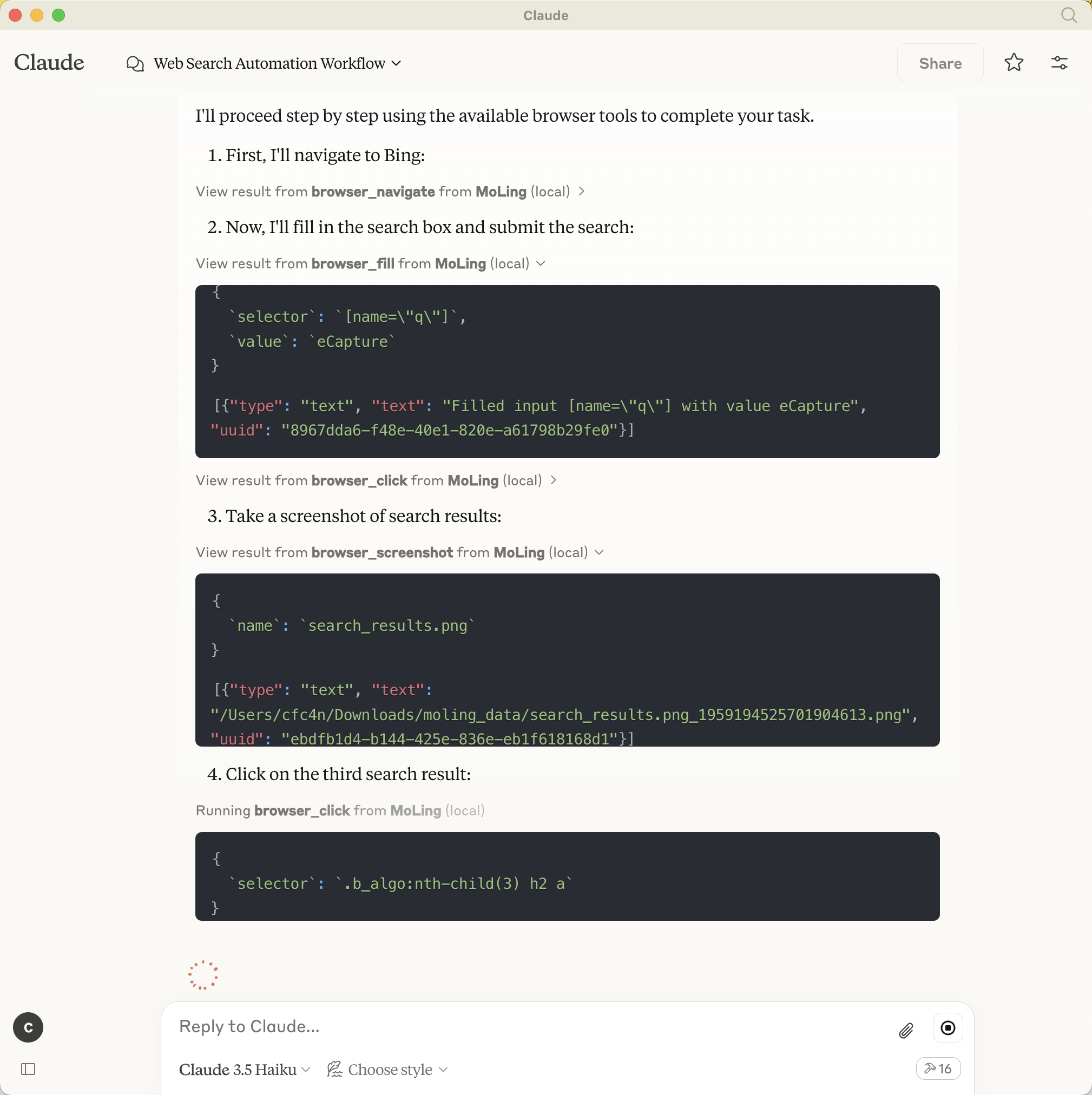
The configuration file will be generated at /Users/username/.moling/config/config.json, and you can modify its
contents as needed.
If the file does not exist, you can create it using moling config --init.
For example, to configure the Claude client, add the following configuration:
[!TIP]
Only 3-6 lines of configuration are needed.
Claude config path:
~/Library/Application\ Support/Claude/claude_desktop_config
{
  "mcpServers": {
    "MoLing": {
      "command": "/usr/local/bin/moling",
      "args": []
    }
  }
}
and, /usr/local/bin/moling is the path to the MoLing server binary you downloaded.
Automatic Configuration
run moling client --install to automatically install the configuration for the MCP client.
MoLing will automatically detect the MCP client and install the configuration for you. including: Cline, Claude, Roo Code, etc.
/bin/bash -c "$(curl -fsSL https://raw.githubusercontent.com/gojue/moling/HEAD/install/install.sh)"
[!WARNING] Not tested, unsure if it works.
powershell -ExecutionPolicy ByPass -c "irm https://raw.githubusercontent.com/gojue/moling/HEAD/install/install.ps1 | iex"
./moling
git clone https://github.com/gojue/moling.git
cd moling
make build
./bin/moling
After starting the server, connect using any supported MCP client by configuring it to point to your MoLing server address.
Apache License 2.0. See LICENSE for details.
MoLing is a computer-use and browser-use based MCP server. It is a locally deployed, dependency-free office AI assistant.
เครื่องมือ
ยังไม่มีรายการเครื่องมือ เซิร์ฟเวอร์แบบรีโมตจะได้รายการหลังการตรวจสอบสถานะครั้งแรก
FAQ
คัดลอกคอนฟิก stdio สำหรับ Cursor, Claude Desktop, Claude Code หรือ VS Code ได้ในหน้านี้ คอนฟิกนี้ใช้การติดตั้งของผู้เผยแพร่ ไม่ใช่พร็อกซีของ PlugMCP
ระเบียนนี้ไม่ได้ระบุตัวแปรสภาพแวดล้อมที่จำเป็น
Moling ทำงานแบบโลคัลผ่าน stdio
ตรวจสอบล่าสุดเมื่อ 2026-11-05 MoLing is a computer-use and browser-use based MCP server. It is a locally deployed, dependency-free office AI assistant.