Hippocamp
Plain Markdown in your own Git repo, shared by all your coding agents, like Claude Code and Codex. One command to install. No API key, no database, no server to run.
Power your agent
คำสั่งของผู้เผยแพร่เอง ไม่ใช่เอนด์พอยต์ของ PlugMCP
Host a copy with our keys and logs.
npx -y [email protected]Claude Code ไม่มีลิงก์ติดตั้งสำหรับคำสั่งแบบโลคัล ให้คัดลอกคำสั่งด้านล่างแล้วรันในเทอร์มินัล
claude mcp add hippocamp -- npx -y hippocamp@0.2.12รันในเทอร์มินัล
{ "mcpServers": { "hippocamp": { "command": "npx", "args": [ "-y", "[email protected]" ] } }}claude_desktop_config.json
URL แบบรีโมตหรือคำสั่งบนเครื่องของคุณ? การติดตั้งสองแบบต่างกันอย่างไร
รันบน PlugMCP
A new server you create. It is not this listing's official endpoint. Use the publisher install when you want their URL and their credentials.
เปิดEvery session starts by waking up from it, and every decision an agent records is a commit you can read, diff, and revert. Open source (MIT).
npx hippocamp@latest install
This installs Hippocamp into every supported agent it finds and creates your memory repo, ~/.lagoon. Restart your agent and it starts each task by waking up from memory.
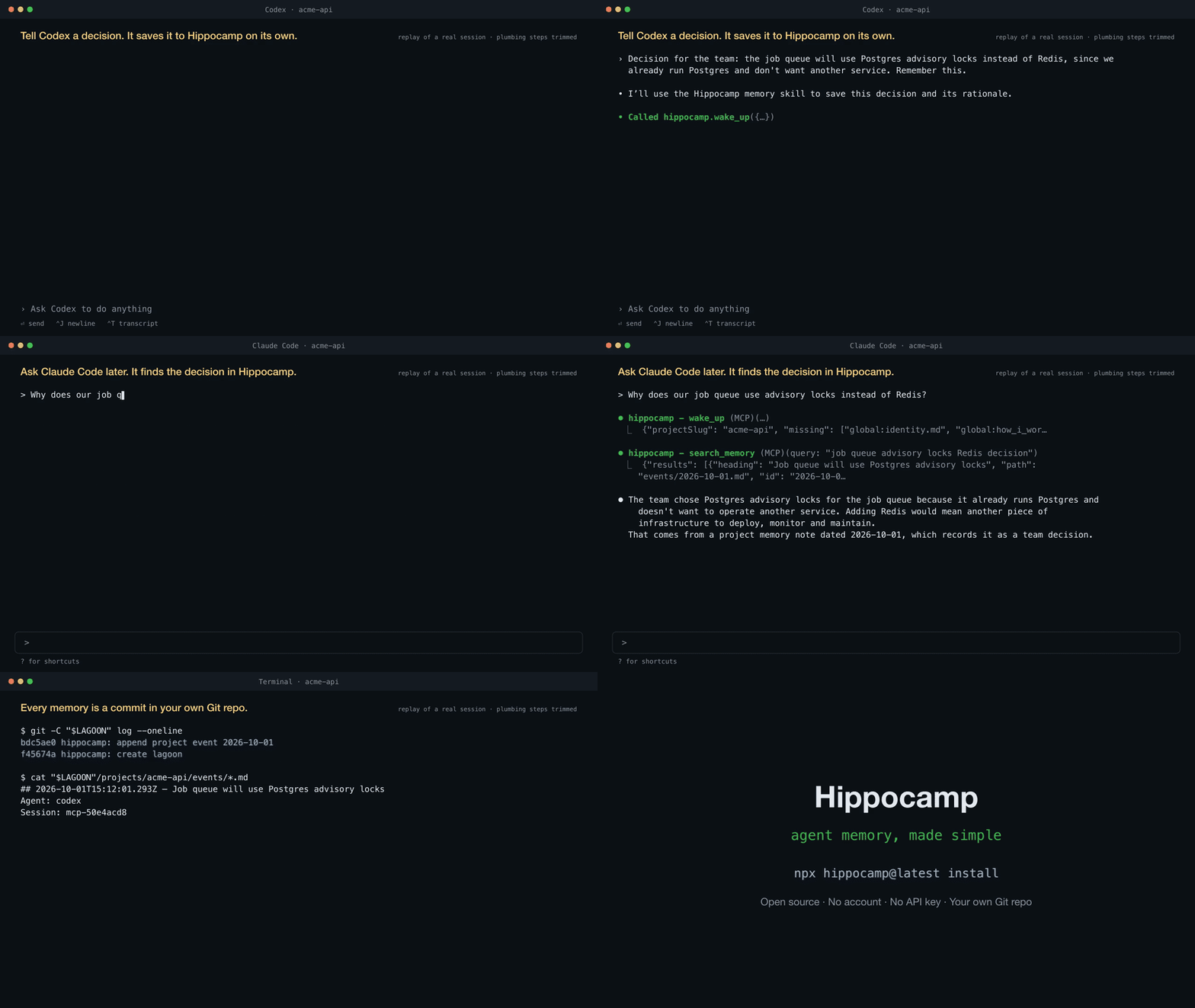
A replay of a real session. Neither prompt mentions Hippocamp.
Reproducible with the scripts in this repo.
Full tables, method, and limits: docs/results.md.
MIT
{ "mcpServers": { "hippocamp": { "command": "npx", "args": [ "-y", "[email protected]" ] } }}เครื่องมือ
ยังไม่มีรายการเครื่องมือ เซิร์ฟเวอร์แบบรีโมตจะได้รายการหลังการตรวจสอบสถานะครั้งแรก
FAQ
คัดลอกคอนฟิก stdio สำหรับ Cursor, Claude Desktop, Claude Code หรือ VS Code ได้ในหน้านี้ คอนฟิกนี้ใช้การติดตั้งของผู้เผยแพร่ ไม่ใช่พร็อกซีของ PlugMCP
ระเบียนนี้ไม่ได้ระบุตัวแปรสภาพแวดล้อมที่จำเป็น
Hippocamp ทำงานแบบโลคัลผ่าน stdio
ตรวจสอบล่าสุดเมื่อ 2026-10-28 Local Git-backed memory for AI agents.
