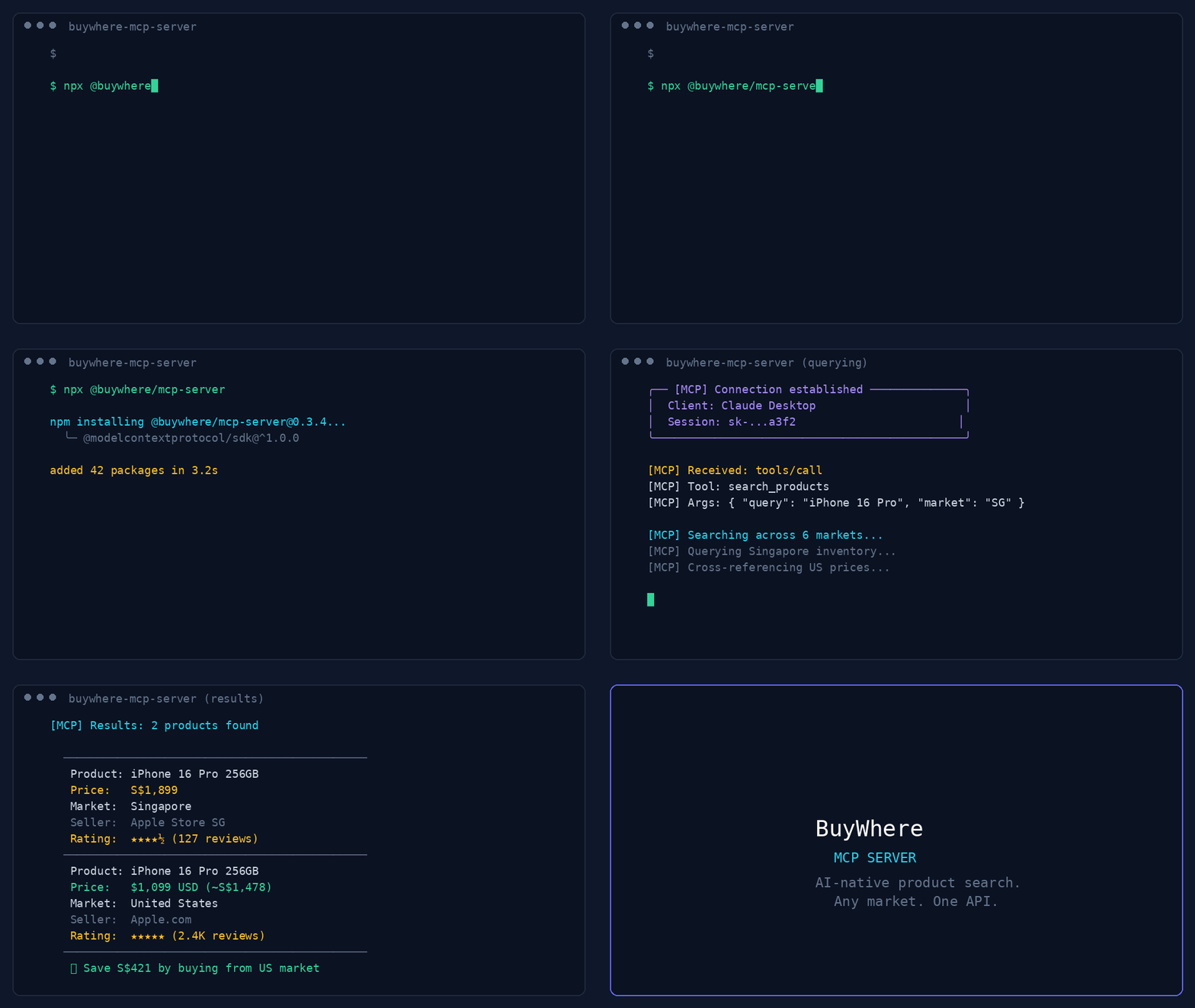
Works with Claude Desktop, Cursor, VS Code Copilot, Cline, Windsurf, OpenCode, Codex, Continue.dev, and any MCP-compatible client. Also supports Agent-to-Agent (A2A) protocol.
User:   "Find me wireless earbuds under $50 available in Singapore"
Agent:  [calls search_products → returns 5 matching products]

User:   "Compare the top 3"
Agent:  [calls compare_products → side-by-side with best-value pick]
Mastra is a TypeScript-first AI agent framework with native MCP support.
npm install @mastra/core @mastra/mcp
import { Mastra } from '@mastra/core';
import { MastraMCPClient } from '@mastra/mcp';

const buywhere = new MastraMCPClient({
  name: 'buywhere',
  server: {
    url: new URL('https://api.buywhere.ai/mcp'),
    requestInit: {
      headers: { 'Authorization': `Bearer ${process.env.BUYWHERE_API_KEY}` },
    },
  },
});

const agent = new Mastra({
  agents: {
    shoppingAgent: {
      instructions: 'You are a shopping assistant. Use BuyWhere to find and compare products.',
      tools: await buywhere.tools(),
    },
  },
});

const result = await agent.agents.shoppingAgent.generate(
  'Find me the best deal on a Sony WH-1000XM5 in Singapore'
);
Use BuyWhere tools in LangChain agents via the MCP adapter:
from langchain_mcp_adapters.client import MultiServerMCPClient
from langgraph.prebuilt import create_react_agent
from langchain_anthropic import ChatAnthropic

async def main():
    async with MultiServerMCPClient({
        "buywhere": {
            "url": "https://api.buywhere.ai/mcp",
            "transport": "streamable_http",
            "headers": {"Authorization": f"Bearer {BUYWHERE_API_KEY}"},
        }
    }) as client:
        tools = await client.get_tools()
        agent = create_react_agent(ChatAnthropic(model="claude-sonnet-4-5"), tools)
        result = await agent.ainvoke({"messages": [("user", "Find the cheapest Sony headphones in Singapore")]})
LlamaIndex
Connect BuyWhere via LlamaIndex MCP client:
from llama_index.tools.mcp import BasicMCPClient, McpToolSpec
from llama_index.agent.openai import OpenAIAgent

async def main():
    mcp_client = BasicMCPClient(
        command_or_url="https://api.buywhere.ai/mcp",
        headers={"Authorization": f"Bearer {BUYWHERE_API_KEY}"},
    )
    mcp_tool_spec = McpToolSpec(client=mcp_client)
    tools = mcp_tool_spec.to_tool_list()
    agent = OpenAIAgent.from_tools(tools)
    response = await agent.achat("Compare prices for iPhone 16 Pro across Singapore and US")
CrewAI
Use BuyWhere in a CrewAI agent with MCP tool integration:
from crewai import Agent, Task, Crew
from crewai_tools import MCPServerAdapter

buywhere_server = MCPServerAdapter(
    server_params={
        "url": "https://api.buywhere.ai/mcp",
        "headers": {"Authorization": f"Bearer {BUYWHERE_API_KEY}"},
        "transport": "streamable-http",
    }
)

shopping_agent = Agent(
    role="Shopping Research Analyst",
    goal="Find the best deals across Singapore and US markets",
    tools=[buywhere_server],
)

task = Task(
    description="Find the best price for Sony WH-1000XM5 headphones across all available markets",
    agent=shopping_agent,
    expected_output="Product comparison with prices and merchant links",
)

crew = Crew(agents=[shopping_agent], tasks=[task])
result = crew.kickoff()
Configuration
Variable
Default
Description
BUYWHERE_API_KEY
(required)
API key (no signup: POST /v1/auth/register {"agent_name":"<name>"}) — returns instantly, no email verification
BUYWHERE_API_URL
https://api.buywhere.ai/mcp
Custom API base URL
Install
# Run directly (no install)
npx -y @buywhere/mcp-server

# Install globally
npm install -g @buywhere/mcp-server
buywhere-mcp
Use Cases
Shopping agents — build AI agents that search, compare, recommend products across markets
Price comparison — multi-market pricing in a single query across Lazada, Shopee, Amazon, local retailers
Deal discovery — find best-value products with real-time pricing and inventory
Ecommerce automation — integrate product search into any MCP-compatible app
Cross-border commerce — compare prices between Singapore, US, Malaysia, Thailand, and Vietnam markets
Agent-to-Agent commerce — delegate shopping tasks between agents via A2A protocol
git clone https://github.com/BuyWhere/buywhere-mcp.git
cd buywhere-mcp
npm install
npm run build
npm start
Why BuyWhere?
BuyWhere is a product search API for AI agents. We aggregate product data from Singapore, US, Malaysia, Thailand, and Vietnam merchants into a single, agent-friendly interface — no store management, no Shopify integration. Just search and compare products in real time.
One API — all markets, all retailers
Agent-native — built for MCP from day one
Real-time — live pricing and availability
Developer-first — no SDK needed, just add the server
Works Well With
These complementary MCP packages extend BuyWhere into powerful multi-tool workflows:
@modelcontextprotocol/server-filesystem — Save shopping results and product research to your local filesystem. Combine with BuyWhere to export deal lists, price comparisons, and product specs as structured files.
@supabase/mcp-server-supabase — Store favorite products, user preferences, and price alerts in Supabase. Persist shopping history across agent sessions.
n8n-mcp — Automate price monitoring workflows. Build no-code pipelines that watch BuyWhere prices and trigger notifications on price drops.
tavily-mcp — Research products before buying. Use Tavily to find reviews and comparisons, then use BuyWhere to get current prices and purchase links.
@playwright/mcp — E2E test your shopping agent interactions. Verify that product search, price comparison, and checkout flows work correctly in browser automation.