Modellix Agent Canvas is a local, workspace-bound stdio MCP plugin for visual AI work. It brings an Excalidraw infinite canvas, Modellix image generation and editing, paid-operation confirmation, durable task recovery, HTML drafts, presentations, and project-local persistence into one workspace.
Local MCP canvas for Modellix image generation, editing, task recovery, and visual project work.
2026-11-09
ดาว
—
เครื่องมือ
—
อัปไทม์
—
It supports Codex, Cursor, Claude Code, OpenCode, and other applications that implement local stdio MCP. Hosts with MCP Apps can embed the complete canvas; other compatible hosts use the same MCP server through a short-lived loopback page. Canvas runs locally and does not require a deployed Canvas service.
Product tour
These screenshots come from one real local Canvas session. The reproducible walkthrough uses the original local artwork in docs/images/demo/creative-studio.webp, so you can explore image editing, HTML capture, and presentations without first creating a paid image task.
The single Lumen Creative Direction story below verifies seven connected capabilities instead of showing unrelated examples:
Import a real local image as an ordinary canvas asset.
Turn the selection into the primary reference for a controlled image edit.
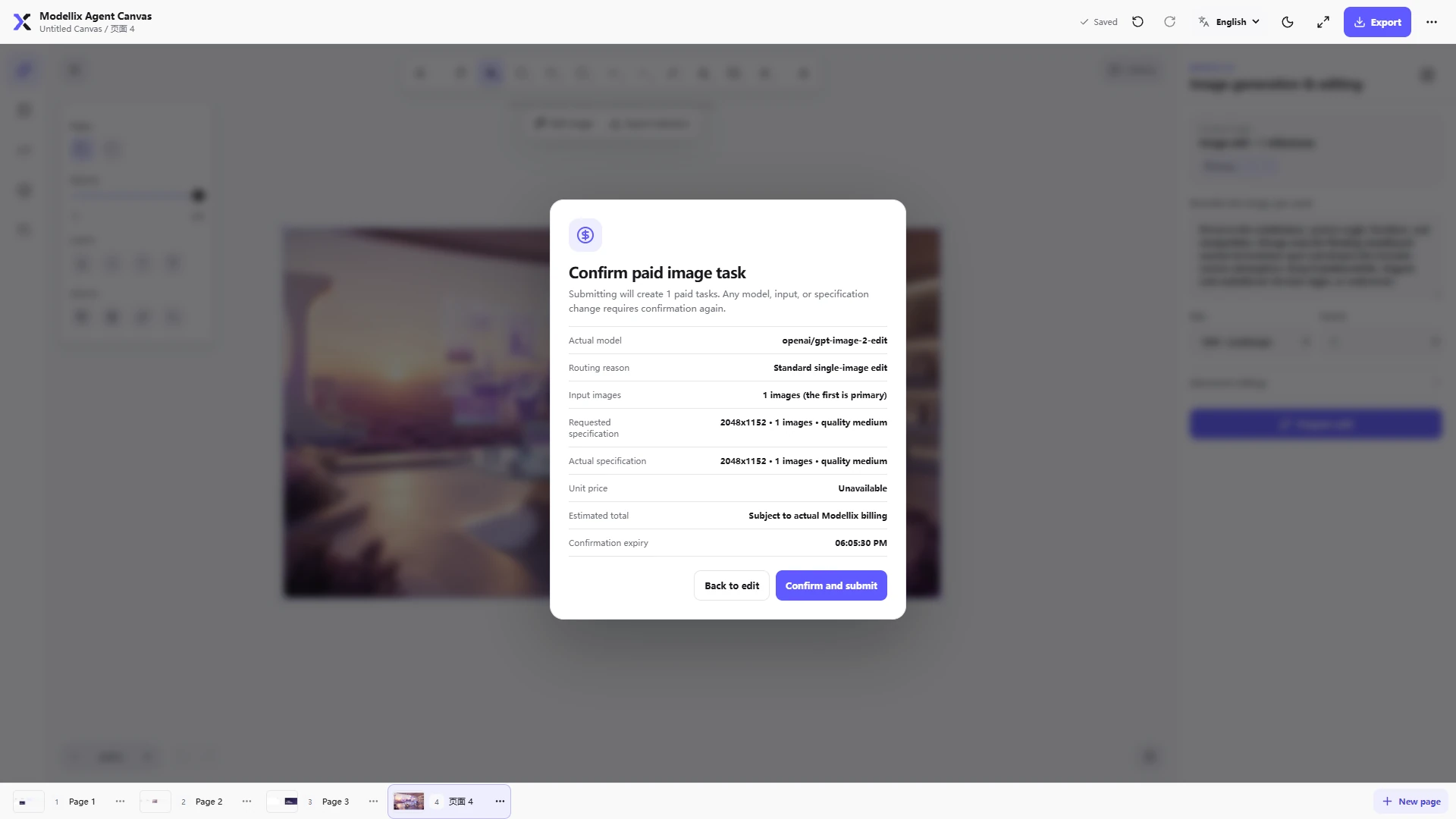
Inspect the routed model, effective specification, quantity, and price disclosure before any paid submission.
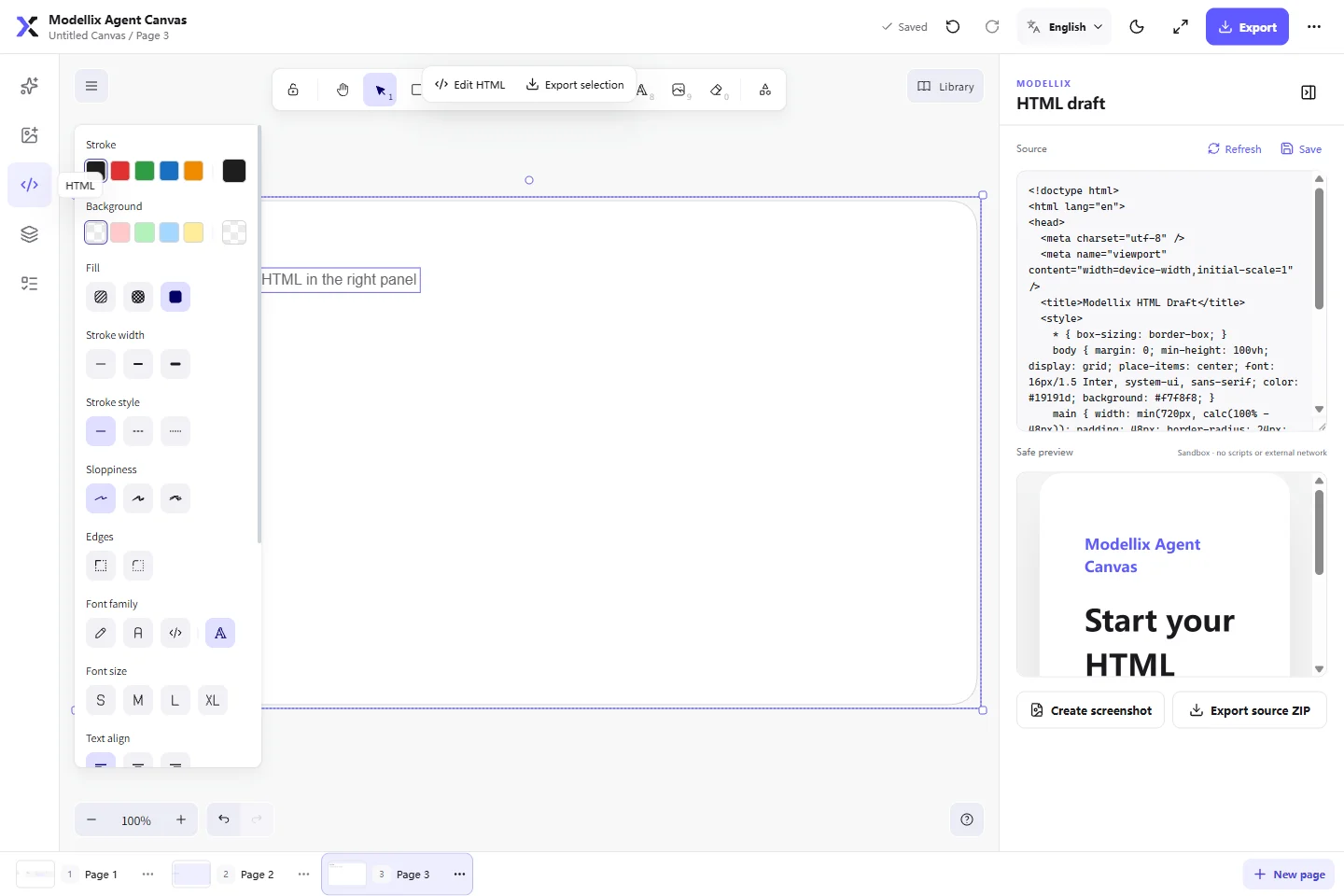
Edit HTML beside a CSP-restricted live preview and capture the rendered result back to Canvas.
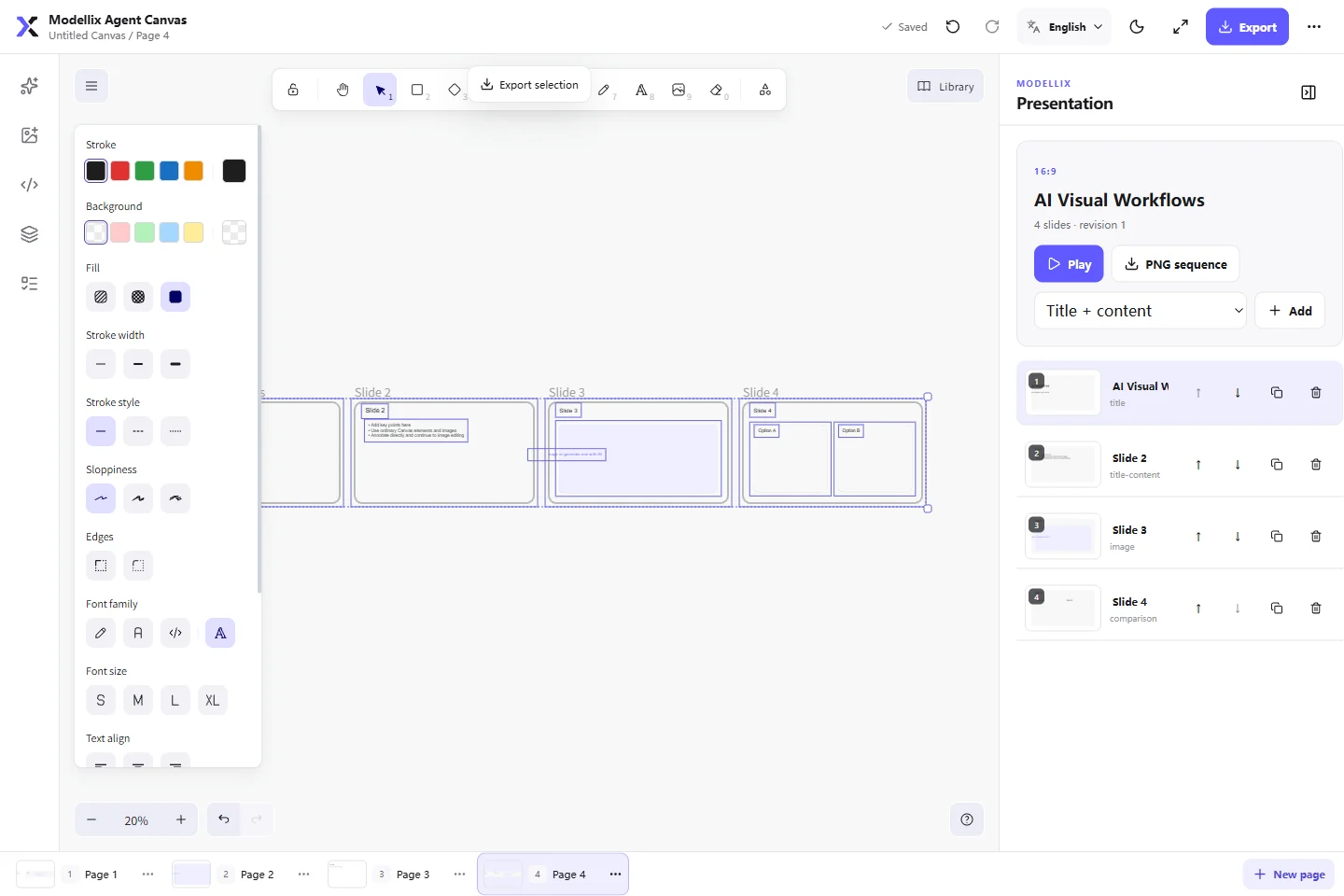
Reuse the same visual direction in a five-slide presentation.
Play the deck in a clean full-screen sequence.
Export the page as PNG/SVG, export the deck as a PNG sequence, or back up and restore the project.
A real image workflow
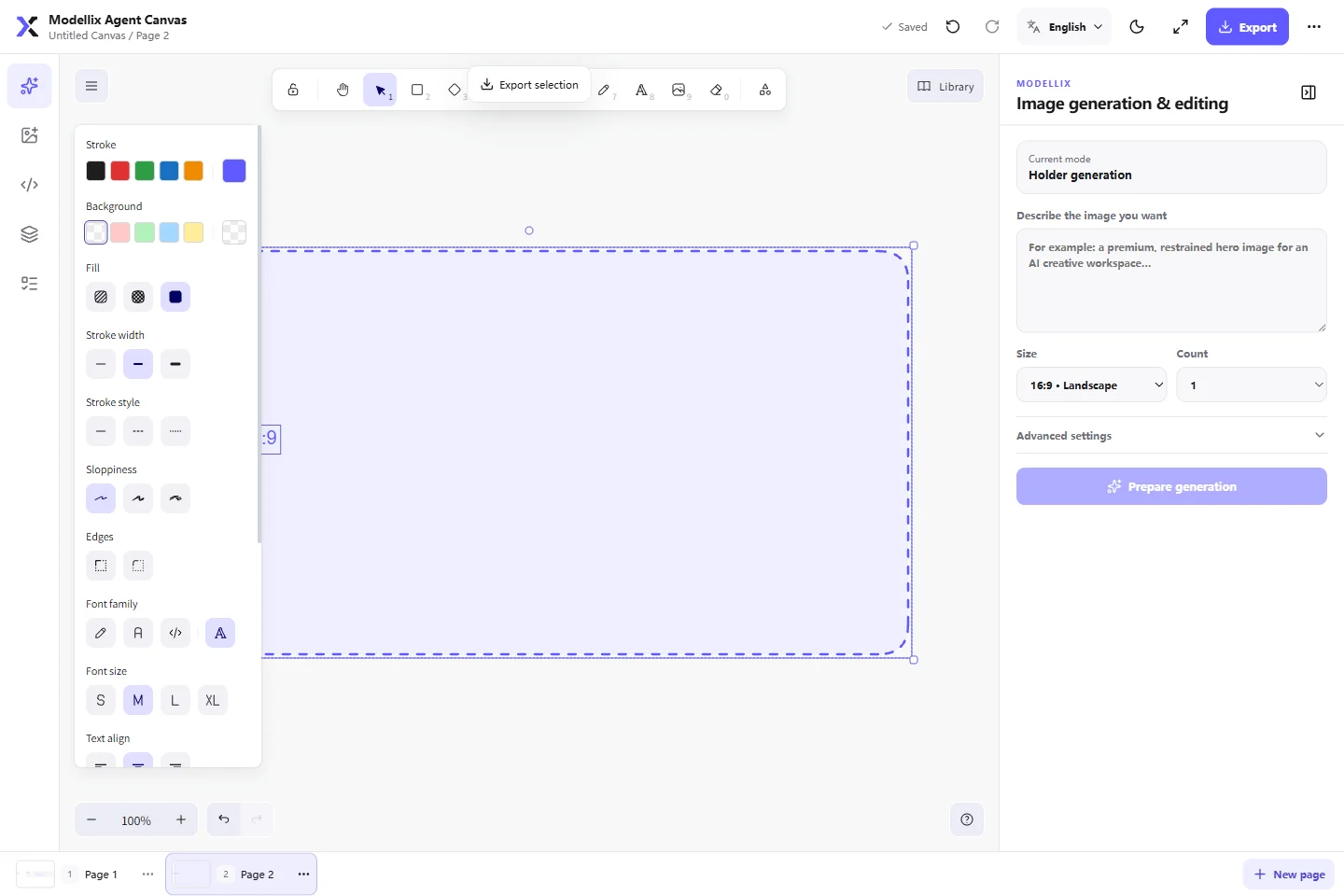
Drop an image onto the canvas or select a completed generation, then describe only the change you want. The selected image becomes the primary reference; output size, count, background, quality, and additional ordered references remain editable before preparation.
Review the route before spending
prepare_modellix_image_task is free. It shows the actual model, routing reason, requested and effective specifications, quantity, and the available price disclosure before a separate confirmation. This documentation run returned an unavailable quote, so no paid submission was made; do not confirm an unquoted task when you have a fixed budget.
Safe HTML drafts
Edit HTML source beside an isolated live preview, capture it back to the canvas, or export the source as a ZIP archive.
Presentation editor
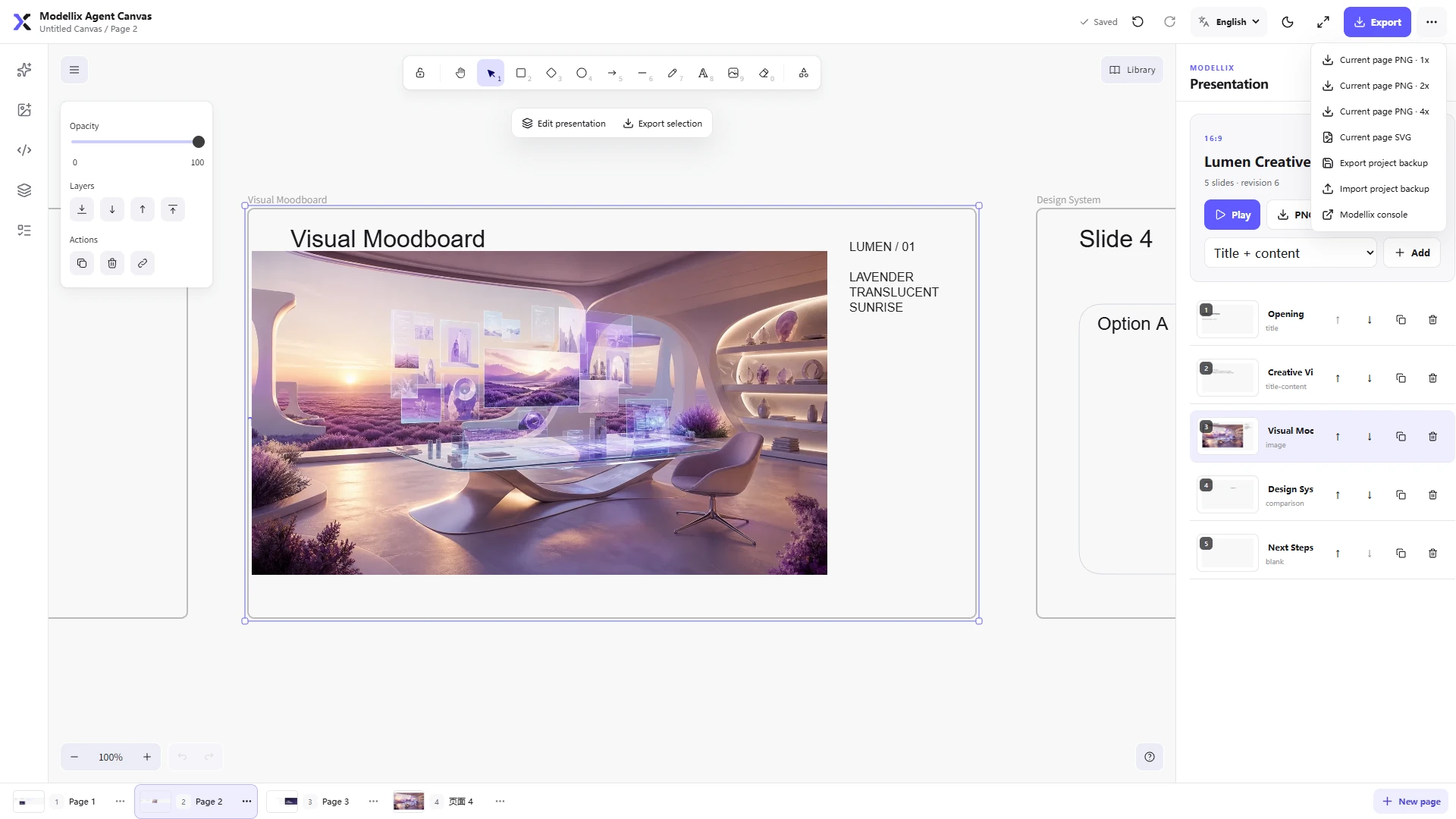
Create editable slide decks from several layouts, drop visual assets into ordinary slide elements, manage the sequence visually, present it, or export a PNG sequence.
Full-screen playback
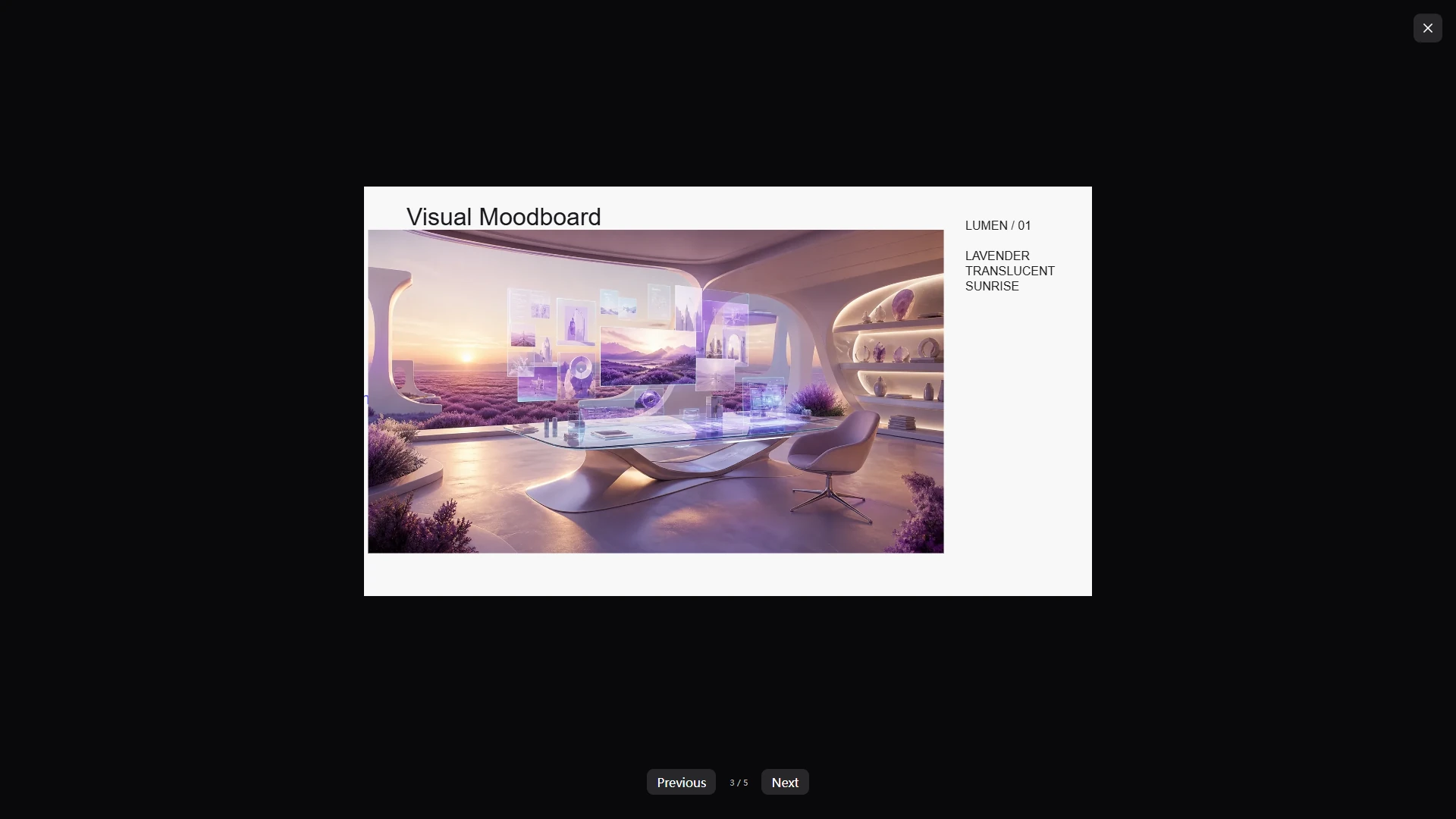
The same image-led slide plays in the built-in presenter with previous/next controls and a visible slide count.
Export and project backup
Export the current page at 1×, 2×, or 4× PNG, save SVG, download a presentation PNG sequence, or create and restore a project backup.
Reproduce the walkthrough
Install the plugin through one host path below, then open it in a real project workspace.
Call get_modellix_canvas_status and open_modellix_canvas with the same absolute workspace path.
Drop creative-studio.webp onto the canvas, select it, and enter an edit instruction.
Choose 16:9 · Landscape, click Prepare edit, and inspect the returned model, route, effective specification, quantity, and price disclosure. Preparation is free.
Confirm only when the disclosed total fits your budget. Otherwise choose Back to edit; the walkthrough does not require a paid submission.
Open HTML, save the isolated draft, and choose Create screenshot to insert the rendered result back into Canvas.
Open Presentation, create a starter deck, and drop the visual into a slide. Use Play or PNG sequence to finish.
What it includes
Infinite canvas: text, shapes, lines, arrows, freehand drawing, frames, images, grouping, locking, layers, alignment, a project-persisted personal library, and action-level undo and redo.
Multi-page projects: create, rename, duplicate, reorder, and delete pages while preserving an independent viewport and history for every page.
Image placeholders: reserve a target area before generation; the selected result replaces the placeholder and remains undoable, while extra results are placed predictably beside it.
Image generation and editing: text-to-image, single-image editing, ordered 2–10 image references, an explicit primary reference, annotation-based editing, transparent backgrounds, fidelity controls, and 1–4 outputs.
Model-aware routing: the user states the creative requirement; prepare returns the selected model, routing reason, effective specification, limitations, and estimated total cost.
Paid-operation safety: prepare is free, submit requires an explicit one-time confirmation, duplicate work is locally deduplicated, and an unknown submission is never retried automatically.
Durable tasks: task IDs, state transitions, and local results are persisted in an append-only ledger, so work can continue after the host or browser closes.
HTML drafts: source editing, CSP-restricted sandbox preview, refresh, canvas capture, and source ZIP export.
Presentations: 16:9, 4:3, and custom ratios; title, content, image, comparison, and blank layouts; thumbnails, reordering, duplication, presentation mode, and PNG-sequence export.
Import and export: selected area or full-page PNG/SVG at 1×, 2×, or 4×, presentation PNG ZIP, and confirmed project JSON backup restore.
English, Chinese, and Japanese UI: English is the default. The language switch in the upper-right updates the Canvas, Excalidraw controls, and secure API Key form, and the choice is saved with the project.
Local security: credentials use the modellix-cli system credential store and are never written to chat, MCP arguments, URLs, project files, or task ledgers.
Requirements
Node.js ^20.19.0 || >=22.12.0
Access to the production API at https://api.modellix.ai
Choose one installation path only. Codex, Cursor, and Claude users install once from the host's Git or Marketplace entry; the plugin loads its manifest and Skills and automatically resolves the pinned npm runtime in the background. OpenCode and generic MCP users add the npm-backed MCP once. Users never run a second npm or CLI installation command. The package includes the tested modellix-cli 0.0.11 runtime as an offline fallback. On the first CLI use of each MCP process, Canvas checks the public npm latest tag, atomically caches that exact CLI version in the user-local Modellix cache, and pins it for the rest of the process. A registry or compatibility failure falls back to the bundled version, so a CLI release cannot make the installed Canvas disappear. Set MODELLIX_CLI_AUTO_UPDATE=0 only when a deployment must remain on the bundled fallback. Existing valid CLI credentials are reused; otherwise the first-use prompt only asks for a Modellix API Key.
Optionally run npm exec --yes --package=@modellix/[email protected] -- modellix-agent-canvas --doctor from outside the source checkout to verify the published package's Node.js requirement, production dependencies, bundled Widget, and active version. This is a diagnostic, not a second installation path.
Quick start
Install from the host's plugin interface whenever possible.
Agent Plugins 1.0.0 clients
Install this repository or its npm package through any compatible Agent Plugins client. The portable core is the root plugin.json, mcp.json, and skills/ directory. The manifest and MCP configuration target the official 1.0.0 schemas; fixed-location discovery loads the three Agent Skills and the generic stdio server without relying on a host-specific manifest.
The Git marketplace installs the plugin files from this repository. Its Codex adapter starts a single Node bootstrap process, installs the pinned npm runtime into a user-local cache on first use, and then imports the MCP server into that same process. Warm starts reuse the validated cache without retaining an npx wrapper process or requiring a global CLI installation.
Cursor
Run the following command in Cursor:
/add-plugin modellix-agent-canvas
For a GitHub or local-checkout install, open Customize → Plugins → + Add and select the repository root. Cursor reads .cursor-plugin/marketplace.json, then offers Modellix Agent Canvas from the modellix personal marketplace. This is separate from the Open Plugins metadata submitted to Cursor Directory.
Claude Code
claude plugin marketplace add Modellix/modellix-agent-canvas
claude plugin install modellix-agent-canvas@modellix
After enabling or upgrading the plugin, run /reload-plugins, then use /mcp to verify the connection.
OpenCode and other MCP hosts
Use the public npm package @modellix/agent-canvas. Ready-to-merge host configurations are included in this repository. See the complete installation guide for setup, verification, upgrades, uninstallation, and source development.
If status is missing or invalid, Canvas displays a password input directly in its credential card. The field follows the language selected in the upper-right and is an isolated, one-time loopback form that expires after five minutes; submitting it validates the key through the bundled CLI, stores it in the system credential store, and automatically refreshes Canvas status. The Key never enters Canvas state or MCP tool arguments. start_modellix_api_key_setup remains available to integrations that need to obtain the same short-lived local form explicitly.
Use the adapter intended for the target host. Root plugin.json and mcp.json form the portable Agent Plugins 1.0.0 core. .plugin/plugin.json and .mcp.json remain the legacy Open Plugins entry for Cursor Directory and the Cursor-specific MCP Apps adapter. The Codex manifest embeds its own server configuration and .mcp.codex.json mirrors it for direct development. See host compatibility for protocol mappings, host-specific UI behavior, and validation status.
The template does not contain an API Key. Cursor supplies the active workspace through MCP Roots; the template intentionally avoids unportable ${workspaceFolder} interpolation.
For the stable OpenCode release, merge mcp.modellix-agent-canvas from adapters/opencode/opencode.json into the project configuration. OpenCode V2 beta users should instead merge mcp.servers.modellix-agent-canvas from adapters/opencode/opencode-v2.json. Both adapters start @modellix/[email protected] from the active workspace and use the local page fallback.
API Key and privacy
Credential resolution is deliberately simple:
Check the credentials already persisted by modellix-cli.
Reuse a valid credential when available.
Otherwise, enter a key in the isolated setup field embedded in the Canvas credential card.
Do not place a key in chat, tool arguments, command-line arguments, repository files, screenshots, project backups, or task reports. Canvas does not store keys in localStorage, sessionStorage, or IndexedDB.
Prompts and input images are sent to Modellix only after the user confirms the paid task. Prepare reads model capability and pricing data but does not upload references or create a paid task. Completed outputs are downloaded immediately into project assets, avoiding dependence on expiring remote result URLs.
Image routing
Requirement
Default capability route
Standard opaque text-to-image
GPT Image 2
Transparent text-to-image
GPT Image 1.5
Standard single-image editing
GPT Image 2 Edit
Transparent, strict-fidelity, or standard multi-image editing
GPT Image 1.5 Edit
Multi-reference editing with special ratios or 2K/4K output
Nano Banana Pro Edit
The production API supplies the current model catalog, capabilities, and price. Canvas selects only from approved candidates. If no model satisfies every hard requirement, it returns CAPABILITY_CONFLICT or MODEL_UNAVAILABLE instead of silently degrading or creating a paid task.
The paid workflow is:
prepare_modellix_image_task resolves ordered references, selects a model, and returns a short-lived confirmation fingerprint.
The UI or agent displays the actual model, routing reason, effective specification, quantity, warnings, and estimated total cost.
After explicit user approval, submit_modellix_image_task submits the unchanged intent with the same fingerprint.
wait_modellix_image_task waits on registered tasks for 30 seconds by default (maximum 45); get_modellix_image_task returns an immediate snapshot. Closing the page cancels the active read without resubmitting the task. SUBMISSION_UNKNOWN is query-only and must never trigger an automatic resubmission.
finalize_modellix_image_task validates downloads, writes content-addressed assets, and places results at the placeholder or beside the source.
MCP tools
The agent-facing workflow uses:
get_modellix_canvas_status
start_modellix_api_key_setup
open_modellix_canvas
get_canvas_context
create_canvas_page, rename_canvas_page, and delete_canvas_page
prepare_modellix_image_task
submit_modellix_image_task
get_modellix_image_task
wait_modellix_image_task
list_modellix_canvas_tasks
finalize_modellix_image_task
cleanup_modellix_canvas_uploads, which requires confirmCleanup: true and affects only terminal temporary uploads recorded in the ledger
get_canvas_project, save_canvas_project, and save_canvas_asset are app-only MCP Apps data channels. They keep large scene JSON and base64 assets out of model context. Every tool returns stable error codes, retryability, and recovery guidance.
Images are SHA-256 content-addressed and deduplicated; page JSON stores relative asset IDs.
Project and page writes use temporary files, flush, atomic replacement, and revision conflict checks.
Recovery snapshots are created before writes; an older build never overwrites an unknown schema version in place.
Real-path, symbolic-link, junction, and workspace-boundary checks protect every file operation.
Task ledgers exclude API Keys, full prompt text, input images, remote temporary URLs, and absolute local paths.
Loopback and HTML security
The fallback page listens only on localhost with an ephemeral system-assigned port and enforces:
A one-time high-entropy open token and short-lived HttpOnly; SameSite=Strict session
Host, Origin, HTTP method, Content-Type, and request-size validation
Strict CSP, no-store, no-referrer, and nosniff
No remote scripts, fonts, analytics, or general-purpose file proxy
HTML drafts run in a separate sandboxed iframe with its own CSP. External networking, top-level navigation, pop-ups, downloads, device permissions, and host APIs are disabled by default.
Development and release checks
npm ci
npm run sync:skills
npm run check
npm run check:licenses
npm run check:plugin
npm test
npm run build
npm run build:widget
npm run probe:mcp
npm audit --audit-level=moderate
npm run quality runs the complete local gate except npm audit and the real packed-install smoke test. npm run smoke:package installs the publishable package with lifecycle scripts disabled and probes the complete MCP.
Before release, use npm pack --dry-run to confirm that the package contains no QA origin, internal acceptance material, absolute path, test credential, or obsolete resource.
Common errors
WORKSPACE_UNBOUND: provide the active project's absolute workspacePath, or restart MCP from the actual user project with --project-dir.
WORKSPACE_BOUNDARY_VIOLATION: a path or linked target resolved outside the bound workspace.
AUTH_REQUIRED / AUTH_INVALID: use or regenerate the secure input inside the credential card; do not send the key through chat.
ROUTE_CHANGED_RECONFIRM_REQUIRED: an input, reference order, specification, price, or expiry changed; prepare and confirm again.
SUBMISSION_UNKNOWN: do not resubmit; continue polling the existing operation from the task center.
FINALIZE_CONFLICT: inspect whether the intended target moved or was deleted, then choose a recovery location.
REVISION_CONFLICT: another session updated the project; reload before reapplying the current change.
No marketplace manifest found: when using Customize → Plugins → + Add, select the repository root containing .cursor-plugin/marketplace.json; loading a standalone plugin for development uses ~/.cursor/plugins/local/modellix-agent-canvas instead.
Upgrade and uninstall
Host-specific commands are documented in Upgrade and uninstall. Upgrading does not delete .modellix/canvas/. Uninstalling also preserves workspace data and system credentials, preventing accidental deletion of keys shared by other Modellix tools. To remove a credential, run modellix-cli auth logout for the corresponding profile.
License
Project-owned code is available under the MIT License. The canvas engine uses @excalidraw/excalidraw 0.18.1 under MIT; the bundled modellix-cli 0.0.11 fallback and an automatically cached newer CLI retain their own package license and metadata. See THIRD_PARTY_NOTICES.md and THIRD_PARTY_LICENSES.