A small MCP server and interactive LangChain/Groq chatbot. The server exposes
local regex-based tools for redacting common secrets and personally identifiable
information (PII), and the client sanitizes each message before sending it to
the language model.
Important limitation: Regex matching only recognizes the patterns
implemented here. It cannot guarantee detection of every secret or PII value.
The client guarantees that both configured sanitizer tools are called before
each non-empty user message is passed to Groq; the system prompt is
defense-in-depth, not the enforcement mechanism. Do not send regulated or
highly sensitive data without adding appropriate controls and validating
detection coverage for your environment.
Redacts common secrets, email addresses, and phone numbers.
2026-11-10
ดาว
—
เครื่องมือ
—
อัปไทม์
—
Architecture
User input
   |
   v
Python client --MCP/SSE--> local regex scrubbers
   |                         1. mask_api_keys_and_secrets
   |                         2. mask_pii_data
   v
Sanitized text --> LangChain agent --> Groq
Sanitization uses local Python regular expressions in the MCP server and
consumes 0 LLM tokens. The client makes the sanitizer calls synchronously
before invoking the agent, so raw input is not sent to Groq by this chat flow.
An MCP transport is still a network boundary; this configuration binds the
server to loopback (127.0.0.1) and is intended for local development.
The logging interceptor prints tool names and argument field names but withholds
all argument and result contents, so it does not log unsanitized input or
potentially sensitive sanitizer output.
Tools
Tool
Behavior
mask_api_keys_and_secrets(text)
Redacts OpenAI-style sk-... keys, Bearer tokens, and common named key/secret/password/token assignments as [REDACTED_SECRET].
mask_pii_data(text)
Redacts email addresses as [REDACTED_EMAIL] and common North American phone formats as [REDACTED_PHONE].
audit_text_for_risks(text)
Returns counts of recognized secrets, email addresses, and phone numbers.
Keep .env out of version control. The client loads this file at startup and
checks that GROQ_API_KEY is set before connecting to Groq. A .env placed
inside .venv is also recognized as a fallback, but the project directory is
the recommended location because .venv is generated and can be deleted and
recreated. GROQ_MODEL is optional; if omitted, the client uses
openai/gpt-oss-120b. If Groq reports that a model is unavailable, set
GROQ_MODEL to a model ID enabled for your account. The API key is used by
ChatGroq; it is not sent to the MCP server.
Run
Start the MCP server in one terminal:
uv run server.py
It listens on http://127.0.0.1:8000 using the SSE transport, with the MCP
endpoint at /sse.
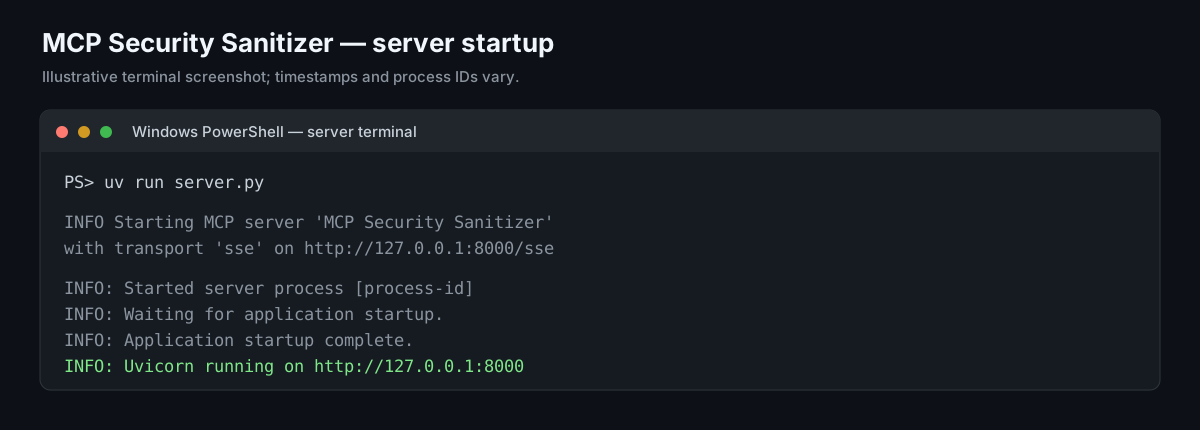
Server startup screenshot
The image below illustrates the expected server terminal after startup. It is
a generated example rather than a direct screenshot from your machine; process
IDs and log formatting can differ by FastMCP/Uvicorn version.
In a second terminal, start the interactive chatbot:
uv run client.py
Alternatively, activate the project environment in each terminal and run
Python directly. For example, in Windows PowerShell:
.\.venv\Scripts\Activate.ps1
python server.py
In a second activated terminal:
.\.venv\Scripts\Activate.ps1
python client.py
Type exit or quit to end the chat.
Sample prompts to try
With both the server and client running, paste one of these prompts into the
client. Every value below is synthetic test data; do not use real credentials
or personal information for testing.
Email and phone
Write a friendly appointment reminder for [email protected] and ask them to
call (415) 555-0134 if they need to reschedule.
The text passed to the agent should replace those values with:
Explain why this demo credential should not be shared: sk-1234567890abcdef.
The test password is password=hunter2.
Both credential values should be replaced with [REDACTED_SECRET] before the
message is sent to Groq.
Bearer token and mixed data
Help me write a support note for [email protected]. The test phone is
212-555-0199 and the example authorization header is Bearer
abc123.def456.ghi789.
The email, phone number, and Bearer token should be masked by the applicable
tool. The interactive client intentionally does not print sanitized text to
the terminal; it logs which tools ran while withholding their arguments and
results. The expected replacements above describe what is passed onward, not
what is displayed in the console.
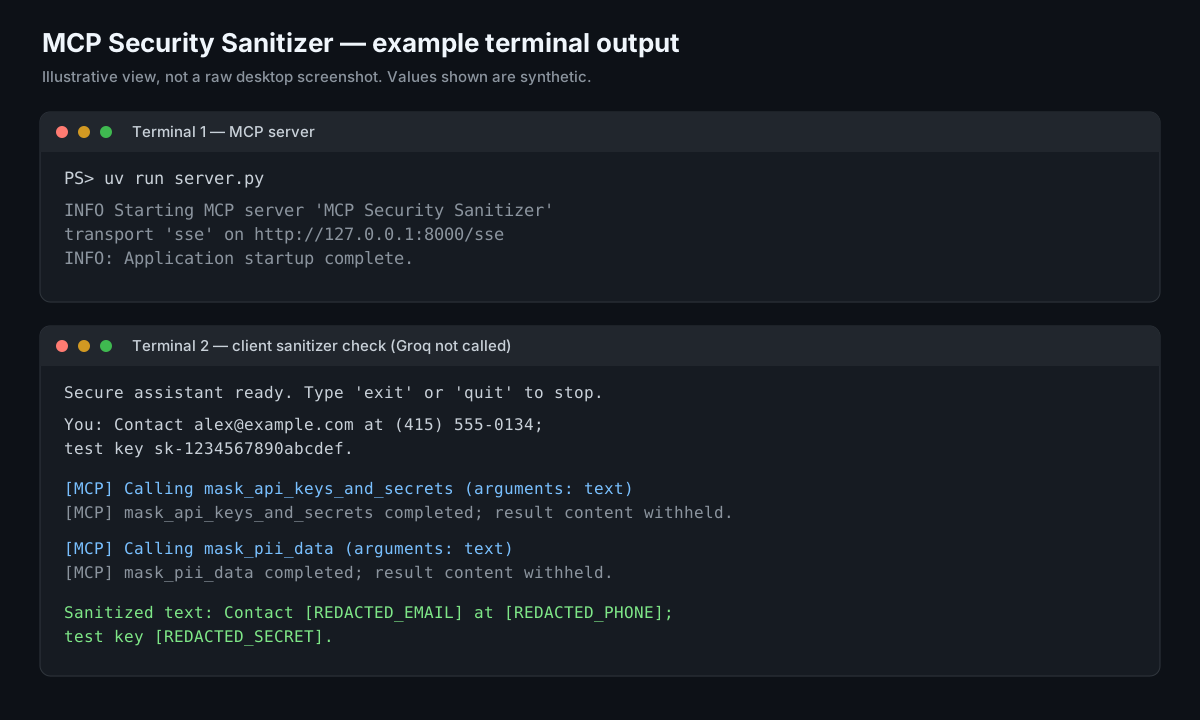
What you see in the terminals
Run the server and client in separate terminals. The server stays running while
the client connects to it.
Terminal 1 — MCP server (timestamps and process IDs vary):
INFO Starting MCP server 'MCP Security Sanitizer' with transport 'sse'
     on http://127.0.0.1:8000/sse
INFO:     Started server process [process-id]
INFO:     Waiting for application startup.
INFO:     Application startup complete.
Terminal 2 — client (example sanitizer call; the fake values below are for
testing only):
Secure assistant ready. Type 'exit' or 'quit' to stop.

You: Contact [email protected] at (415) 555-0134; test key sk-1234567890abcdef.

[MCP] Calling mask_api_keys_and_secrets (arguments: text)
[MCP] mask_api_keys_and_secrets completed; result content withheld.

[MCP] Calling mask_pii_data (arguments: text)
[MCP] mask_pii_data completed; result content withheld.

Assistant: [The assistant's reply appears here after the sanitized message is
            sent to the configured Groq model.]
The interceptor intentionally withholds tool arguments and results from the
terminal, so the unsanitized input is not printed by the MCP logs. The message
passed to the agent has these substitutions:
Contact [REDACTED_EMAIL] at [REDACTED_PHONE]; test key [REDACTED_SECRET].
The assistant reply depends on the Groq model and is not a fixed output. The
illustration below shows the server startup and the local sanitizer calls. It
is an example terminal view, not a raw desktop screenshot; the sanitizer check
does not make a Groq request. Startup timestamps and process IDs vary by run.
Configuration and production considerations
The client requires both sanitizer tools. If either is unavailable or returns
an unsupported result, the request fails instead of being sent unsanitized.
The server uses SSE as requested. For production deployments, configure
authentication, TLS, network restrictions, monitoring, and lifecycle
management appropriate to your environment.
Update the regexes and add tests against your organization's actual secret
and PII formats before relying on the service for compliance.
uv run manages and uses the project environment without requiring manual
activation. To run python server.py or python client.py directly, first
activate .venv in that terminal.