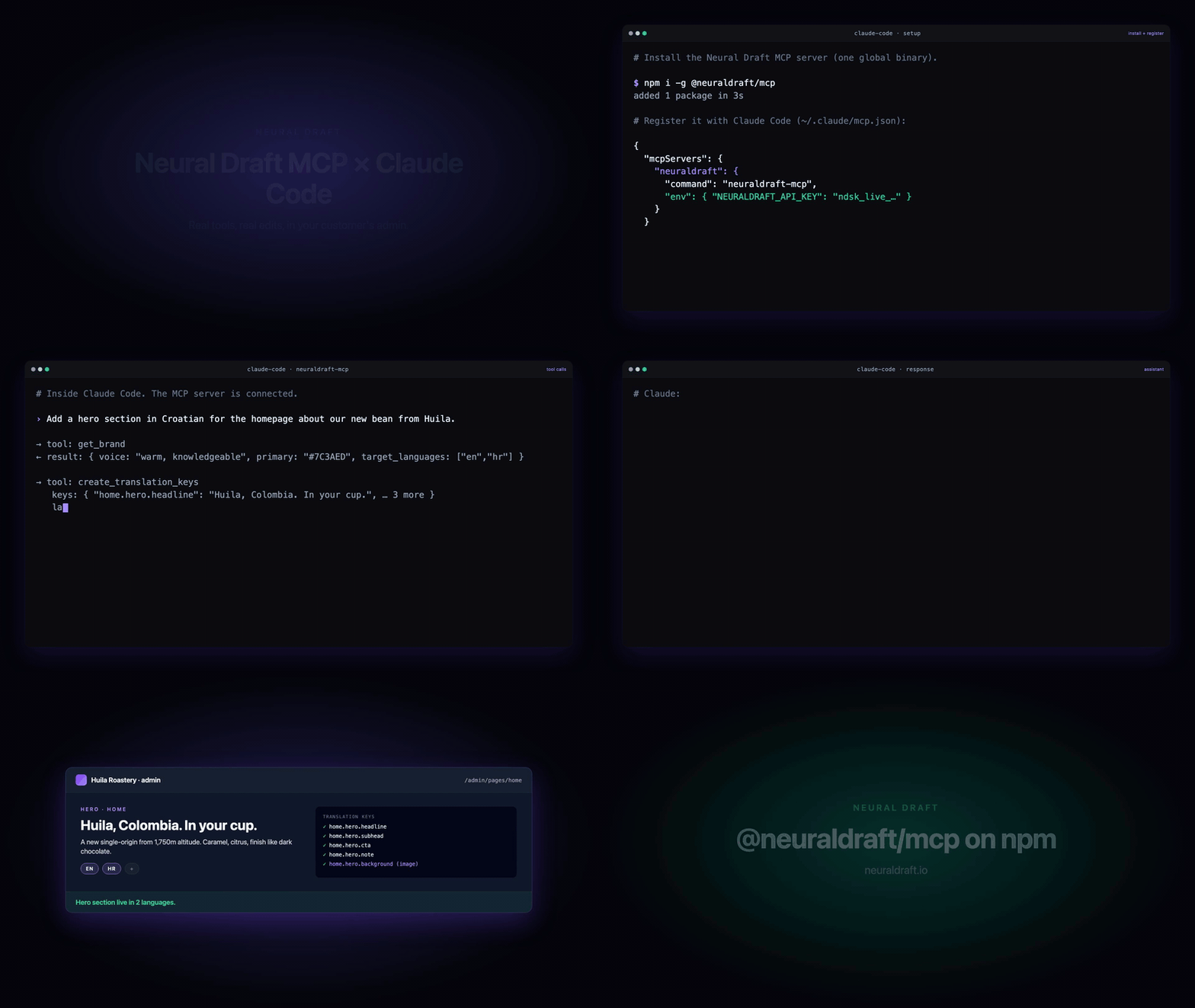
NEURALDRAFT_API_KEY — Project API key from your Neural Draft dashboard. Format: ndsk_live_… (production) or ndsk_test_… (test mode). Get one at https://neuraldraft.io/dashboard/api-keys.
NEURALDRAFT_API_URL — Override the API base URL. Defaults to https://api.neuraldraft.io/v1. Useful for staging or local dev.
NEURALDRAFT_PROJECT_ID — Optional project override when one API key spans multiple projects.
NEURALDRAFT_DISPLAY_NAME — Optional friendly server name shown in your IDE's MCP list (useful when you run multiple Neural Draft projects in parallel).
Claude Code ไม่มีลิงก์ติดตั้งสำหรับคำสั่งแบบโลคัล ให้คัดลอกคำสั่งด้านล่างแล้วรันในเทอร์มินัล
The backend for sites built with AI: CMS, blog, bookings, forms, shop and social, one database per client. Your coding assistant wires the CMS while it builds; clients edit in a web editor or through Claude.
@neuraldraft/mcp is a Model Context Protocol server (stdio, MIT) for Neural Draft. Add it to Claude Code, Cursor, Codex or VS Code with a workspace API key, and while your assistant builds a client's site it can:
read the brand (voice, audience, colours, fonts, languages) before it writes a line;
create pages with SEO meta, and register editable content keys and components, so the client can change words and pictures in the Neural Draft editor without you;
add a page or sub-page to the hosted site in its own design, with a menu link;
set up bookable services, galleries and blog drafts, and read products, form submissions and newsletter sign-ups;
work across several client workspaces from one server (agencies).
Every client is its own Neural Draft workspace with its own Postgres database, API keys and team. A key only reaches the workspace it belongs to.
Install
You need Node 20+ and a workspace API key: in the Neural Draft admin, Settings → For developers → API keys (ndsk_live_…). Free plan included, no credit card.
Claude Code
claude mcp add neuraldraft-dev -e NEURALDRAFT_API_KEY=ndsk_live_... -- npx -y @neuraldraft/mcp
Add --scope project to write it to the project's .mcp.json, and keep the key out of git with an env reference:
Each client has its own workspace and its own key. Put them all in one server and switch between them with list_workspaces / switch_workspace; every other tool acts on the active workspace.
NEURALDRAFT_API_KEYS also accepts a JSON object ({"linden-bakery":"ndsk_live_..."}). See Several workspaces.
Environment variables
Variable
Required
Notes
NEURALDRAFT_API_KEY
one of these two
One workspace key, ndsk_live_…
NEURALDRAFT_API_KEYS
one of these two
Several workspaces: name=key,name=key or a JSON object
NEURALDRAFT_WORKSPACE
no
Which of NEURALDRAFT_API_KEYS is active at start (default: the first)
NEURALDRAFT_API_URL
no
Default https://api.neuraldraft.io/v1
NEURALDRAFT_PROJECT_ID
no
Override when one key spans several projects
NEURALDRAFT_DISPLAY_NAME
no
Friendly name in your client's server list
NEURAL_DRAFT_* spellings are accepted as aliases. A missing or malformed key fails at start with a message showing a working config. Never commit keys.
Remote / hosted connector
Neural Draft also runs a hosted remote MCP server, no API key and nothing to install:
https://neuraldraft.io/mcp
Streamable HTTP with OAuth sign-in (Google or an emailed code). It works in Claude, ChatGPT, Codex, Claude Code, Cursor and VS Code, and it adds what this package doesn't do: deploying a build (deploy_site, rollback_site), custom domains, editing live site texts, bookings and availability, the blog, social scheduling, and finished ads and reels crafted by Batchcraft for your brand. We don't offer AI image or video creation. We craft finished static ads and reels for your brand.
Read brand://current, build a hero and a services section for this site with editable keys, and register them with Neural Draft.
The assistant reads the brand, writes markup with data-translate and data-image-key, creates the keys and registers the sections, so they show up in the client's admin as editable.
git clone https://github.com/vbalagovic/neuraldraft-mcp.git
cd neuraldraft-mcp
npm install
npm run lint    # tsc --noEmit
npm test
npm run build   # → dist/
Run against a local API:
NEURALDRAFT_API_KEY=ndsk_test_xxx NEURALDRAFT_API_URL=http://localhost:8080/v1 npm run dev
Inspect with the MCP Inspector: npx @modelcontextprotocol/inspector node dist/index.js.
The server is a thin wrapper over the Neural Draft Project API v1: every tool maps to one or a few REST calls. It never writes to stdout at runtime (stdio transport).
Contributing
Issues and PRs welcome. Keep tests passing (npm test), use the existing register* helper pattern for new tools, and update the tables above for any new surface.