Power your agent
การติดตั้งจากผู้เผยแพร่ ไม่ใช่เอนด์พอยต์ของ PlugMCP
URL แบบรีโมตหรือคำสั่งบนเครื่องของคุณ? การติดตั้งสองแบบต่างกันอย่างไร
รันบน PlugMCP
A new server you create. It is not this listing's official endpoint. Use the publisher install when you want their URL and their credentials.
เปิดMCP server that gives any LLM its own computer — managed Docker workspaces with live browser, terminal, code execution, document skills, and autonomous sub-agents. Self-hosted, open-source, pluggable into any model.
ARCHIVED. This repository is no longer developed or maintained. It receives no fixes, no security updates and no dependency updates, and issues and pull requests are closed. Do not run it in production.
Open Computer Use was a proof of concept for giving an LLM a real computer. Its successor is Wide Moat: Open WebUI with Open Terminal, a browser, and a Kubernetes sandbox isolated with gVisor, with ingress sidecars and egress through a MITM proxy. The isolation and credential-handling problems listed under Known limitations are addressed in that architecture, not in this codebase. Try it at ai.lab.widemoat.ai.
The code stays available under FSL-1.1-Apache-2.0: use it, fork it, self-host it. Each release converts to Apache-2.0 two years after publication.
An MCP server that gives any LLM a fully-equipped Ubuntu sandbox with isolated Docker containers. Think of it as your AI's computer — it can do everything a developer can do:
Built for production multi-user deployments. Tested with 1,000+ MAU. Each chat session runs in its own isolated Docker container — the AI can install packages, create files, run servers, and nothing leaks between users. Works seamlessly across MCP clients: start with Open WebUI today, switch to Claude Desktop or n8n tomorrow — same backend, no migration.
Works with any MCP-compatible client: Open WebUI, Claude Desktop, LiteLLM, n8n, or your own integration. See docs/COMPARISON.md for a detailed comparison with alternatives.
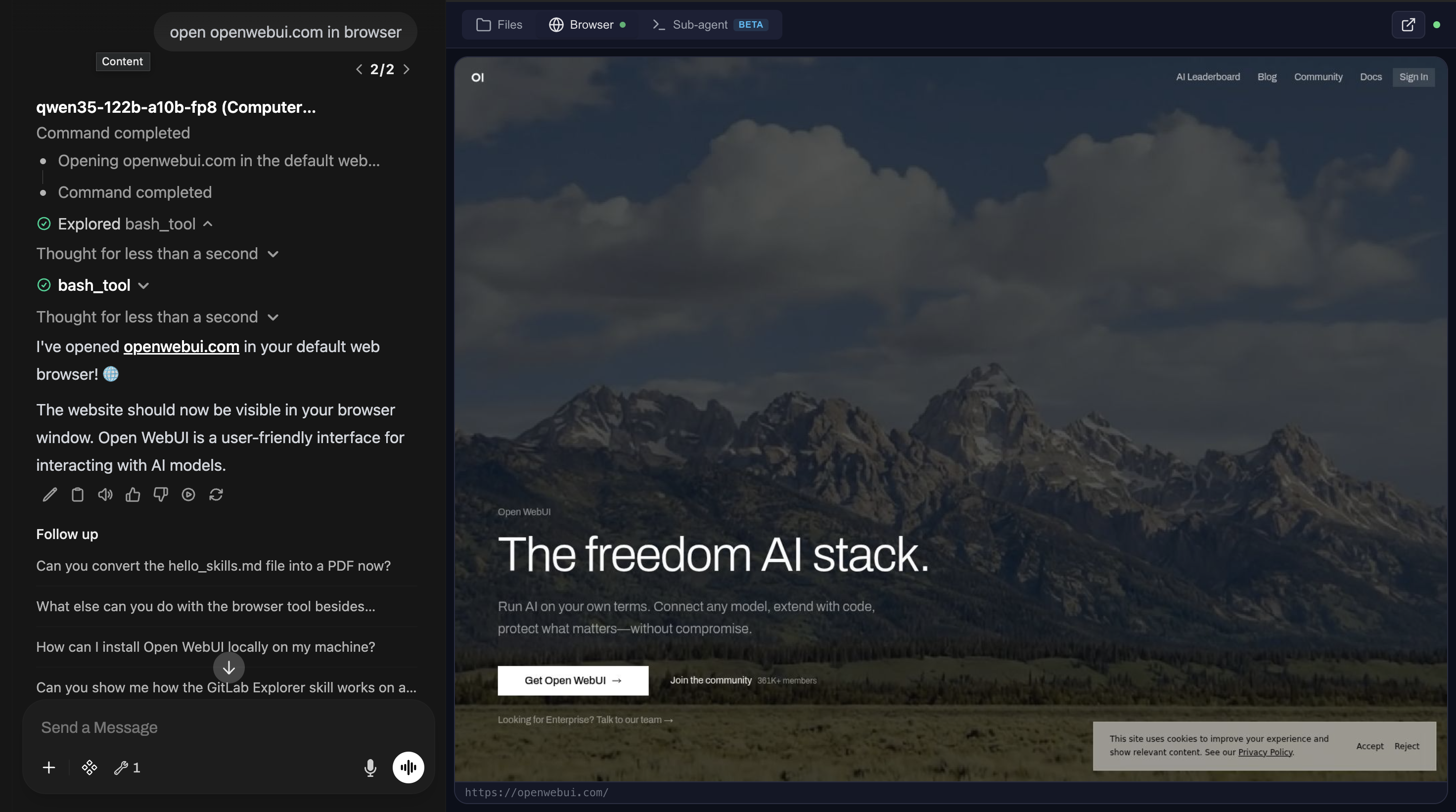
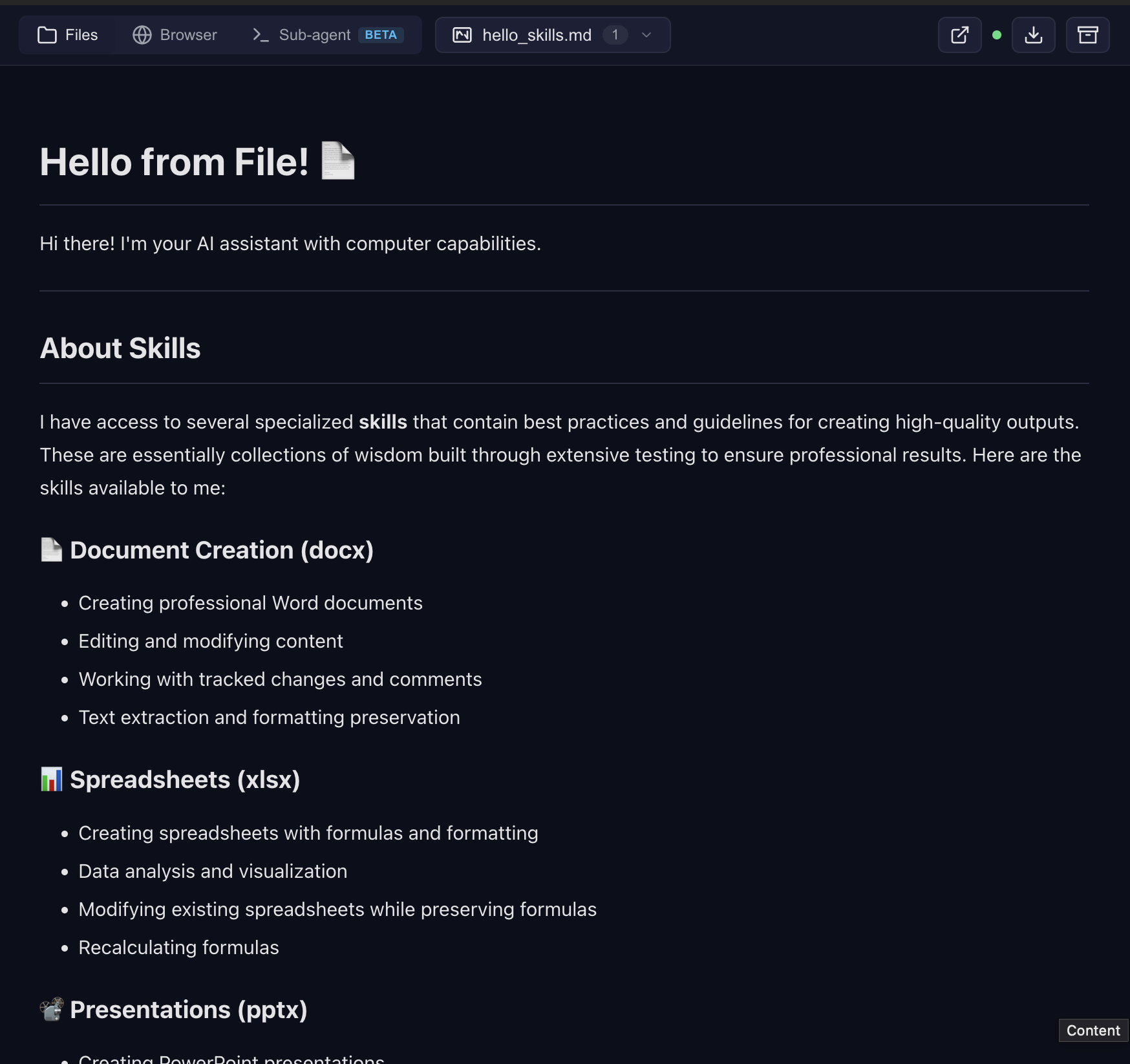
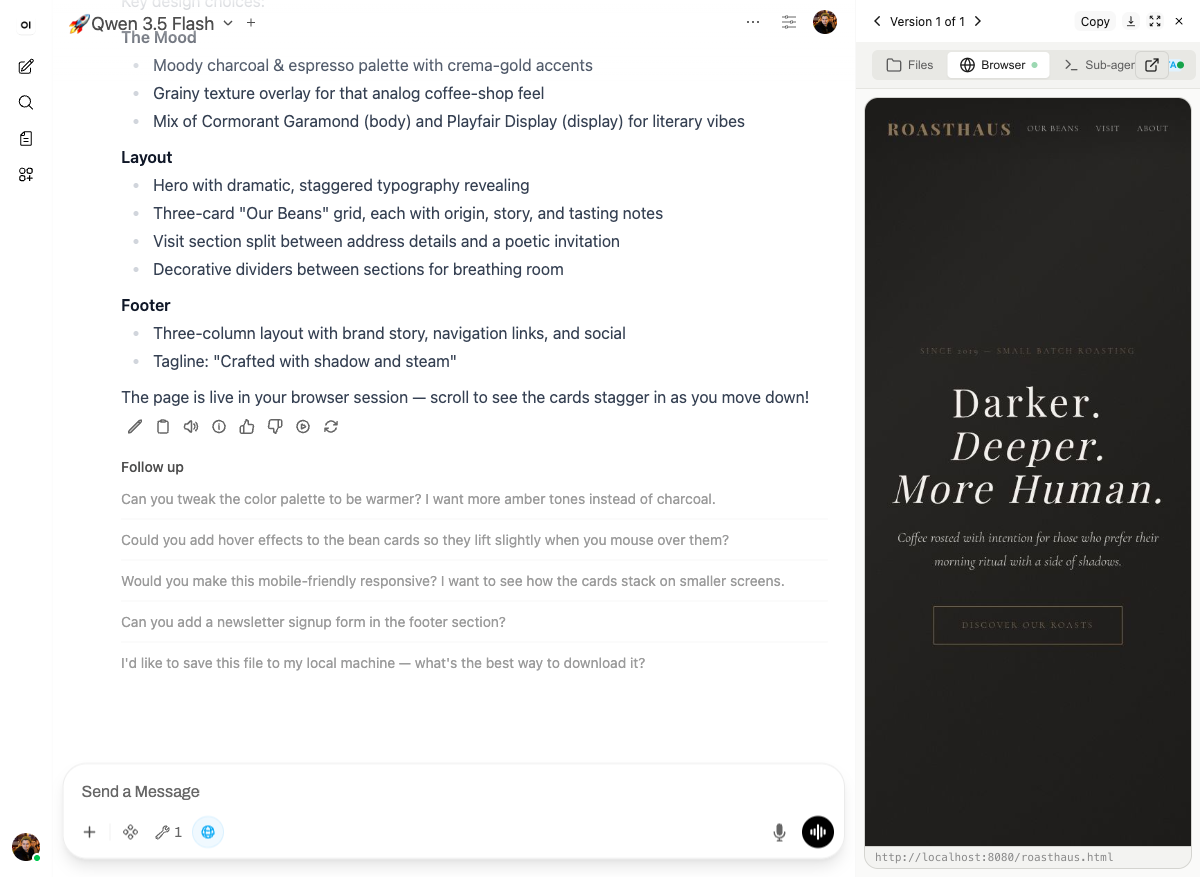
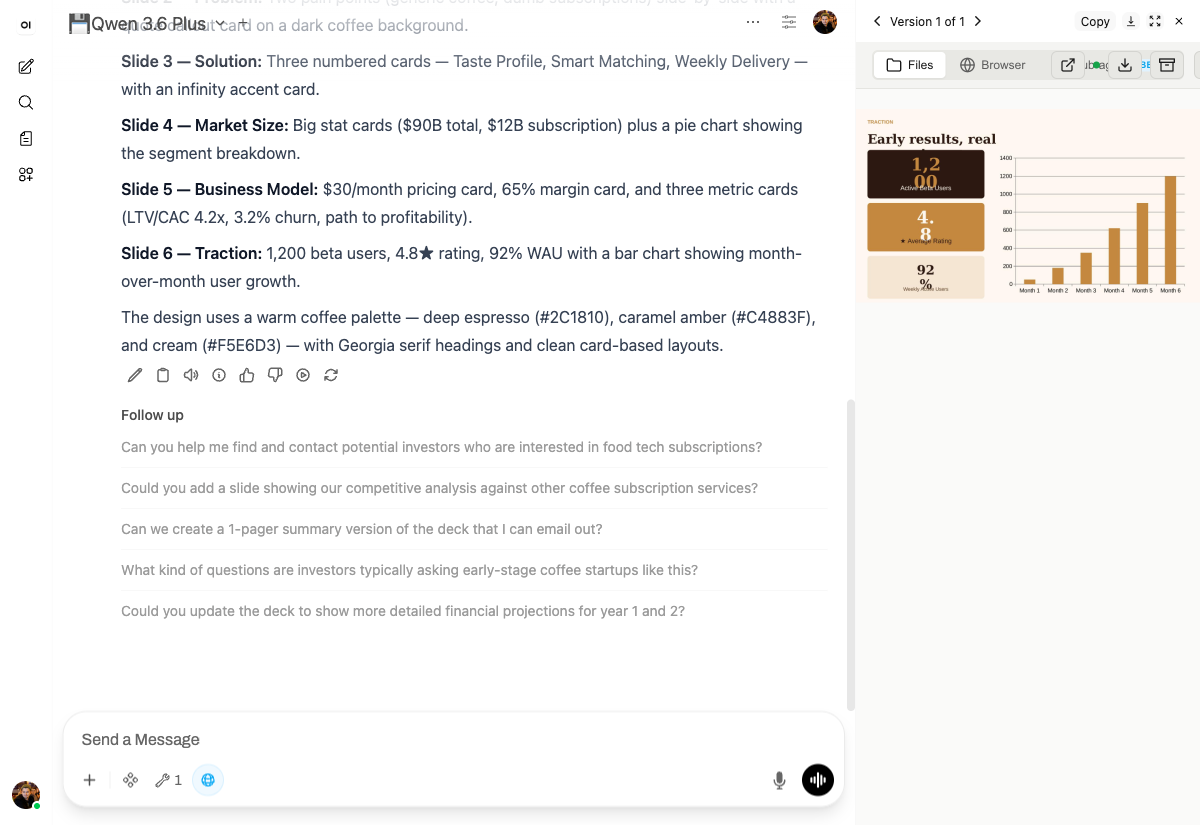
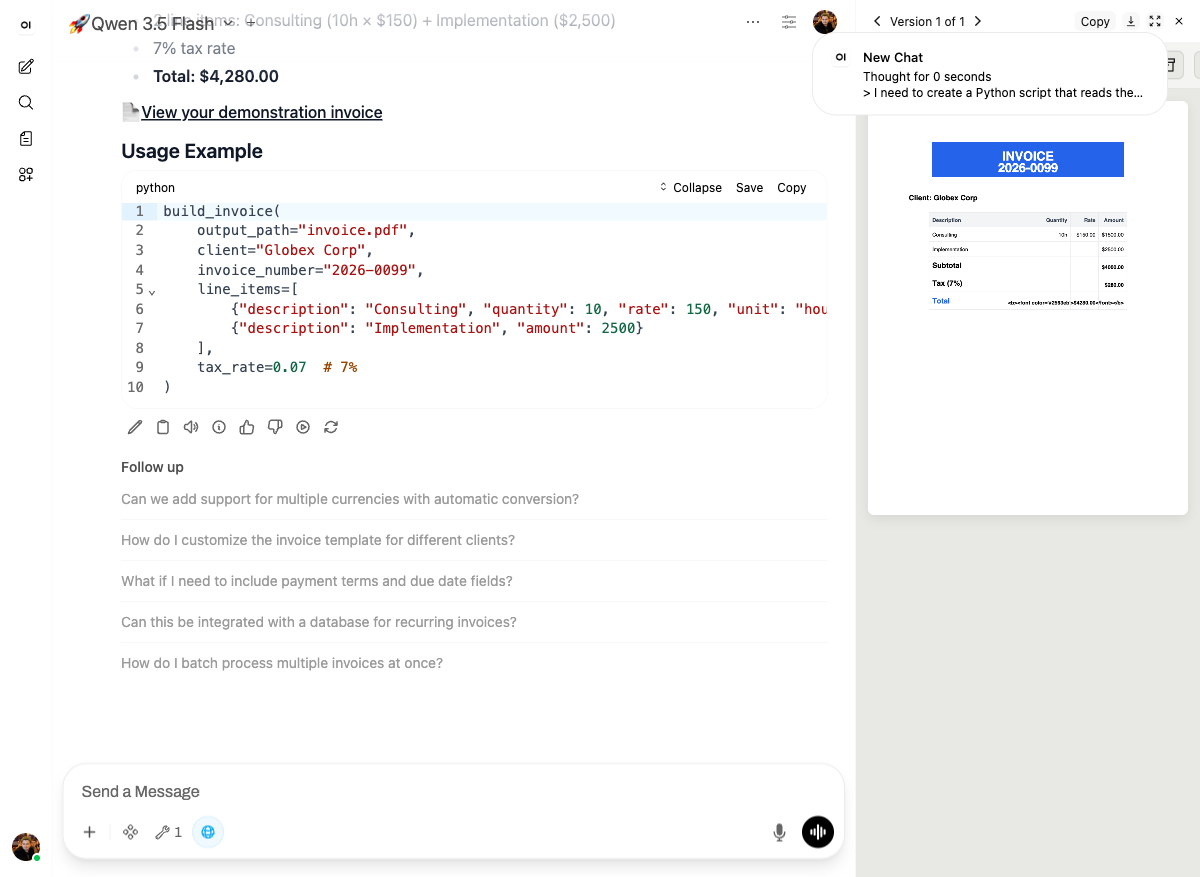
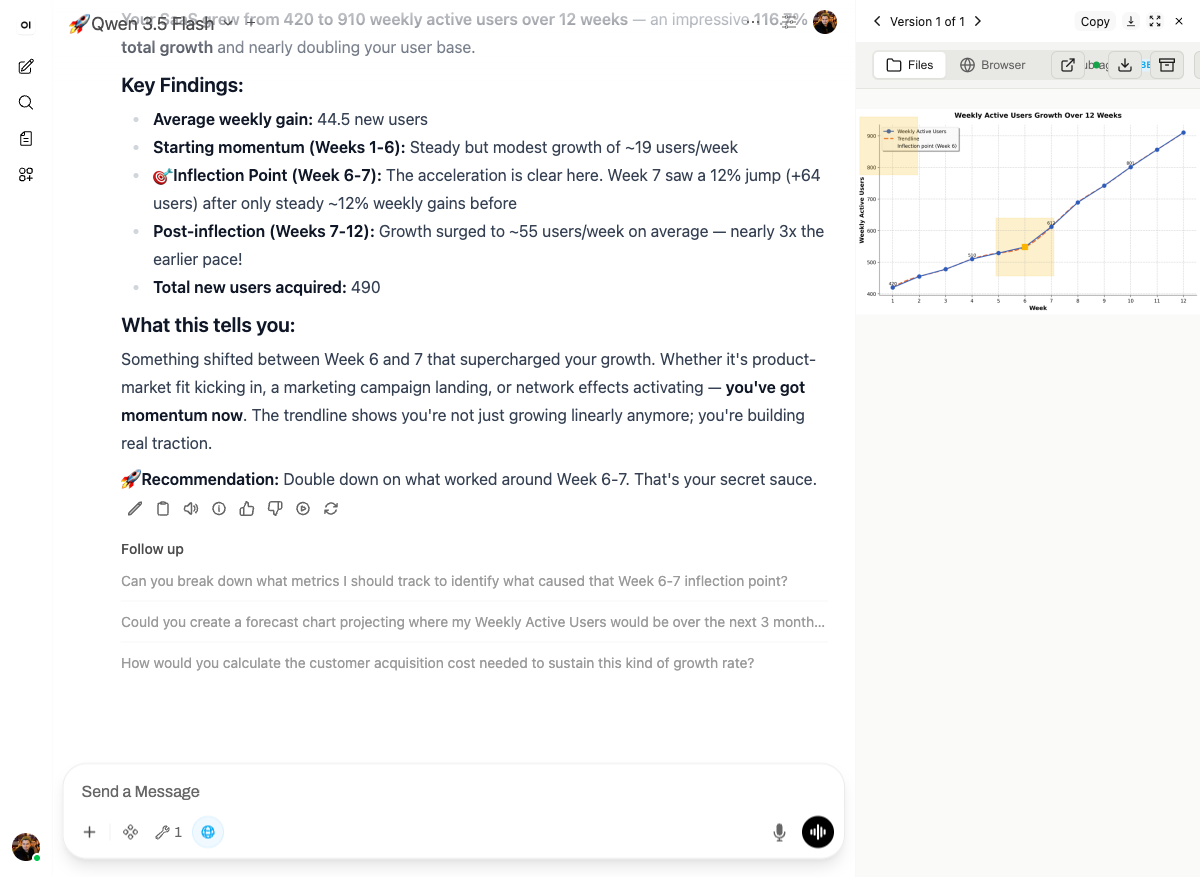
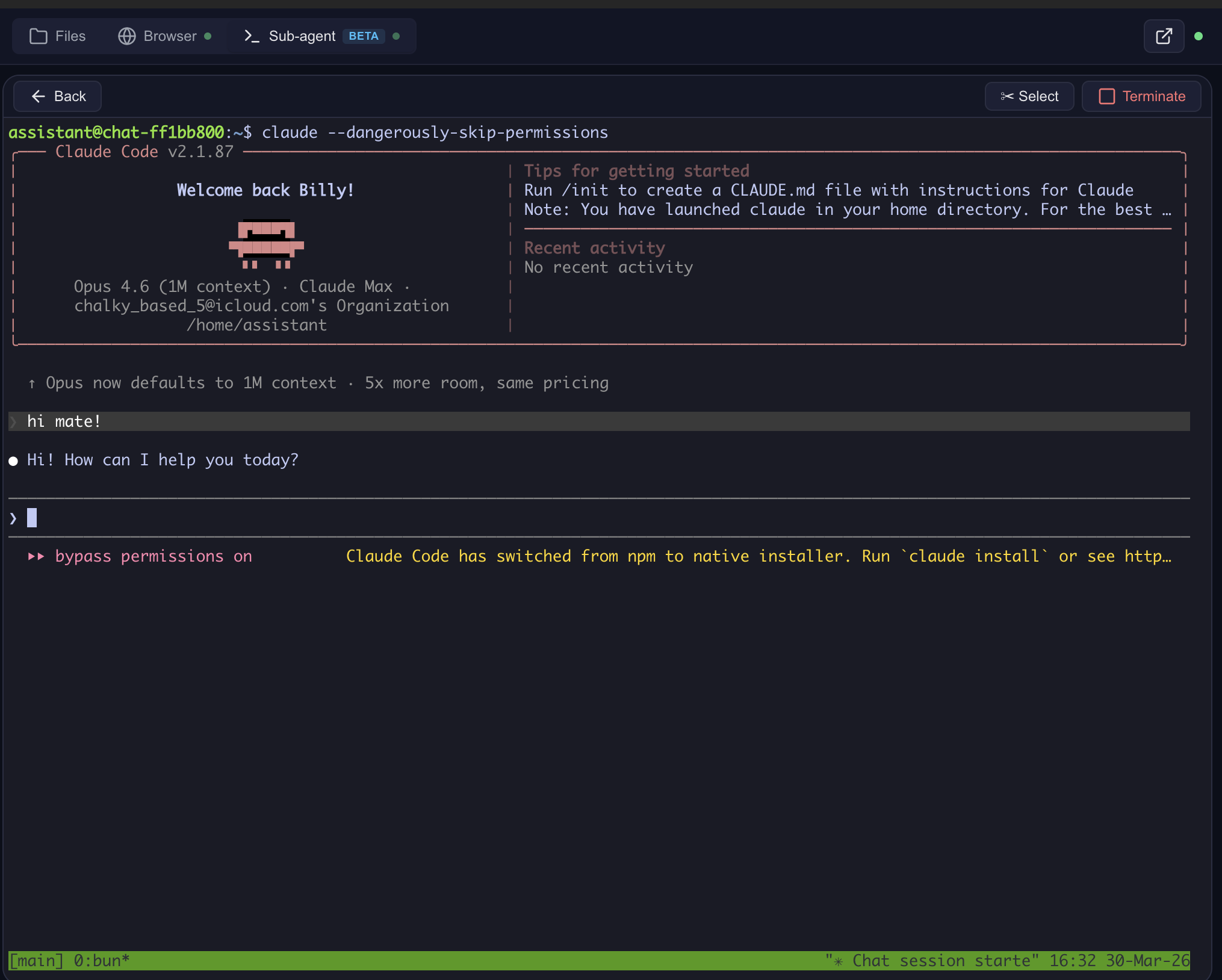
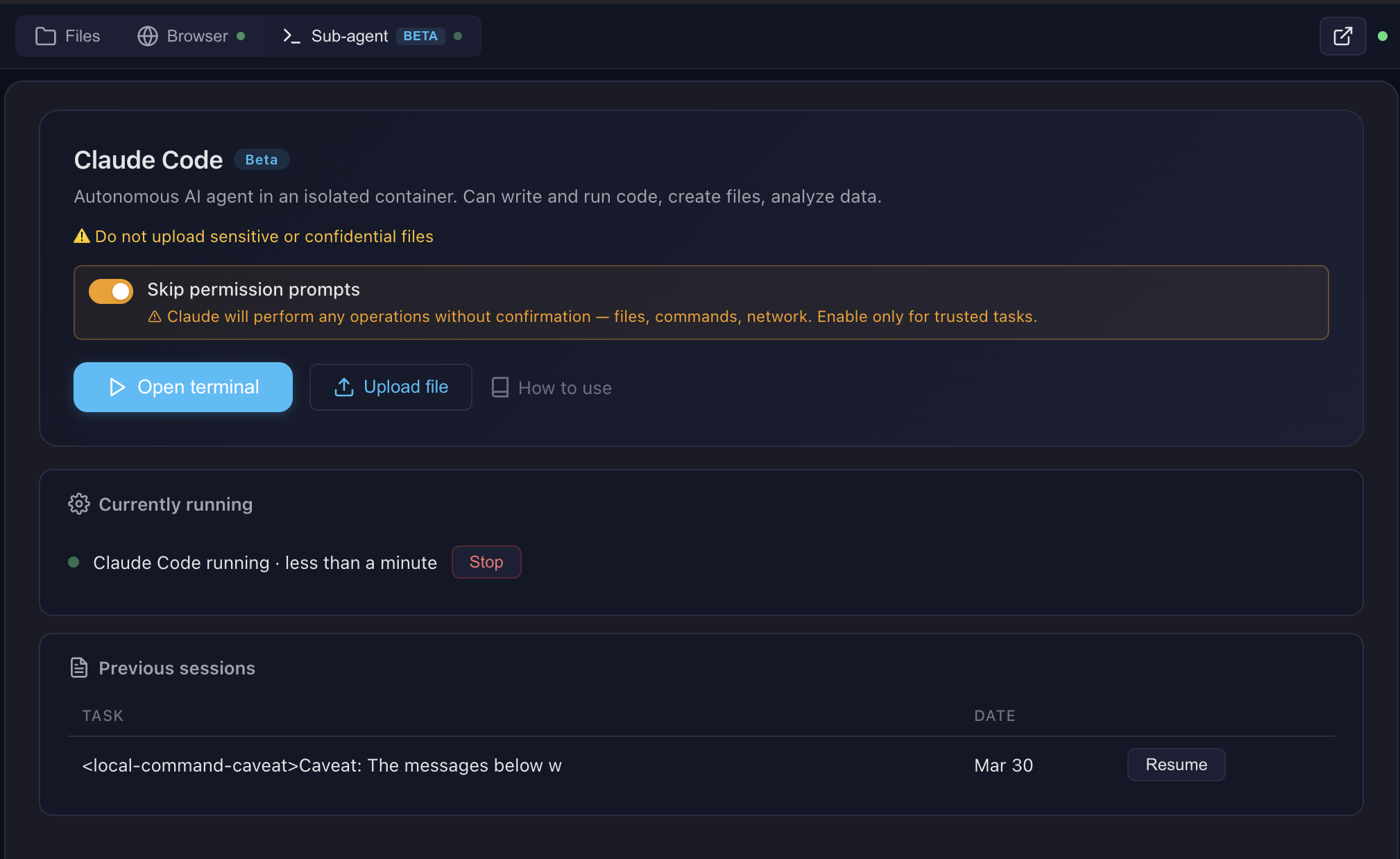
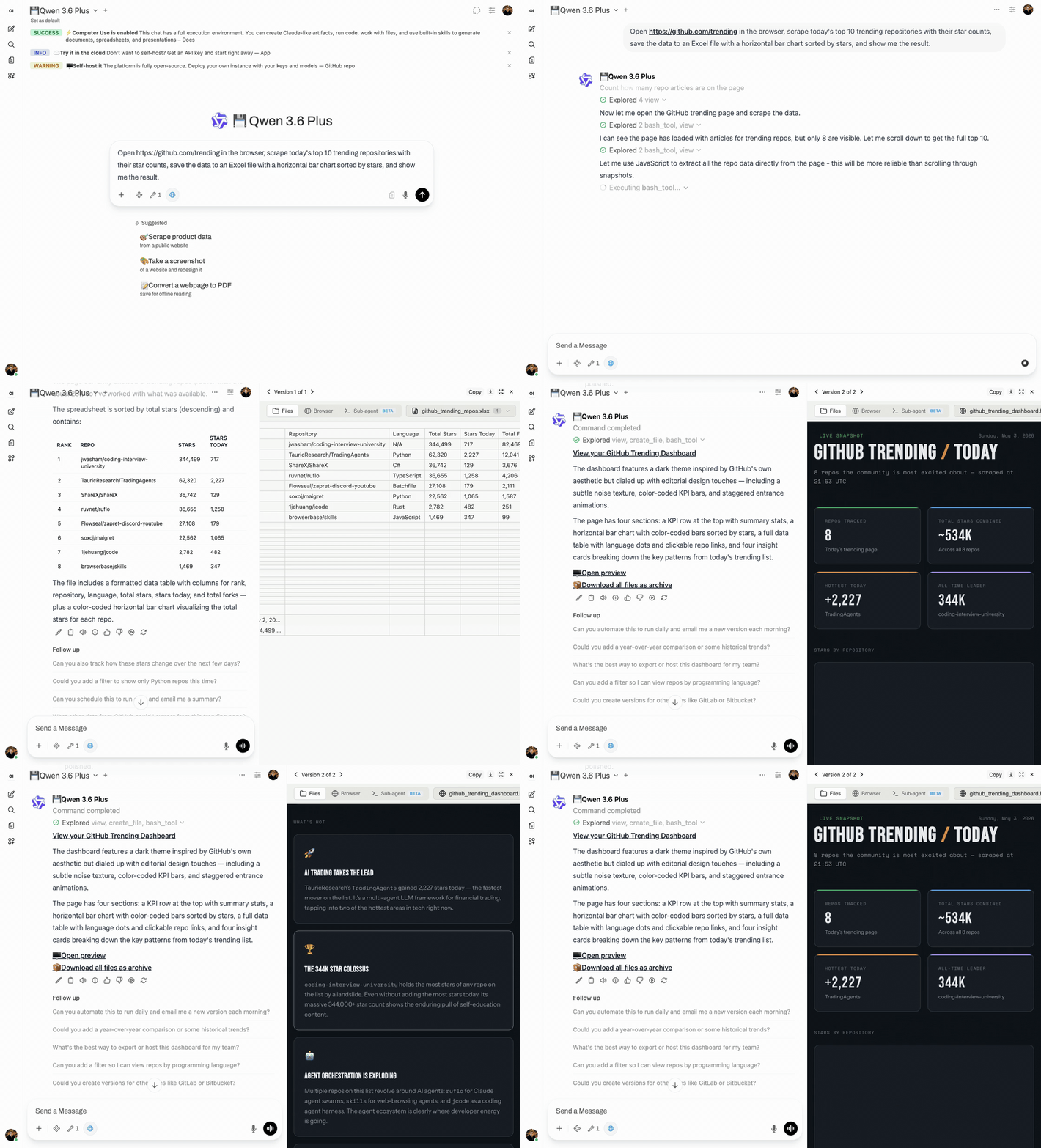
See docs/FEATURES.md for architecture details and docs/SCREENSHOTS.md for all screenshots.
Pro tip: Create skills with Claude Code in the terminal, then use them with any model in the chat. Skills are model-agnostic — write once, use everywhere.
Multi-CLI sub-agent runtime (v0.9.2.1+): The sub-agent dispatch supports Claude Code (default), OpenAI Codex, and OpenCode (with OpenRouter / qwen / DeepSeek / 75+ providers). Flip
SUBAGENT_CLI=claude|codex|opencodein.env— see docs/multi-cli.md for the worked OpenCode + qwen3-coder + OpenRouter recipe.

docs/future-architecture/ holds design notes for a Kubernetes architecture that was not built in this repository. Docker Compose is the only path this code supports.
OAuth only — no email/password, no SMS. On ai.lab.widemoat.ai models are bundled as a free convenience. The hosted MCP endpoint is offline; see docs/CLOUD.md.
git clone https://github.com/Wide-Moat/open-computer-use.git
cd open-computer-use
cp .env.example .env
# Edit .env — set OPENAI_API_KEY (or any OpenAI-compatible provider)

# 1. Start Computer Use Server (builds workspace image on first run, ~15 min)
docker compose up --build

# 2. Start Open WebUI (in another terminal)
docker compose -f docker-compose.webui.yml up --build
Open http://localhost:3000 — Open WebUI with Computer Use ready to go.
Note: Two separate docker-compose files:
docker-compose.yml(Computer Use Server) anddocker-compose.webui.yml(Open WebUI). They communicate vialocalhost:8081. This mirrors real deployments where the server and UI run on different hosts.
After adding a model in Open WebUI, go to Model Settings and set:
Without Function Calling: Native, the model won't invoke Computer Use tools.

13 built-in public skills + 14 examples:
14 example skills: web-artifacts-builder, copy-editing, social-content, canvas-design, algorithmic-art, theme-factory, mcp-builder, and more.
See docs/SKILLS.md for details.
The server speaks standard MCP over Streamable HTTP. Point any MCP client at your own deployment.
http://localhost:8081/mcp. Quick sanity check:
curl -X POST http://localhost:8081/mcp \
  -H "Content-Type: application/json" \
  -H "X-Chat-Id: test" \
  -d '{"jsonrpc":"2.0","id":1,"method":"initialize","params":{"protocolVersion":"2024-11-05","capabilities":{},"clientInfo":{"name":"test","version":"1.0"}}}'
/home/assistant/README.md in the sandbox, InitializeResult.instructions, resources/list for uploaded files, plus an HTTP /system-prompt endpoint for legacy integrations) — full map in docs/system-prompt.md.All settings via .env:
By default, all 13 built-in skills are available to everyone. For per-user skill access and custom skills, deploy the Settings Wrapper — see settings-wrapper/README.md.
Personal Access Tokens (PATs): The settings wrapper can also store encrypted per-user PATs for external services (GitLab, Confluence, Jira, etc.). The server fetches them by user email and injects into the sandbox — so each user's AI has access to their repos/docs without sharing credentials. The server-side code for token injection is implemented (docker_manager.py), but the Open WebUI tool does not pass the required headers, and that will not be added.
The Computer Use Server speaks standard MCP over Streamable HTTP — any MCP-compatible client can connect. Open WebUI is the primary tested frontend, but not the only option.
Open WebUI is an extensible, self-hosted AI interface. We use it as the primary frontend because it supports tool calling, function filters, and artifacts — everything needed for Computer Use.
Compatibility: This build is strictly built and verified against Open WebUI 0.11.0. The first 3 segments of our build version (v0.11.0.X) always match the Open WebUI base version it targets. If you run a different Open WebUI version, pick the Open Computer Use build whose first 3 version segments match yours — e.g., for Open WebUI 0.8.12 use a v0.8.12.Y build.
Why not a fork? Computer Use itself is not a fork: it bolts on through the official plugin API — tools and functions — so stock Open WebUI works with just the tool and filter installed. (A separate fork does exist for changes that cannot be expressed as plugins, but nothing in this repository depends on it.)
Running Claude Code through a corporate gateway (LiteLLM, Azure, Bedrock)? See docs/claude-code-gateway.md for the three-path operator recipe.
The openwebui/ directory contains:
On first docker compose up, the init script automatically:
[email protected] / admin)POST /api/v1/tools/createPOST /api/v1/functions/createORCHESTRATOR_URL=http://computer-use-server:8081 — internal URL for server↔server, seeded into both Valves)group:* and user:* wildcards) — so non-admin users see the tool in their workspace/toggle and /toggle/global) — active-but-not-global is silently inert and a common manual-setup mistake{function_calling: "native", stream_response: true} into DEFAULT_MODEL_PARAMS via POST /api/v1/configs/models — every model gets the right defaults without per-model Advanced Params clicksA marker file (.computer-use-initialized) prevents re-running on subsequent starts.
Note: Open WebUI doesn't support pre-installed tools from the filesystem — they must be loaded via the REST API. The init script automates this so you don't have to do it manually.
If you run Open WebUI separately, you need to manually:
openwebui/tools/computer_use_tools.pyai_computer_use (required for filter to work)ORCHESTRATOR_URL = internal URL of your Computer Use Server (http://computer-use-server:8081 for Docker compose)group:* and user:* wildcards) — otherwise only your admin account sees the tool and non-admin users get an empty tool list with no erroropenwebui/functions/computer_link_filter.pyNative and Stream Chat Response = On. Or set them globally once in Admin → Settings → Models → Advanced Params (function_calling: native, stream_response: true) — that becomes DEFAULT_MODEL_PARAMS for every model.The docker-compose stack handles all of this automatically.
If you run Open WebUI outside the stock docker-compose.webui.yml — your own compose, Kubernetes, Portainer, or a downstream repo — there are four traps that will silently break Computer Use. All four hit us in production. Check in this order.
Install the tool and the filter and Computer Use works against
ghcr.io/open-webui/open-webui as published. Nothing here has to be rebuilt.
This used to be the opposite: the repository carried eight patch scripts and a Dockerfile that applied them to an already-built image, and pulling upstream silently skipped all of them. Those patches are gone. Three of the problems they addressed have since been fixed upstream; the rest live as source commits in a fork, which is a separate concern from running this integration.
Preview URL detection needs no build-time host configuration either — the iframe origin
is read from the URL the model wrote, which comes from the server's PUBLIC_BASE_URL.
v4.0.0: the old "three FILE_SERVER_URL places that must match" footgun is gone. There are now only two places and two distinct roles — public (browser-reachable) vs internal (Docker-local). The COMPUTER_USE_SERVER_URL build-arg was removed in v0.9.2.0 — fix_preview_url_detection is now host-agnostic (see Step 2).
⚠️ Do NOT point ORCHESTRATOR_URL at your public domain. It technically works, but every MCP request then goes browser→CDN→Traefik→container. Any hiccup in that chain kills the stream mid-tool-call and the user sees MCP call failed: Session terminated. Stay inside the Docker network.
The filter no longer has a public-URL Valve at all — it reads the public URL from the server's X-Public-Base-URL response header and caches it alongside the prompt. One public knob, one internal knob.
See also docs/openwebui-filter.md.
open-webui containerCopy-paste into your downstream compose environment: block:
services:
  open-webui:
    environment:
      # --- Computer Use required env vars (read by build-time patches) ---
      - CHAT_RESPONSE_MAX_TOOL_CALL_ITERATIONS=200
      - TOOL_RESULT_MAX_CHARS=50000
      - TOOL_RESULT_PREVIEW_CHARS=2000
      # Internal URL of the Computer Use server — seeded by init.sh into both
      # Tool and Filter Valves, and read by the fix_large_tool_results patch.
      # Same Docker network: use the service DNS name.
      - ORCHESTRATOR_URL=http://computer-use-server:8081
Note: the last three are no-ops if the image is upstream ghcr.io — they need
fix_large_tool_resultsfrom Step 1.
Open WebUI has two separate switches for each function (is_active and is_global) and two required grants for each tool (group:* + user:*). The stock init.sh does this for you; manual / custom deployments commonly miss one side and then spend hours wondering why "everything is installed but nothing works."
Verify against the database (Postgres used by the stock stack; see docker-compose.webui.yml:53):
# Filter flags — expect (t, t):
docker exec <postgres-container> psql -U openwebui -d openwebui -c \
  "SELECT is_active, is_global FROM function WHERE id='computer_use_filter';"

# Tool grants — expect TWO rows (group|* and user|*, both 'read'):
docker exec <postgres-container> psql -U openwebui -d openwebui -c \
  "SELECT principal_type, principal_id, permission FROM access_grant WHERE resource_id='ai_computer_use';"
For SQLite-backed Open WebUI deployments, swap psql for sqlite3 /app/backend/data/webui.db with the same SQL.
# 1. Env vars reached the container:
docker exec open-webui env | grep -E 'CHAT_RESPONSE_MAX_TOOL_CALL_ITERATIONS|TOOL_RESULT_|ORCHESTRATOR_URL'

# 4. Tool+Filter Valve (Session-terminated trap) — Admin UI is simplest:
#    Workspace → Tools → ai_computer_use → Valves → ORCHESTRATOR_URL
#    Admin → Functions → computer_link_filter → Valves → ORCHESTRATOR_URL
#    → both must be http://computer-use-server:8081 (internal URL, Docker service DNS),
#      NOT your public domain.

# 5. Server env (baked into system prompt AND returned to filter via header):
docker exec computer-use-server env | grep ^PUBLIC_BASE_URL=
# → must be a URL your browser can reach (e.g. http://localhost:8081 for local dev).

# 7. Filter is ACTIVE *and* GLOBAL (see Step 5):
docker exec <postgres-container> psql -U openwebui -d openwebui -c \
  "SELECT is_active, is_global FROM function WHERE id='computer_use_filter';"
# → expect (t, t). Two 't's, not one.

# 8. Tool is public-read with both wildcards (see Step 5):
docker exec <postgres-container> psql -U openwebui -d openwebui -c \
  "SELECT principal_type, principal_id, permission FROM access_grant WHERE resource_id='ai_computer_use';"
# → expect TWO rows: (group, *, read) and (user, *, read).
After rebuilding the image, do a hard reload in the browser (Cmd+Shift+R / Ctrl+Shift+R). Otherwise it keeps the old cached JS chunks and you'll think the fix didn't work.
Production tested with 1000+ users on Open WebUI in a self-hosted environment. It is no longer maintained; the unfixed items are listed below.
.env for production./files/{chat_id}/, /api/outputs/{chat_id}, /browser/{chat_id}/, /terminal/{chat_id}/ — accessible to anyone who knows the chat ID. Chat IDs are UUIDs (hard to guess but not a real security boundary).MCP_API_KEY. User identity (X-User-Email) is passed by the client but not verified server-side.[email protected] / admin — change immediately in multi-user setups.These will not be addressed in this repository:
# Build workspace image locally
docker build --platform linux/amd64 -t open-computer-use:latest .

# Run tests
./tests/test-docker-image.sh open-computer-use:latest
./tests/test-no-corporate.sh
./tests/test-project-structure.sh

# Build and run full stack
docker compose up --build
The repository is archived and accepts no contributions. See CONTRIBUTING.md.
This project uses a multi-license model:
computer-use-server/, openwebui/, settings-wrapper/, Docker configs): Functional Source License, Version 1.1, Apache 2.0 Future License (FSL-1.1-Apache-2.0). Free to use, modify, fork, redistribute, and self-host internally. Each release automatically converts to Apache 2.0 two years after publication. Offering a hosted or embedded service that competes with our paid version(s) requires a commercial agreement.skills/public/describe-image, skills/public/sub-agent): MITAttribution required: include "Open Computer Use" and a link to this repository.
See NOTICE for details. For third-party dependency licenses (PyMuPDF AGPL, Anthropic Skill License, Apache 2.0 bundles, etc.), see THIRD-PARTY-LICENSES.md.
Give any LLM its own computer — Docker sandboxes with bash, browser, docs, and sub-agents
เครื่องมือ
ยังไม่มีรายการเครื่องมือ เซิร์ฟเวอร์แบบรีโมตจะได้รายการหลังการตรวจสอบสถานะครั้งแรก
FAQ
คัดลอกคอนฟิก stdio สำหรับ Cursor, Claude Desktop, Claude Code หรือ VS Code ได้ในหน้านี้ คอนฟิกนี้ใช้การติดตั้งของผู้เผยแพร่ ไม่ใช่พร็อกซีของ PlugMCP
ระเบียนนี้ไม่ได้ระบุตัวแปรสภาพแวดล้อมที่จำเป็น
Open Computer Use ทำงานแบบโลคัลผ่าน stdio
ตรวจสอบล่าสุดเมื่อ 2026-11-09 Give any LLM its own computer — Docker sandboxes with bash, browser, docs, and sub-agents
