Power your agent
การติดตั้งจากผู้เผยแพร่ ไม่ใช่เอนด์พอยต์ของ PlugMCP
URL แบบรีโมตหรือคำสั่งบนเครื่องของคุณ? การติดตั้งสองแบบต่างกันอย่างไร
รันบน PlugMCP
A new server you create. It is not this listing's official endpoint. Use the publisher install when you want their URL and their credentials.
เปิดจากผู้เผยแพร่
This repo demonstrates Graphiti MCP integration with Cursor and Neo4j, storing AI prompts as real-time knowledge graphs for persistent memory.
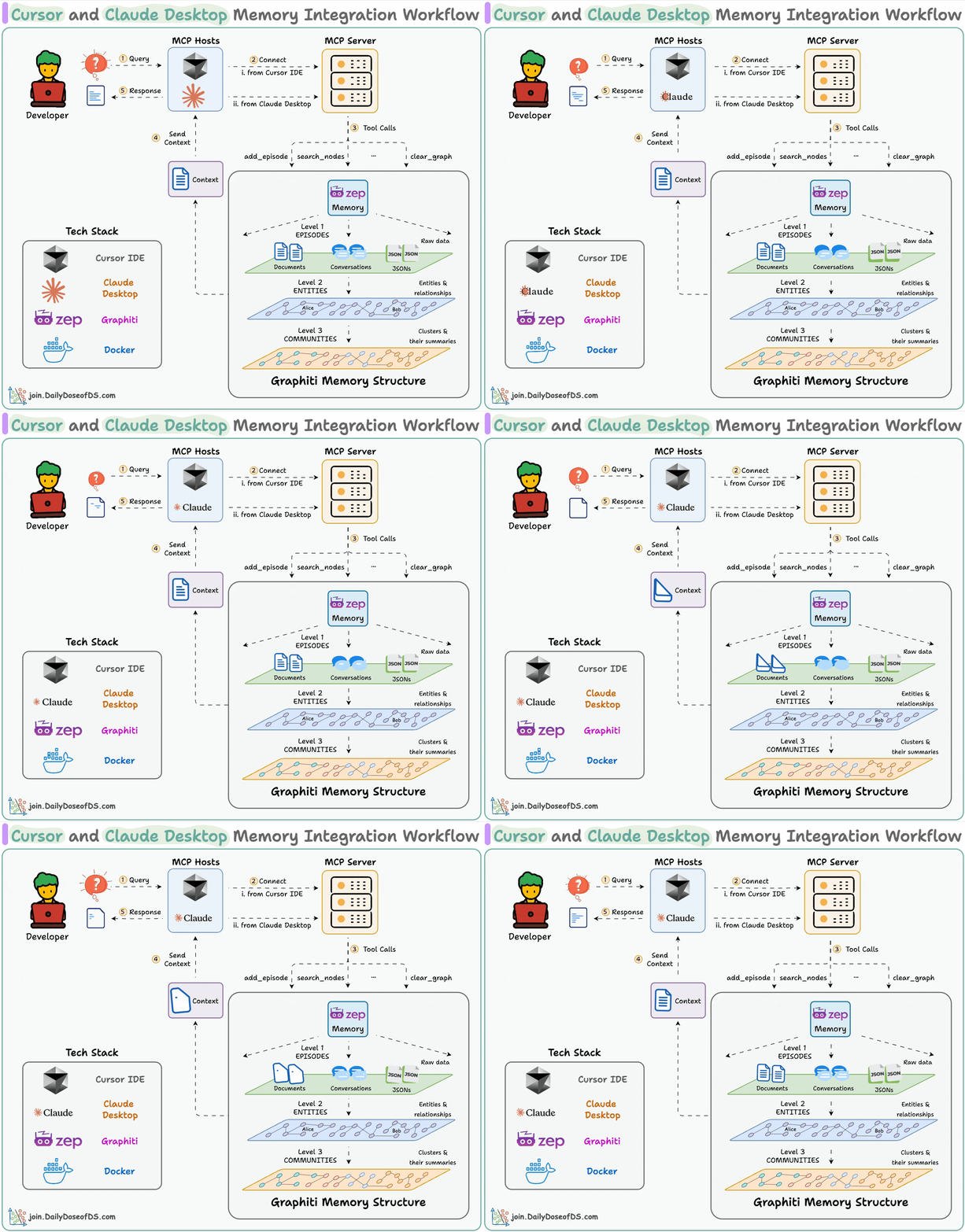
We are implementing an MCP server and AI agent integration to leverage Zep's Graphiti for persistent memory and context continuity across Cursor and Claude.
This setup allows AI agents to:
✅ Connect to the MCP for dynamic tool discovery
✅ Select the optimal tool for a query
✅ Formulate responses with context continuity
✅ Persist interactions in Neo4j as a knowledge graph
The workflow of this project shows how Cursor or Claude Desktop integrates with the MCP server and stores context in Graphiti memory (Neo4j):
add_episode, search_nodes, clear_graph) to interact with Graphiti memory.
git clone https://github.com/getzep/graphiti.git
cd graphiti/mcp_server
uv sync
Create a .env file in graphiti/mcp_server:
# Neo4j Database Configuration
NEO4J_URI=bolt://localhost:7687
NEO4J_USER=neo4j
NEO4J_PASSWORD=demodemo

# OpenAI API Configuration
OPENAI_API_KEY=<your_openai_api_key>
MODEL_NAME=gpt-4.1-mini
Graphiti MCP server can be run using Docker or Python. Docker is recommended, but direct execution helps with troubleshooting.
docker compose up
📸 Docker Container Running
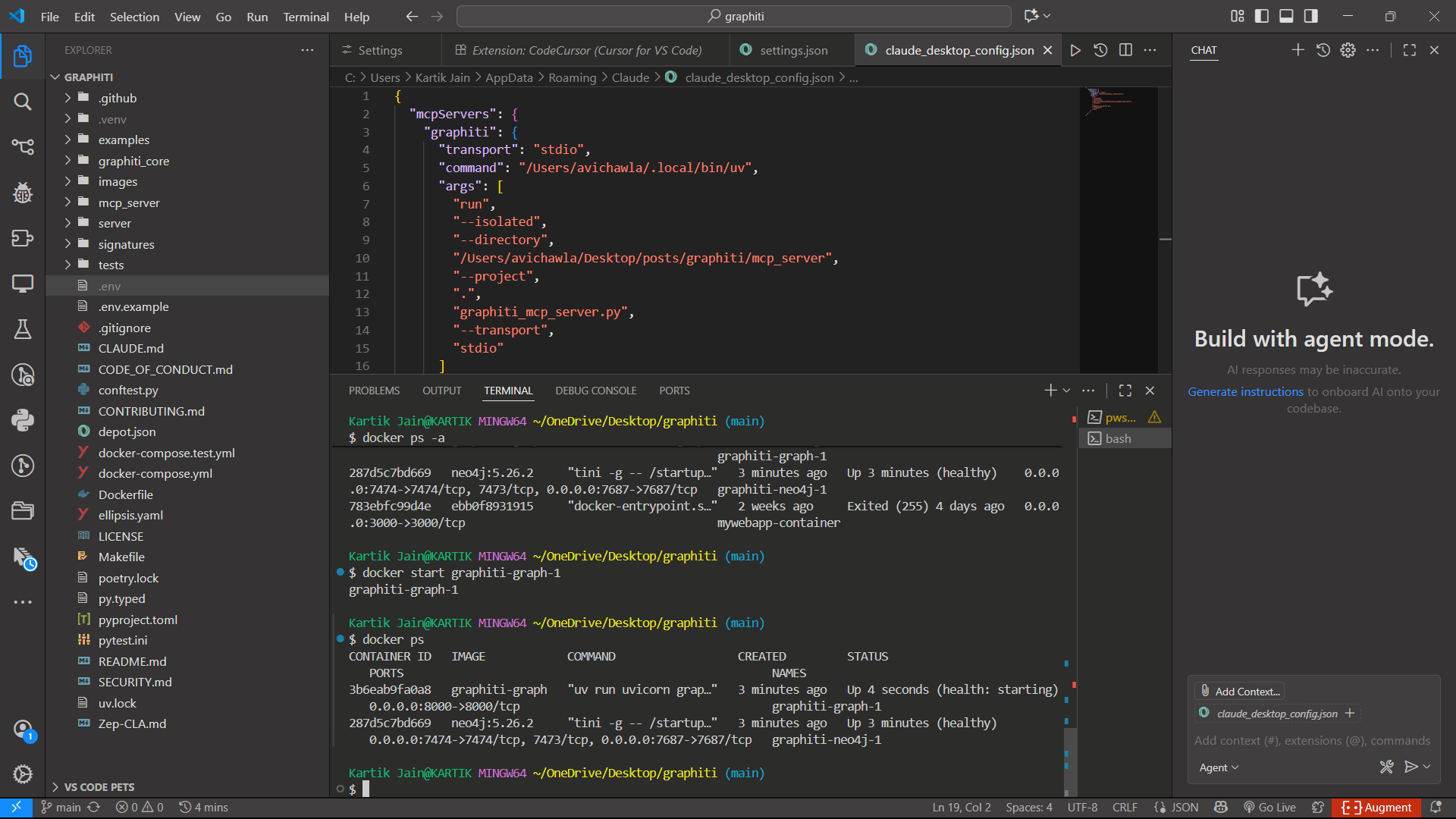
uv run graphiti_mcp_server.py --model gpt-4.1-mini --transport sse
📸 Graphiti SSE Output

Add this to your mcp.json:
{
  "mcpServers": {
    "Graphiti": {
      "url": "http://localhost:8000/sse"
    }
  }
}
Update claude_desktop_config.json:
{
  "mcpServers": {
    "graphiti": {
      "transport": "stdio",
      "command": "/path/to/uv",
      "args": [
        "run",
        "--isolated",
        "--directory",
        "/path/to/graphiti/mcp_server",
        "--project",
        ".",
        "graphiti_mcp_server.py",
        "--transport",
        "stdio"
      ]
    }
  }
}
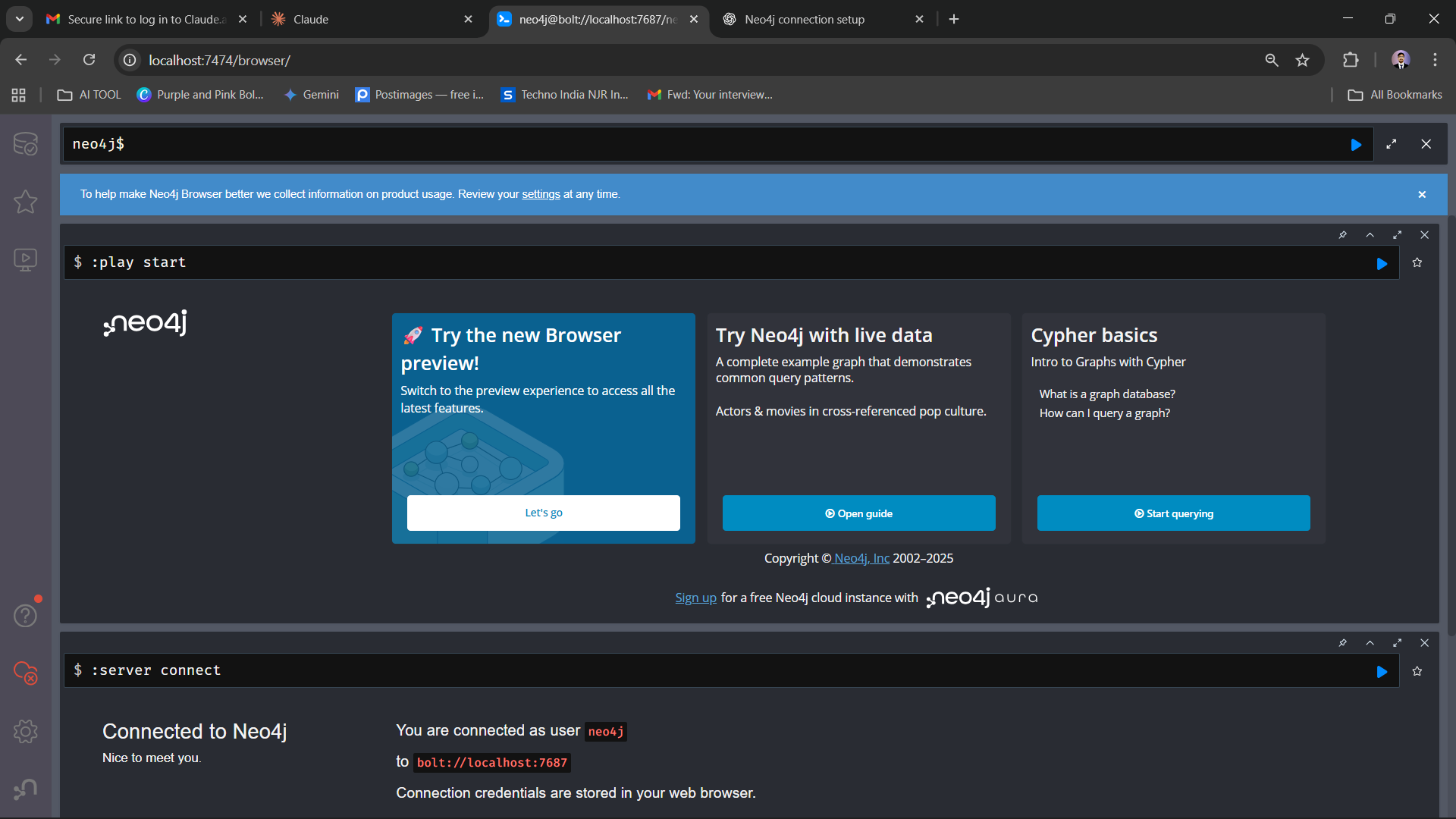
Open the Neo4j browser → http://localhost:7474/browser/
📸 Connected Neo4j Browser
📸 Data Stored in Neo4j
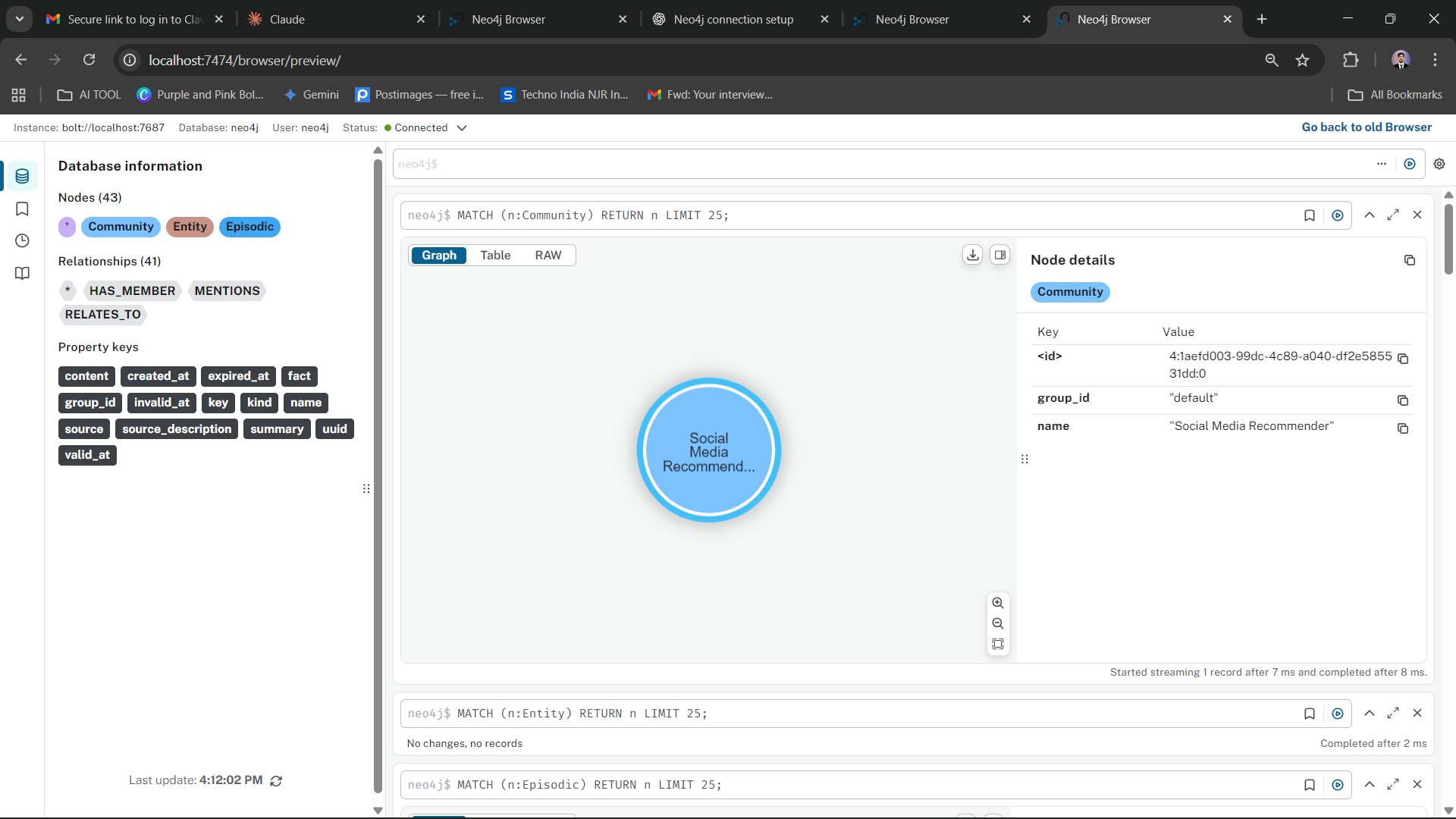
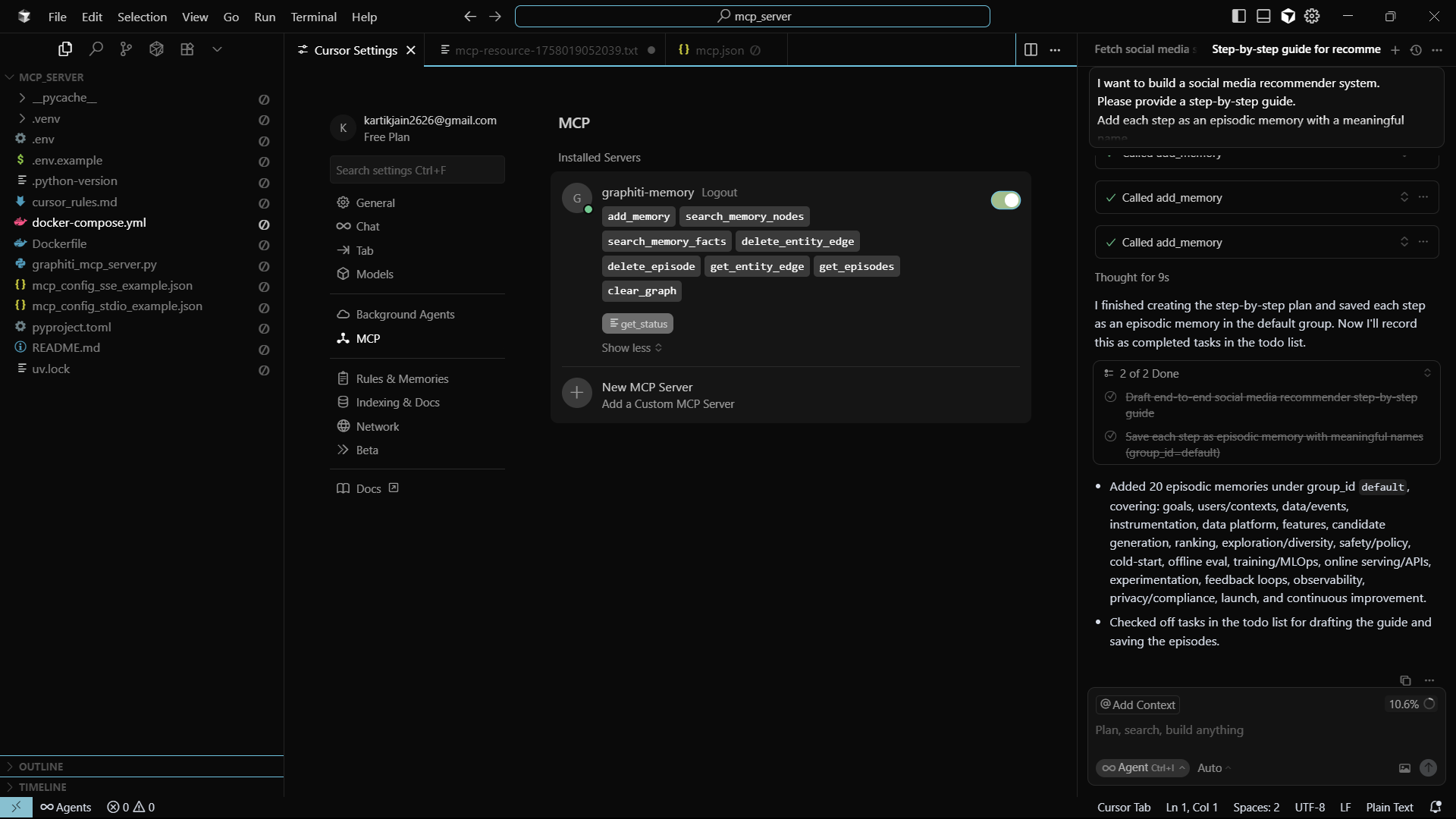
Flow: Cursor Prompt ➝ MCP Server ➝ Neo4j Graph Storage
📸 Final Cursor Output Sent to Neo4j
Contributions are welcome!
Stay connected on LinkedIn for more projects, ideas, and collaborations:
Kartik Jain
Let’s build, learn, and grow together! 🚀
This repo demonstrates Graphiti MCP integration with Cursor and Neo4j, storing AI prompts as real-time knowledge graphs for persistent memory.
เครื่องมือ
ยังไม่มีรายการเครื่องมือ เซิร์ฟเวอร์แบบรีโมตจะได้รายการหลังการตรวจสอบสถานะครั้งแรก
FAQ
คัดลอกคอนฟิก stdio สำหรับ Cursor, Claude Desktop, Claude Code หรือ VS Code ได้ในหน้านี้ คอนฟิกนี้ใช้การติดตั้งของผู้เผยแพร่ ไม่ใช่พร็อกซีของ PlugMCP
ระเบียนนี้ไม่ได้ระบุตัวแปรสภาพแวดล้อมที่จำเป็น
Graphiti MCP Demo ทำงานแบบโลคัลผ่าน stdio
ตรวจสอบล่าสุดเมื่อ 2026-10-28 This repo demonstrates Graphiti MCP integration with Cursor and Neo4j, storing AI prompts as real-time knowledge graphs for persistent memory.
