Connections, browsing, data grid, SQL editor, design tools, transfer, sync, backup, scheduler, monitor, privileges, reports, ER diagrams and test-data generation: every action is a registered command, shared by all three surfaces.
Power your agent
การติดตั้งจากผู้เผยแพร่ ไม่ใช่เอนด์พอยต์ของ PlugMCP
URL แบบรีโมตหรือคำสั่งบนเครื่องของคุณ? การติดตั้งสองแบบต่างกันอย่างไร
รันบน PlugMCP
A new server you create. It is not this listing's official endpoint. Use the publisher install when you want their URL and their credentials.
เปิดจากผู้เผยแพร่
Connections, browsing, data grid, SQL editor, design tools, transfer, sync, backup, scheduler, monitor, privileges, reports, ER diagrams and test-data generation: every action is a registered command, shared by all three surfaces.
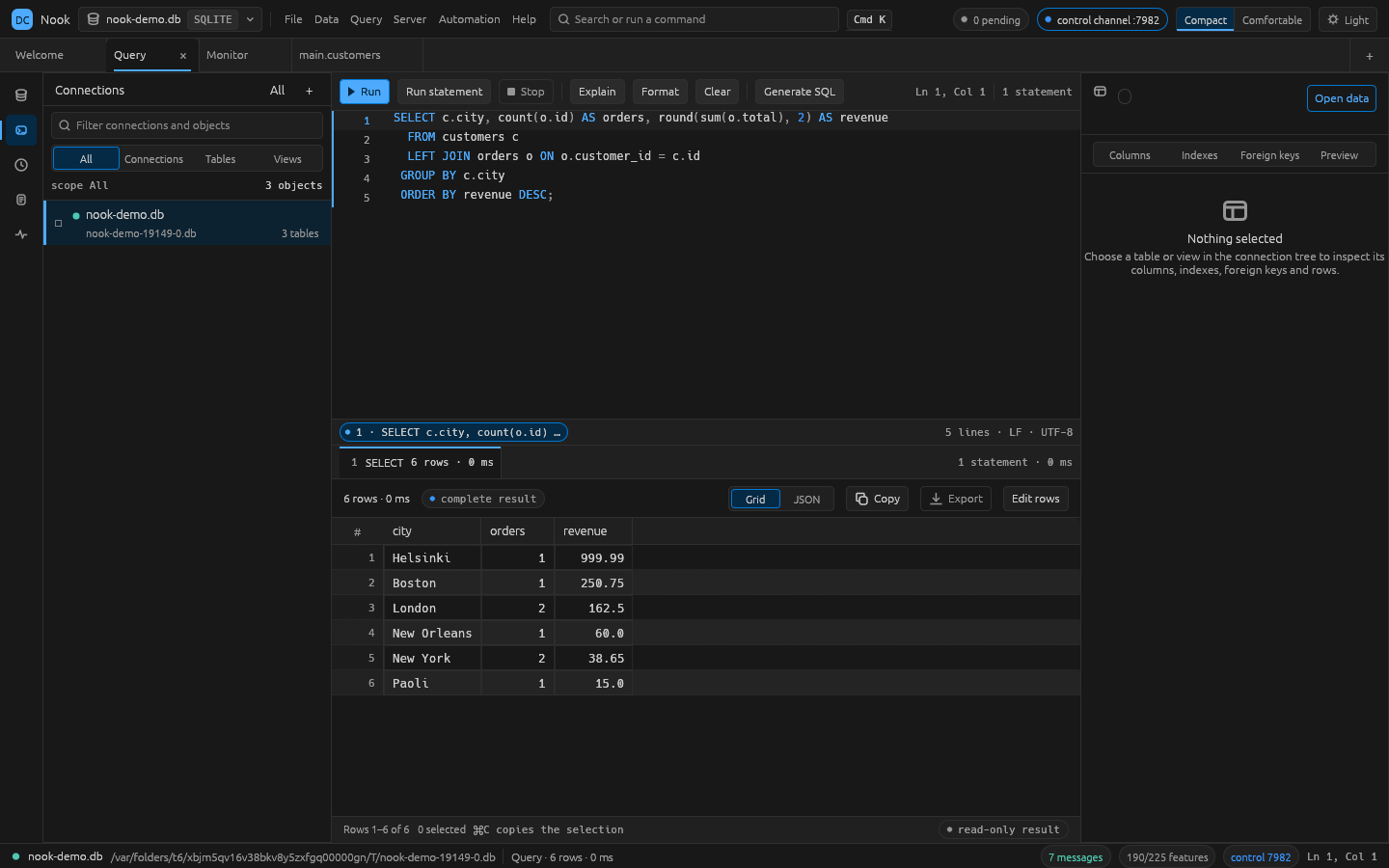
Database administration for SQLite, PostgreSQL and MySQL — a native egui workbench, a CLI and an MCP server, one Rust codebase
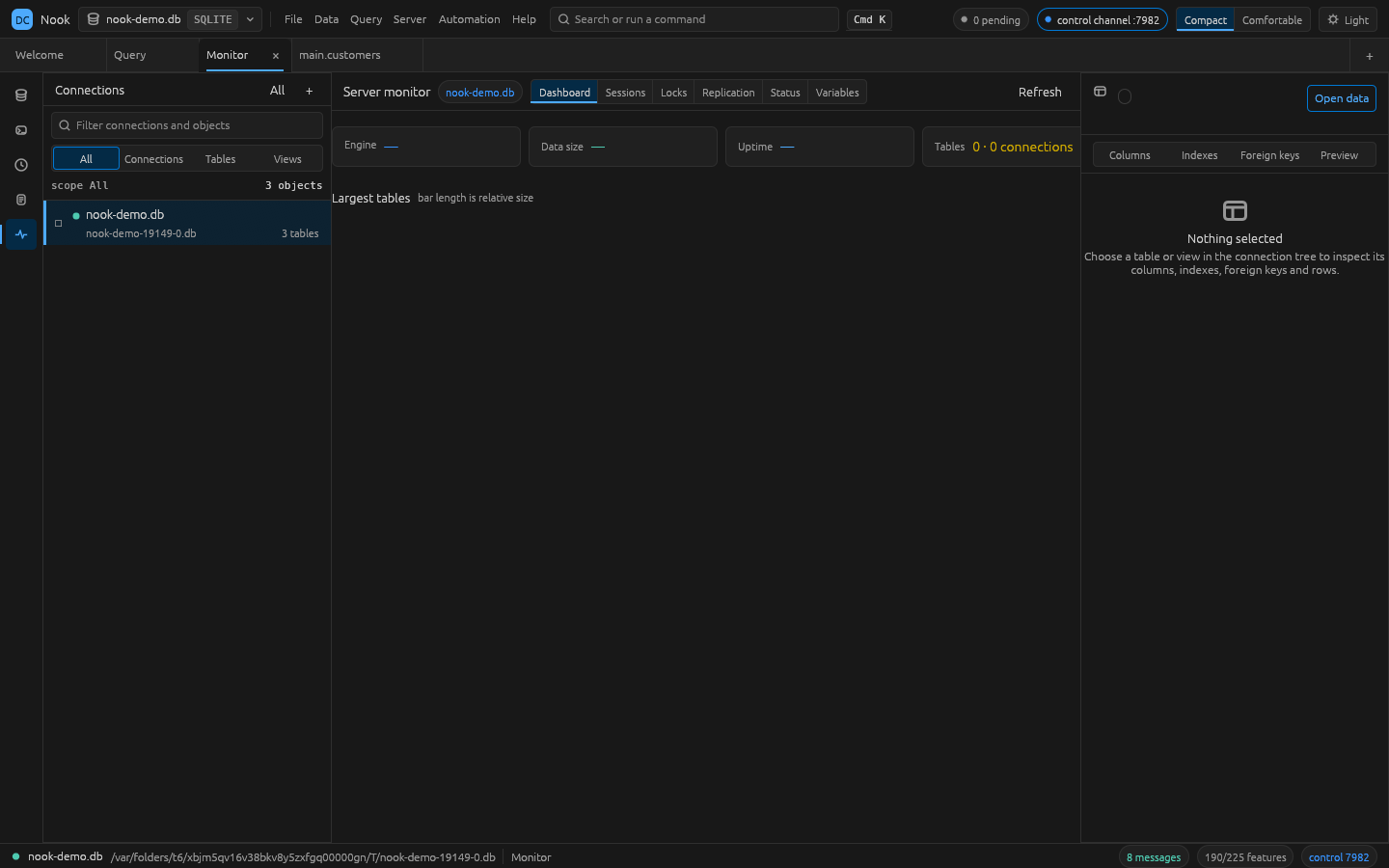
| Query editor with live results | Server monitor |
|---|
| |
Requires Rust 1.95 or newer (rustup). macOS is fully supported; Linux and Windows build from the
same source and are covered by the CI matrix. ssh is needed for tunneled connections, and
pg_dump/mysqldump only for those backup types.
git clone https://github.com/kasfulk/nook.git
cd nook
./install.sh          # builds the release binaries into ~/.local/bin

nook --demo           # the desktop app, on a sample SQLite database
nook-cli help         # the same surface from a shell
PREFIX=/usr/local ./install.sh installs elsewhere. To build without installing:
cargo build --release -p nook -p nook-cli   # binaries land in target/release/
cargo run -p nook -- --demo
The desktop app is not the only door. The CLI and the MCP server resolve the same command ids:
nook-cli tables postgres://localhost/shop
nook-cli sql postgres://localhost/shop "select status, count(*) from orders group by status"
nook-cli dump postgres://localhost/shop --out backup.sql
nook-cli transfer --from sqlite:./shop.db --to postgres://localhost/stage --tables '*'
nook-cli datagen sqlite:./shop.db customers --rows 500 --seed 7
nook-cli ai sqlite:./shop.db "revenue per month for @orders"     # prompt to SQL
nook-cli ai providers                                            # endpoints and whether a key is set
printf '%s' "$OPENAI_API_KEY" | nook-cli ai key openai           # the key comes from stdin, not argv
A connection is a saved profile name or a URI: sqlite:./app.db,
postgres://user:[email protected]:5432/shop, mysql://[email protected]/shop.
Run nook-cli help (or cargo run -p nook-cli -- help) for the full command list.
nook-cli mcp # MCP server on stdio; every command id is a tool
The running app can also be driven over a JSON control channel. It listens on 127.0.0.1 and
requires the key written to <config dir>/control-key.<port>:
{"id":1,"key":"…","method":"engine.run","params":{"command":"sql.run","params":{"conn":"local","sql":"select 1"}}}
See docs/control-protocol.md for every method.
cargo test          # whole test suite
cargo xtask ci      # fmt, clippy (warnings denied), tests, layering check, parity freshness
cargo xtask parity  # regenerate docs/parity-checklist.md
crates/engine/src/catalog.rs lists the features a Navicat-class tool is expected to have, each with
the command id that implements it. docs/parity-checklist.md is the
generated coverage report, and a test keeps it above a floor that only rises. cargo xtask parity
(or nook-cli parity from an install) prints the same numbers, area by area, with the gaps named.
The rules the codebase is written to — no panics in non-test code, every behaviour a command,
layering enforced by cargo xtask layers, no invented colours — live in
docs/conventions.md. See CONTRIBUTING.md for setup and
how to send a change.
Every user-visible behaviour is a CommandSpec in crates/engine/src/cmd/*.rs; the ribbon, menus,
command palette, CLI, control channel and MCP tools all resolve the same ids. cargo xtask layers
enforces the layer ordering.
See ROADMAP.md for status and docs/gaps.md for the ranked work list.
Dual-licensed under LICENSE-MIT and LICENSE-APACHE. Nook is an independent, clean-room project: no Navicat code, resources, icons, or
wording were copied. Navicat is a trademark of PremiumSoft Cybertech Ltd; PostgreSQL, MySQL, and SQLite
belong to their respective owners. Architecture conventions follow the
WordCraft project as a model.
See ATTRIBUTION.md for third-party notices.
Database administration for SQLite, PostgreSQL and MySQL — a native egui workbench, a CLI and an MCP server, one Rust codebase
เครื่องมือ
ยังไม่มีรายการเครื่องมือ เซิร์ฟเวอร์แบบรีโมตจะได้รายการหลังการตรวจสอบสถานะครั้งแรก
FAQ
คัดลอกคอนฟิก stdio สำหรับ Cursor, Claude Desktop, Claude Code หรือ VS Code ได้ในหน้านี้ คอนฟิกนี้ใช้การติดตั้งของผู้เผยแพร่ ไม่ใช่พร็อกซีของ PlugMCP
ระเบียนนี้ไม่ได้ระบุตัวแปรสภาพแวดล้อมที่จำเป็น
Nook ทำงานแบบโลคัลผ่าน stdio
ตรวจสอบล่าสุดเมื่อ 2026-10-28 Database administration for SQLite, PostgreSQL and MySQL — a native egui workbench, a CLI and an MCP server, one Rust codebase
