🔬 LogoLab
Drop in a logo → preview it in real-world contexts → clean it up, vectorize it, and export a production-ready icon set.
100% in your browser. No uploads, no backend, no sign-up.
▶ Try it live · ·
Power your agent
คำสั่งของผู้เผยแพร่เอง ไม่ใช่เอนด์พอยต์ของ PlugMCP
Host a copy with our keys and logs.
npx -y [email protected]Claude Code ไม่มีลิงก์ติดตั้งสำหรับคำสั่งแบบโลคัล ให้คัดลอกคำสั่งด้านล่างแล้วรันในเทอร์มินัล
claude mcp add logolab -- npx -y logolab@0.8.0รันในเทอร์มินัล
{ "mcpServers": { "logolab": { "command": "npx", "args": [ "-y", "[email protected]" ] } }}claude_desktop_config.json
URL แบบรีโมตหรือคำสั่งบนเครื่องของคุณ? การติดตั้งสองแบบต่างกันอย่างไร
รันบน PlugMCP
A new server you create. It is not this listing's official endpoint. Use the publisher install when you want their URL and their credentials.
เปิดจากผู้เผยแพร่
100% in your browser. No uploads, no backend, no sign-up.
▶ Try it live · ·
MCP server for LogoLab: trace an image to a clean SVG and export a full app-icon set, locally, from your coding agent.
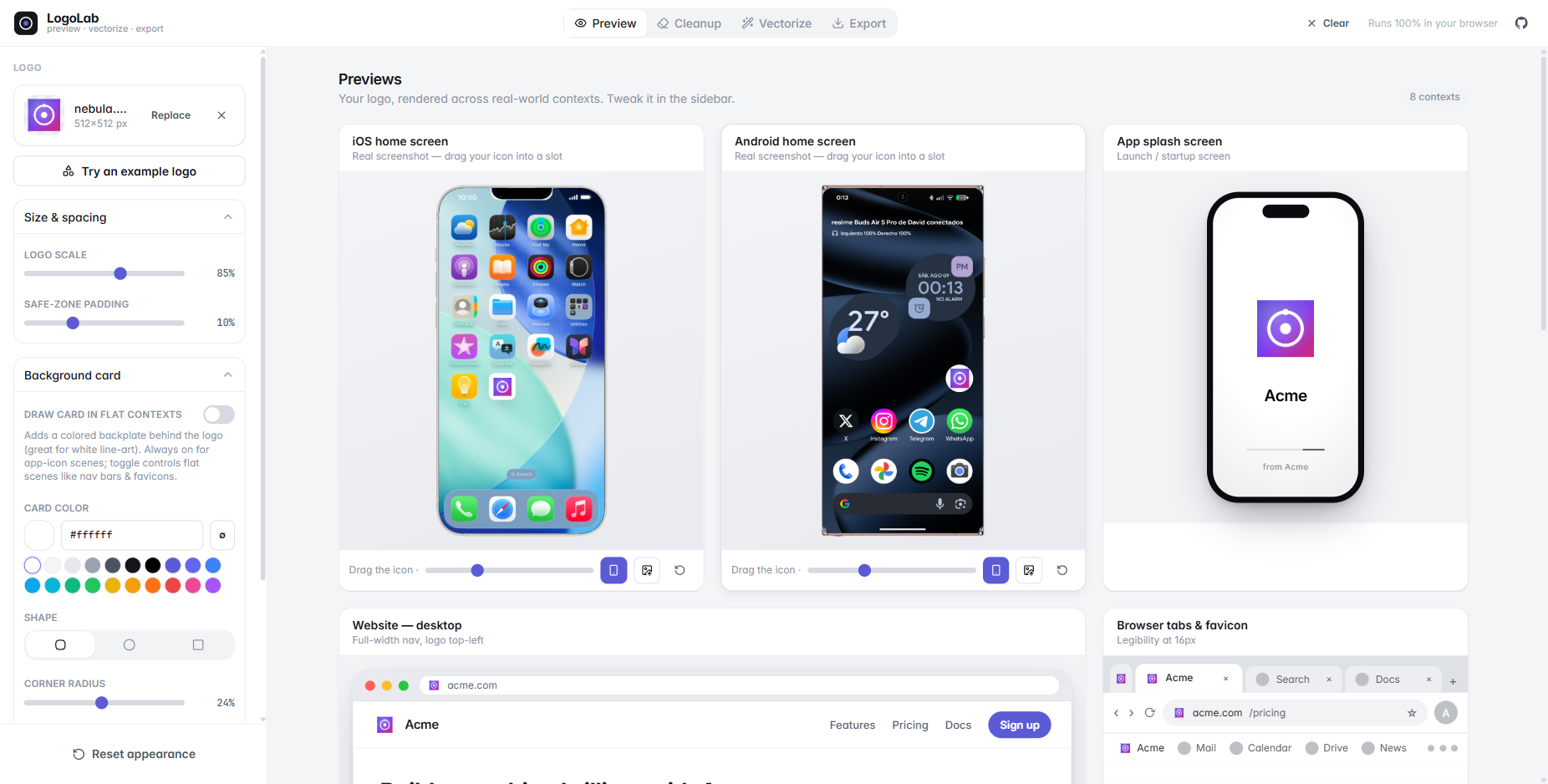
You just generated an app icon / logo with Midjourney, Gemini, DAL·E, or your favourite vector tool — but does it actually work? Is it legible at 16px? Does that white line-art mark disappear on a light nav bar? How does it look as an iOS app icon, or cropped into a circular avatar?
LogoLab answers all of that in one place, then helps you ship the asset: remove the junk background, trace it to a clean SVG, and export every favicon / PWA icon you need.
No logo handy? Hit Try an example logo in the sidebar to load one of the built-in samples and play with every tool right away. The Icon sheet tab has its own examples — real image-model output, so you can try the splitter without generating a sheet first.
See your logo composited into real device screenshots (drag it into any app slot), plus a desktop website nav, browser tabs & favicons, an app splash screen, an App Store listing, a circular social avatar, and a size-&-contrast matrix (16 → 128px on light and dark).
A magic-wand / flood-fill eraser plus hand brushes and an AI cutout for AI-generated icons that ship with a baked background.
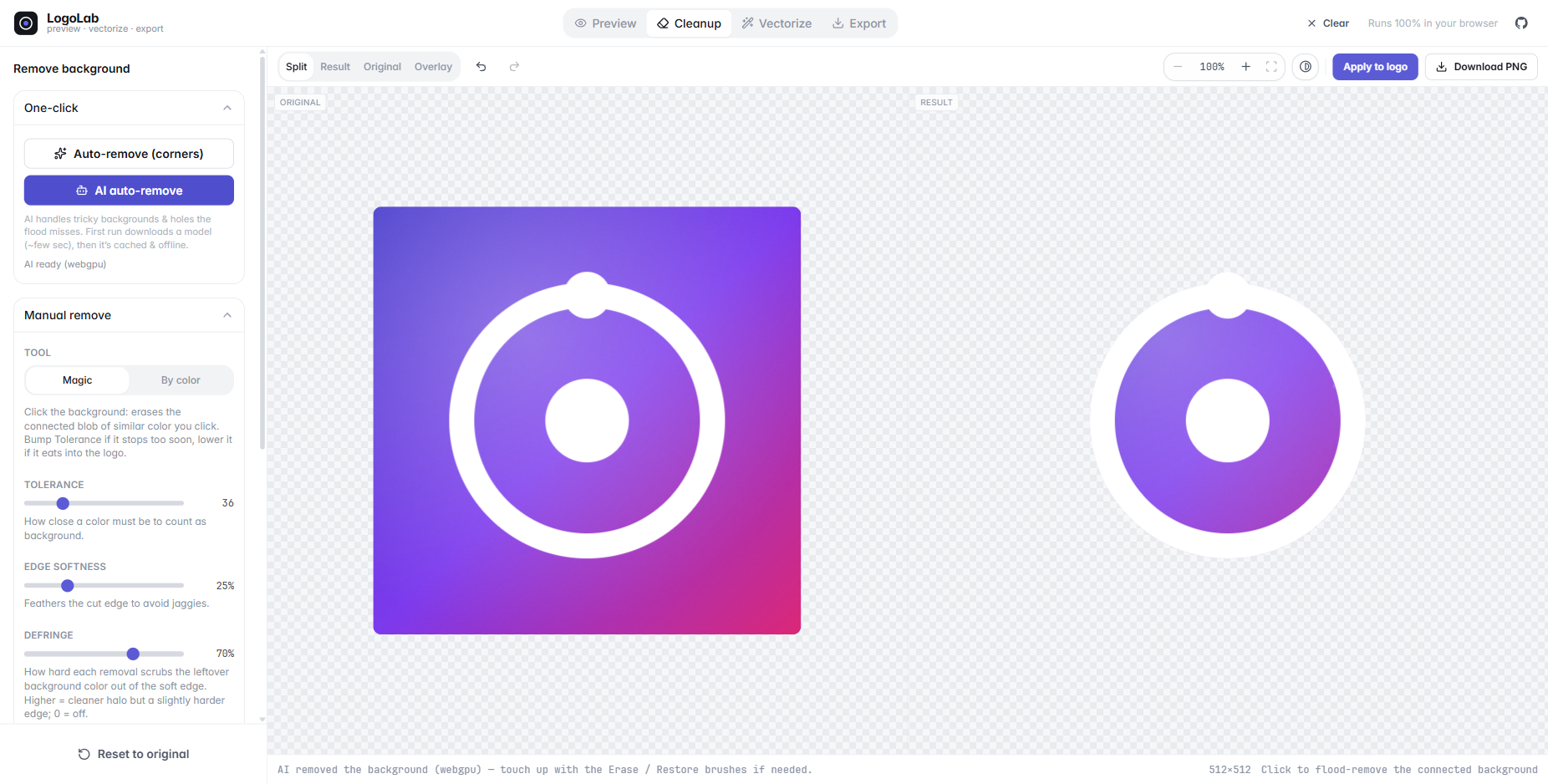
briaai/RMBG-1.4) that runs entirely in your browser
and handles tricky backgrounds and the enclosed holes the corner flood can't reach. The model
(~tens of MB) downloads on first use, then is cached & offline — nothing is ever uploaded.Ctrl/⌘+Z · Ctrl/⌘+Shift+Z) and reset.A structure-first tracer that segments the image by smoothness, fits a paint model (flat, gradient or layered glow) to each region, then traces clean curves — or, for line art, traces the middle of every line as a real stroke — plus a full node editor, all client-side. The research behind each stage is in 🔬 Algorithms & papers below.
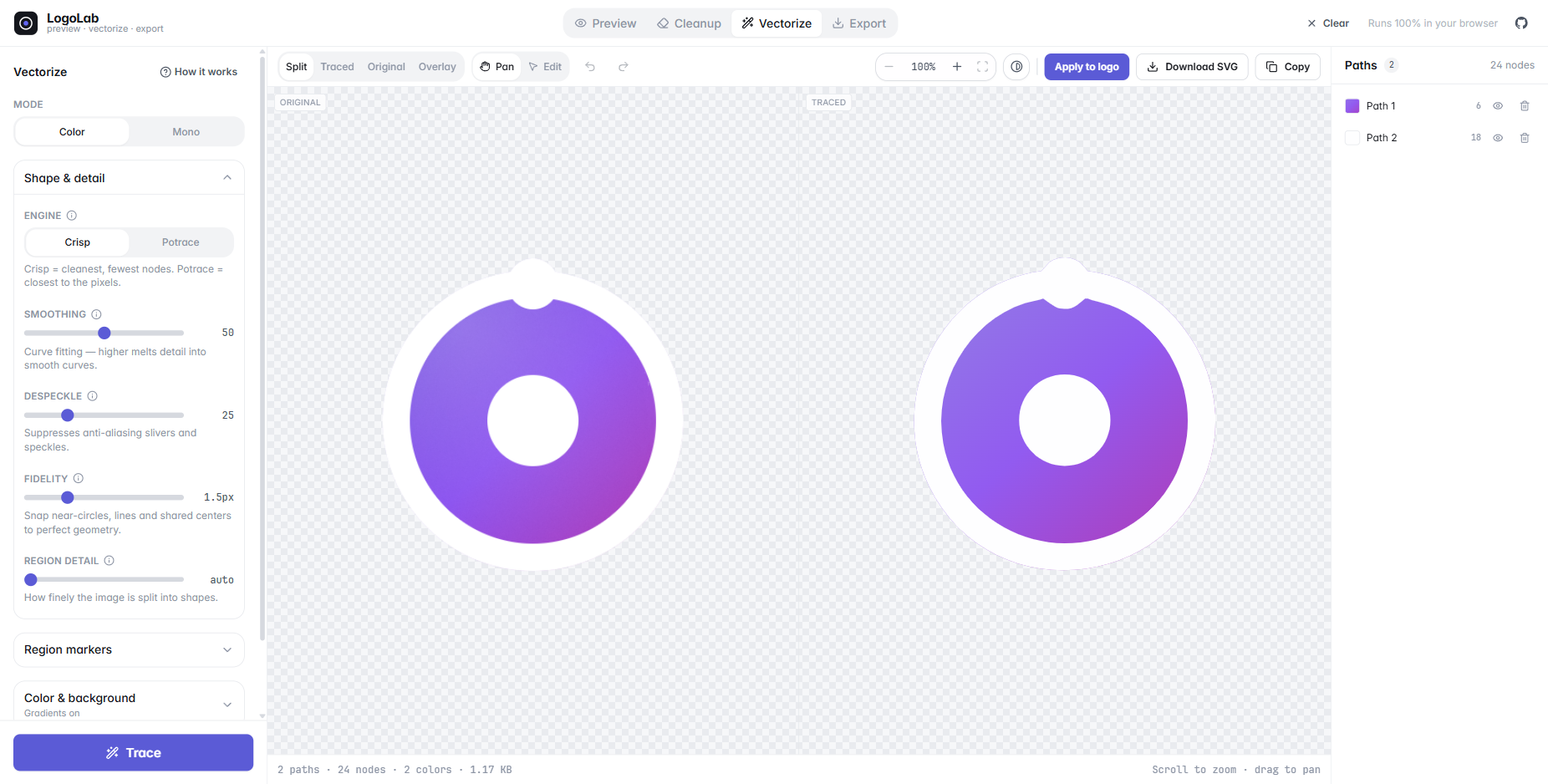
Alt breaks symmetry), double-click a segment to add a node, double-click an anchor to
toggle corner ↔ smooth, Del to remove, full undo / redo.A small vector editor for the logo itself: open an SVG (or your traced result), start from a blank artboard, or pick an example drawing.
Space to pan with any tool.Generate a complete, production-ready icon set as a single .zip.
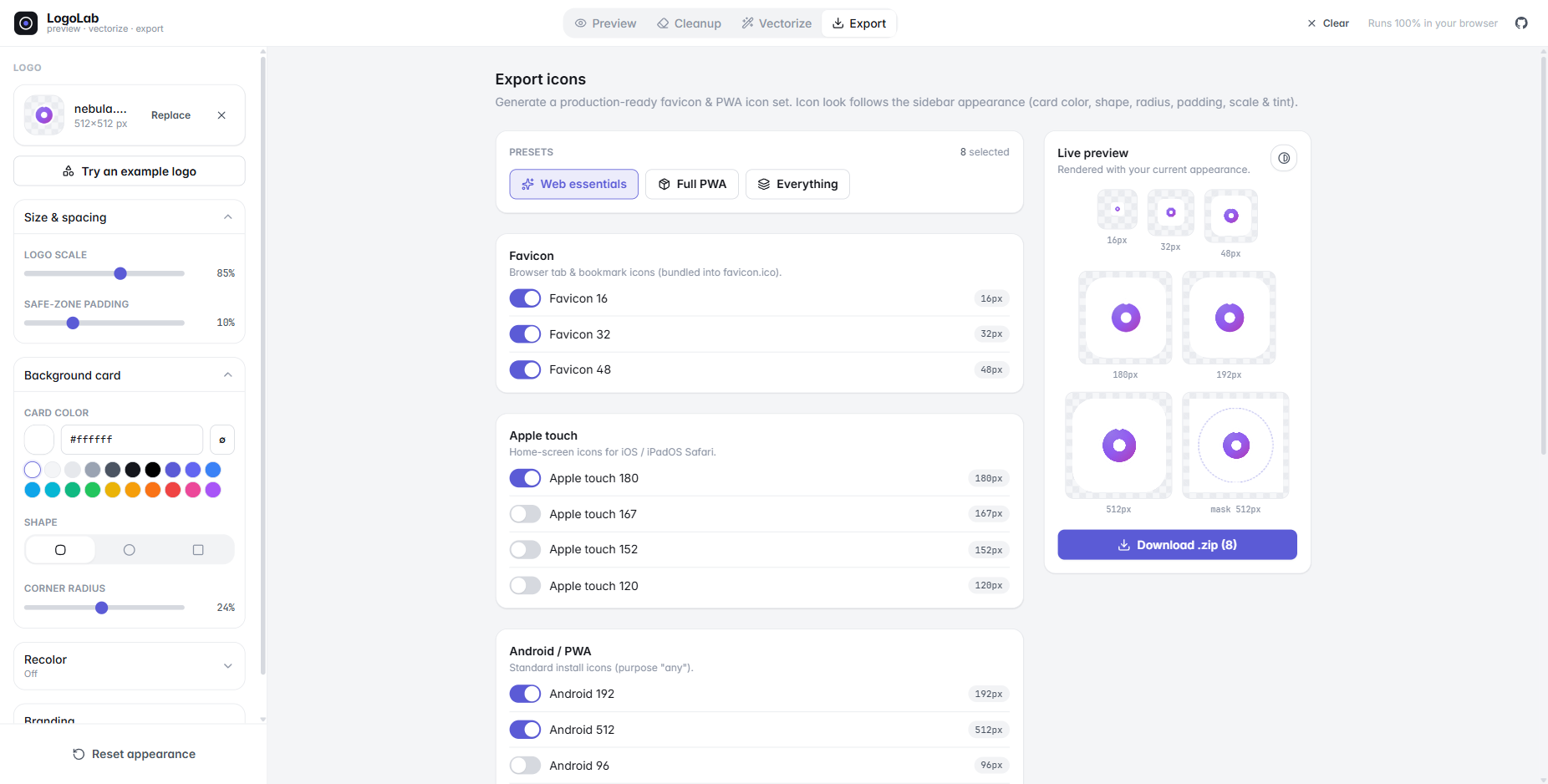
favicon.ico), Apple touch, Android / Chrome,
maskable icons (with safe-zone), and Windows tiles.manifest.webmanifest and a copy-paste <head> snippet.Drop the sheet an image model hands you ("a set of 16 weather icons, captioned") and get every icon back as its own clean SVG.
security-camera.svg),
read in the browser by Tesseract.js (engine fetched
the first time a sheet has captions, ~5 MB, then cached; switch it off under Names). Add a
prefix / suffix to every name for the export.LogoLab is a PWA. Install it from the address bar (or the Install app button in the header) and it runs as its own window, with no network at all.
/labs
research harnesses and the optional AI models, which are 27 MB of the build and are cached
only if you actually open them. See src/pwa/.localStorage (read synchronously, so they are right in the first
painted frame); the bytes and the documents ride in IndexedDB, read once before the first
render. A Saved just now chip in the title bar says when it last happened — or says
Not saved when the browser won't store anything (a private window, a full quota), rather
than claiming your work is safe when it isn't. Start fresh lives in that chip.Everything stays in the browser either way: no upload, no account, nothing leaves the tab.
The tracer and the icon exporter, exposed to your coding agent over
MCP. "Trace icon.png and put a PWA icon set in public/"
becomes one tool call — locally, nothing uploaded.
Published to npm as logolab — no clone needed:
claude mcp add logolab -- npx -y logolab   # Claude Code
npx -y logolab install --client cursor     # or Cursor / VS Code / --client print
Or as a skill (no server; the agent runs npx -y logolab call … itself):
/plugin install logolab --marketplace Blaxzter/LogoLab   # Claude Code plugin
npx -y logolab install --skill                           # .claude/skills/, or --skills-dir <dir> for other agents
make_app_icons (trace + export in one call), trace_icon, export_icons,
split_icon_sheet, inspect_icon.favicon.ico and .icns containers, the manifest,
the <head> snippet, Contents.json and the adaptive-icon XML.strokes to trace
line art as centreline strokes.The app has a button for it: Export → Do this from your editor. Full reference:
docs/mcp.md; the package that ships is packages/mcp, which
compiles the server and the tracer straight out of src/ so the two cannot drift.
pnpm install
pnpm dev        # http://localhost:5173
pnpm build      # type-check + production build → ./dist
pnpm preview    # preview the production build
pnpm mcp        # run the MCP server on stdio (what an agent client launches)
pnpm mcp:try public/examples/petals.png ./out    # trace + export once, no client needed
pnpm mcp:build  # compile packages/mcp → the publishable `logolab` package
Uses pnpm, but
npm/yarnwork too.
It's a static SPA — the build output is dist/ — served by an assets-only Worker
(wrangler.jsonc, name logo-lab). Workers Builds is connected to the repo and deploys
main on every push (build command pnpm build). To deploy by hand:
pnpm build
pnpm dlx wrangler deploy
No server routes. The Impressum / Datenschutz pages read the operator's details from
VITE_LEGAL_* build variables (see .env.example); without them they show placeholders.
@theme design tokens)import()-ed so it never weighs down the initial bundle.import()-ed; the WASM
engine and English model come from its CDN on first use and are cached by the browser.src/pwa/sw.js) rather than Workbox: the precache list
is decided from the chunk graph at build time (scripts/swPlugin.ts), because a glob would
make installing the app a 31 MB download of research harness and optional AI runtime.The Cleanup and Vectorize views are small, self-contained reimplementations of published computer-graphics research — all running client-side in pure TypeScript (plus WASM for the optional AI and OCR runtimes). The full design rationale and per-stage implementation log lives in docs/vectorization-plan.md.
The tracer follows a structure-first order — segment by smoothness → fit a paint model per region → trace geometry once → beautify — instead of the classic posterize-then-trace pipeline. It's a logo-scale reimplementation of Adobe's 2025 gradient-aware Image Trace.
src/
  components/
    shell/         # app chrome: header menu, sidebar, saved chip, toasts, popovers, install prompts
    intake/        # upload dropzone, examples dialog, the empty-panel state
    report/        # error boundary + issue reporting UI
    panels/        # one per route: PreviewGrid, CleanupPanel, VectorizePanel, ExportPanel, …
    scenes/        # preview mockups (DeviceMock, DesktopBrowser, AppStoreListing, …) + LogoMark,
                   #   the single source of truth for rendering a logo (card/shape/tint)
    vectorize/     # the vectorize studio (EditorCanvas node editor, paths panel, controls)
    editor/ sheet/ cleanup/   # the other studios
    labs/          # research views over the tracer (/labs/*) — never precached
    ui/            # Button + form controls
  lib/
    trace/         # the planar vectorizer (segmentation → shared-edge graph → fit → beautify)
    traceInput/    # what the tracer is fed: ink/mono decision, stroke probe, raster caps, AI upscaler
    path/          # editable vector model: SVG/path-d parser, serializer, Bézier node ops
    render/        # document rasterizer + the ΔE fidelity score
    cleanup/       # flood-fill / color-key removal, lazy in-browser AI cutout (RMBG-1.4)
    export/        # icon geometry + manifest/.ico (shared with the MCP server), canvas export, SVG cleanup
    report/        # error log, failure toasts, GitHub issue reports
    persist/       # the working session: IndexedDB for bytes & documents, localStorage for settings
    png/           # dependency-free PNG decode/encode (used by the MCP server)
    image.ts       # loading, SVG rasterization, render sources
  state/           # Zustand stores (logo, appearance, environment, device placements; the icon sheet)
  mcp/             # the MCP server: trace + export for a coding agent (docs/mcp.md)
  pwa/
    sw.js          # the service worker (offline shell + runtime cache) — emitted by scripts/swPlugin.ts
    register.ts    # registration, the update prompt, the install prompt
  hooks/
bench/             # research harness: corpora, diagnostics, scoring, A/B + golden snapshot writers
test/              # node --test suites (truth gate, regression, unit tests)
public/mockups/    # device frames + screenshots used by the device previews
public/examples/   # built-in sample logos for the "Try an example" gallery
public/examples/sheets/  # example icon sheets for the Icon sheet tab (Gemini output, re-encoded as WebP)
Real device-frame PNGs have an opaque black screen, so LogoLab detects the screen region
(flood-fill from the center), knocks it out so the screenshot shows through, renders the
bezel on top, and draws a synthetic notch / punch-hole. Your logo is overlaid as a
draggable, resizable app icon. Drop in any frame + screenshot and it adapts — tune the
default icon placement in defaultMockups (src/state/store.ts).
MIT — see LICENSE.
MCP server for LogoLab: trace an image to a clean SVG and export a full app-icon set, locally, from your coding agent.
{ "mcpServers": { "logolab": { "command": "npx", "args": [ "-y", "[email protected]" ] } }}เครื่องมือ
ยังไม่มีรายการเครื่องมือ เซิร์ฟเวอร์แบบรีโมตจะได้รายการหลังการตรวจสอบสถานะครั้งแรก
FAQ
คัดลอกคอนฟิก stdio สำหรับ Cursor, Claude Desktop, Claude Code หรือ VS Code ได้ในหน้านี้ คอนฟิกนี้ใช้การติดตั้งของผู้เผยแพร่ ไม่ใช่พร็อกซีของ PlugMCP
ระเบียนนี้ไม่ได้ระบุตัวแปรสภาพแวดล้อมที่จำเป็น
Logolab ทำงานแบบโลคัลผ่าน stdio
ตรวจสอบล่าสุดเมื่อ 2026-11-13 MCP server for LogoLab: trace an image to a clean SVG and export a full app-icon set, locally, from your coding agent.
