Godot MCP Documentation Server
A Model Context Protocol (MCP) server that provides AI assistants with access to the complete Godot Engine documentation, helping developers with Godot development by serving documentation directly to LLMs.
Power your agent
การติดตั้งจากผู้เผยแพร่ ไม่ใช่เอนด์พอยต์ของ PlugMCP
URL แบบรีโมตหรือคำสั่งบนเครื่องของคุณ? การติดตั้งสองแบบต่างกันอย่างไร
รันบน PlugMCP
A new server you create. It is not this listing's official endpoint. Use the publisher install when you want their URL and their credentials.
เปิดThis server bridges the gap between AI assistants and Godot documentation, allowing developers to get instant, accurate answers about Godot classes, tutorials, and features without leaving their AI chat interface.
Clone the repository:
git clone https://github.com/Nihilantropy/godot-mcp-docs.git
cd godot-mcp-docs
Build the Docker image:
docker build -f deploy/Dockerfile -t godot-mcp-docs:local .
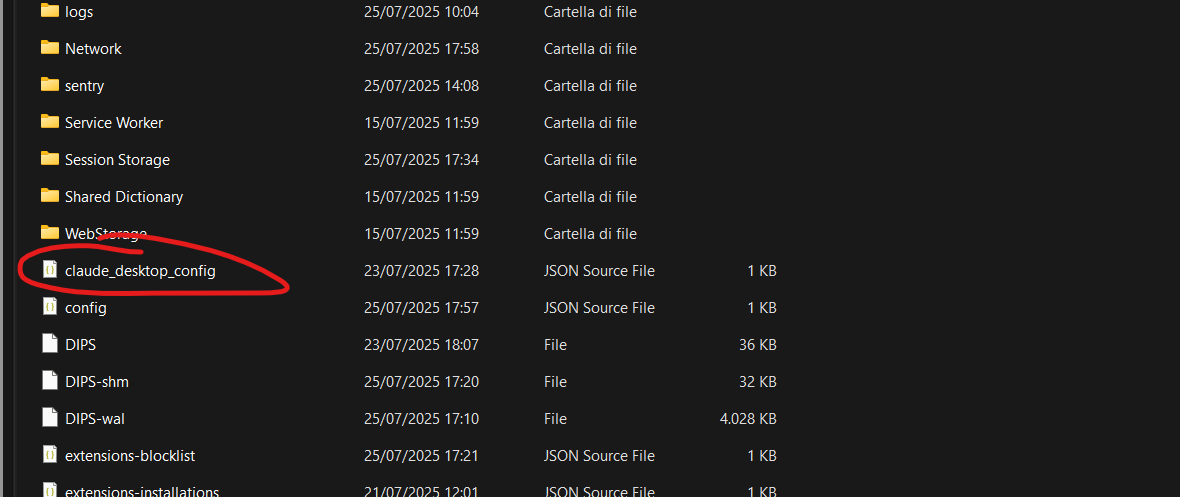
Configure your MCP client (Claude Desktop example):
{
  "mcpServers": {
    "godot-mcp-docs": {
      "command": "docker",
      "args": [
        "run",
        "--rm",
        "-i",
        "godot-mcp-docs:local"
      ]
    }
  }
}
The server provides access to the complete official Godot documentation with this structure:
docs/
├── _styleguides
├── _tools
│   └── redirects
├── about
├── classes
├── community
│   └── asset_library
├── contributing
│   ├── development
│   │   ├── compiling
│   │   ├── configuring_an_ide
│   │   ├── core_and_modules
│   │   ├── debugging
│   │   │   └── vulkan
│   │   ├── editor
│   │   └── file_formats
│   ├── documentation
│   └── workflow
├── getting_started
│   ├── first_2d_game
│   ├── first_3d_game
│   ├── introduction
│   └── step_by_step
├── img
└── tutorials
    ├── 2d
    ├── 3d
    │   ├── global_illumination
    │   ├── particles
    │   └── procedural_geometry
    ├── animation
    ├── assets_pipeline
    │   ├── escn_exporter
    │   └── importing_3d_scenes
    ├── audio
    ├── best_practices
    ├── editor
    ├── export
    ├── i18n
    ├── inputs
    ├── io
    ├── math
    ├── migrating
    ├── navigation
    ├── networking
    ├── performance
    │   └── vertex_animation
    ├── physics
    │   └── interpolation
    ├── platform
    │   ├── android
    │   ├── ios
    │   └── web
    ├── plugins
    │   └── editor
    ├── rendering
    ├── scripting
    │   ├── c_sharp
    │   │   └── diagnostics
    │   ├── cpp
    │   ├── debug
    │   ├── gdextension
    │   └── gdscript
    ├── shaders
    │   ├── shader_reference
    │   └── your_first_shader
    ├── ui
    └── xr
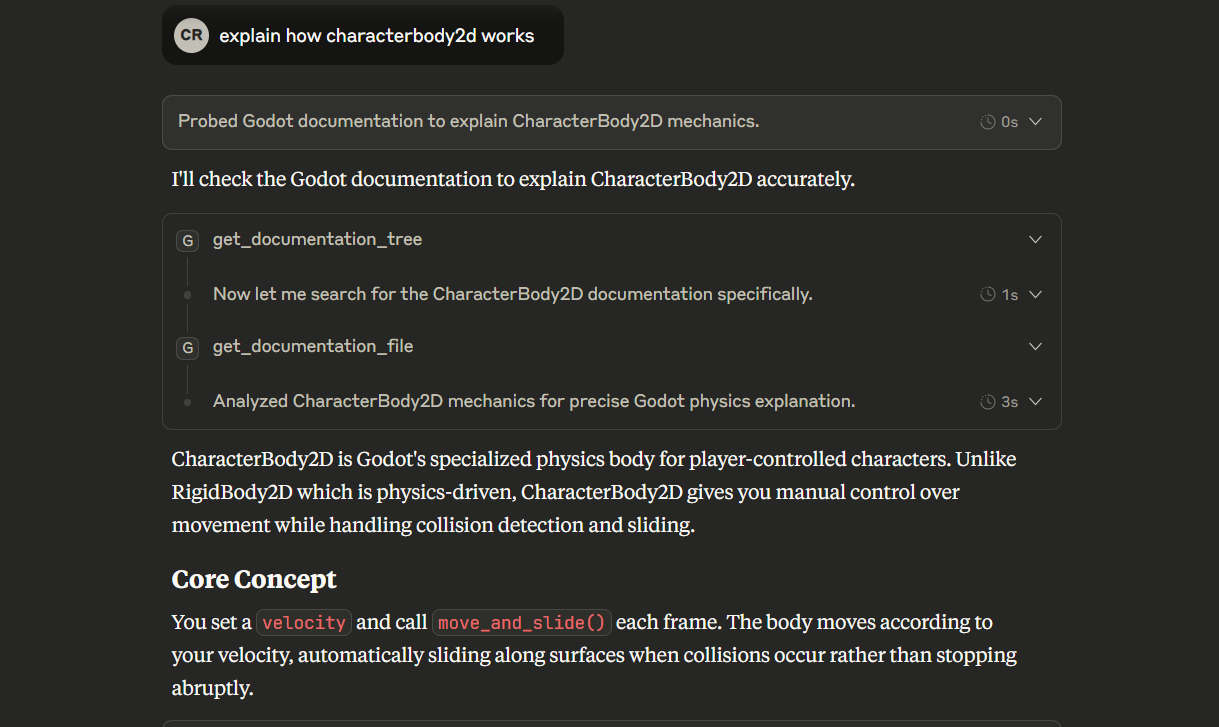
get_documentation_tree() - Get a tree-style overview of the entire documentation structureget_documentation_file(file_path: str) - Retrieve the content of specific documentation filesExplore documentation structure:
What documentation is available for Godot?
Get specific class documentation:
Show me the documentation for CharacterBody2D
Learn about tutorials:
What tutorials are available for 2D game development?
Get specific tutorial content:
Show me the first 2D game tutorial
Compare classes:
What's the difference between Node2D and CharacterBody2D?
For optimal results when working with Godot, use this system prompt:
"When working with Godot game development questions, always search for the latest available documentation using the godot-mcp-docs tools. Start with
get_documentation_tree()to understand the documentation structure, then useget_documentation_file()to retrieve specific information about classes, tutorials, or features. Prioritize official Godot documentation over general knowledge when providing Godot-related assistance."
To update to a newer version of Godot documentation:
Option 1: Rebuild the image
docker build -f deploy/Dockerfile -t godot-mcp-docs:local . --no-cache
Option 2: Update manually inside container
docker run -it --entrypoint /bin/bash godot-mcp-docs:local
# Inside container:
python docs_converter/godot_docs_converter.py
tree docs/. > docs/docs_tree.txt
This project is licensed under the MIT License - see the LICENSE file for details.
The Godot documentation content follows the original Godot documentation licensing:
classes/ folder): CC BY 3.0classes/ folder): MIT LicenseMCP server for godot docs
เครื่องมือ
ยังไม่มีรายการเครื่องมือ เซิร์ฟเวอร์แบบรีโมตจะได้รายการหลังการตรวจสอบสถานะครั้งแรก
FAQ
คัดลอกคอนฟิก stdio สำหรับ Cursor, Claude Desktop, Claude Code หรือ VS Code ได้ในหน้านี้ คอนฟิกนี้ใช้การติดตั้งของผู้เผยแพร่ ไม่ใช่พร็อกซีของ PlugMCP
ระเบียนนี้ไม่ได้ระบุตัวแปรสภาพแวดล้อมที่จำเป็น
Godot MCP Docs ทำงานแบบโลคัลผ่าน stdio
ตรวจสอบล่าสุดเมื่อ 2026-10-27 MCP server for godot docs
