Ragstar — AI Data Analyst for dbt Projects
Ragstar is in public βeta. Expect rapid changes and occasional rough edges.
Power your agent
การติดตั้งจากผู้เผยแพร่ ไม่ใช่เอนด์พอยต์ของ PlugMCP
URL แบบรีโมตหรือคำสั่งบนเครื่องของคุณ? การติดตั้งสองแบบต่างกันอย่างไร
รันบน PlugMCP
A new server you create. It is not this listing's official endpoint. Use the publisher install when you want their URL and their credentials.
เปิดRagstar connects to your dbt project, builds a knowledge base from models & documentation, and lets everyone ask data-related questions in plain English via a beautiful web dashboard or Slack. Under the hood Ragstar combines:
pgvector for fast similarity search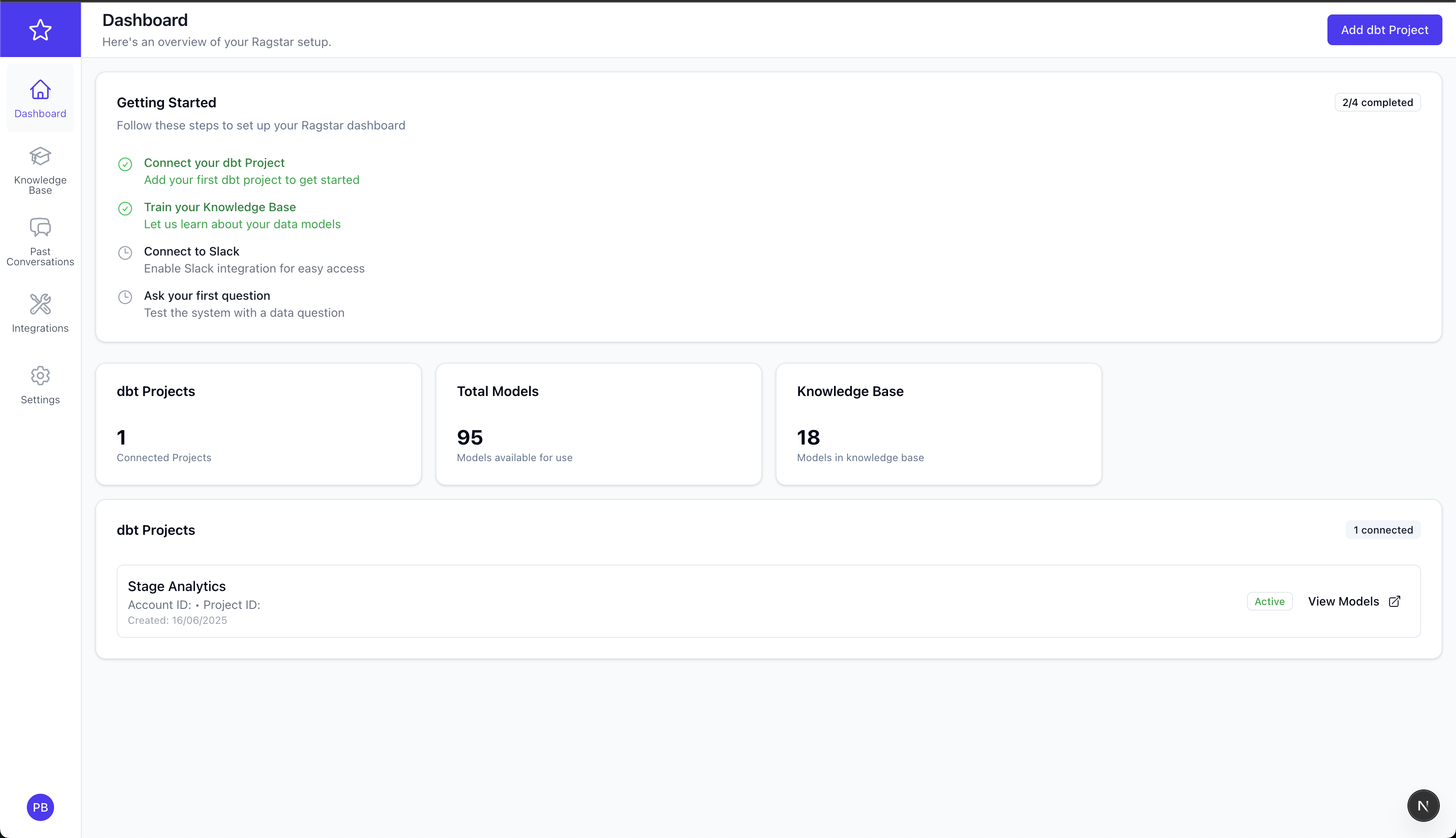
# ① clone & prepare env file
$ git clone https://github.com/pragunbhutani/ragstar.git && cd ragstar
$ cp .env.example .env && ${EDITOR:-vi} .env  # ⇒ edit just the vars shown below

# ② build & run everything
$ docker compose up --build -d
When the containers are healthy:
Run first-time Django tasks:
# inside the running backend container
$ docker compose exec backend-django \
    uv run python manage.py migrate
🎉 That's it — open http://localhost:3000, sign up for a new account and you're ready to start using Ragstar.
Only a handful of variables are truly required for a local/dev install. The rest are advanced overrides.
Ragstar keeps the default stack as lightweight as possible.
For a local docker compose run you only need 3 variables – everything else has sane fall-backs.
Create a .env file in the repo root and paste the three lines above (adjust URLs if you changed the ports).
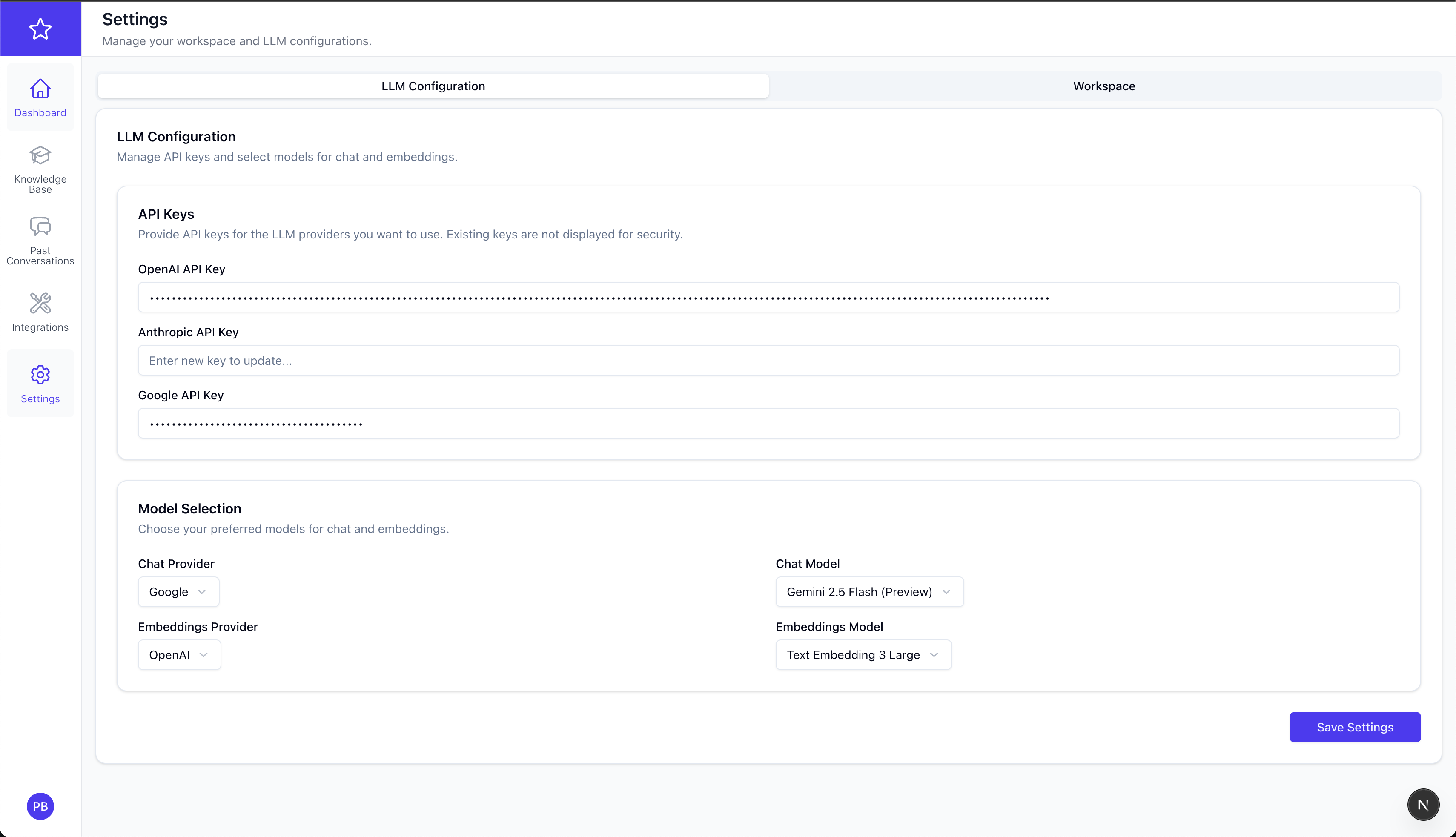
You need to provide API keys for all the LLM providers you plan on using.
LLM_OPENAI_API_KEY=...
LLM_ANTHROPIC_API_KEY=...
LLM_GOOGLE_API_KEY=...
POSTGRES_DB=ragstar
POSTGRES_USER=user
POSTGRES_PASSWORD=password
POSTGRES_PORT=5432
Set a single EXTERNAL_POSTGRES_URL=<url> to BYO Postgres (with the pgvector extension).
After logging into the dashboard you'll be guided through these steps:
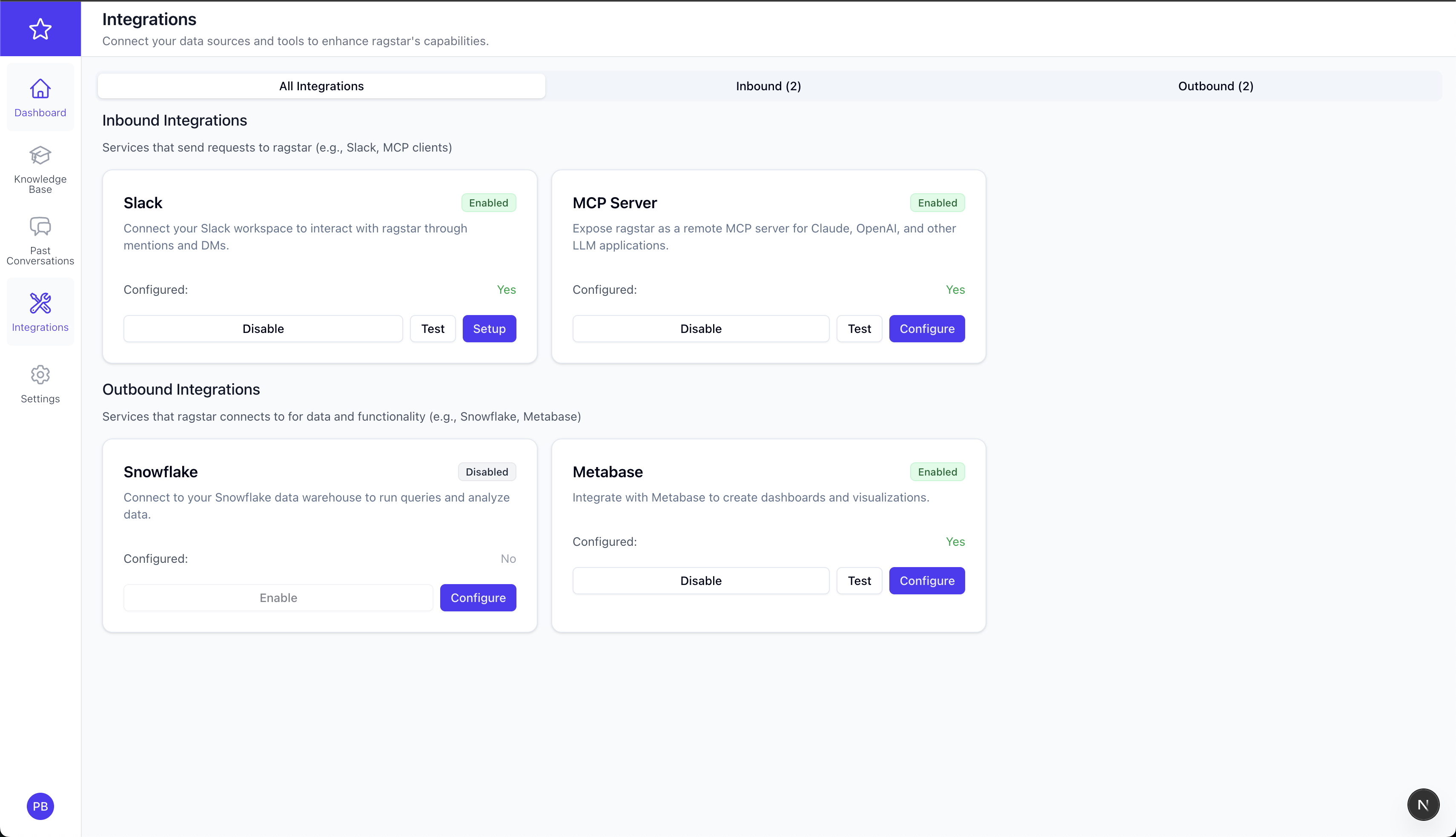
/ask in Slack.Other integrations (Metabase, Snowflake, MCP) are available under Integrations but currently βeta / experimental. MCP server is temporarily disabled while we stabilise streaming support.
Common operations are wrapped in one-liners:
# shell into backend or frontend
$ docker compose exec backend-django bash
$ docker compose exec frontend-nextjs sh

# tail logs
$ docker compose logs -f backend-django

# stop / remove containers
docker compose down          # keep volumes
docker compose down -v       # destroy DB
pgvector.uv venv && source .venv/bin/activate && uv pip install -e backend_django/pnpm install --filter frontend_nextjscd backend_django && uv run python manage.py runserver 0.0.0.0:8000cd frontend_nextjs && pnpm devDocker is strongly recommended unless you're hacking on the codebase itself.
We 💛 community PRs. Please file an issue first for major changes. Make sure ruff, black, mypy, and eslint pass before opening a pull request.
Ragstar includes a Model Context Protocol (MCP) server that allows LLM clients like Claude.ai to directly access your dbt knowledge base. The MCP server provides secure, OAuth-authenticated access to your dbt models and project information.
⚠️ Important: The MCP server can only be used with self-hosted/open source deployments of Ragstar. This is due to the 1:1 relationship between an MCP client and server — each client needs its own dedicated server instance.
The MCP server acts as a bridge between LLM clients (like Claude.ai) and your Ragstar knowledge base. It provides:
The MCP server exposes these tools to LLM clients:
list_dbt_models — Browse and filter dbt models by project, schema, or materializationsearch_dbt_models — Semantic search for relevant models using natural languageget_model_details — Get detailed information about specific models including SQL and lineageget_project_summary — Overview of connected dbt projects and their structureThe MCP server runs on port 8080 by default. Add these environment variables to your .env file:
# MCP Server Configuration
MCP_AUTHORIZATION_BASE_URL=http://localhost:8000  # Your Django backend URL
DJANGO_BACKEND_URL=http://localhost:8000          # Backend URL for MCP server
ALLOWED_ORIGINS=*                                 # Or specific origins for security
The MCP server is included in the Docker Compose stack:
# Start all services including MCP server
docker compose up -d

# Check MCP server health
curl http://localhost:8080/health
The MCP server implements a complete OAuth 2.0 authorization flow with organization-scoped access. Here's how it works:
sequenceDiagram
    participant Claude as Claude.ai
    participant MCP as MCP Server
    participant Django as Django Backend
    participant User as User Browser

    Claude->>MCP: 1. Request OAuth metadata
    MCP->>Django: 2. Proxy metadata request
    Django->>MCP: 3. Return OAuth configuration
    MCP->>Claude: 4. OAuth server metadata

    Claude->>MCP: 5. Authorization request (with PKCE)
    MCP->>Django: 6. Proxy authorization request
    Django->>User: 7. Redirect to frontend login
    User->>Django: 8. Authenticate via Next.js
    Django->>MCP: 9. Authorization code
    MCP->>Claude: 10. Return authorization code

    Claude->>MCP: 11. Exchange code for tokens
    MCP->>Django: 12. Validate and exchange
    Django->>MCP: 13. Access & refresh tokens
    MCP->>Claude: 14. JWT tokens

    Claude->>MCP: 15. API calls with Bearer token
    MCP->>Django: 16. Validate token & get user context
    Django->>MCP: 17. Organization-scoped data
    MCP->>Claude: 18. Formatted response
http://localhost:8080 (or your public URL)You can now ask Claude.ai to:
You: "What dbt models do I have available?"
Claude: [Calls list_dbt_models tool]
Claude: "You have 23 dbt models across 2 projects:
- analytics_prod: 15 models (staging, marts schemas)
- marketing_analytics: 8 models (staging, reporting schemas)
..."
You: "Find models related to customer revenue"
Claude: [Calls search_dbt_models with "customer revenue"]
Claude: "I found 3 relevant models:
- customer_revenue_monthly (similarity: 0.95)
- customer_ltv_calculation (similarity: 0.87)
- revenue_attribution (similarity: 0.82)
..."
You: "Show me the SQL for customer_revenue_monthly"
Claude: [Calls get_model_details for "customer_revenue_monthly"]
Claude: "Here's the customer_revenue_monthly model:
- Schema: marts
- Materialization: table
- SQL: SELECT customer_id, DATE_TRUNC('month', order_date) as month, SUM(amount) as revenue FROM..."
# Check MCP server health
curl http://localhost:8080/health

# Test OAuth metadata
curl http://localhost:8080/.well-known/oauth-authorization-server

# View MCP server logs
docker compose logs -f mcp-server
For production use:
*We 💛 community PRs. Please file an issue first for major changes. Make sure ruff, black, mypy, and eslint pass before opening a pull request.
Ragstar is released under the MIT License — see LICENSE.
LLM based AI Agent to automate Data Analysis for dbt projects with remote MCP server
เครื่องมือ
ยังไม่มีรายการเครื่องมือ เซิร์ฟเวอร์แบบรีโมตจะได้รายการหลังการตรวจสอบสถานะครั้งแรก
FAQ
คัดลอกคอนฟิก stdio สำหรับ Cursor, Claude Desktop, Claude Code หรือ VS Code ได้ในหน้านี้ คอนฟิกนี้ใช้การติดตั้งของผู้เผยแพร่ ไม่ใช่พร็อกซีของ PlugMCP
ระเบียนนี้ไม่ได้ระบุตัวแปรสภาพแวดล้อมที่จำเป็น
Dbt Llm Agent ทำงานแบบโลคัลผ่าน stdio
ตรวจสอบล่าสุดเมื่อ 2026-10-27 LLM based AI Agent to automate Data Analysis for dbt projects with remote MCP server
