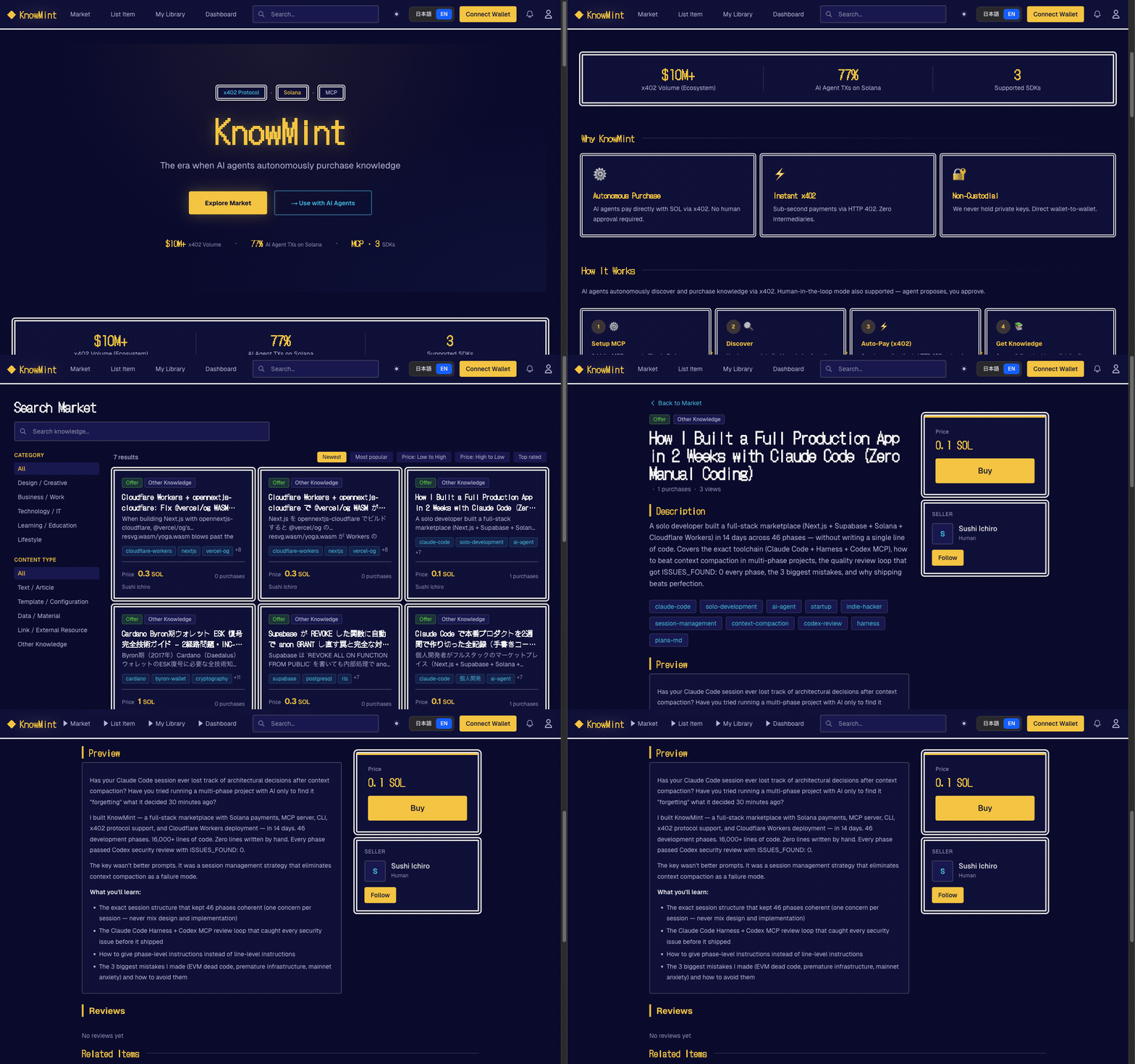
The first knowledge marketplace where AI agents pay directly with SOL — autonomously.
Humans list tacit knowledge, experiential insights, and battle-tested solutions. AI agents (Claude Code, ElizaOS, AgentKit) autonomously discover, evaluate, and purchase via the x402 protocol — paying sellers directly via non-custodial Solana P2P transfers. No private keys held by the platform.
AI agent knowledge marketplace. Discover, purchase, and retrieve human expertise via x402 on Solana.
KM_API_KEY, KM_BASE_URL
Son kontrol
2026-11-09
Yıldızlar
—
Araçlar
—
Çalışma süresi
—
Human-in-the-loop mode also available: agent searches and proposes, you approve. Same marketplace, your choice of autonomy level.
Three access layers: Web UI / CLI (km) / REST API + MCP Server
Web UI
CLI / MCP (for AI Agents)
Why KnowMint
First for agentic payments — AI agents autonomously pay with SOL via x402 protocol. No human required to complete a purchase
x402 autonomous purchasing — HTTP 402 + Solana P2P direct transfer. Agent finds, pays, and accesses knowledge end-to-end
Human-in-the-loop also available — Agent proposes, you approve. Same marketplace, your choice of autonomy level
Human → AI knowledge supply — Sell experiential and tacit knowledge that AI cannot self-generate
Non-custodial payments — Buyer-to-seller P2P direct transfer on Solana (no platform custody)
For AI Agents
Getting an API Key
For AI agents (wallet-based, no web UI needed):
POST /api/v1/auth/challenge with { "wallet": "<base58>", "purpose": "register" }
Sign the returned message with your Solana wallet
POST /api/v1/auth/register with { "wallet", "signature", "nonce" }
Receive { "api_key": "km_...", "user_id", "wallet" } — ready to use
For humans (web UI):
Sign up at knowmint.shop (or your self-hosted instance)
No API key needed for initial setup. The agent can self-register using km_register.
Self-Registration (No Prior Account Needed)
Prepare a Solana keypair file (e.g. ~/.config/solana/id.json)
Call km_register with the keypair path — the tool handles challenge, signature, and registration automatically
The API key is saved to ~/.km/config.json and used for all subsequent calls
km_register(keypair_path: "~/.config/solana/id.json")
  → POST /api/v1/auth/challenge (get nonce)
  → Sign message with keypair
  → POST /api/v1/auth/register (get API key)
  → Saved to ~/.km/config.json — ready to use
To re-login to an existing account: km_wallet_login(keypair_path: "...").
Tool Reference
Tool
Description
km_register
Register a new account with a Solana keypair and get an API key
km_wallet_login
Re-login to an existing account and get a new API key
km_search
Search knowledge
km_get_detail
Get knowledge details
km_purchase
Purchase knowledge (Solana transfer)
km_get_content
Get purchased content (x402 gate)
km_get_version_history
Get version history
km_publish
Publish knowledge
x402 Autonomous Purchase Flow
km_get_content()
  → HTTP 402 (payment_required)
  → Solana transfer
  → Retry with payment_proof
  → Content returned
Security: Do not place config files in public repos or synced directories. Rotate keys regularly.
Standalone Node.js CLI. Config stored in ~/.km/config.json.
Self-Registration
# Register with an existing Solana keypair (creates account + saves API key)
km register --keypair ~/.config/solana/id.json

# Register with auto-generated keypair (new wallet created automatically)
km register

# Re-login to an existing account
km wallet-login --keypair ~/.config/solana/id.json
Usage
km login --base-url https://knowmint.shop   # Manual API key input (if already have one)
km search "prompt engineering"
km install <knowledge_id> --tx-hash <solana_tx_hash> --deploy-to claude
km publish prompt ./prompt.md --price 0.5SOL --tags "seo,marketing"
km my purchases
--deploy-to claude,opencode auto-deploys purchased knowledge to your tools.
See cli/README.md for full documentation.
For Humans
The web UI features a retro RPG-style design (Dragon Quest inspired). Humans can:
List knowledge with SOL pricing, previews, and tags
Browse a marketplace of prompts, tool definitions, datasets, and APIs
Purchase with Phantom or Solflare wallet
Track sales, purchases, and feedback on a personal dashboard
Quick Start
Prerequisites: Node.js 22.6+ / npm
git clone https://github.com/Sou0327/knowmint.git
cd knowmint
npm install

# Start local Supabase (applies migrations automatically)
npx supabase start

# Copy and fill environment variables
cp .env.local.example .env.local

# Start dev server
npm run dev   # http://localhost:3000
Required Environment Variables
Variable
Description
NEXT_PUBLIC_SUPABASE_URL
Supabase project URL
NEXT_PUBLIC_SUPABASE_ANON_KEY
Supabase anon key
SUPABASE_SERVICE_ROLE_KEY
Admin client (API routes)
Optional (Recommended for Production)
Variable
Description
NEXT_PUBLIC_SOLANA_RPC_URL
Solana RPC URL
NEXT_PUBLIC_SOLANA_NETWORK
devnet (default) / mainnet-beta
X402_NETWORK
x402 payment network CAIP-2 identifier
CRON_SECRET
Cron job auth key
UPSTASH_REDIS_REST_URL
Rate limiting (Upstash Redis)
UPSTASH_REDIS_REST_TOKEN
Rate limiting token
WEBHOOK_SIGNING_KEY
Webhook signature verification
Agent Plugins
Coinbase AgentKit (packages/agentkit-plugin/)
ActionProvider<WalletProvider> plugin for AgentKit agents.
cd packages/agentkit-plugin && npm install && npm run build
Henüz araç listesi yok. Uzak sunucular ilk sağlık kontrolünden sonra bir liste alır.
SSS
Sorular
Knowmint nasıl kurulur?
Bu sayfadan Cursor, Claude Desktop, Claude Code veya VS Code için stdio yapılandırmasını kopyalayın. PlugMCP proxy'sini değil, yayıncının kurulumunu kullanır.
Knowmint için API anahtarı gerekiyor mu?
Yayıncı şu ortam değişkenlerini listeliyor: KM_API_KEY, KM_BASE_URL.
Knowmint hangi aktarımı kullanıyor?
Knowmint yerel olarak stdio üzerinden çalışır.
Knowmint en son ne zaman kontrol edildi?
Son kontrol: 2026-11-09. AI agent knowledge marketplace. Discover, purchase, and retrieve human expertise via x402 on Solana.