gitpro
The right Git identity, SSH key and signature for every repository.
gitpro.dev · PyPI · VS Code · made by Yantrakar
Power your agent
Yayıncının kendi komutu. PlugMCP uç noktası değildir.
Host a copy with our keys and logs.
uvx gitpro==0.4.6Claude Code'un yerel komutlar için kurulum bağlantısı yok. Aşağıdaki komutu kopyalayın ve bir terminalde çalıştırın.
claude mcp add io.github.yantrakar-gitpro -- uvx gitpro==0.4.6Bir terminalde çalıştırın.
{ "mcpServers": { "io.github.yantrakar-gitpro": { "command": "uvx", "args": [ "gitpro==0.4.6" ] } }}claude_desktop_config.json
Uzak URL mi, yoksa makinenizde bir komut mu? İki kurulum arasındaki fark
PlugMCP’de çalıştır
A new server you create. It is not this listing's official endpoint. Use the publisher install when you want their URL and their credentials.
BaşlatYayıncıdan
The right Git identity, SSH key and signature for every repository.
gitpro.dev · PyPI · VS Code · made by Yantrakar
Read-only checks of which git name, email and SSH key a repository uses, and why.
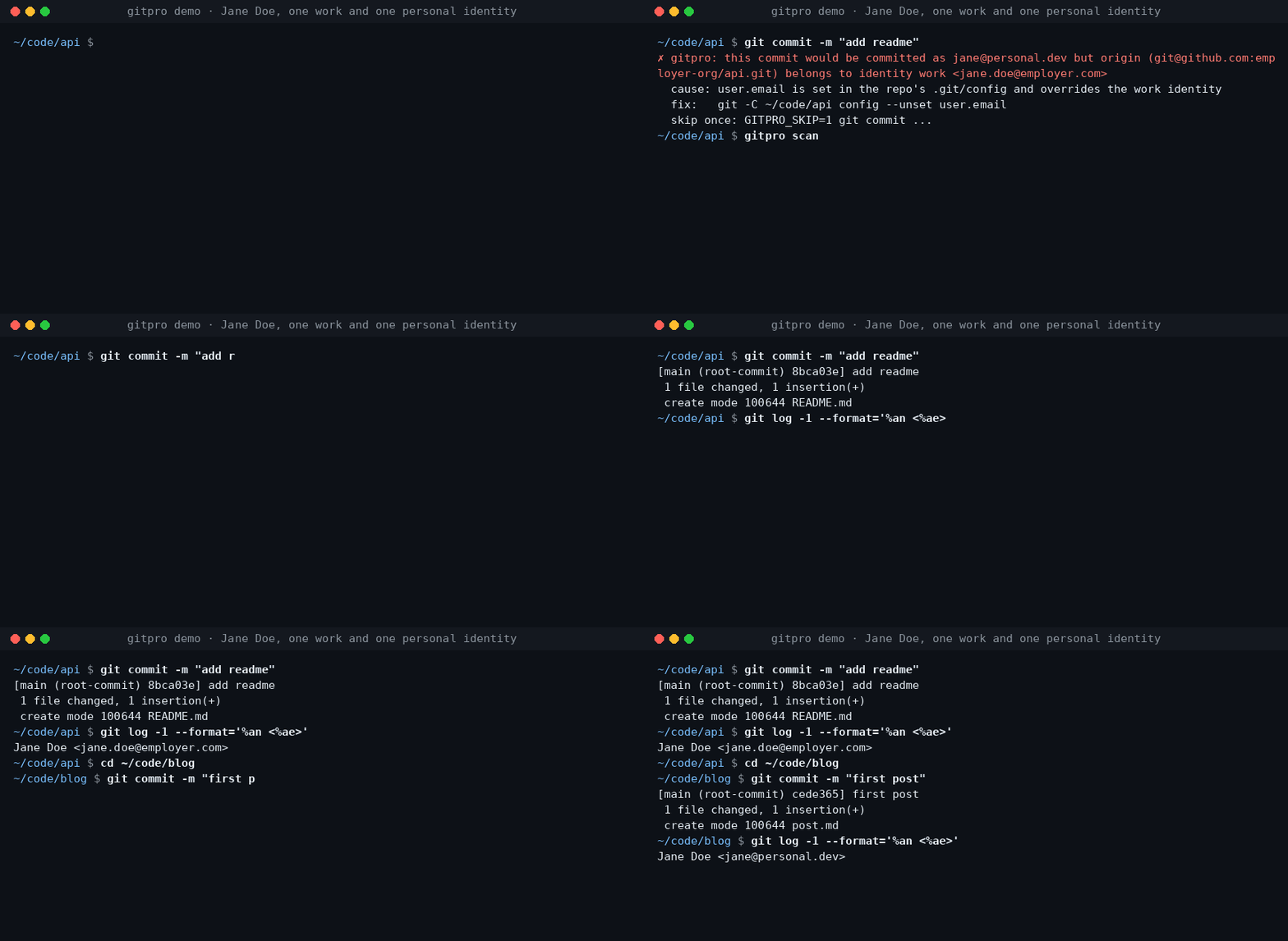
Work on a company repository, commit with your work email. Switch to a personal project, use your personal identity. Gitpro chooses by remote URL, not by where you happened to clone the repository.
Useful when you have more than one GitHub/GitLab account, separate work and personal keys, or keep finding the wrong email on your commits.
Requires Linux or macOS, Git 2.36+, Python 3.9+ and OpenSSH. Install from PyPI with pipx.
pipx install gitpro
gitpro setup
Setup offers to look through your repos and proposes your identities. Accept, edit or answer the questions yourself; no TOML editing is needed. One preview shows everything, including the commit guard and, with Claude Code, its hook and MCP server. One yes applies it all. Setup never changes your repos.
flowchart LR
  S["gitpro setup"] --> HC{"Config <br/>exists?"}
  HC -->|no| L["Read your repos, <br/>SSH config and <br/>editor recents, <br/>if you agree"]
  L --> Q["Propose <br/>identities; you <br/>accept or edit"]
  Q --> I
  HC -->|yes| I["Inspect config, <br/>Git and SSH files, <br/>keys, guard, <br/>agent hook, MCP"]
  I -->|all current| OK["Nothing <br/>to do"]
  I -->|something to do| PV["One preview, <br/>each part with <br/>its undo"]
  PV --> ASK{"Apply <br/>all?"}
  ASK -->|no| NONE["Nothing <br/>written"]
  ASK -->|yes| AP["Write it, print <br/>the public keys <br/>to register"]
  AP --> NX["Next: <br/>gitpro scan"]
Then:
gitpro why               # inside a repository: the expected identity and anything overriding it
gitpro scan              # repos that need a fix, with the command for each
Already have a config? gitpro setup brings this machine up to date with it.
gitpro setup -n only shows what is left to do. Prefer editing files? The
user guide covers the full TOML format.
gitpro why explains mismatches and suggests a fix.Gitpro generates ordinary Git and SSH configuration; it needs no background service. Changes can be previewed, existing hand-written files are backed up, and key uploads are never part of setup.
The extension shows the current identity and helps find repository-level overrides. It runs the same commands as the terminal. Install the extension.
AI agents get the same answers through the MCP server and the Claude Code hook: see agent workflows.
Run gitpro report to draft an issue with the versions and a redacted gitpro why; it shows
you the draft and opens nothing until you say yes. Or open an issue at github.com/Yantrakar/gitpro/issues.
Report a security problem privately with gitpro report --security, as the
security policy describes, not in a public issue.
Read-only checks of which git name, email and SSH key a repository uses, and why.
{ "mcpServers": { "io.github.yantrakar-gitpro": { "command": "uvx", "args": [ "gitpro==0.4.6" ] } }}Araçlar
Henüz araç listesi yok. Uzak sunucular ilk sağlık kontrolünden sonra bir liste alır.
SSS
Bu sayfadan Cursor, Claude Desktop, Claude Code veya VS Code için stdio yapılandırmasını kopyalayın. PlugMCP proxy'sini değil, yayıncının kurulumunu kullanır.
Bu kayıtta gerekli bir ortam değişkeni listelenmiyor.
Gitpro yerel olarak stdio üzerinden çalışır.
Son kontrol: 2026-11-14. Read-only checks of which git name, email and SSH key a repository uses, and why.