unwalled
Let your AI agent use the software that has no API: your back office, intranet, dashboards and portals, plus your API files, spreadsheets and databases.
https://github.com/user-attachments/assets/14cbfae4-4984-4ca3-a0b6-37a1b19ff0d4
Power your agent
Yayıncıdan kurulum. PlugMCP uç noktası değildir.
Host a copy with our keys and logs.
Registry'de henüz paketlenmiş bir sürüm yok. Deponun README dosyasını izleyin.
Uzak URL mi, yoksa makinenizde bir komut mu? İki kurulum arasındaki fark
PlugMCP’de çalıştır
A new server you create. It is not this listing's official endpoint. Use the publisher install when you want their URL and their credentials.
BaşlatYayıncıdan
Let your AI agent use the software that has no API: your back office, intranet, dashboards and portals, plus your API files, spreadsheets and databases.
https://github.com/user-attachments/assets/14cbfae4-4984-4ca3-a0b6-37a1b19ff0d4
Let AI agents use the software that has no API: back offices, intranets, dashboards, plus API files, spreadsheets and databases, as MCP tools.
You show unwalled an app once. It records what the app does behind the screen and turns it into tools your agent (Claude, Cursor, Copilot, any MCP client) calls directly: no clicking through pages, no integration code, nothing to change in the app. Everything runs on your computer.
The tools keep working: unwalled stays signed in, renews sessions and retries; when the app changes, it detects the broken tools and can repair the recipe.
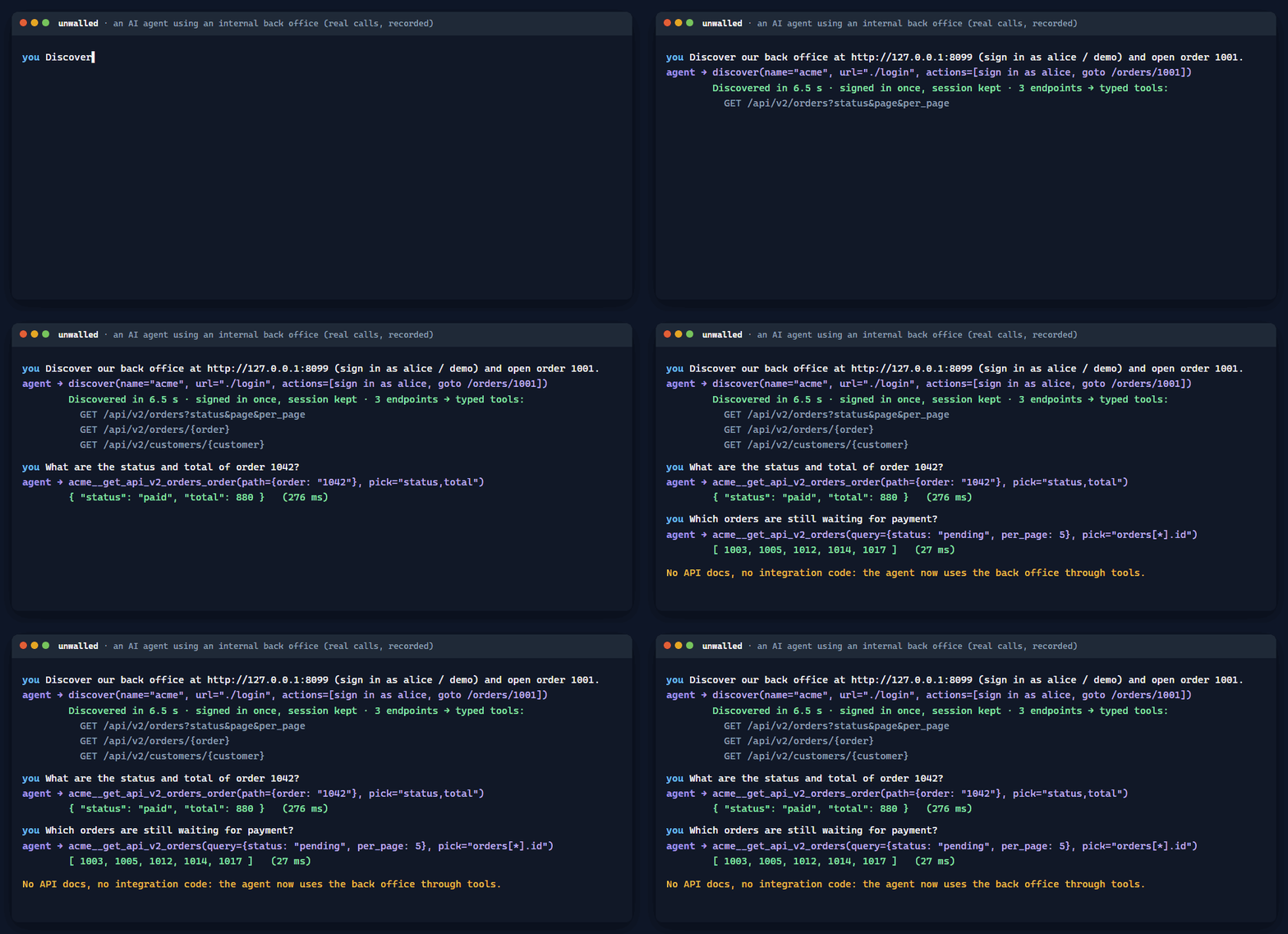
Real calls against the example back office, recorded with docs/demo/make-gif.js.
You need Node.js 22 or newer. In a terminal:
npx -y unwalled
A guided setup then:
Any other MCP client (Zed, Cline, Continue, OpenCode, your own agent...) starts it the standard way:
{ "mcpServers": { "unwalled": { "command": "npx", "args": ["-y", "unwalled"] } } }
On Windows, some clients need "command": "cmd" with "args": ["/c", "npx", "-y", "unwalled"]. unwalled is a plain stdio MCP server:
it works with any model your client uses (Claude, GPT, Gemini, local models), and its tool schemas avoid the JSON Schema features
some providers reject. More clients: installation.
Try it in one minute: choose the demo, or run unwalled demo. It starts a sample back office on your computer (orders and customers
behind a sign-in) and connects it. Then ask your agent:
Using acme, what is the status and total of order 1042? And which customers are in Lyon?
One command per source; unwalled recognises what it is.
You can also just ask your agent: "Discover https://grafana.example.com and tell me which dashboards mention revenue", or "Import this CSV and summarise it". It does the same thing through unwalled's tools.
Other commands: unwalled list (your recipes), unwalled doctor (check everything), unwalled setup --remove (uninstall from your AI apps),
unwalled --help (all commands). Without the setup's installation, write npx -y unwalled instead of unwalled.
How each one was tested, and its limits: compatibility table.
Measured with a real agent (Claude Code, Sonnet), the same questions asked with unwalled and with a browser agent (Playwright MCP), every answer checked: 15 runs, 15 right answers (method and raw data).
More in SECURITY.md.
unwalled runs on your machines and needs no change to your tools. For IT, it adds an organization policy the agent cannot loosen (read-only, allowed sites, disabled tools, mandatory audit) and a shared catalogue: one person connects a tool, the whole team uses it, each with their own sign-in. See For teams.
Apache License 2.0 © 2026 Korrocorp (see NOTICE)
Let AI agents use the software that has no API: back offices, intranets, dashboards, plus API files, spreadsheets and databases, as MCP tools.
Araçlar
Henüz araç listesi yok. Uzak sunucular ilk sağlık kontrolünden sonra bir liste alır.
SSS
Bu sayfadan Cursor, Claude Desktop, Claude Code veya VS Code için stdio yapılandırmasını kopyalayın. PlugMCP proxy'sini değil, yayıncının kurulumunu kullanır.
Bu kayıtta gerekli bir ortam değişkeni listelenmiyor.
Unwalled yerel olarak stdio üzerinden çalışır.
Son kontrol: 2026-10-28. Let AI agents use the software that has no API: back offices, intranets, dashboards, plus API files, spreadsheets and databases, as MCP tools.
