See the live demo, with sample data: nothing to install.
Power your agent
Lệnh của chính nhà phát hành. Không phải endpoint của PlugMCP.
Host a copy with our keys and logs.
npx -y [email protected]Claude Code không có liên kết cài đặt cho lệnh cục bộ. Sao chép lệnh bên dưới và chạy trong terminal.
claude mcp add mcpspan -- npx -y mcpspan@0.8.1Chạy trong terminal.
{ "mcpServers": { "mcpspan": { "command": "npx", "args": [ "-y", "[email protected]" ] } }}claude_desktop_config.json
URL từ xa hay một lệnh trên máy của bạn? Hai cách cài đặt khác nhau thế nào
Chạy trên PlugMCP
A new server you create. It is not this listing's official endpoint. Use the publisher install when you want their URL and their credentials.
MởTừ nhà phát hành
See the live demo, with sample data: nothing to install.
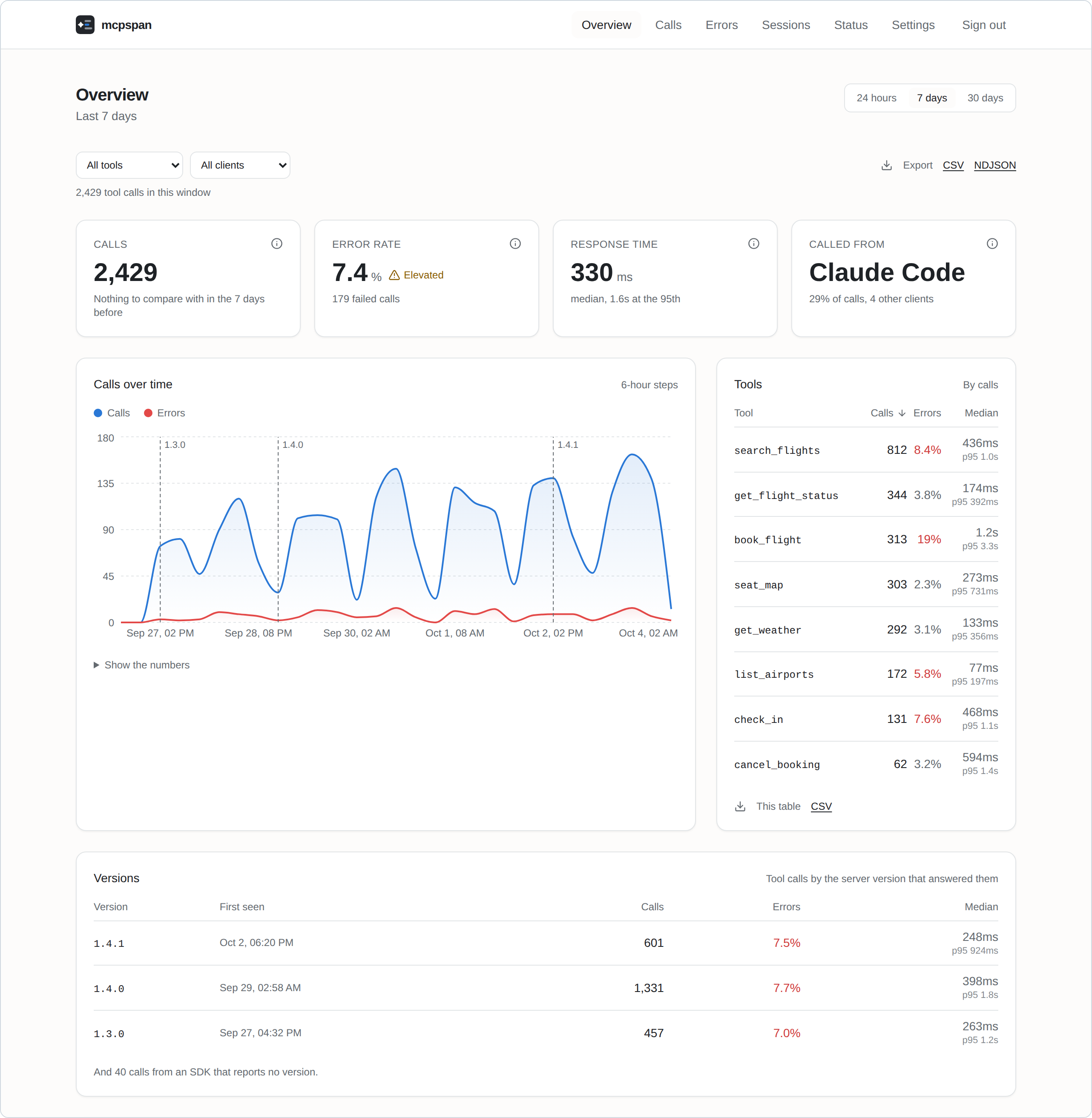
Self-hosted analytics for MCP servers: which tools, resources and prompts get used, by which client, how fast, and why they fail.
Claude, Claude Code, Cursor, ChatGPT or any other MCP client can answer from
your mcpspan numbers: which tools failed most this week, and why?, how does
1.4.1 compare with 1.4.0? The API is an MCP server itself: add
http://localhost:6271/mcp to your agent, sign in when it asks, and allow it.
It only reads. Other ways in are on
the MCP server's page.
Show in your server's README how much it is used and how well it answers:
Calls, success rate and median response time over the last week, switched on per server in Settings. How they work.
Before you ship, check what makes a client refuse a tool or an agent pick the wrong one. No account needed:
npx mcpspan-lint -- node dist/server.js
You need Docker.
git clone https://github.com/mcpspan/mcpspan.git
cd mcpspan
docker compose up -d
Open http://localhost:6270 and create your account. You get an API key for your first server, and the Settings page shows the line to add to it, in its language.
TypeScript, on the official MCP SDK:
npm install mcpspan
import { instrument } from 'mcpspan';

instrument(server, {
  apiKey: process.env.MCPSPAN_API_KEY,
  endpoint: 'http://localhost:6271', // your mcpspan installation
});
Register your tools as you always have: every one is measured, and each returns and fails exactly as it did before.
Eight languages, the same features in each:
Every SDK behaves the same way, set out in one contract and checked by one test suite in every language.
Any MCP server, in any language, can run behind the proxy instead. In your client's MCP settings, in front of the server's own command:
npx mcpspan-proxy -- node dist/server.js
Or in front of a server over HTTP, with clients pointed at the proxy:
docker run -p 6273:6273 -e MCPSPAN_API_KEY -e MCPSPAN_ENDPOINT ghcr.io/mcpspan/proxy http://flights:3000/mcp
It sees nearly all an SDK does; what it does not.
Settings are optional: copy .env.example to .env to change ports, how long
data is kept, or the address your MCP servers reach the API at.
docs/self-hosting.md covers the rest: the account and
password reset, several servers, settings, exports, OpenTelemetry, and
backups.
See CONTRIBUTING.md.
MIT. See LICENSE.
Self-hosted analytics for MCP servers: which tools, resources and prompts get used, by which client, how fast, and why they fail.
{ "mcpServers": { "mcpspan": { "command": "npx", "args": [ "-y", "[email protected]" ] } }}Công cụ
Chưa có danh sách công cụ. Máy chủ từ xa sẽ có danh sách sau lần kiểm tra tình trạng đầu tiên.
Câu hỏi thường gặp
Sao chép cấu hình stdio cho Cursor, Claude Desktop, Claude Code hoặc VS Code trên trang này. Cấu hình dùng bản cài đặt của nhà phát hành, không phải proxy của PlugMCP.
Bản ghi này không liệt kê biến môi trường bắt buộc nào.
Mcpspan chạy cục bộ qua stdio.
Kiểm tra lần cuối: 2026-10-28. Self-hosted analytics for MCP servers: which tools, resources and prompts get used, by which client, how fast, and why they fail.
