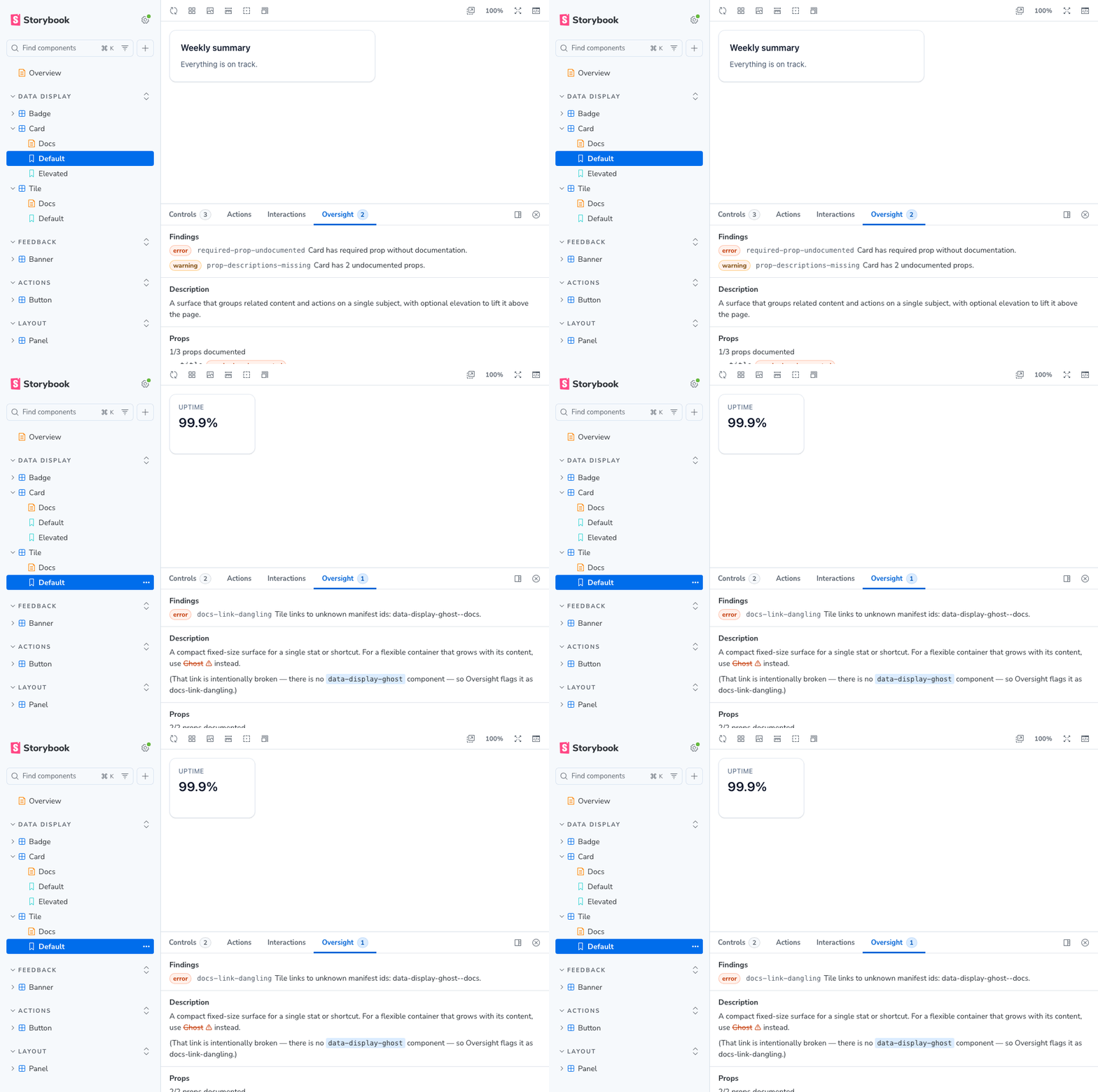
The rules live once, in a shared core, and run two ways: one interactive in Storybook, one headless in CI. Each README below has the full install, usage, and options:
Power your agent
Lệnh của chính nhà phát hành. Không phải endpoint của PlugMCP.
Host a copy with our keys and logs.
npx -y [email protected]Claude Code không có liên kết cài đặt cho lệnh cục bộ. Sao chép lệnh bên dưới và chạy trong terminal.
claude mcp add oversight-lint -- npx -y oversight-lint@0.7.1Chạy trong terminal.
{ "mcpServers": { "oversight-lint": { "command": "npx", "args": [ "-y", "[email protected]" ] } }}claude_desktop_config.json
URL từ xa hay một lệnh trên máy của bạn? Hai cách cài đặt khác nhau thế nào
Chạy trên PlugMCP
A new server you create. It is not this listing's official endpoint. Use the publisher install when you want their URL and their credentials.
MởTừ nhà phát hành
The rules live once, in a shared core, and run two ways: one interactive in Storybook, one headless in CI. Each README below has the full install, usage, and options:
Lint your Storybook MCP components manifest in CI. Fails the build when your agent would read missing or broken component docs.
| Package | Use it for |
|---|---|
| storybook-addon-oversight | Lints the manifest live in Storybook: an addon panel on every story and an inline Docs block, while you work. |
| oversight-lint | Lints the built manifest in CI. Fails the build when a change drops or breaks a component's docs. The command is oversight. |
| oversight-lint-action | Runs the CI linter as a GitHub Action, reporting findings as annotations. Lives in its own repo. |
The rules are shared, so they are documented in docs/ rather than in either package. This applies whether you run the CLI or the addon:
docs/                          the rules, and how to satisfy them, shared by both packages
packages/
  core/                        oversight-core, the rules engine (pure, private, bundled into the addon and the CLI)
  storybook-addon-oversight/   the Storybook addon (panel + Docs block)
  cli/                         oversight-lint, the CI linter
  agent-view/                  records what the MCP serves an agent (private, tests only)
.storybook/  stories/          the demo Storybook that dogfoods the addon
oversight-core holds every rule as pure functions with zero Storybook or React imports. The addon and the CLI each bundle it, so the two can never disagree about what a finding is. It is never published on its own.
oversight-agent-view publishes nothing either, and ships no rules. It calls Storybook's MCP server over a manifest and snapshots what comes back, one variant per failure mode, so the rules can be judged against the text an agent receives rather than against the manifest they read. When the server changes what it serves, a test fails instead of a rule's justification quietly ceasing to be true. What the agent actually receives is what it produced.
pnpm install
pnpm exec playwright install chromium  # once, for the browser checks
pnpm -r build        # build every package (tsc typecheck + tsup bundle)
pnpm test            # unit projects, then the built Storybook, then the demo's stories
pnpm test:unit       # just the unit projects, no build, no browser
pnpm built-storybook-checks  # just the Docs block and panel, against the last build
pnpm lint
pnpm build-storybook # build the addon, then the demo Storybook
pnpm storybook       # run the demo at http://localhost:6006
The demo ships a handful of components each engineered to trip one rule. Open a component's story to see the addon panel, or its Docs page for the inline block. Run oversight storybook-static/manifests/components.json after pnpm build-storybook to see the CLI report the same findings.
Changes land through pull requests; see CONTRIBUTING.md.
Per-package release history: storybook-addon-oversight and oversight-lint.
MIT
Lint your Storybook MCP components manifest in CI. Fails the build when your agent would read missing or broken component docs.
{ "mcpServers": { "oversight-lint": { "command": "npx", "args": [ "-y", "[email protected]" ] } }}Công cụ
Chưa có danh sách công cụ. Máy chủ từ xa sẽ có danh sách sau lần kiểm tra tình trạng đầu tiên.
Câu hỏi thường gặp
Sao chép cấu hình stdio cho Cursor, Claude Desktop, Claude Code hoặc VS Code trên trang này. Cấu hình dùng bản cài đặt của nhà phát hành, không phải proxy của PlugMCP.
Bản ghi này không liệt kê biến môi trường bắt buộc nào.
Oversight Lint chạy cục bộ qua stdio.
Kiểm tra lần cuối: 2026-11-15. Lint your Storybook MCP components manifest in CI. Fails the build when your agent would read missing or broken component docs.
