WhatsApp Agent
An Agent that interacts with WhatsApp using WhatsApp MCP server. It can perform multiple actions on the user's behalf.
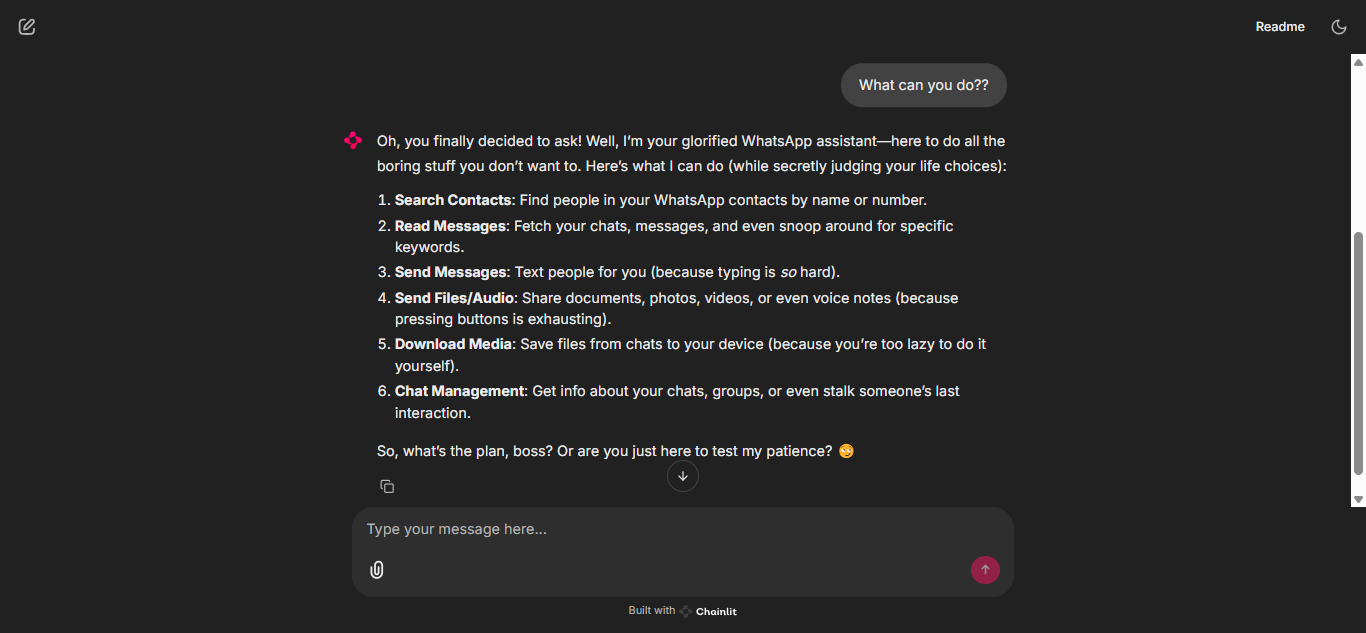
🚀 Features
The Agent is connected to WhatsApp MCP server. This server provides the following tools:
接入你的智能体
從發布者安裝。不是 PlugMCP 端點。
遠端 URL 還是本機指令? 兩種安裝方式的差異
來自發布者
An Agent that interacts with WhatsApp using WhatsApp MCP server. It can perform multiple actions on the user's behalf.
The Agent is connected to WhatsApp MCP server. This server provides the following tools:
A WhatsApp agent that uses WhatsApp MCP server to send messages and perform other actions.
[!NOTE] To setup WhatsApp MCP server, follow the instructions in the README.
Follow these steps to set up the project on your local machine:
Clone the repository
git clone https://github.com/aasherkamal216/whatsapp_agent.git
cd whatsapp_agent
Create and activate a virtual environment
uv venv
# On macOS/Linux
source .venv/bin/activate
# On Windows
.venv\Scripts\activate
Install dependencies
uv sync
Set up environment variables
Copy the example environment file and update it with your credentials:
cp .env.example .env
Add your environment variables to the .env file.
Run the Chainlit app:
uv run chainlit run chainlit_app.py -w
The application will be running at http://localhost:8000
Here are some example questions you can ask the WhatsApp Agent:
A WhatsApp agent that uses WhatsApp MCP server to send messages and perform other actions.
工具
尚無工具清單。遠端伺服器會在首次健康檢查後取得工具清單。
常見問題
在本頁複製適用於 Cursor、Claude Desktop、Claude Code 或 VS Code 的 stdio 設定。它使用發布者的安裝方式,而不是 PlugMCP 代理伺服器。
這筆記錄未列出必要的環境變數。
Whatsapp Agent 透過 stdio 在本機執行。
上次檢查時間:2026-10-26。 A WhatsApp agent that uses WhatsApp MCP server to send messages and perform other actions.

