Chat UI
The UI of Chat is becoming increasingly complex, often encompassing an entire front-end project along with deployment solutions.
接入你的智能体
從發布者安裝。不是 PlugMCP 端點。
遠端 URL 還是本機指令? 兩種安裝方式的差異
This repository aims to construct the entire front-end UI using a single HTML file, aiming for a minimalist approach to create a chatbot.
By simplifying the structure and key functions, developers can quickly set up and experiment with a functional chatbot, adhering to a slimmed-down project design philosophy.
Supports OpenAI-format requests, enabling compatibility with various backends such as HuggingFace Text Generation Inference (TGI), vLLM, etc.
Automatically supports multiple response formats without additional configuration, including standard OpenAI response formats, Cloudflare AI response formats, and plain text responses
Support various backend endpoints through custom configurations, providing any project with a universal frontend chatbot
Support the download of chat history, interrupt the current generation, and repeat the previous generation to quickly test the backend inference capabilities
Support MCP (Model Context Protocol) by acting as a renderer and facilitating community interactions with the backend main process via IPC
Inquiries with image inputs can be made using multimodal vision models
Support for toggling between original format and Markdown format display
Support internationalization and localization i18n
The demo will use
Llama-3.3-70B-Instructby default
Multimodal image upload is only supported for vision models
MCP tools call necessitates a desktop backend and LLM support in OpenAI format, referencing Chat-MCP
cd /path/to/your/directory
python3 -m http.server 8000
Then, open your browser and access
http://localhost:8000
Demo: https://www2.aiql.com
docker run -p 8080:8080 -d aiql/chat-ui
Don't forget add
app_port: 8080inREADME.md
Demo: Chat-MCP
By default, the Chatbot will use API format as OpenAI ChatGPT.
You can insert your OpenAI API Key and change the Endpoint in configuration to use API from any other vendors
You can also download the config template from example and insert your API Key, then use it for quick configuration
If you're experiencing issues opening the page and a simple refresh isn't resolving the issue, please take the following steps:
Refresh icon on the upper right of Interface ConfigurationReset All Config iconNetwork section.Introduce the image as sidecar container
spec:
  template:
    metadata:
      labels:
        app: my-app
    spec:
      containers:
      - name: chat-ui
        image: aiql/chat-ui
        ports:
        - containerPort: 8080
Add service
apiVersion: v1
kind: Service
metadata:
  name: chat-ui-service
spec:
  selector:
    app: my-app
  ports:
  - protocol: TCP
    port: 8080
    targetPort: 8080
  type: LoadBalancer
You can access the port or add other ingress
apiVersion: networking.k8s.io/v1
kind: Ingress
metadata:
  name: my-app-ingress
  annotations:
    nginx.ingress.kubernetes.io/rewrite-target: /$1
spec:
  rules:
  - host: chat-ui.example.com
    http:
      paths:
      - path: /
        pathType: Prefix
        backend:
          service:
            name: chat-ui-service
            port:
              number: 8080
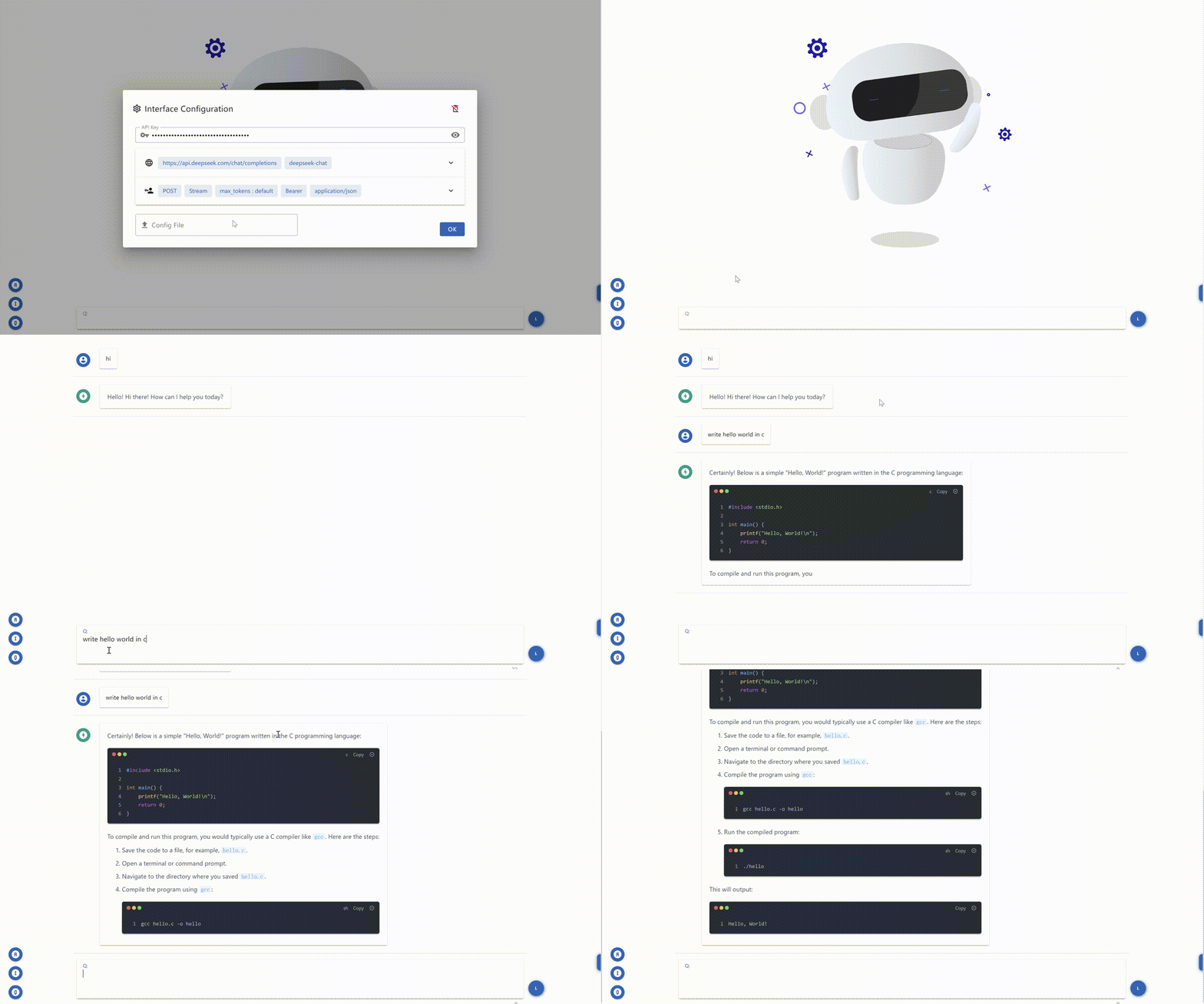
Single-File AI Chatbot UI with Multimodal & MCP Support: An All-in-One HTML File for a Streamlined Chatbot Conversational Interface
工具
尚無工具清單。遠端伺服器會在首次健康檢查後取得工具清單。
常見問題
在本頁複製適用於 Cursor、Claude Desktop、Claude Code 或 VS Code 的 stdio 設定。它使用發布者的安裝方式,而不是 PlugMCP 代理伺服器。
這筆記錄未列出必要的環境變數。
Chat Ui 透過 stdio 在本機執行。
上次檢查時間:2026-10-27。 Single-File AI Chatbot UI with Multimodal & MCP Support: An All-in-One HTML File for a Streamlined Chatbot Conversational Interface
