接入你的智能体
發布者自己的指令。不是 PlugMCP 端點。
用我們的金鑰與日誌託管一份副本。
npx -y @alisaitteke/[email protected]Claude Code 沒有本機指令的安裝連結。複製下方指令並在終端機中執行。
claude mcp add alisaitteke-photoshop-mcp-github -- npx -y @alisaitteke/photoshop-mcp@1.7.38在終端機中執行。
{ "mcpServers": { "alisaitteke-photoshop-mcp-github": { "command": "npx", "args": [ "-y", "@alisaitteke/[email protected]" ] } }}claude_desktop_config.json
遠端 URL 還是本機指令? 兩種安裝方式的差異
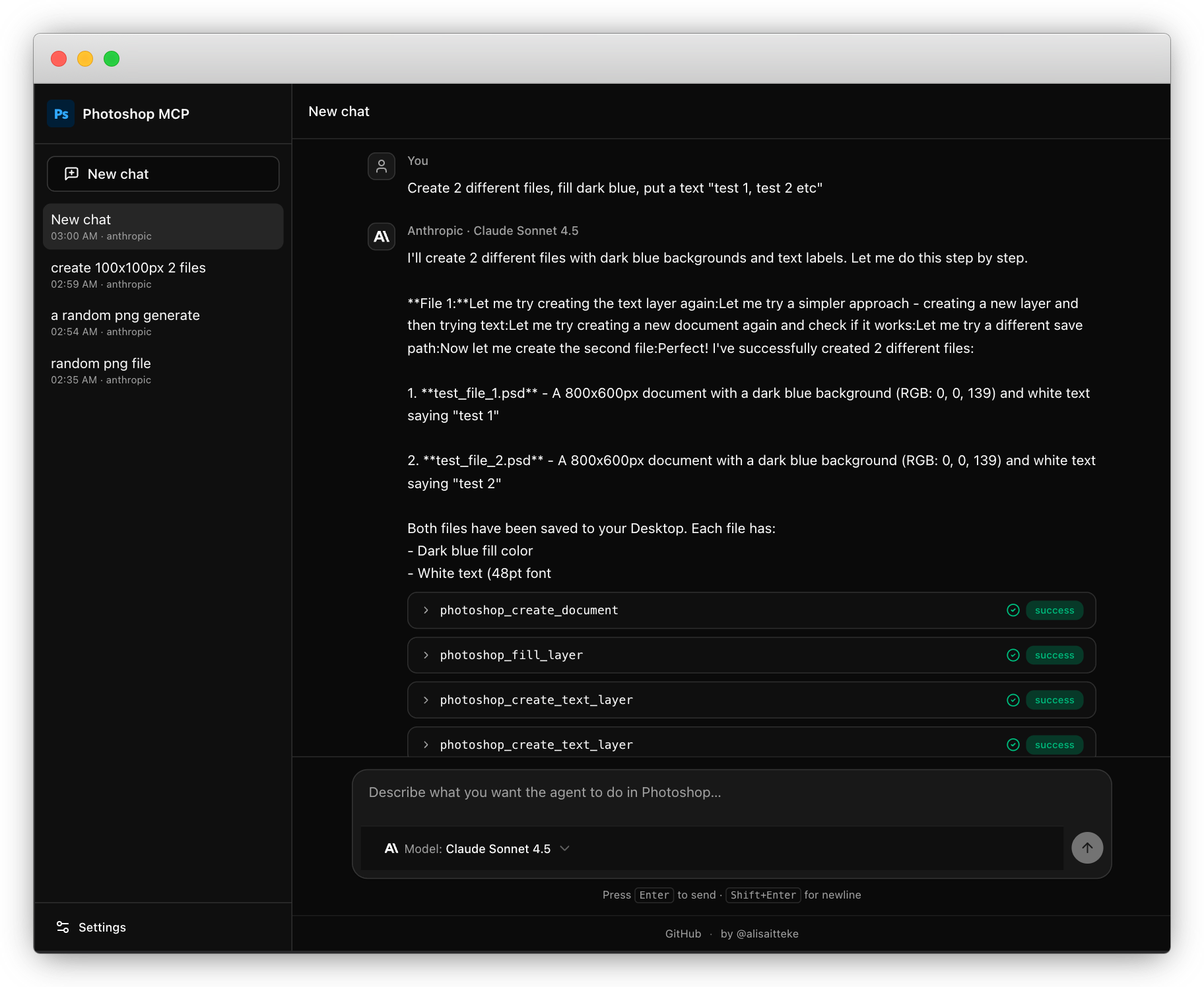
Chat with Photoshop like a colleague. Describe what you want in plain words — "remove this background", "resize these for Instagram" — and your AI assistant does the clicking for you. Works with Cursor, Claude, or the built-in chat window. No code, no scripts, no IDE required.
Note: This is an unofficial, community-maintained project and is not affiliated with or endorsed by Adobe Inc.
Not every prompt needs a language model. The built-in chat window can now ask Jev, TypeSafe AI's System One model, where each message should go before any LLM runs. When Jev is confident you asked for one of 26 safe commands and recipes (undo, opacity, blend mode, remove background, color grade, split carousel, …), or a short chain of them like "black and white, then opacity 50", it runs in Photoshop straight away: no LLM call, no LLM tokens. Anything else, and hard-to-undo steps like merge or flatten, goes to the Action Plan.
TYPESAFE_API_KEY=... npx -p @alisaitteke/photoshop-mcp ui
Experimental and opt-in. Without the key the UI works exactly as before and
nothing is sent to TypeSafe; with it, prompts also go to api.typesafe.ai.
Routes, thresholds and the off switch:
docs/standalone-ui.md.
Under the hood: 128 tools (111 atomic + 17 one-step recipes) — full list in
docs/available-tools.md.
Remove the background from this portrait — keep it editable with a mask.
Enhance this portrait — smooth the skin and fix the tones, medium intensity.
Prepare this design for web, then export Instagram and X post variants.
Split this wide banner into a 5-slide seamless Instagram carousel.
More recipes (batch watermark, passport photos, CSV-driven cards, mockups, …) and
pre-engineered prompt templates: docs/prompt-layer.md.
You need Photoshop running (Windows or macOS, any version 2012+) and Node.js 18+.
npx -p @alisaitteke/photoshop-mcp ui
A chat window opens in your browser. Sign in with an AI provider API key — or reuse your existing Claude Code / Gemini CLI account, no key needed.
Details, providers, Action Plan (API key or CLI account), and security notes:
docs/standalone-ui.md.
Cursor (shows the Photoshop logo in the MCP list): install the plugin from Customize → Plugins, or search the Cursor Marketplace for photoshop-mcp once it is listed. That package still launches npx -y @alisaitteke/photoshop-mcp; the plugin manifest is what supplies the icon.
Until the Marketplace listing is live, copy .cursor-plugin/, mcp.json, and assets/ into ~/.cursor/plugins/local/photoshop-mcp and reload the window — details in CONTRIBUTING.md. The Install-in-Cursor button and a raw mcp.json entry still work, but they show a generic icon.
Claude Code:
claude mcp add photoshop -- npx -y @alisaitteke/photoshop-mcp
Or add this to your MCP client's config (Cursor, Claude Desktop, …):
{
  "mcpServers": {
    "photoshop": {
      "command": "npx",
      "args": ["-y", "@alisaitteke/photoshop-mcp"]
    }
  }
}
Something went wrong? The AI reads the structured error and knows what to try
next. Common fixes: docs/troubleshooting.md.
Contributions are welcome! Please read CONTRIBUTING.md before opening a PR.
Thanks to all our contributors!
Built by Ali Sait Teke — GitHub · LinkedIn.
MIT
Anonymous, aggregated usage analytics are collected by default and can be
disabled anytime — details in docs/anonymous-usage-analytics.md.
MCP for Adobe Photoshop. 118 tools. Control from Cursor, Claude or custom LLMs.
{ "mcpServers": { "alisaitteke-photoshop-mcp-github": { "command": "npx", "args": [ "-y", "@alisaitteke/[email protected]" ] } }}工具
尚無工具清單。遠端伺服器會在首次健康檢查後取得工具清單。
常見問題
在本頁複製適用於 Cursor、Claude Desktop、Claude Code 或 VS Code 的 stdio 設定。它使用發布者的安裝方式,而不是 PlugMCP 代理伺服器。
這筆記錄未列出必要的環境變數。
Photoshop 透過 stdio 在本機執行。
上次檢查時間:2026-10-27。 MCP for Adobe Photoshop. 118 tools. Control from Cursor, Claude or custom LLMs.

