PDF Redaction API
It is example of using API for https://pdf-redaction.com
Free API for redacting PDFs available at https://api.pdf-redaction.com/api/docs
Key Features
- Redact PDF using custom prompt
接入你的智能体
發布者自己的 URL。不是 PlugMCP 端點。
用我們的金鑰與日誌託管一份副本。
https://api.pdf-redaction.com/mcp/上方的 Claude 按鈕會開啟 Claude,並填好名稱和 URL。你仍需在那裡確認。
claude mcp add --transport http com.pdf-redaction-pdf-redaction-mcp https://api.pdf-redaction.com/mcp/Run in a terminal.
{ "mcpServers": { "com.pdf-redaction-pdf-redaction-mcp": { "command": "npx", "args": [ "-y", "mcp-remote", "https://api.pdf-redaction.com/mcp/" ] } }}claude_desktop_config.json
遠端 URL 還是本機指令? 兩種安裝方式的差異
來自發布者
It is example of using API for https://pdf-redaction.com
Free API for redacting PDFs available at https://api.pdf-redaction.com/api/docs
MCP server for detecting and redacting PII (Personally Identifiable Information) in PDF documents.
For generate API Key please go to the: https://pdf-redaction.com/apikeys/
For check usage: https://pdf-redaction.com/apikeys/usage/
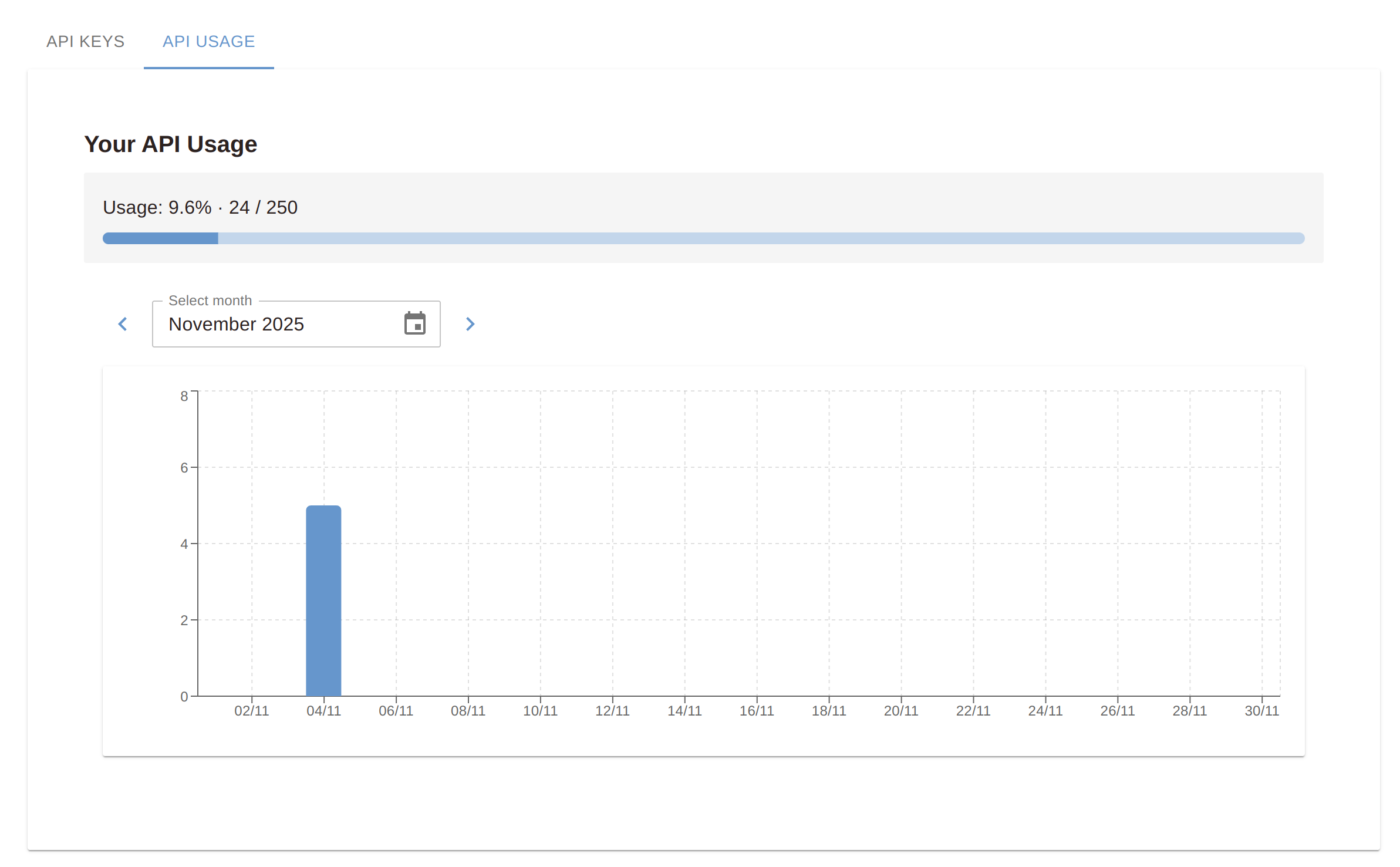
Put API Key to the env variable PDF_REDACTION_API_KEY or to .env file.
Limitations for free version:
Option A (curl):
/bin/bash -c "$(curl -fsSL https://raw.githubusercontent.com/StabRise/pdf-redaction-api/main/install.sh)"
Option B (wget):
/bin/bash -c "$(wget -qO- https://raw.githubusercontent.com/StabRise/pdf-redaction-api/main/install.sh)"
This provides the flexibility to redact PDF using custom prompt.
You can try it out for free at https://pdf-redaction.com
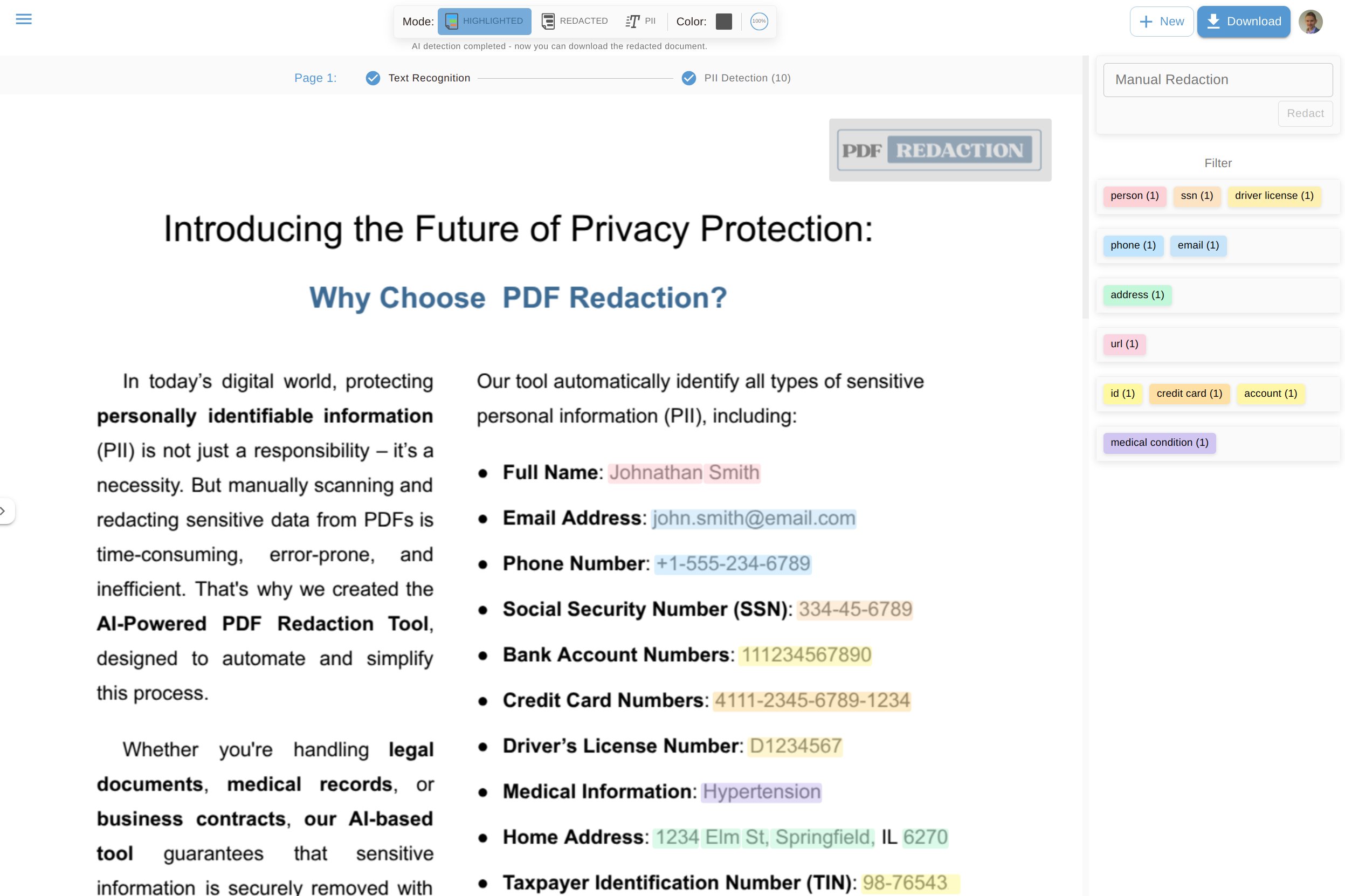
MCP server for detecting and redacting PII (Personally Identifiable Information) in PDF documents.
{ "mcpServers": { "com.pdf-redaction-pdf-redaction-mcp": { "url": "https://api.pdf-redaction.com/mcp/", "headers": {} } }}工具
尚無工具清單。遠端伺服器會在首次健康檢查後取得工具清單。
常見問題
在本頁複製適用於 Cursor、Claude Desktop、Claude Code 或 VS Code 的 http 設定。它使用發布者的安裝方式,而不是 PlugMCP 代理伺服器。
這筆記錄未列出必要的環境變數。
PDF Redaction MCP 透過 HTTP 存取。
上次檢查時間:2026-11-08。 MCP server for detecting and redacting PII (Personally Identifiable Information) in PDF documents.
