Binance MCP Server
Multi-language Documentation
接入你的智能体
從發布者安裝。不是 PlugMCP 端點。
遠端 URL 還是本機指令? 兩種安裝方式的差異
A Model Context Protocol (MCP) server that provides Claude Code with Binance exchange API functionality.
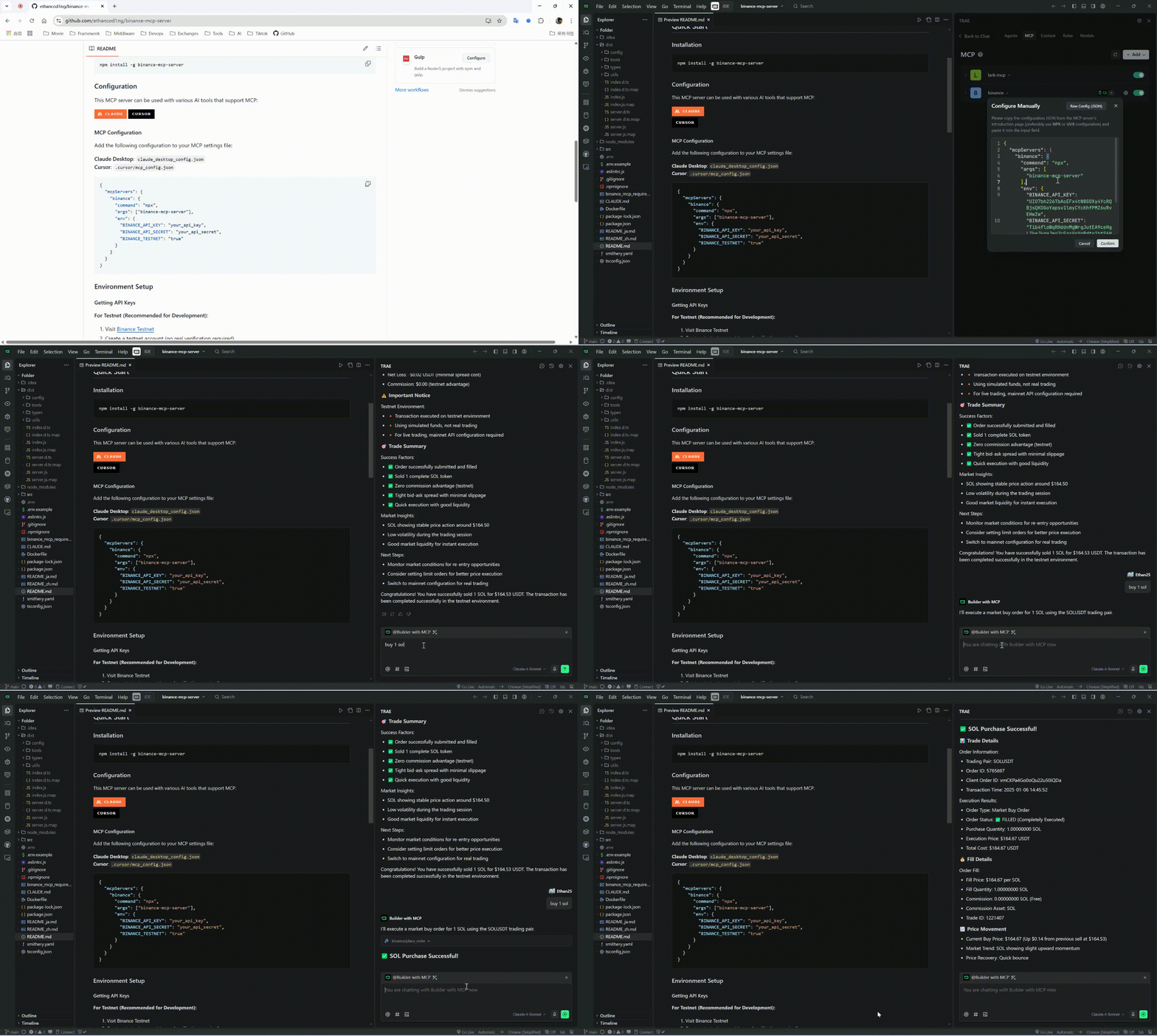
Watch our comprehensive MCP usage tutorial to get started quickly:
npm install -g binance-mcp-server
This MCP server can be used with various AI tools that support MCP:
Add the following configuration to your MCP settings file:
{
  "mcpServers": {
    "binance": {
      "command": "npx",
      "args": ["binance-mcp-server"],
      "env": {
        "BINANCE_API_KEY": "your_api_key",
        "BINANCE_API_SECRET": "your_api_secret",
        "BINANCE_TESTNET": "false"
      }
    }
  }
}
Note: Set
BINANCE_TESTNETto"true"if you want to use the Binance testnet for development and testing.
claude mcp add binance --env BINANCE_API_KEY=YOUR_API_KEY --env BINANCE_API_SECRET=YOUR_API_SECRET --env BINANCE_TESTNET=false -- npx -y binance-mcp-server
For Testnet (Recommended for Development):
For Mainnet (Production):
Create .env file:
BINANCE_API_KEY=your_api_key_here
BINANCE_API_SECRET=your_api_secret_here
BINANCE_TESTNET=true  # Set to false for mainnet (REAL money)
get_price - Get current price for trading pairget_orderbook - Get order book depth dataget_klines - Get K-line/candlestick dataget_24hr_ticker - Get 24-hour price statisticsget_account_info - Get account information and balancesget_open_orders - Get current open ordersget_order_history - Get historical ordersplace_order - Place a new order (supports both mainnet and testnet)cancel_order - Cancel specific order (supports both mainnet and testnet)cancel_all_orders - Cancel all open orders (supports both mainnet and testnet)Ask Claude to:
⚠️ Important:
BINANCE_TESTNET=true for safe testing with virtual fundsBINANCE_TESTNET=false or omit for mainnet trading with REAL moneynpm run build # Compile TypeScript
npm run dev # Development mode
npm run lint # Run linting
A Model Context Protocol (MCP) server for integrating AI assistants with Binance cryptocurrency exchange APIs, enabling automated trading, market data access, and account management.
工具
尚無工具清單。遠端伺服器會在首次健康檢查後取得工具清單。
常見問題
在本頁複製適用於 Cursor、Claude Desktop、Claude Code 或 VS Code 的 stdio 設定。它使用發布者的安裝方式,而不是 PlugMCP 代理伺服器。
這筆記錄未列出必要的環境變數。
Binance 透過 stdio 在本機執行。
上次檢查時間:2026-10-28。 A Model Context Protocol (MCP) server for integrating AI assistants with Binance cryptocurrency exchange APIs, enabling automated trading, market data access, and account management.
