Inscope
Per-workspace identity for Claude Code: each directory auto-resolves its own login/subscription, MCP servers, GitHub account, and skills.
接入你的智能体
發布者自己的指令。不是 PlugMCP 端點。
用我們的金鑰與日誌託管一份副本。
npx -y [email protected]Claude Code 沒有本機指令的安裝連結。複製下方指令並在終端機中執行。
claude mcp add inscope -- npx -y inscope@0.18.0在終端機中執行。
{ "mcpServers": { "inscope": { "command": "npx", "args": [ "-y", "[email protected]" ] } }}claude_desktop_config.json
遠端 URL 還是本機指令? 兩種安裝方式的差異
cd into a directory and Claude Code becomes the right person for it. No profiles to switch, no global toggles, no launch flags, and it holds up with a dozen Claude Code sessions open at once.
inscope status (alias whoami) shows who you are in any directory: the Claude login and subscription, MCP servers, GitHub account, git email, and skills.$PWD, so every commit lands as the right you./ menu per directory, shared into your Claude skills dir with zero per-repo setup.gh keyring and the macOS Keychain. 🧵 Race-free across sessions. 🚀 Works under any launcher (terminal, IDE, cmux, --resume).📖 The design, in depth: Race-Free Identity in Claude Code.
Add the inscope skill and let your AI agent (Claude Code) do the whole setup, no CLI to learn:
npx skills add nrjdalal/inscope --full-depth --skill inscope
Then just ask, e.g. "map my ~/work and ~/personal directories with inscope, work on its own login." The agent runs the right commands and answers the prompts for you.
npx inscope add                            # guided setup: prompts for the directory + every option
npx inscope add ~/work                     # a path just pre-fills the directory prompt
npx inscope add ~/clients/acme --isolate   # any flag pre-fills a prompt (--isolate = its own login)
Sign each GitHub account into gh once (gh auth login); inscope reads their tokens. The first add prompts you to reload your shell (a new terminal works too) so the hook loads; then cd ~/work and you're the work account with work servers and email, cd ~/clients/acme and you're on the client's isolated login.
--isolate (or the "Dedicated Claude login?" prompt) runs that workspace's claude on its own account from a gitignored .inscope dir, so a client's subscription or a work/personal split stays fully separate. Sign in once; the hook exports CLAUDE_CONFIG_DIR (not a claude wrapper), so any launcher (terminal, IDE, cmux, --resume) lands on the right login. Set top-level bypass: true to skip permission prompts there (Claude Code v2.1.283+ otherwise starts interactive sessions in auto mode); it also pre-accepts Claude's one-time bypass warning, so fresh logins and background sessions start bypassed right away. If Claude offers to switch you to auto mode, decline: accepting rewrites the login's defaultMode (inscope doctor flags it, inscope apply restores it). Your shared ~/.claude is never touched.
Prefer flags or CI? Every prompt has one, and -y takes the defaults. Reaching for it a lot? npm i -g inscope and drop the npx.
inscope add prompts for the directory (defaulting to where you are); passing a path just pre-fills that prompt. Either way it walks you through the Claude login, MCP servers, GitHub account, git identity, and skills:Run any command with -h for its flags. Mutating commands apply in one step; apply is only for after you hand-edit the config.
| status |  |
| list | 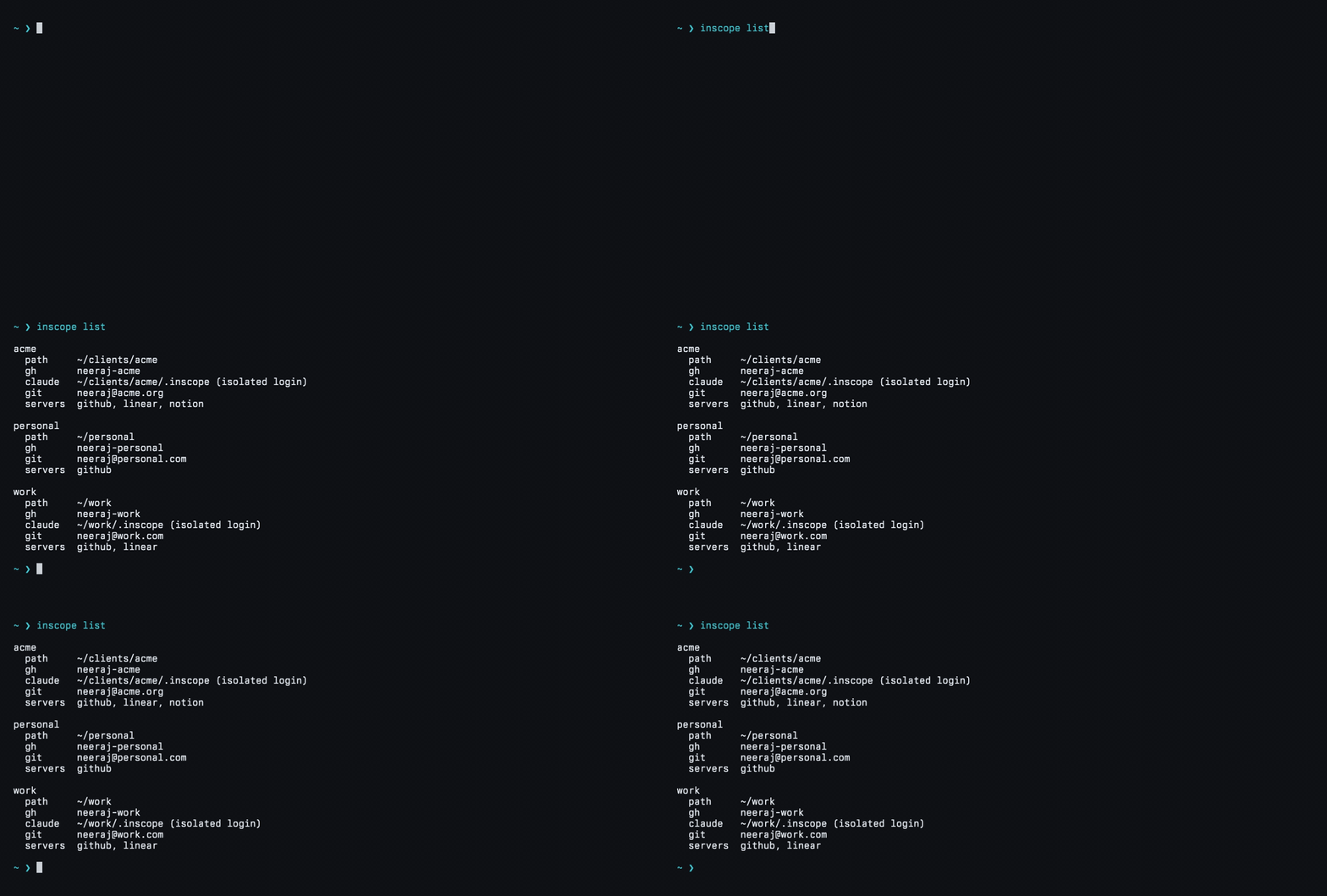 |
| edit |  |
| rm |  |
| doctor | 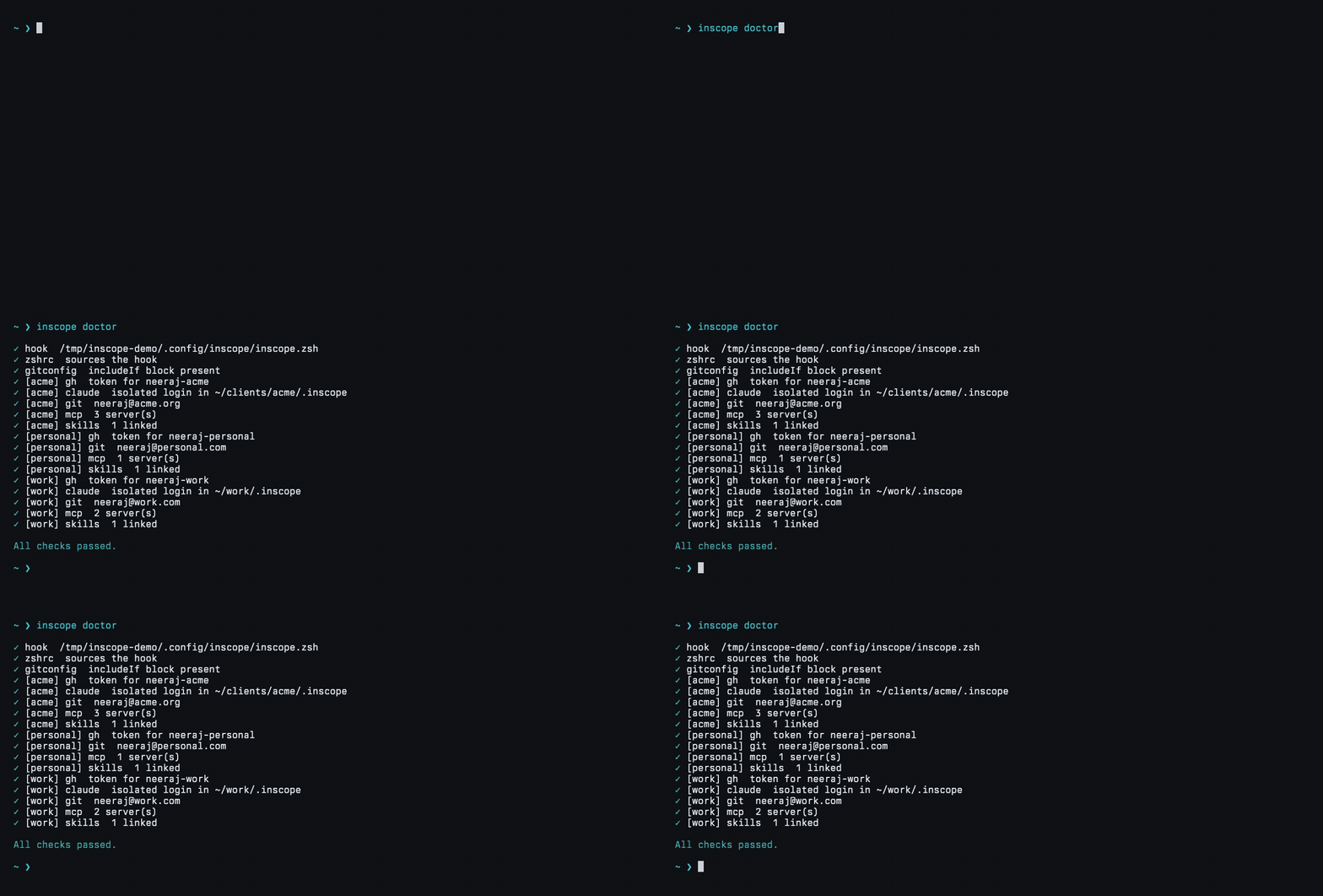 |
| diff | 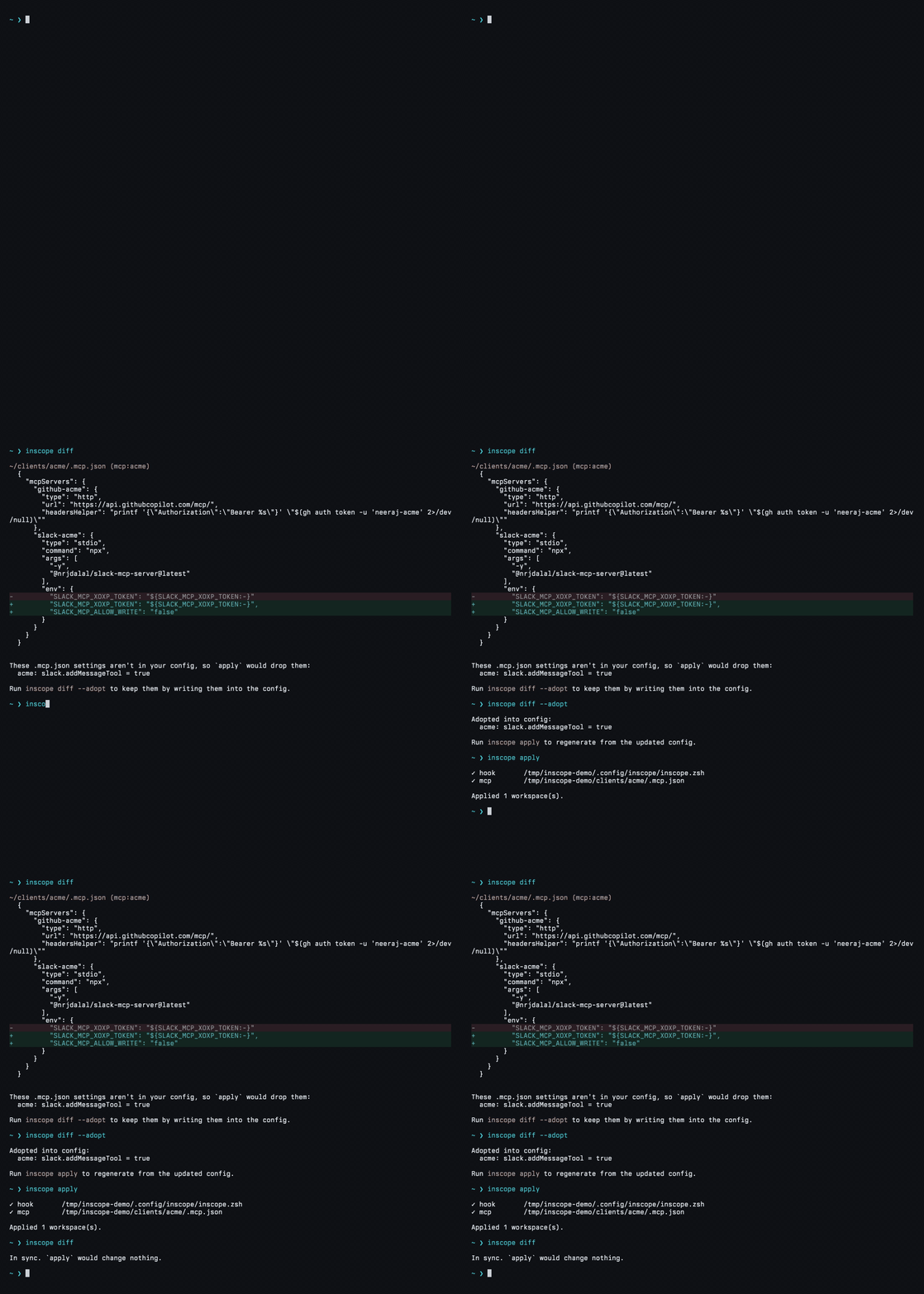 |
| apply | 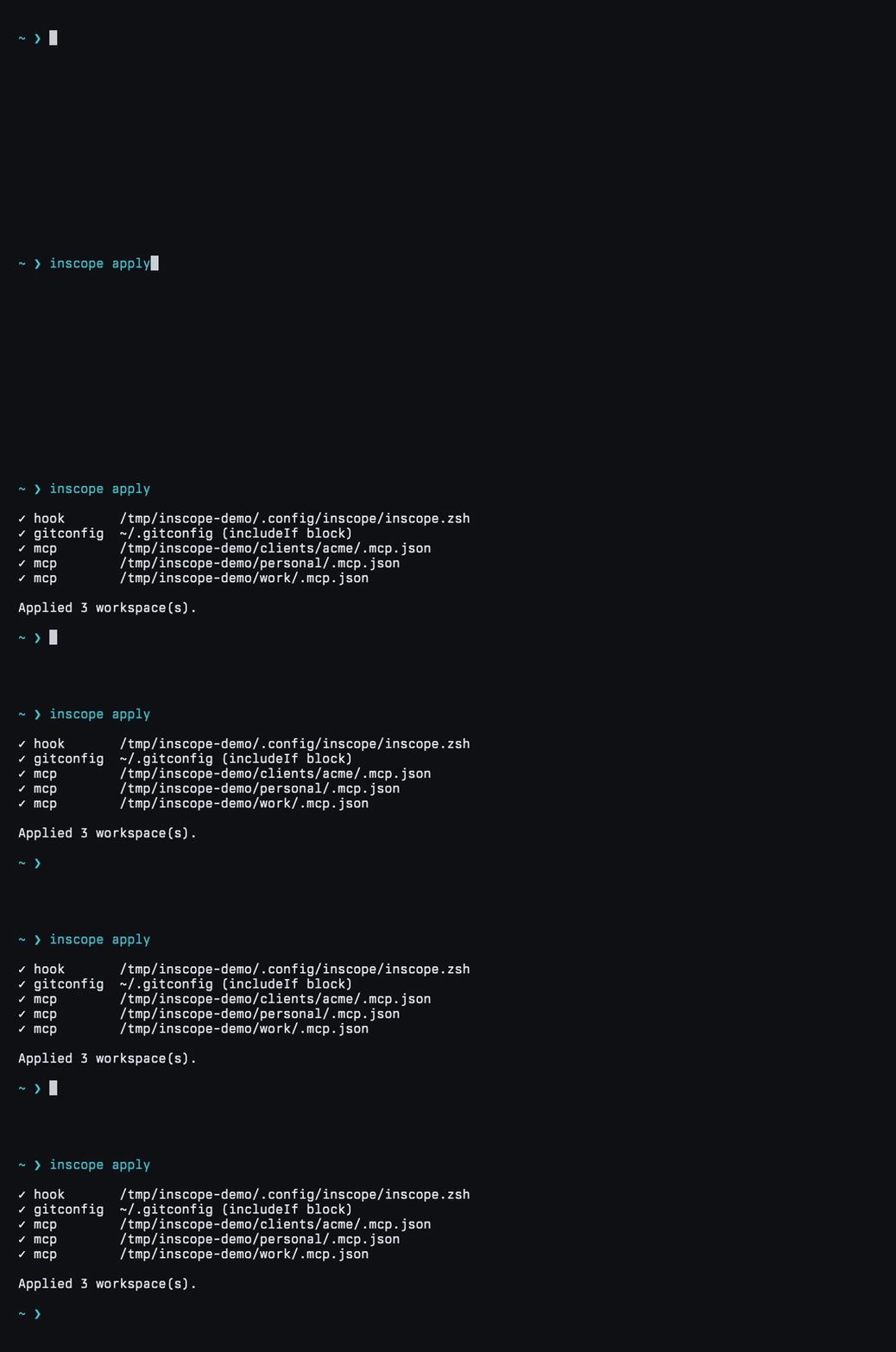 |
One .mcp.json per workspace, each server suffixed with the workspace label (github-work) so nothing collides. GitHub auth is fetched at connect time (gh auth token); Nylas reads its API key from the Keychain at connect time; Slack reads a Keychain token exported by the hook and runs locally through npx --prefix /, so a project's own npm overrides can't stop it from starting; the rest are OAuth.
github · atlassian · canva · clickup · datadog · hubspot · intercom · linear · monday · notion · nylas · plane · posthog · sentry · slack · stripe · vercel · webflow · xquik
Slack is opt-in (--seed-slack stores the xoxp token, --slack-message allows posting and --no-slack-message turns it back off). Datadog serves each region from its own host, so pick yours with --datadog-site (us1 default, us3, us5, eu, ap1, ap2, uk1), stored as "datadog": { "site": "datadoghq.eu" }. Nylas has no OAuth: it sends your Nylas API key as a Bearer header, read from the Keychain at connect time (--seed-nylas stores it, --nylas-region eu for EU apps). PostHog uses one endpoint and routes US and EU accounts itself. OAuth connectors, including Datadog, PostHog, and Xquik, authenticate in Claude Code at connect time. Claude Code asks you to trust a workspace's servers the first time you open claude there; approve once.
Give a workspace its own / menu. inscope skill add owner/repo#skills/the-skill clones once into a shared cache and symlinks it into your Claude skills dir, so it loads in every session under any launcher, no per-repo setup.
npx inscope skill add owner/repo         # pick from a repo's skills
npx inscope skill list                   # every skill in each workspace's skills dir
npx inscope skill update                 # refresh floating git sources
Every workspace also gets the bundled inscope self-skill, so you can just ask Claude to "isolate this workspace" or "add a skill here." Install it anywhere with the skills CLI: npx skills add nrjdalal/inscope --full-depth --skill inscope.
One file, ~/.config/inscope/inscope.json. Edit it by hand and run inscope apply, or let the commands write it.
{
  "version": 1,
  "bypass": true, // skip permission prompts in isolated logins
  "workspaces": [
    {
      "isolate": true, // its own Claude login in ~/work/.inscope
      "name": "work",
      "path": "~/work",
      "gh": "neeraj-work",
      "git": { "email": "[email protected]" },
      "servers": { "github": true, "linear": true, "xquik": true },
    },
    {
      "isolate": true, // a client, its own login in ~/clients/acme/.inscope
      "name": "acme",
      "path": "~/clients/acme",
      "gh": "neeraj-acme",
      "git": { "email": "[email protected]" },
      "servers": { "github": true, "linear": true, "notion": true },
      "skills": ["owner/repo#skills/readme-audit"],
    },
    // a workspace without "isolate" shares your ~/.claude login (e.g. ~/personal); without "servers" it has none
  ],
}
inscope only edits the blocks it manages inside .zshrc, .gitconfig, and .mcp.json, and every write is atomic, so the rest of those files is left alone.
macOS, zsh, and Claude Code. gh only for workspaces that scope a GitHub account.
Issues and PRs welcome; see CONTRIBUTING.md for the gates to run first.
gitpick · zerostarter · more at github.com/nrjdalal
Per-workspace identity for Claude Code: each directory auto-resolves its own login/subscription, MCP servers, GitHub account, and skills.
{ "mcpServers": { "inscope": { "command": "npx", "args": [ "-y", "[email protected]" ] } }}工具
尚無工具清單。遠端伺服器會在首次健康檢查後取得工具清單。
常見問題
在本頁複製適用於 Cursor、Claude Desktop、Claude Code 或 VS Code 的 stdio 設定。它使用發布者的安裝方式,而不是 PlugMCP 代理伺服器。
這筆記錄未列出必要的環境變數。
Inscope 透過 stdio 在本機執行。
上次檢查時間:2026-11-15。 Per-workspace identity for Claude Code: each directory auto-resolves its own login/subscription, MCP servers, GitHub account, and skills.
