catt-mcp
MCP server for casting YouTube videos and media to Chromecast/DLNA devices via catt.
接入你的智能体
發布者自己的指令。不是 PlugMCP 端點。
用我們的金鑰與日誌託管一份副本。
uvx catt-mcp==0.3.0Claude Code 沒有本機指令的安裝連結。複製下方指令並在終端機中執行。
CATT_DEVICE=<value> TV_HOST=<value> ADB_PATH=<value> claude mcp add io.github.amineutron-catt-mcp -- uvx catt-mcp==0.3.0在終端機中執行。
{ "mcpServers": { "io.github.amineutron-catt-mcp": { "command": "uvx", "args": [ "catt-mcp==0.3.0" ], "env": { "CATT_DEVICE": "<value>", "TV_HOST": "<value>", "ADB_PATH": "<value>" } } }}claude_desktop_config.json
遠端 URL 還是本機指令? 兩種安裝方式的差異
來自發布者
MCP server for casting YouTube videos and media to Chromecast/DLNA devices via catt.
Cast YouTube videos and media to a Chromecast or DLNA device with catt, and control playback.
Exposes 15 tools covering YouTube casting, playback control, dual-screen sync, and device discovery.
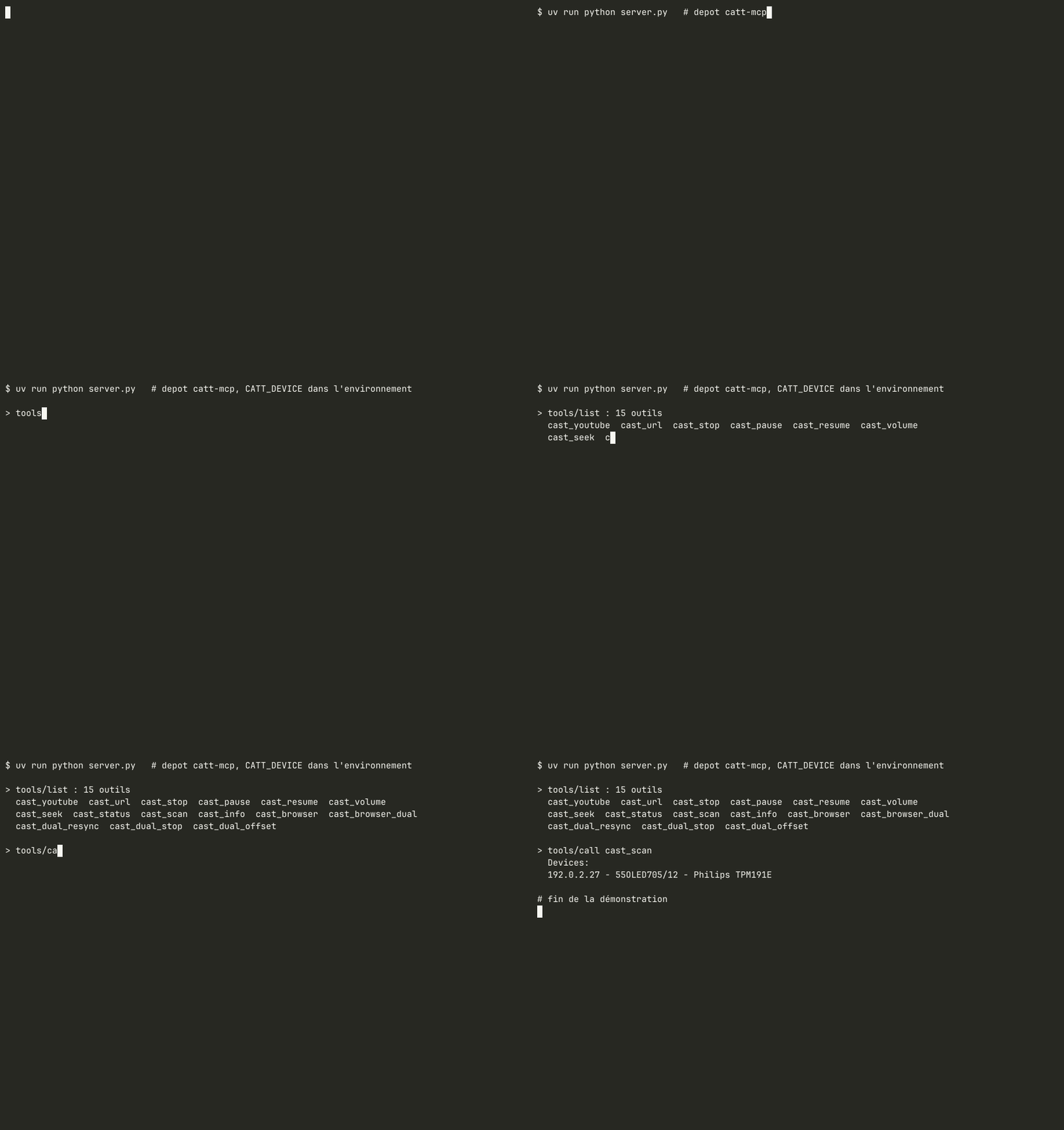
Recorded on the real network with docs/demo/record.sh: a minimal MCP client (docs/demo/mcp_demo.py) starts the server over stdio with CATT_DEVICE in the environment, lists the tools and calls cast_scan (read-only). Private IP addresses are replaced with documentation addresses.
_extract_video_id (URL watch?v=, youtu.be/, shorts/ or a bare 11-character ID, anything else rejected before it reaches catt/ADB) is deliberately duplicated in pylips-mcp (youtube_video, TV app with Premium account). Both servers stay installable on their own; each one tests its copy with the same table of cases (tests/test_youtube_id.py). Decision recorded on 2026-09-20.
cast_browser, cast_browser_dual, cast_dual_resync, cast_dual_stop and
cast_dual_offset drive Firefox from the running desktop session. They are
advertised only when the required binaries are present:
hyprctl in PATHplayerctl for MPRIS playback controllz4 (Python) to read Firefox's session cacheWithout them the server starts normally and simply does not expose these five tools, instead of failing when they are called.
uvx catt-mcp # depuis PyPI ; avant publication : uvx --from git+https://github.com/amineutron/catt-mcp catt-mcp
Configuration Claude Desktop / Claude Code (mcpServers) :
{ "catt": { "command": "uvx", "args": ["catt-mcp"], "env": { "CATT_DEVICE": "Living Room TV" } } }
pip install mcp catt yt-dlp
catt scan
Note the device name (e.g. 55OLED705/12, Living Room TV).
Copy config.example.yaml to config.yaml:
catt:
  device: "55OLED705/12"   # Name from catt scan
catt-mcp                      # installed (pip, uvx) ; `catt-mcp --help` lists the settings
python -m catt_mcp            # same thing, from any environment where the package is installed
python server.py              # from a clone, without installing (thin launcher, code in catt_mcp/)
Or with environment variable:
CATT_DEVICE="55OLED705/12" catt-mcp
The code lives in the catt_mcp package (catt_mcp/server.py, catt_mcp/sync_watcher.py),
so it can be installed next to other MCP servers without module name clashes.
The dual-screen tools (dual_cast, dual_resync, dual_offset) drive the TV through
ADB and need its IP address. Set it with TV_HOST (or tv.host in config.yaml),
for example TV_HOST="192.0.2.10"; the built-in default is only a placeholder.
{
  "mcpServers": {
    "catt": {
      "command": "python3",
      "args": ["/path/to/catt-mcp/server.py"],
      "env": {
        "CATT_DEVICE": "55OLED705/12"
      }
    }
  }
}
MIT
Cast YouTube videos and media to a Chromecast or DLNA device with catt, and control playback.
{ "mcpServers": { "io.github.amineutron-catt-mcp": { "command": "uvx", "args": [ "catt-mcp==0.3.0" ], "env": { "CATT_DEVICE": "<value>", "TV_HOST": "<value>", "ADB_PATH": "<value>" } } }}工具
尚無工具清單。遠端伺服器會在首次健康檢查後取得工具清單。
常見問題
在本頁複製適用於 Cursor、Claude Desktop、Claude Code 或 VS Code 的 stdio 設定。它使用發布者的安裝方式,而不是 PlugMCP 代理伺服器。
發布者列出了以下環境變數:CATT_DEVICE, TV_HOST, ADB_PATH。
Chromecast / DLNA Casting (catt) 透過 stdio 在本機執行。
上次檢查時間:2026-11-09。 Cast YouTube videos and media to a Chromecast or DLNA device with catt, and control playback.
