LPC Character Generator — MCP
English · Português
An MCP server that builds LPC pixel-art character spritesheets — the same parts as the — and exports them ready for , and the (Phaser/PixiJS).
接入你的智能体
發布者自己的指令。不是 PlugMCP 端點。
用我們的金鑰與日誌託管一份副本。
uvx lpc-character-mcp==0.5.0Claude Code 沒有本機指令的安裝連結。複製下方指令並在終端機中執行。
LPC_OUTPUT_DIR=<value> LPC_LANG=<value> claude mcp add io.github.kyuza1-lpc-character-mcp -- uvx lpc-character-mcp==0.5.0在終端機中執行。
{ "mcpServers": { "io.github.kyuza1-lpc-character-mcp": { "command": "uvx", "args": [ "lpc-character-mcp==0.5.0" ], "env": { "LPC_OUTPUT_DIR": "<value>", "LPC_LANG": "<value>" } } }}claude_desktop_config.json
遠端 URL 還是本機指令? 兩種安裝方式的差異
來自發布者
English · Português
An MCP server that builds LPC pixel-art character spritesheets — the same parts as the — and exports them ready for , and the (Phaser/PixiJS).
Generate LPC pixel-art character spritesheets and export them to Godot, Unity and the web.
Ask in plain language ("make a tanned blacksmith with a leather apron and a hammer") and your assistant assembles the character, shows an animated preview in the chat and saves the files.

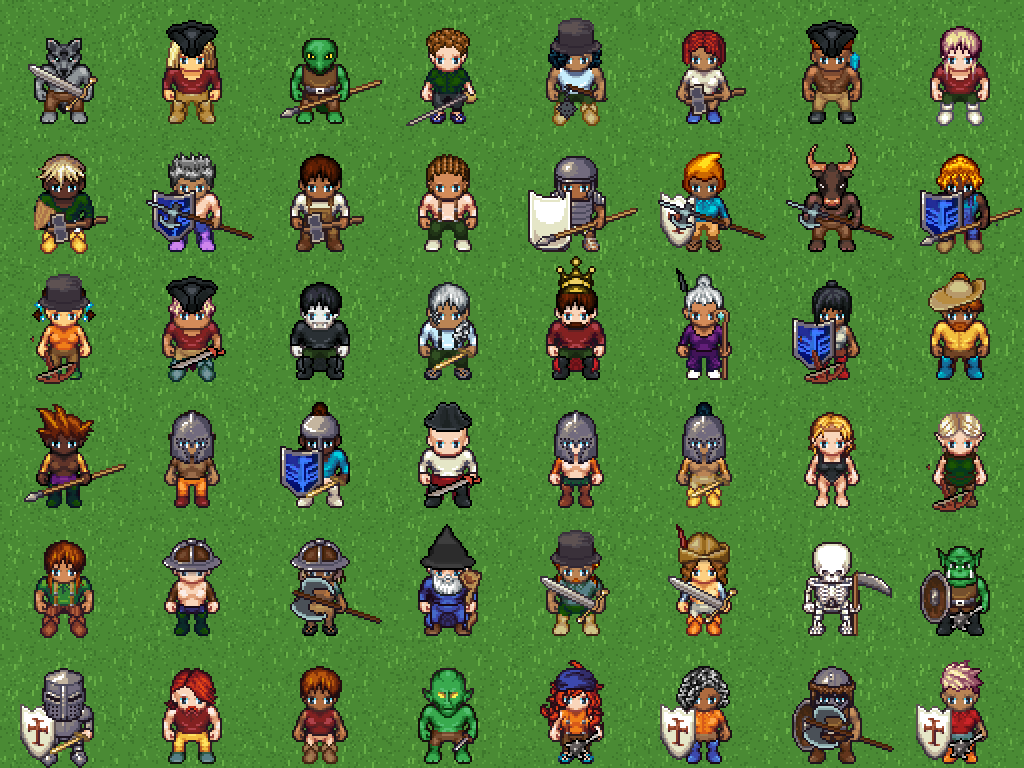
Every character above was generated by this MCP — themed ones (knight, viking, wizard, skeleton, orc, legionary, pirate, king...) and random ones.

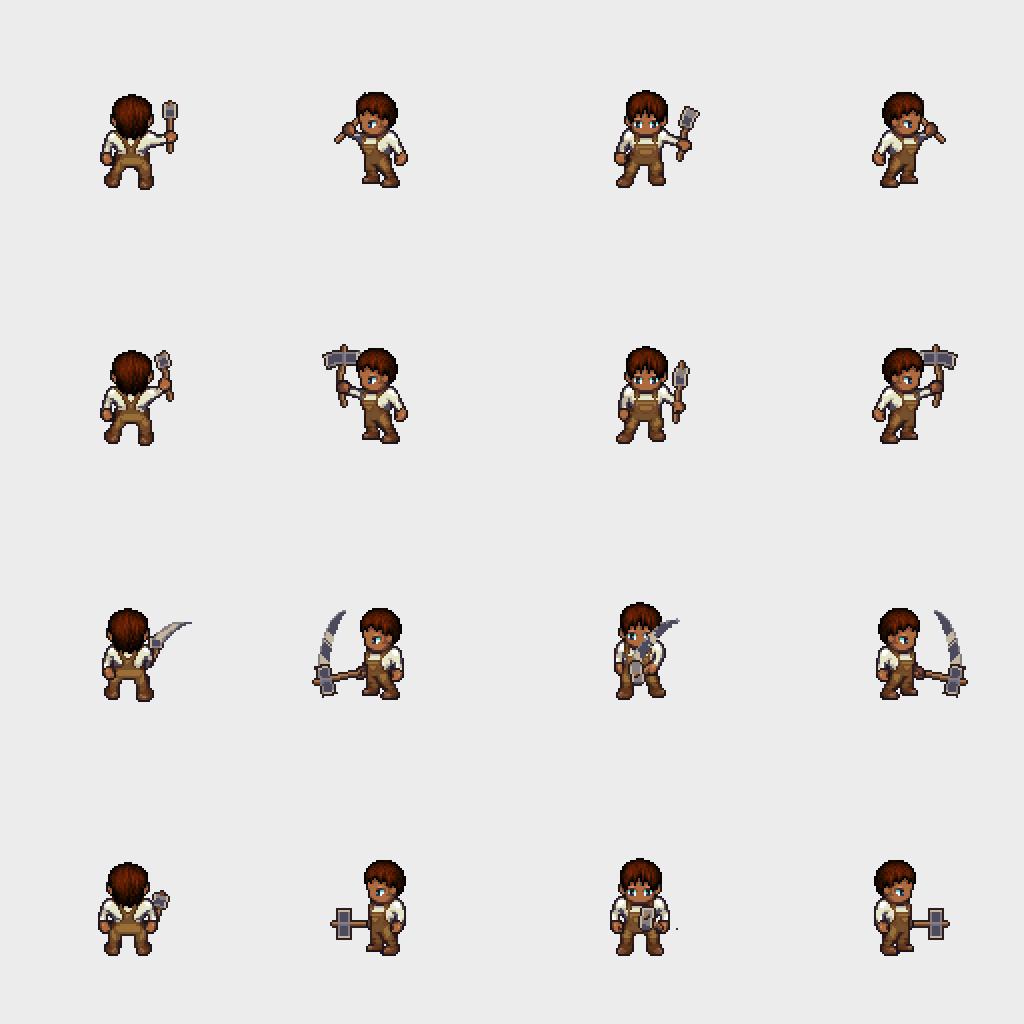
The in-chat preview (preview_character) is an animated GIF — here a blacksmith hammering:
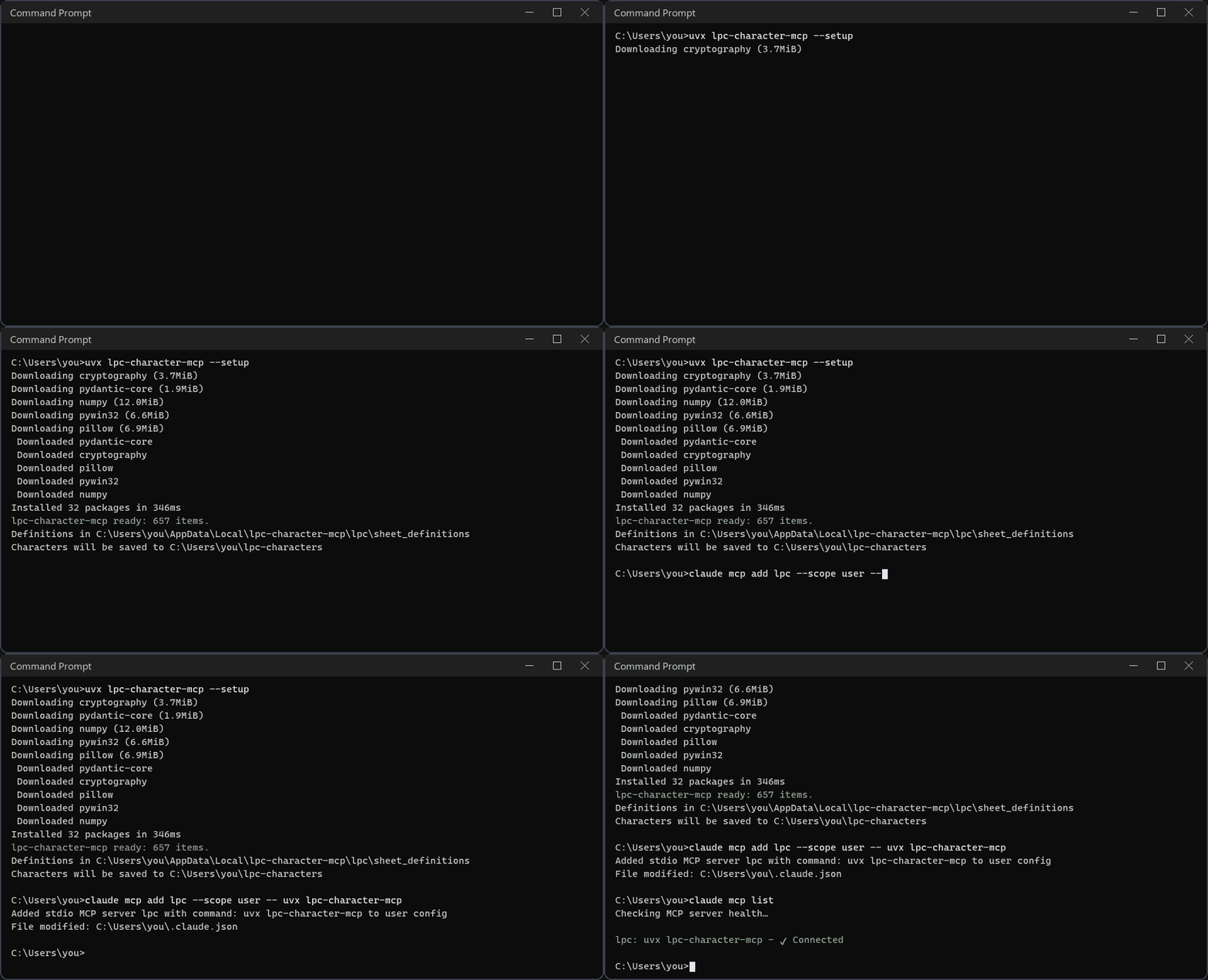
You need uv and Git. uv fetches the right Python and the package by itself — nothing to clone, no dependencies to install.
powershell -c "irm https://astral.sh/uv/install.ps1 | iex"curl -LsSf https://astral.sh/uv/install.sh | shuvx lpc-character-mcp --setup
uvx lpc-character-mcp.To run the latest code straight from GitHub, replace uvx lpc-character-mcp with
uvx --from git+https://github.com/kyuza1/lpc-character-mcp lpc-character-mcp in any example.
Characters are saved to ~/lpc-characters (on Windows, C:\Users\<you>\lpc-characters).
Set LPC_OUTPUT_DIR to change it — for example, to your Godot/Unity sprites folder.
lpc-character-mcp --where prints every folder in use. Messages are in English; set
LPC_LANG=pt for Portuguese.
claude mcp add lpc --scope user -- uvx lpc-character-mcp
One click: download lpc-character-mcp.mcpb from the
latest release and open it
(or drag it into Settings → Extensions). You can pick the output folder and language
during install.
Or add it by hand in Settings → Developer → Edit config (claude_desktop_config.json):
{
  "mcpServers": {
    "lpc": { "command": "uvx", "args": ["lpc-character-mcp"] }
  }
}
codex mcp add lpc -- uvx lpc-character-mcp
Or edit ~/.codex/config.toml (on Windows, %USERPROFILE%\.codex\config.toml):
[mcp_servers.lpc]
command = "uvx"
args = ["lpc-character-mcp"]
startup_timeout_sec = 60
Check with codex mcp list. The same file is used by the Codex VS Code extension.
In the agent panel click … → MCP Servers → Manage MCP Servers →
View raw config and add to mcp_config.json (~/.gemini/config/mcp_config.json;
on Windows, %USERPROFILE%\.gemini\config\mcp_config.json):
{
  "mcpServers": {
    "lpc": { "command": "uvx", "args": ["lpc-character-mcp"] }
  }
}
Save and click Refresh on the MCP Servers page. In the Antigravity CLI, use /mcp.
Listed on Smithery,
Glama and the official MCP Registry
as io.github.kyuza1/lpc-character-mcp, which clients and directories that read the
registry pick up automatically.
Any client that runs stdio servers works with the same uvx lpc-character-mcp command.
pip install lpc-character-mcp
lpc-character-mcp --setup
Then register the lpc-character-mcp command (no arguments) in your assistant.
lpc-character-mcp --clear-cache deletes cached images
(--clear-cache 30 only those unused for 30 days).uvx lpc-character-mcp@latest --versionuvx: use the full path (where uvx on Windows, which uvx elsewhere).Example items:
[
  {"id": "body/body", "color": "bronze"},
  {"id": "head/heads/human/heads_human_male"},
  {"id": "hair/short/hair_plain", "color": "dark_brown"},
  {"id": "torso/shirts/longsleeve/torso_clothes_longsleeve", "color": "white"},
  {"id": "torso/aprons/torso_aprons_overalls", "variant": "leather"},
  {"id": "legs/pants/legs_cuffed", "color": "white"},
  {"id": "feet/boots/feet_boots_basic", "color": "brown"},
  {"id": "tools/tool_hammer", "color": ["steel", "walnut"]}
]
"color": "blonde" — one color (see colors in get_item)."color": ["steel", "walnut"] — multi-part items (head and handle, armor and belt...).
Parts are listed in color_parts from get_item; null keeps a part's default.warnings).output_dir saves straight into a folder — e.g. your game's sprites folder:
"generate the blacksmith in C:/my-game/art/npcs and export for Godot". Otherwise files go
to LPC_OUTPUT_DIR or ~/lpc-characters.
layout: "standard" (default) — same as the site: 832px wide, every animation always on
the same row (walk at y=512, slash at y=768...). Oversized animations go below y=3456.layout: "compact" — only the requested animations, stacked.split — also saves pieces: "animation" (one PNG per animation), "frame" (one PNG
per frame in <name>_frames/<animation>/<direction>_NN.png) and/or "item" (one sheet
per item, for swapping outfits in-game). Accepts a list: ["animation", "frame"].Big weapons and tools (swords, spears, hammer, axe, bow...) use 128 or 192px frames. They
are added automatically when their base animation is requested (asking for slash with
the hammer also produces tool_hammer).
Not every LPC item has art for all 15 animations (e.g. the apron has no idle, run,
jump...). In those animations the item simply disappears. To avoid surprises:
generate_character always returns animation_check:
"animation_check": {
  "complete": false,
  "incomplete_items": {
    "torso/aprons/torso_aprons_apron": {
      "missing": ["climb", "idle", "jump", "sit", "emote", "run", ...],
      "complete_alternatives": ["torso/aprons/torso_aprons_overalls", ...]
    }
  },
  "summary": "ATENÇÃO: nem todas as animações ficaram completas: Apron não tem ..."
}
prefer_complete: true replaces each incomplete item with the closest item that has
every animation, keeping the color (e.g. apron → overalls). Replacements are listed in
replaced. The assistant is told to ask you first.search_items lists them first, shows
missing_animations for the others and accepts complete_only: true. get_item shows
what is missing and suggests complete_alternatives.Not counted as missing: face, nose, beard, glasses and necklaces in climb (the character
faces away), expressions in hurt, weapons/tools/shields — which by nature only appear in
their own animations (listed in equipment_only_in) — and animations the body itself
lacks (listed in body_missing).
LPC art comes under several licenses. For stores with DRM (Steam, App Store...) only
CC0 and OGA-BY art is safe. Pass licenses: ["CC0", "OGA-BY"] to search_items,
random_character, generate_batch or generate_character to stick to them — every art
part of the chosen body must offer one of those licenses (stricter than the site, which
accepts an item if any part does). Every result also has license_check:
"license_check": {"drm_safe": true, "share_alike_required": false, "summary": "..."}
Pass export to generate_character (you can combine them). Animations play in the same
frame order as the official generator (walk skips the standing frame, idle/sit/emote hold
frames...), and the site's extra animations are included: 1h_slash (one-handed slash) and
watering (with the watering can). zip: true packs everything into <name>.zip.
Every generation writes <name>_credits.txt and <name>_credits.csv with authors,
licenses and links for only the art that was used, plus a ready-to-paste text for your
game's credits screen (credits.statement). The sprites are LPC art
(CC-BY-SA 3.0, OGA-BY 3.0, GPL 3.0 and others) — if you ship a game, include these credits.
prefer_complete they stay as they are and animation_check says so.shoot or climb); animation_check reports them in body_missing.git clone https://github.com/kyuza1/lpc-character-mcp.git
cd lpc-character-mcp
pip install -e ".[dev]"
python -m pytest -q
From a clone, definitions, cache and output live inside the clone (lpc/, cache/,
output/). Tests run on GitHub Actions on Linux, Windows and macOS on every push and
every Monday (to catch changes in the official LPC repository). Releases are published to
PyPI automatically when a GitHub release is created. See CHANGELOG.md.
Code under MIT. The downloaded art belongs to the LPC artists and follows their licenses (see the generated credits files).
Generate LPC pixel-art character spritesheets and export them to Godot, Unity and the web.
{ "mcpServers": { "io.github.kyuza1-lpc-character-mcp": { "command": "uvx", "args": [ "lpc-character-mcp==0.5.0" ], "env": { "LPC_OUTPUT_DIR": "<value>", "LPC_LANG": "<value>" } } }}工具
尚無工具清單。遠端伺服器會在首次健康檢查後取得工具清單。
常見問題
在本頁複製適用於 Cursor、Claude Desktop、Claude Code 或 VS Code 的 stdio 設定。它使用發布者的安裝方式,而不是 PlugMCP 代理伺服器。
發布者列出了以下環境變數:LPC_OUTPUT_DIR, LPC_LANG。
LPC Character Generator 透過 stdio 在本機執行。
上次檢查時間:2026-11-09。 Generate LPC pixel-art character spritesheets and export them to Godot, Unity and the web.
