| Flow | Preview |
|---|---|
| PyPI install | 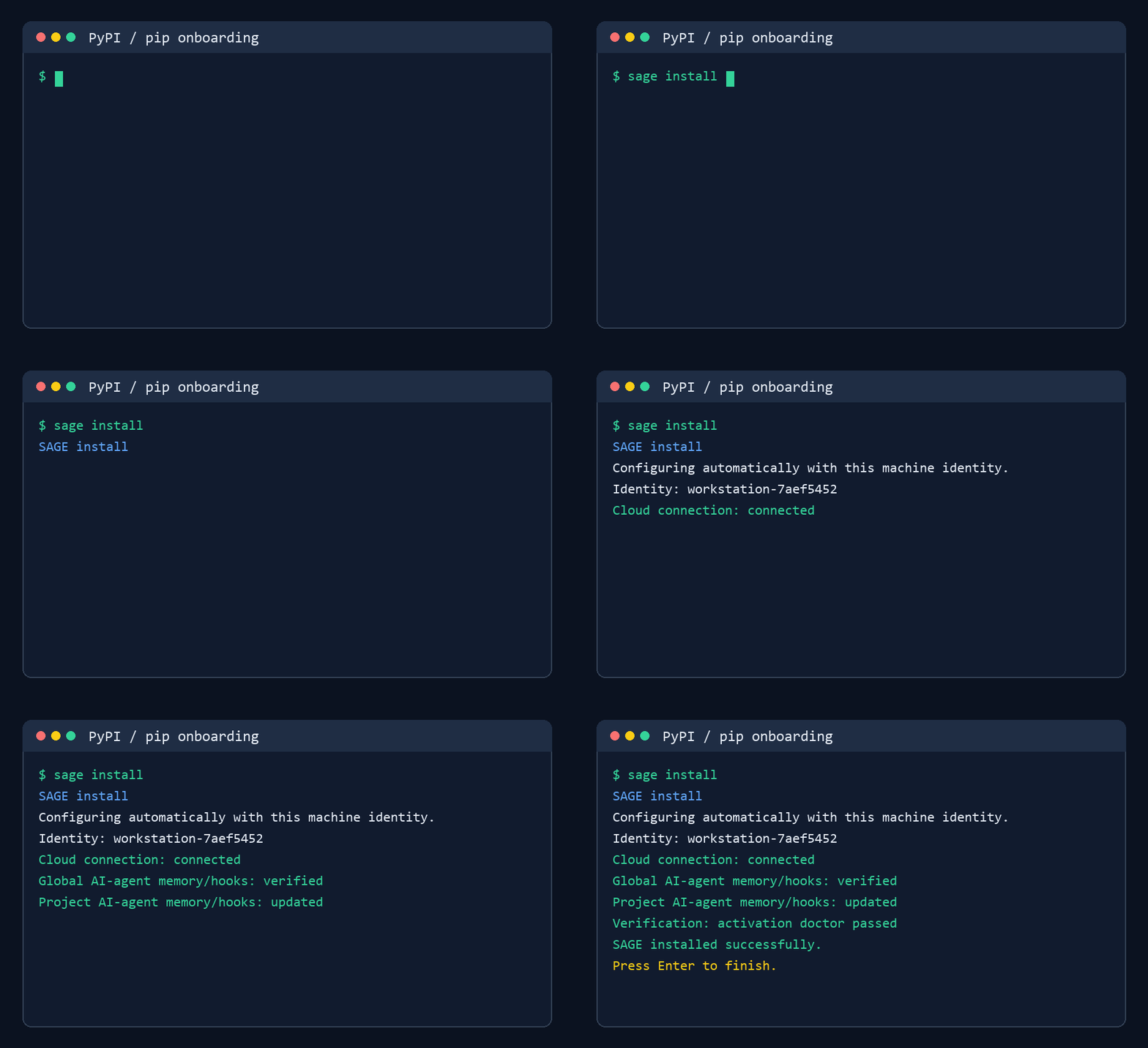 |
| npm install | 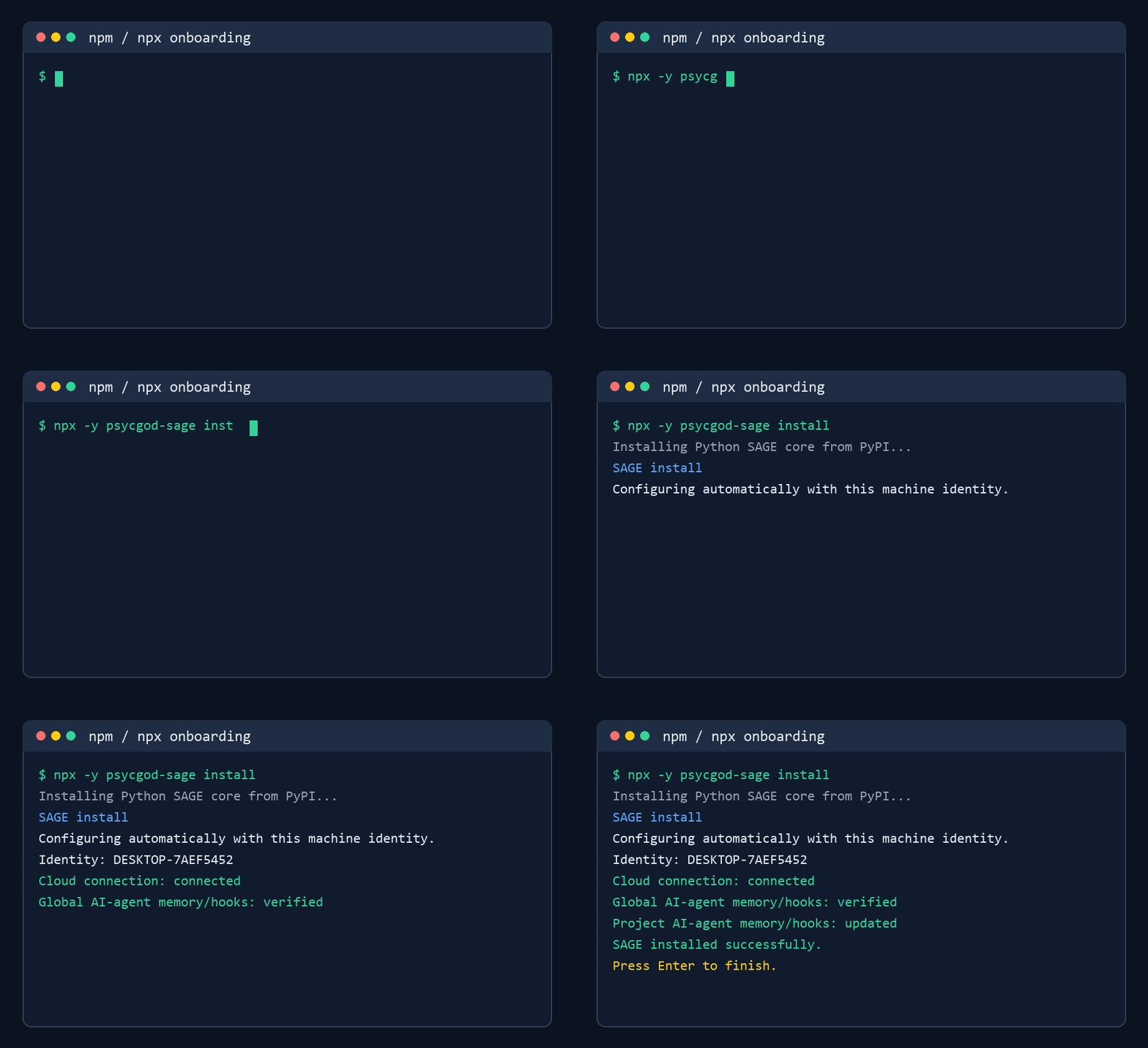 |
sage run -- |  |
| CLI run | 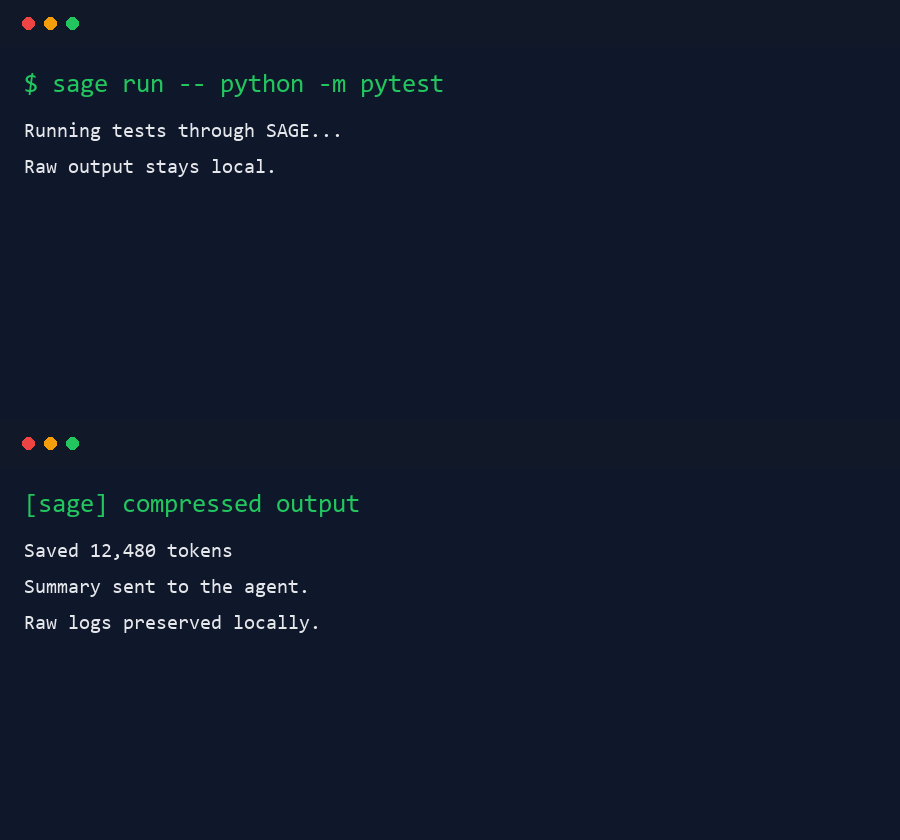 |
接入你的智能体
發布者自己的指令。不是 PlugMCP 端點。
用我們的金鑰與日誌託管一份副本。
uvx psycgod-sage==2.6.2Claude Code 沒有本機指令的安裝連結。複製下方指令並在終端機中執行。
claude mcp add io.github.psycgod-sage -- uvx psycgod-sage==2.6.2在終端機中執行。
{ "mcpServers": { "io.github.psycgod-sage": { "command": "uvx", "args": [ "psycgod-sage==2.6.2" ] } }}claude_desktop_config.json
遠端 URL 還是本機指令? 兩種安裝方式的差異
SAGE is a local-first command wrapper for AI coding agents. It keeps full terminal output on your machine, sends agents a clean compressed summary, and tracks proof metrics without uploading your raw logs.
Use it with Claude Code, Codex, Cursor, Windsurf, OpenCode, Cline, custom agents, CI scripts, and normal terminal workflows.
Package installation is passive for package-registry safety. After installing, run sage install once to activate SAGE for supported local AI agents.
pip install psycgod-sage
# or
python -m pip install --upgrade psycgod-sage
sage install
sage run -- python -m pytest
npm install -g psycgod-sage
npx -y psycgod-sage install
npx -y psycgod-sage run -- npm test
After install, restart any open AI-agent sessions. New sessions should read the SAGE instructions automatically and route terminal commands through SAGE.
Example prompt after restarting your AI agent:
Please help me with my general book in this folder.
Natural shortcuts also work:
sage pytest
sage npm test
sage git status
These are treated as:
sage run -- pytest
sage run -- npm test
sage run -- git status
SAGE does not auto-enable MCP. MCP is optional and manual for users who want it.
Latest pulled stats as of 2026-08-01:
AI coding agents burn context on repeated logs, failed test output, install noise, stack traces, and build spam. SAGE sits between the command and the agent.
The npm package delegates to the Python implementation so both install paths use the same local database, telemetry rules, compression, and command behavior.
sage install                       # Activate this machine and AI-agent instructions
sage doctor --activation           # Verify activation
npx -y psycgod-sage doctor --activation
sage run -- <command>              # Wrap any command
sage run --cwd /project -- <command> # Explicit workspace for host integrations
sage pytest                        # Shortcut for: sage run -- pytest
sage npm test                      # Shortcut for: sage run -- npm test
sage git status                    # Shortcut for: sage run -- git status
sage context stats                 # Token savings summary
sage context report                # Full compression report
sage history --limit 10            # Recent command history
sage explain --failed              # Explain the latest failed command
sage suggest --failed              # Suggest the next fix
sage fix --apply                   # Try an automatic fix
sage ml setup                      # Optional ML V2 dependencies
sage mcp install                   # Optional/manual MCP config
sage dashboard start               # Local dashboard
SAGE is designed to keep prompts, source code, credentials, raw command output, and project files local unless the user deliberately enables a feature that requires sending data.
| Flow | Preview |
|---|---|
| PyPI install | |
| npm install | |
sage run -- | |
| CLI run | |
MIT. See LICENSE.
Command wrapper MCP server for coding agents, compression, workflows, and local automation.
{ "mcpServers": { "io.github.psycgod-sage": { "command": "uvx", "args": [ "psycgod-sage==2.6.2" ] } }}工具
尚無工具清單。遠端伺服器會在首次健康檢查後取得工具清單。
常見問題
在本頁複製適用於 Cursor、Claude Desktop、Claude Code 或 VS Code 的 stdio 設定。它使用發布者的安裝方式,而不是 PlugMCP 代理伺服器。
這筆記錄未列出必要的環境變數。
SAGE Wrapper 透過 stdio 在本機執行。
上次檢查時間:2026-11-09。 Command wrapper MCP server for coding agents, compression, workflows, and local automation.
