
接入你的智能体
從發布者安裝。不是 PlugMCP 端點。
遠端 URL 還是本機指令? 兩種安裝方式的差異
ContextKeep gives AI agents a persistent, searchable memory they can use across sessions. V2.1 adds SQLite, full-text search, user-editable categories, safer Docker defaults, and verified backup-first upgrades.
What's New | Safe Upgrade | Install | MCP Tools | Configuration | Docs
/mcp, with SSE fallback for older clients.get_contextkeep_info.
V2.1 is the first category-first ContextKeep release.
list_all_memories has been removed.list_categories and list_memories before retrieve_memory.tags are replaced by user-editable categories.legacy_tags migration metadata.get_contextkeep_info reports version, storage path, database ID, tool list, and migration status.Older releases remain available through GitHub releases and tags. V2.1 is the recommended version for new installs and upgrades.
Before replacing an existing install, use the safe upgrade wrapper. It creates a backup, verifies the archive, checks SQLite/JSON integrity, and stops if anything looks wrong.
Bare-metal:
python scripts/upgrade_to_v2_1.py baremetal
Docker:
python scripts/upgrade_to_v2_1.py docker
V1 JSON migration:
python scripts/upgrade_to_v2_1.py baremetal --v1-source /path/to/old/data/memories
See docs/SAFE_UPGRADE.md for backup, restore, Docker volume, and rollback details.
git clone https://github.com/mordang7/ContextKeep.git
cd ContextKeep
python -m venv .venv
Linux/macOS:
source .venv/bin/activate
pip install -r requirements.txt
Windows PowerShell:
.\.venv\Scripts\Activate.ps1
pip install -r requirements.txt
You can also run the installer:
python install.py
git clone https://github.com/mordang7/ContextKeep.git
cd ContextKeep
docker compose up -d --build
Default ports:
Local MCP over stdio:
python server.py
Remote MCP over HTTP:
python server.py --transport http --host 0.0.0.0 --port 5100
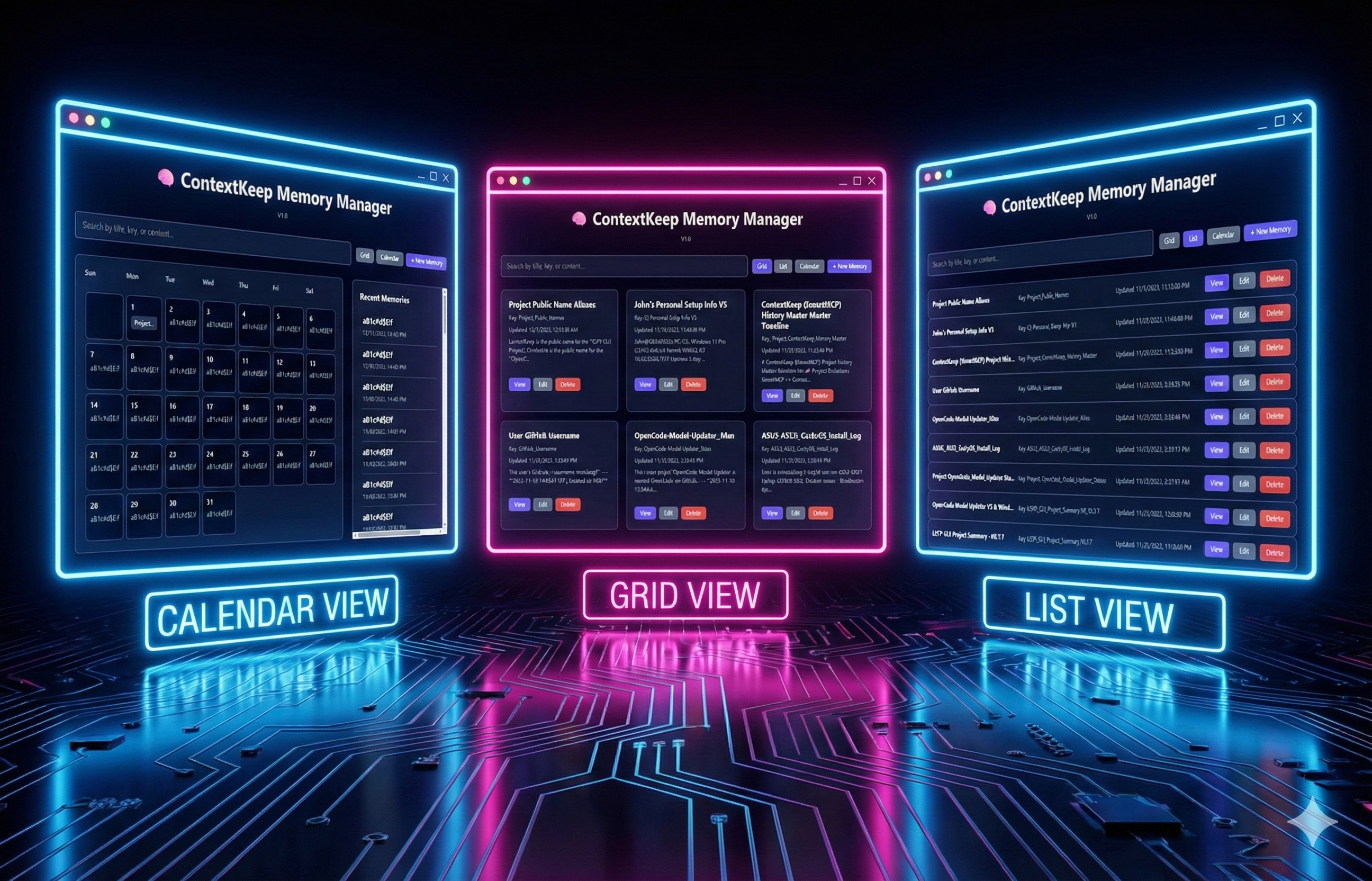
WebUI:
python webui.py --host 0.0.0.0 --port 5000
Then open:
http://localhost:5000
ContextKeep V2.1 exposes 16 tools:
Recommended retrieval flow:
list_categories -> list_memories -> retrieve_memory
Use search_memories for topic discovery, then retrieve the exact matching memory before relying on it.
Most clients that support streamable HTTP:
{
  "mcpServers": {
    "context-keep": {
      "url": "http://localhost:5100/mcp"
    }
  }
}
Antigravity IDE uses serverURL:
{
  "mcpServers": {
    "context-keep": {
      "serverURL": "http://localhost:5100/mcp"
    }
  }
}
SSE fallback:
{
  "mcpServers": {
    "context-keep": {
      "url": "http://localhost:5100/sse"
    }
  }
}
For a remote machine, replace localhost with the hostname or address of the machine running ContextKeep.
Do not keep an old SSH/stdin config active for the same context-keep server name. It may launch an older server that writes to a different database than the WebUI.
After connecting a client, call get_contextkeep_info.
Expected V2.1 values:
version: 2.1.0schema_version: 2storage_backend: sqlitestorage_path: /app/data/contextkeep.db in Docker, or your configured local pathlist_memories, list_categories, update_categories, and get_edit_historyIf an agent stores a memory but the WebUI cannot see it, compare WebUI /api/info with MCP get_contextkeep_info. The database_id, storage_path, and memory count should match.
Create a verified bare-metal backup:
python scripts/backup_contextkeep.py baremetal --install-dir /path/to/contextkeep
Create a verified Docker backup:
python scripts/backup_contextkeep.py docker --volume <docker-volume-name>
Restore commands are written into every backup folder. The full guide is in docs/SAFE_UPGRADE.md.
If you use container auto-update software, keep an external backup routine. The safe upgrade scripts can verify backups before an upgrade, but unattended image replacement cannot ask you to confirm backup health.
get_contextkeep_info identity checks.delete_memory, get_memory_stats, export_memories.Issues, feature ideas, and pull requests are welcome. If you build a client guide, migration recipe, or workflow pattern around ContextKeep, please share it.
Thank you to everyone who contributed to the Harbor release:
pyproject.toml, uv support, and packaging fixes.If ContextKeep saves you time, tokens, or context-window pain, support is appreciated.
Infinite Long-Term Memory for AI Agents (MCP Server)
工具
尚無工具清單。遠端伺服器會在首次健康檢查後取得工具清單。
常見問題
在本頁複製適用於 Cursor、Claude Desktop、Claude Code 或 VS Code 的 stdio 設定。它使用發布者的安裝方式,而不是 PlugMCP 代理伺服器。
這筆記錄未列出必要的環境變數。
ContextKeep 透過 stdio 在本機執行。
上次檢查時間:2026-10-27。 Infinite Long-Term Memory for AI Agents (MCP Server)
