Godot MCP Documentation Server
A Model Context Protocol (MCP) server that provides AI assistants with access to the complete Godot Engine documentation, helping developers with Godot development by serving documentation directly to LLMs.
接入你的智能体
從發布者安裝。不是 PlugMCP 端點。
遠端 URL 還是本機指令? 兩種安裝方式的差異
This server bridges the gap between AI assistants and Godot documentation, allowing developers to get instant, accurate answers about Godot classes, tutorials, and features without leaving their AI chat interface.
Clone the repository:
git clone https://github.com/Nihilantropy/godot-mcp-docs.git
cd godot-mcp-docs
Build the Docker image:
docker build -f deploy/Dockerfile -t godot-mcp-docs:local .
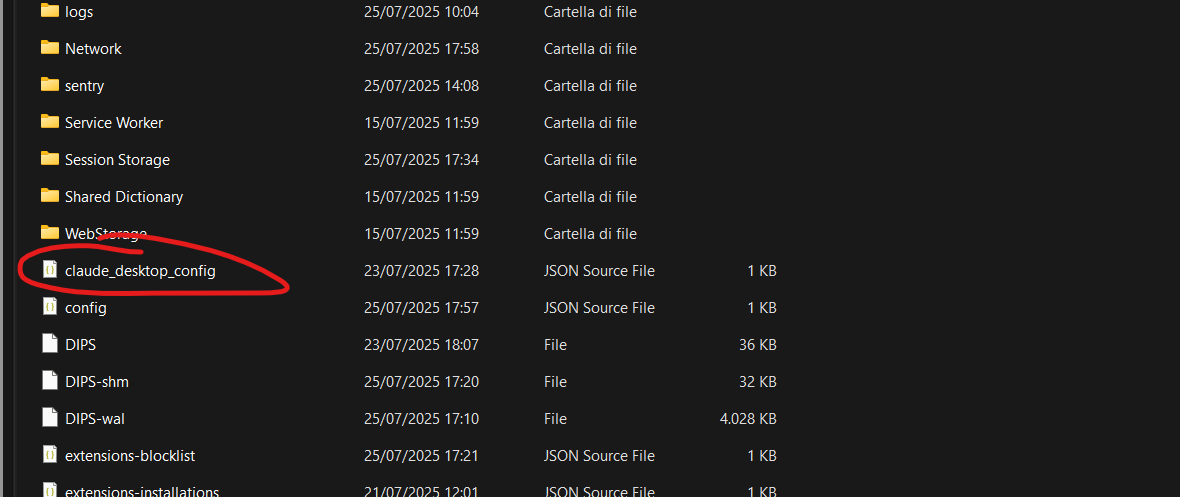
Configure your MCP client (Claude Desktop example):
{
  "mcpServers": {
    "godot-mcp-docs": {
      "command": "docker",
      "args": [
        "run",
        "--rm",
        "-i",
        "godot-mcp-docs:local"
      ]
    }
  }
}
The server provides access to the complete official Godot documentation with this structure:
docs/
├── _styleguides
├── _tools
│   └── redirects
├── about
├── classes
├── community
│   └── asset_library
├── contributing
│   ├── development
│   │   ├── compiling
│   │   ├── configuring_an_ide
│   │   ├── core_and_modules
│   │   ├── debugging
│   │   │   └── vulkan
│   │   ├── editor
│   │   └── file_formats
│   ├── documentation
│   └── workflow
├── getting_started
│   ├── first_2d_game
│   ├── first_3d_game
│   ├── introduction
│   └── step_by_step
├── img
└── tutorials
    ├── 2d
    ├── 3d
    │   ├── global_illumination
    │   ├── particles
    │   └── procedural_geometry
    ├── animation
    ├── assets_pipeline
    │   ├── escn_exporter
    │   └── importing_3d_scenes
    ├── audio
    ├── best_practices
    ├── editor
    ├── export
    ├── i18n
    ├── inputs
    ├── io
    ├── math
    ├── migrating
    ├── navigation
    ├── networking
    ├── performance
    │   └── vertex_animation
    ├── physics
    │   └── interpolation
    ├── platform
    │   ├── android
    │   ├── ios
    │   └── web
    ├── plugins
    │   └── editor
    ├── rendering
    ├── scripting
    │   ├── c_sharp
    │   │   └── diagnostics
    │   ├── cpp
    │   ├── debug
    │   ├── gdextension
    │   └── gdscript
    ├── shaders
    │   ├── shader_reference
    │   └── your_first_shader
    ├── ui
    └── xr
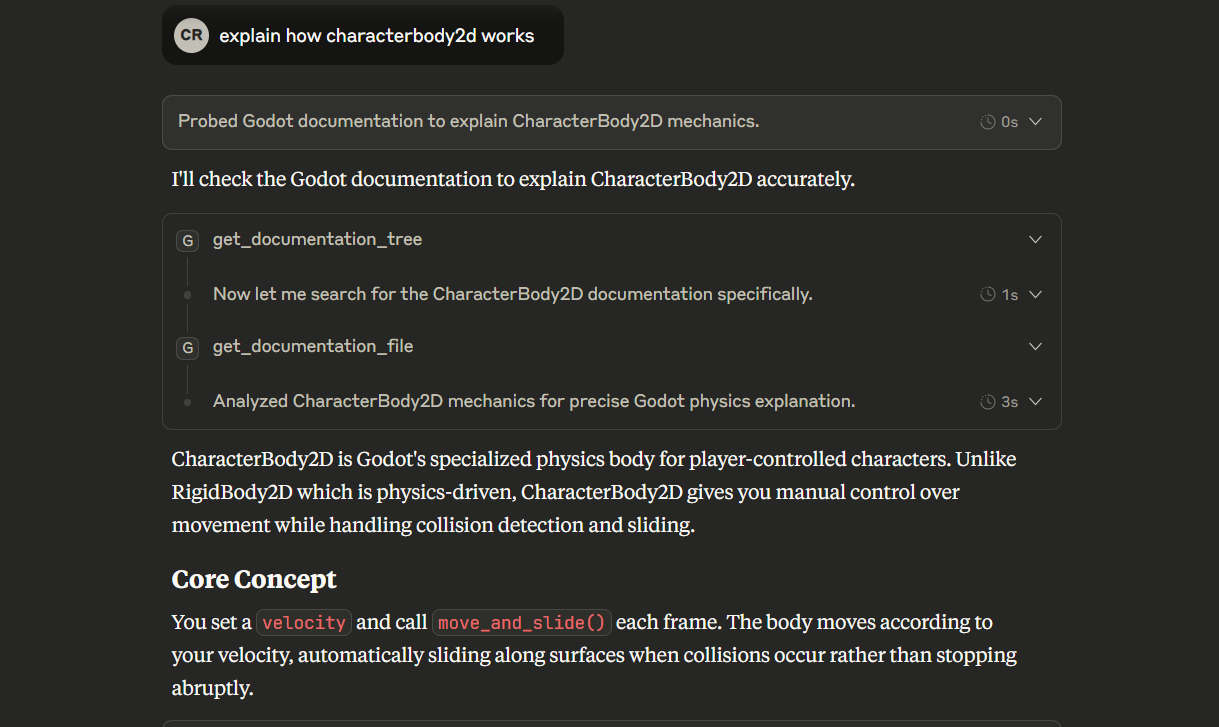
get_documentation_tree() - Get a tree-style overview of the entire documentation structureget_documentation_file(file_path: str) - Retrieve the content of specific documentation filesExplore documentation structure:
What documentation is available for Godot?
Get specific class documentation:
Show me the documentation for CharacterBody2D
Learn about tutorials:
What tutorials are available for 2D game development?
Get specific tutorial content:
Show me the first 2D game tutorial
Compare classes:
What's the difference between Node2D and CharacterBody2D?
For optimal results when working with Godot, use this system prompt:
"When working with Godot game development questions, always search for the latest available documentation using the godot-mcp-docs tools. Start with
get_documentation_tree()to understand the documentation structure, then useget_documentation_file()to retrieve specific information about classes, tutorials, or features. Prioritize official Godot documentation over general knowledge when providing Godot-related assistance."
To update to a newer version of Godot documentation:
Option 1: Rebuild the image
docker build -f deploy/Dockerfile -t godot-mcp-docs:local . --no-cache
Option 2: Update manually inside container
docker run -it --entrypoint /bin/bash godot-mcp-docs:local
# Inside container:
python docs_converter/godot_docs_converter.py
tree docs/. > docs/docs_tree.txt
This project is licensed under the MIT License - see the LICENSE file for details.
The Godot documentation content follows the original Godot documentation licensing:
classes/ folder): CC BY 3.0classes/ folder): MIT LicenseMCP server for godot docs
工具
尚無工具清單。遠端伺服器會在首次健康檢查後取得工具清單。
常見問題
在本頁複製適用於 Cursor、Claude Desktop、Claude Code 或 VS Code 的 stdio 設定。它使用發布者的安裝方式,而不是 PlugMCP 代理伺服器。
這筆記錄未列出必要的環境變數。
Godot MCP Docs 透過 stdio 在本機執行。
上次檢查時間:2026-10-27。 MCP server for godot docs
