接入你的智能体
發布者自己的指令。不是 PlugMCP 端點。
用我們的金鑰與日誌託管一份副本。
mcpb https://github.com/pironjulien/NexusBrowser/releases/download/v2.37.3/nexus-browser-win-x64.mcpbClaude Code 沒有本機指令的安裝連結。複製下方指令並在終端機中執行。
NEXUS_BROWSER_AGENT=<value> claude mcp add pironjulien-nexusbrowser -- mcpb https://github.com/pironjulien/NexusBrowser/releases/download/v2.37.3/nexus-browser-win-x64.mcpb在終端機中執行。
{ "mcpServers": { "pironjulien-nexusbrowser": { "command": "mcpb", "args": [ "https://github.com/pironjulien/NexusBrowser/releases/download/v2.37.3/nexus-browser-win-x64.mcpb" ], "env": { "NEXUS_BROWSER_AGENT": "<value>" } } }}claude_desktop_config.json
遠端 URL 還是本機指令? 兩種安裝方式的差異
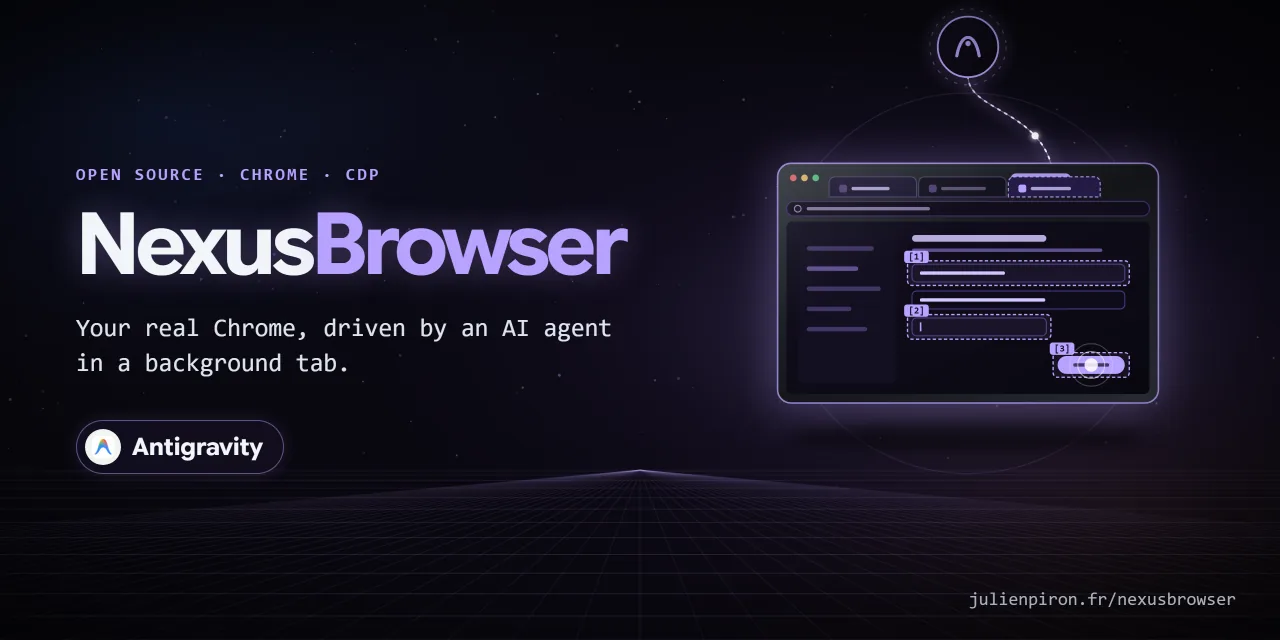
Your real Chrome, driven by AI agents in background tabs. NexusBrowser lets Antigravity, Claude and Codex use
the user's own Chrome (their sessions, their extensions) through one shared local bridge and one MCP server,
nexus-browser. Each agent works in its own background tabs, grouped under its name, with real (trusted) mouse
and keyboard events sent through the Chrome DevTools Protocol, while the user keeps working in their own tabs.
Windows 10/11 · Chrome 116+ · Python 3.14 · MIT licence
Part of the Nexus family: NexusWindows (Claude · Codex · Antigravity), NexusBrowser (repo), NexusAndroid (repo). Project page: julienpiron.fr/nexusbrowser.
Browser automation usually means a separate headless browser (no sessions, no extensions) or screen-level computer use that moves the user's cursor and brings the window to the front. NexusBrowser works inside the browser the user already uses, without activating the agent's tab or window, and keeps the guard rails in the extension and the bridge rather than in the agent: tab ownership, an allowlist of DevTools commands, masked secrets, an emergency stop.
browser_handle_dialog), detailed network capture with response bodies, elements inside cross-origin iframes,
content and Google Docs/Sheets/Slides exports, and downloads.Until 2.4.0 it was published here as "Antigravity Browser Bridge", for Antigravity only. Since 2.6.0 it is a neutral bridge shared by several agents.
49 MCP tools.
Windows 10 or 11 and Google Chrome. No admin rights, nothing else to install first.
Download get.ps1 from the
latest release, right-click it and choose Run with PowerShell. To check the file first, compare its SHA-256
with get.ps1.sha256,
published with it:
(Get-FileHash "$HOME\Downloads\get.ps1" -Algorithm SHA256).Hash
Or, in one line, open PowerShell (Start menu, type PowerShell) and paste:
irm https://raw.githubusercontent.com/pironjulien/NexusBrowser/main/get.ps1 | iex
It installs uv if needed, downloads the latest release into
%LOCALAPPDATA%\NexusBrowser\app, sets up the local bridge and the native host, and declares the nexus-browser
server to every AI client it finds: Claude Code, Claude Desktop, Codex and Antigravity.
Chrome opens chrome://extensions and the extension folder is copied to the clipboard: turn on
Developer mode (top right), click Load unpacked, paste the folder (Ctrl+V) and click Select Folder.
This is the only manual step: outside the Chrome Web Store, Chrome installs an extension this way only. The
installer waits and says when the extension is connected.
Restart your AI app and ask it, for example: "Open https://example.com in a background tab and give me the page as Markdown."
Run it again to update: the folder stays the same, so Chrome keeps the extension and reloads it. The new version
is prepared beside the working one and its Python dependencies are checked first; a failed update puts the
previous version back, installs it again and restarts its bridge.
The bridge can also update a public install itself (the contract shared by the Nexus products): it writes
~\.nexus\status\browser.json (version, latest read from the releases/latest redirect at most once a day,
state, message), GET /api/update returns it and POST /api/update (bridge token) starts the "Nexus Browser
Update" task, which runs get.ps1 outside the bridge and records done or failed (the current version is kept;
deferred while an agent works in Chrome). A clone updates with git instead.
Installed an AI client later? Run it again too. An entry you wrote yourself, or a nexus-browser plugin that already
provides the server, is never changed.
Requirements: uv, PowerShell 7, Node.js for the tests.
git clone https://github.com/pironjulien/NexusBrowser.git
cd NexusBrowser
pwsh -NoProfile -File install.ps1
~\.nexus\nexus-browser (outside the clone);
the per-call journal lives in %LOCALAPPDATA%\NexusJournal\browser\ (see Privacy).Nexus Browser Bridge with no trigger: the bridge starts on demand (first agent call,
schtasks /Run).com.nexus.browser_auth declared to Chrome (HKCU): it computes the extension's proofs, the token never
reaches Chrome.client/mcp_server.py --http, port 16182) with ?agent=antigravity.
Without that token, install.ps1 warns and skips the daemon and this registration; the bridge, native host and
task are still installed. install.ps1 -Register (what the one-line installer runs) declares the server over
stdio to Claude Code, Claude Desktop and Codex, and as a nexus-browser plugin to Antigravity, when found
(scripts/register_clients.py), with NEXUS_BROWSER_AGENT set to the client's name (its tab group); without it,
add the server yourself (see below). NEXUS_PACK=1 (the Nexus pack) runs it with no question, wait or window.Default profile; extra Chrome flags (language...)
can be added with the NEXUS_CHROME_EXTRA_ARGS environment variable (allowlist: --lang, --accept-lang,
--variations-override-country, --disable-features=Glic…, --force-dark-mode; anything else is ignored).com.nexusagy.bridge_auth are removed.Then load extension\ once in chrome://extensions (developer mode, "Load unpacked") and remove the old
"Antigravity Browser Bridge" if present. The extension ID is fixed by the public key in manifest.json
(blcgddmjdkobmgakjffjpgiicjlflgjf), the same on every PC and whatever the folder; it is the only origin the bridge
and the native host accept.
Once the bridge and the extension are installed (above), any MCP client can also start the server straight from PyPI, without the clone:
claude mcp add nexus-browser --scope user -e NEXUS_BROWSER_AGENT=Claude -- uvx nexus-browser
Gemini CLI: gemini extensions install https://github.com/pironjulien/NexusBrowser (the server from PyPI and the
skill, from gemini-extension.json).
Claude Desktop extension: download
nexus-browser.mcpb and drop
it on Claude Desktop's window, or add it in Settings > Extensions (the server is installed from PyPI by uv).
Without the bridge, the server still starts and lists its 49 tools, and every call answers with a clear error that points to the one-time install.
nexus-browser/1): HMAC proofs over both nonces, then every message signed
with a per-connection key and a strict sequence number. HTTP requires X-Nexus-Browser-Token and refuses any
browser origin.scripts/pair-extension.ps1 asks the bridge for a single-use 256-bit secret
(valid 5 minutes, 5 wrong proofs end it, POST /api/pair with the bridge token) and opens
chrome-extension://<id>/pair.html#<secret>; the page clears the secret from its address, proves it both ways, and
both sides derive the extension's key from it and that handshake. The bridge keeps the key for that extension ID
(the announced ID must match the connection's origin), the extension keeps it as a non-extractable WebCrypto key in
its own IndexedDB (never in chrome.storage, which content scripts can read). Same proofs, session key and
signed messages as with the native host, which stays first whenever it is installed. Revoke:
POST /api/pair/revoke.browser_new_tab belongs to that session (chrome.storage.session); any page
command on another tab (the user's, another agent's) is refused. A tab of the user only through
browser_adopt_tab(tab_id, user_asked=True). tab_id is mandatory on
every page tool. A session whose MCP process is gone (or silent for 1.618 x 60 s; servers beat every 37 s) leaves
orphan tabs: the same agent can reclaim (browser_adopt_tab, also automatically at startup), close or release
them; never another agent.browser_list_tabs and browser_active_tab give the full title and URL only of the
caller's own tabs (opened or adopted). The user's and other agents' tabs show their domain only (url = origin,
title null, redacted: true): enough to designate one by id and domain for browser_adopt_tab, never a token
or document id from its URL.install.ps1, identity Installer) may reload the
extension, and only while no agent works in Chrome (no running command, no tab held by a live session). A
download's history entry can be erased only by the client whose tab started it (attributed by
browser_wait_download).browser_cdp_send; every extension script runs in an isolated world (only
browser_eval, the YouTube transcript and browser_cdp_send(..., world="page") touch the page's world).include_values=True); uploads refused by the
bridge itself from secret folders (normalized paths). The value of a password, one-time code or payment card field
(type=password, autocomplete current-password, new-password, one-time-code, cc-number, cc-csc, cc-exp) never
leaves the page: browser_content (html mode included), browser_vision_inspect, browser_find,
browser_axtree and the value read back by browser_fill return [masked value] instead.browser_eval is full access to the page, nothing masked: like browser_cdp_send(Runtime.evaluate) (both
worlds share the document), it reads what the page reads (non-HttpOnly cookies through document.cookie,
localStorage, sessionStorage, IndexedDB, form fields) and its fetch carries the user's session. The masking
above covers the dedicated tools, not scripts nor the raw Chrome replies of browser_cdp_send
(DOM.getOuterHTML, Accessibility.getFullAXTree...): kept on purpose, said plainly in the tool, the skill and
the server instructions. Page.reload with scriptToEvaluateOnLoad is refused (script injected at load).browser_click), Enter / Control+Enter / Space
(browser_press_key, keys of browser_fill), a typed line break
(browser_type_keys) or a drag, the server reads the trigger without any gesture, through the bridge's existing
read paths (find for locators, and a read-only script, client/trigger_probe.js, evaluated by cdp-send in the
extension's isolated world): no new extension action, so it works with the extension already loaded. It reads the
clicked control, or the submit buttons of the focused field's form. When the shared policy
(client/garde-fous.json) sees an outward word (send, pay, buy, order, publish, post, call, transfer, subscribe,
book...), the gesture is refused with a summary of the exact action (target, recipients, form content without
sensitive values, attachments, page origin and path) and a one-time token valid 10 minutes. The agent shows the
summary to the user and, only after their yes, sends the same call again with confirm=true and
accord="<token>". Any change between the accord and the gesture voids it; confirm=true alone is never enough;
a token read in a page is unknown. Submitting a form is outward too when its button says Submit, Soumettre,
Transmettre, Postuler or Valider ma demande and the form carries entered data (free text, an e-mail address, a
phone number, a file) or could not be read; a login form (password field), a search, a filter, an empty form or a
wizard's Next stay free (rule of this browser only: it is the one tool that reads the trigger's form). Neutral
links and buttons stay free. The check fails closed only when the read
really fails (script error, focus in a cross-origin frame, form of a field aimed at by Enter unreadable). Page text
outputs (browser_content, browser_axtree, browser_export, Google and YouTube exports, network bodies) carry
untrusted_note when the text looks like instructions aimed at an AI (a signal only). The CLI runs the same check
but cannot carry a token from one command to the next (one process each): it refuses outward gestures with the
summary and points to the MCP server; every other gesture stays free.document.modelContext, native in Chrome
149+ for sites in the origin trial): browser_webmcp_tools lists them and browser_webmcp_call runs one through
Chrome's own getTools() / executeTool(), evaluated by cdp-send in the extension's isolated world (the page
cannot replace them; no new extension action, no Chrome flag). The call goes through the same accord: a tool the
page marks consequentialHint, or whose name, title, description or form submit button carries an outward word,
or that presents itself as a submission (Submit, Transmettre, Postuler...) and receives entered data, is refused
with the exact call (tool, origin, input with sensitive values masked but bound to the token, page) and a one-time
token. readOnlyHint exempts nothing: it is the page's own claim. The tool runs only if its definition did not
change since the check. Descriptions and outputs are page text (untrusted_note).browser_eval and browser_cdp_send (Runtime.evaluate,
Input.dispatch*) keep full page access by design and can click or submit without this check; the tool
descriptions and the server instructions tell the model never to use them for an outward action. Bare coordinates
of browser_drag_and_drop are not read either.~\.nexus\stop): commands already
running are cancelled (typing, drag, waits), debuggers detached, every action refused for 120 s. The same file
protocol is shared with the NexusWindows agents.browser_release_tab gives a tab back.
The toolbar icon opens a read-only popup: bridge state and tabs per agent.~\.nexus\nexus-browser\bridge-token private.pwsh -NoProfile -File test.ps1 # offline: ruff, Pyright, pytest (real bridge on ephemeral ports), Node tests
pwsh -NoProfile -File test.ps1 -Full # plus real validation in the user's Chrome: --mouse then --full-live
pwsh -NoProfile -File verify.ps1 -Browser # task, native host, bridge reached, loaded extension up to date
test.ps1 uses the environment created by install.ps1.
Updating an existing installation also checks the extension's loaded version/features and reloads it when needed, then reloads the supervised Browser MCP worker. An update defers while an agent owns browser tabs; user tabs are never driven or activated by the refresh. If Chrome is closed, it loads the updated extension files on its next launch; that state is not a live validation.
NexusBrowser runs entirely on your PC: a Chrome extension, a local bridge bound to 127.0.0.1 (authenticated by a
local token) and an MCP server. It has no account, no telemetry, no analytics and no remote server; nothing is sent
to the author or to any third party.
browser_get_cookies is called. Password, code and card values are masked in reads and drawn as dots in
screenshots and PDFs (every frame, cross-origin ones included); console logs are masked like network bodies;
browser_eval and Runtime.evaluate through browser_cdp_send do have full access to the page.~/.nexus/nexus-browser/: the Python environment, the bridge token, bridge.log
(connection and emergency-stop events, rotated at 1 MB, three backups), install.log, screenshots (at most 50,
each kept under 24 hours) and the exports you ask for. The extension keeps tab ownership in Chrome's session
storage, cleared when Chrome closes.~/.nexus/nexus-browser/compteurs.json, one entry per Chrome profile under a random
identifier: no sender, subject or content. Unticked, that profile's entry is removed (the file is deleted when none
is left). This feed is the only non-local address in the extension's content security policy
(connect-src https://mail.google.com, needed for the service worker to fetch it); the Chrome Web Store variant
without the counter (scripts/store_package.py --without-gmail-counter) drops it.%LOCALAPPDATA%\NexusJournal\browser\<agent>\<YYYY-MM>.jsonl (or NEXUS_JOURNAL_HOME), shared
format of the Nexus tools: one line per tool call with the calling AI, the action, the outcome, the duration, the
technique, the registrable domain of the tab (google.com, never the address) and an error category from a fixed
list. Never page text, typed value, title or image. Nothing is sent anywhere; months are kept until you delete
them: delete the browser folder (or single month files) at any time.Nexus Browser Bridge and the
registry key HKCU\Software\Google\Chrome\NativeMessagingHosts\com.nexus.browser_auth, then delete
~/.nexus/nexus-browser/ and %LOCALAPPDATA%\NexusJournal\browser\ (and %LOCALAPPDATA%\NexusBrowser\ after
the one-line install). The nexus-browser entries the installer declared: claude mcp remove nexus-browser -s user,
[mcp_servers.nexus-browser] in ~/.codex/config.toml, Antigravity's plugins/nexus-browser folder, and
nexus-browser under mcpServers in Claude Desktop's claude_desktop_config.json.Questions or concerns: open an issue on this repository.
chrome.debugger). While the debugger is attached, Chrome shows its "is
being debugged" banner on the agent tab. Protected pages (chrome://, the Web Store) cannot be scripted.<form>, dialogs and the nearest block holding a field and a button (at most 3 fields, like a chat composer);
recipients shown as custom chips are read only when they carry an email attribute. The token proves that this
exact action was described before running unchanged, not who said yes: the agent stays the only channel between
the user and the tool.readOnlyHint exempts nothing (a page's claim proves no absence of outward effect), consequentialHint
only adds the accord, and tools of a cross-origin iframe are listed only when that frame exposes them to the top page (exposedTo), as the spec
requires. Chrome's CDP WebMCP domain (used by Chrome DevTools MCP) is not used: it needs Chrome started with
--enable-features=DevToolsWebMCPSupport.MIT, see LICENSE. Copyright (c) 2026 Julien Piron.
NexusBrowser: your real Chrome driven by AI agents (Antigravity, Claude, Codex) in background tabs, through a local bridge and an MCP server.
{ "mcpServers": { "pironjulien-nexusbrowser": { "command": "mcpb", "args": [ "https://github.com/pironjulien/NexusBrowser/releases/download/v2.37.3/nexus-browser-win-x64.mcpb" ], "env": { "NEXUS_BROWSER_AGENT": "<value>" } } }}工具
尚無工具清單。遠端伺服器會在首次健康檢查後取得工具清單。
常見問題
在本頁複製適用於 Cursor、Claude Desktop、Claude Code 或 VS Code 的 stdio 設定。它使用發布者的安裝方式,而不是 PlugMCP 代理伺服器。
發布者列出了以下環境變數:NEXUS_BROWSER_AGENT。
NexusBrowser 透過 stdio 在本機執行。
上次檢查時間:2026-11-12。 NexusBrowser: your real Chrome driven by AI agents (Antigravity, Claude, Codex) in background tabs, through a local bridge and an MCP server.