Your backend, your choice. Ollama, LM Studio, vLLM, llama.cpp, KoboldCpp, or a cloud API key (Groq, Gemini, OpenRouter, Anthropic, OpenAI).
Built for self-hosted setups. MCP support for Home Assistant and custom tool servers. Primary plus LAN/Tailscale fallback URL.
Built on HeliBoard. Themes, layouts, dictionaries, clipboard history, glide typing, one-handed mode, split keyboard. All preserved.
No telemetry. No analytics. Password fields blocked. API keys encrypted (AES-256-GCM). Clipboard and device actions opt-in.
Use it where you already type. Toolbar buttons, inline // commands, voice, home-screen widget, Quick Settings tile, share sheet, Android text selection menu.
Features
AI in every text field
Rewrite, translate, summarize, or adjust tone without leaving the app you're in
Inline // commands with chaining (e.g. //formal, //grammar, //shorten)
Configurable toolbar shortcuts with per-slot model and instruction
Clipboard context: copy a message, type your reply, AI uses the context automatically
Preview panel: see results before applying, with retry, copy, and dismiss
Undo: tap again after AI processing to restore original text
Your backend, your choice
Ollama, LM Studio, vLLM, llama.cpp, KoboldCpp, or any OpenAI-compatible server
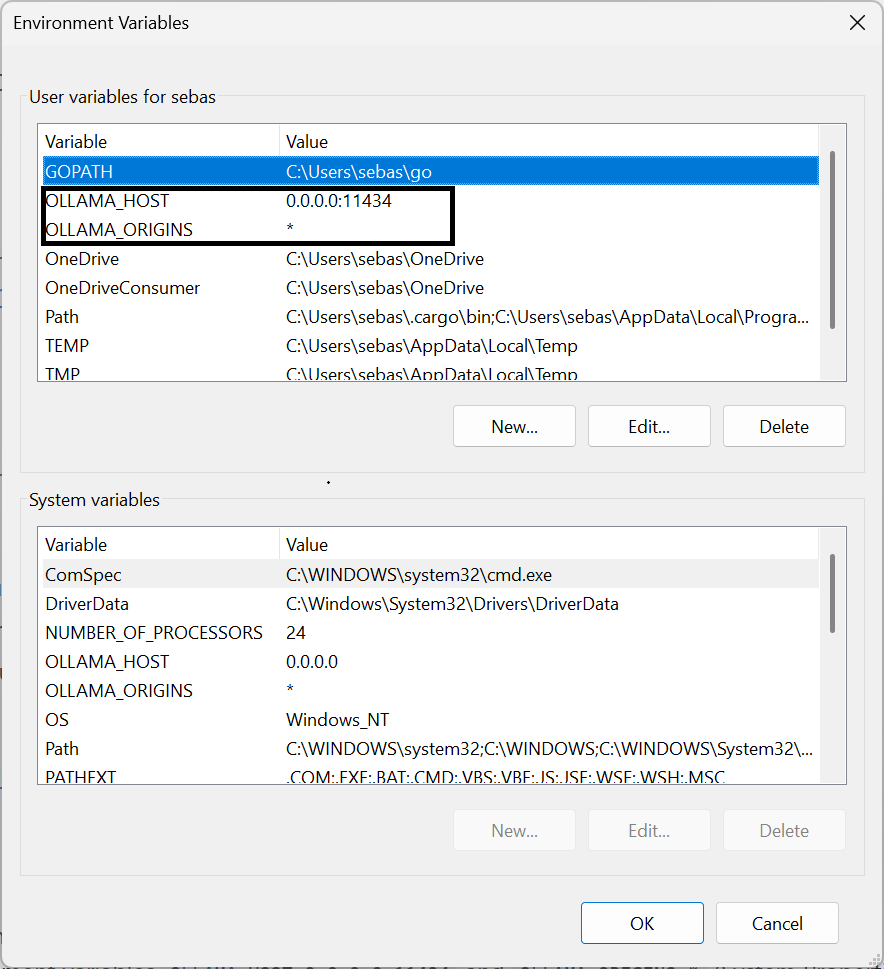
Enter your computer's IP address (e.g. http://192.168.1.100:11434)
Tap Test connection to verify
Pick a model from the list
Optional: set an alternate connection for Tailscale or LAN access
The AI demo lets you test your setup before finishing
Supported backends
Backend
Type
Setup
Ollama
Local
Server URL
LM Studio
Local
Server URL (OpenAI-compatible)
vLLM / llama.cpp / KoboldCpp
Local
Server URL (OpenAI-compatible)
ONNX (T5)
On-device
Import model files
Gemini
Cloud
API key (free tier available)
Groq
Cloud
API key (free tier available)
OpenRouter
Cloud
API key (free models available)
Anthropic
Cloud
API key
OpenAI
Cloud
API key
Security
Deskdrop takes security seriously. A keyboard has access to everything you type, so trust matters.
API key encryption - All keys stored with AES-256-GCM via Android EncryptedSharedPreferences. Never logged, only held in memory during use.
SSRF protection - fetch_url blocks requests to private/internal IP ranges (loopback, link-local, site-local), preventing prompt injection attacks from scanning your local network.
Prompt injection mitigation - Clipboard reading and device actions (calendar, calls, SMS, navigation) are gated behind explicit user opt-in. Both off by default.
No data backup - allowBackup="false" prevents ADB or cloud export of app data.
Audio cleanup - Whisper WAV files are deleted immediately after transcription.
Streaming OOM prevention - Per-line 1MB character limit on streaming responses. Non-streaming responses capped at 10MB download, 20,000 characters to model context.
Password field protection - All AI shortcuts are blocked in password fields.
Destructive action confirmation - Calendar update/delete requires two-step confirmation: the AI first shows a preview, asks the user to confirm, then executes only after explicit approval.
Input validation - Phone numbers validated against format regex. All URI parameters encoded. All ContentResolver queries use parameterized selection arguments (no SQL injection).
Contact data minimization - Contact lookups return max 3 contacts with max 2 phone numbers and 1 email each.
Tool loop cap - Maximum 5 tool calls per AI turn, preventing runaway tool execution.
For a complete technical reference of all settings, shortcuts, and internals, see DESKDROP_REFERENCE.md.
Requirements
Android 9.0 (API 28) or higher
For local AI: an Ollama or OpenAI-compatible server reachable from your phone (Tailscale recommended)
For cloud AI: an API key from any supported provider
For voice (Whisper): a Whisper-compatible server (e.g. Speaches)
FAQ
Is this on the Play Store?
Not yet. Keyboard apps that access network services face a stricter review path, so for now it's distributed as an APK via GitHub Releases.
Does Deskdrop send my typing anywhere?
Only when you explicitly trigger an AI action (Assist, Tone, Voice, Conversation, etc.). Normal typing stays local. If you pick a local backend, nothing leaves your network.
Do I need Ollama?
No. You can use any OpenAI-compatible server, on-device ONNX inference, or a cloud provider. Ollama is the default because it's the easiest to set up.
Does it work offline?
Typing, themes, layouts, clipboard history, and glide typing all work offline. AI features need either a local server on your network or a cloud provider. ONNX runs fully on-device.
Is there a desktop companion?
In development. The idea is cross-device conversation sync over Tailscale, with the keyboard and a Windows app sharing the same chat history. Not released yet.
Why a fork of HeliBoard?
HeliBoard is a mature open-source keyboard with a privacy-focused feature set. Forking gives a solid keyboard foundation so the AI layer can be built on top instead of reinventing input handling.
Based on
Deskdrop is built on HeliBoard, an open-source privacy-focused keyboard for Android. All original HeliBoard features (themes, layouts, dictionaries, clipboard history, glide typing, one-handed mode, split keyboard) are fully preserved.