projektor
AI-native project management, self-hosted on Cloudflare.
· ·
接入你的智能体
從發布者安裝。不是 PlugMCP 端點。
遠端 URL 還是本機指令? 兩種安裝方式的差異
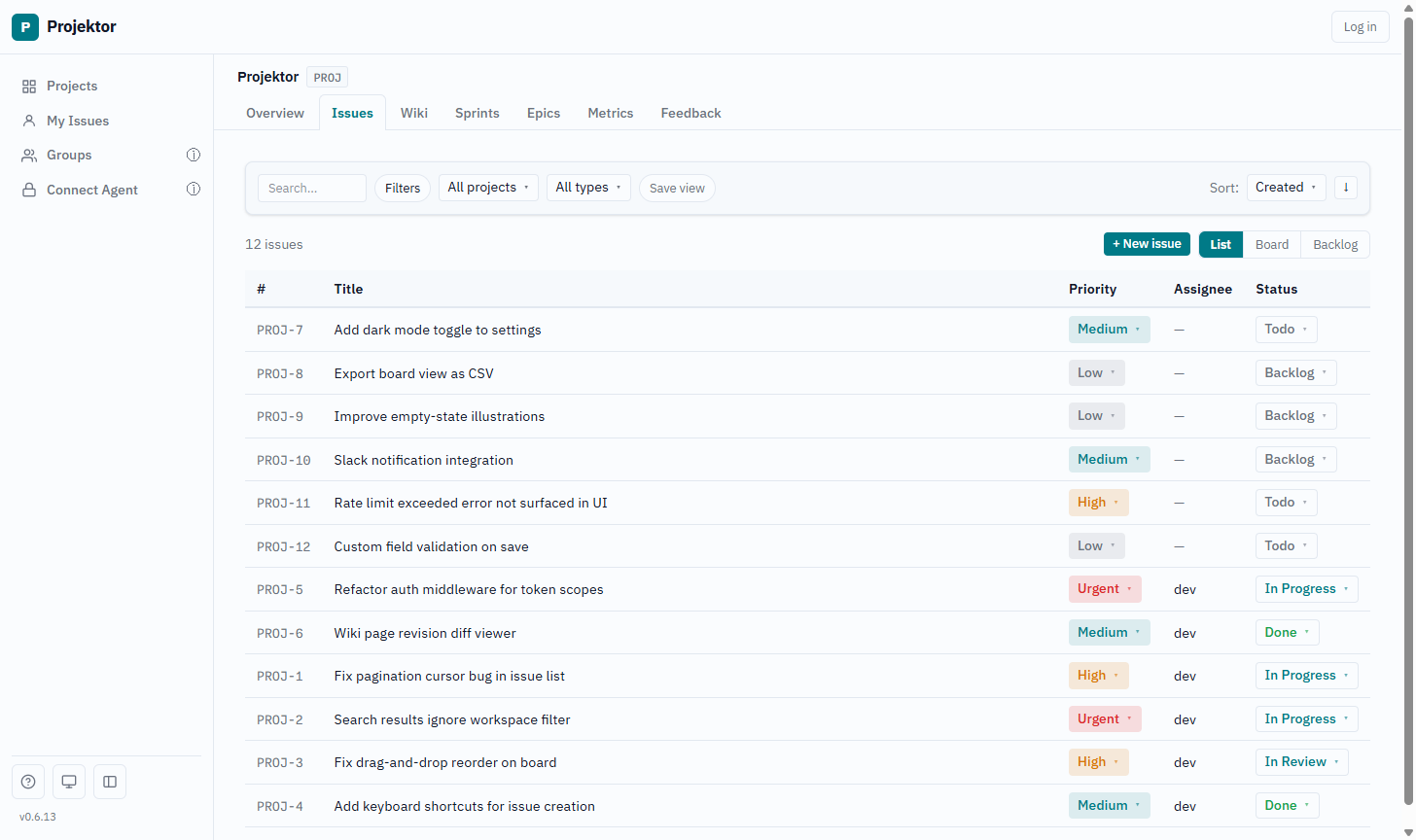
Projektor is an issue tracker and wiki that an AI coding agent runs as well as you do. Issues, boards, sprints and a wiki are exposed over MCP (123 tools across 23 domains), so the agent files the ticket, moves it and writes the page instead of asking you to. The whole thing is one Cloudflare Worker (Hono, D1, KV, R2) in your own account. No servers, no containers.
Deploy. The one-click Deploy to Cloudflare button in projektor-deploy-example provisions D1, KV and R2 and installs a pre-built release. Put Cloudflare Access in front of the Worker before anyone logs in. See the deploy guide.
Connect Claude. Add your instance as a connector and sign in with your web UI account;
Claude Code does it with claude mcp add --transport http projektor "https://<host>/mcp/<workspace-id>".
Headless agents use a workspace API token instead. See
connecting an agent.
pnpm install
cp apps/api/.dev.vars.example apps/api/.dev.vars   # DEV_USER_EMAIL + BOOTSTRAP_SECRET
cp apps/web/.env.example      apps/web/.env        # PUBLIC_WORKSPACE_SLUG=projektor
pnpm dev                                           # API :8787, web :4321

pnpm --filter @projektor/api test   # vitest against an in-process Worker + D1
pnpm turbo type-check               # tsc --noEmit across the monorepo
Seed a workspace with curl -H "X-Bootstrap-Secret: localdev" http://127.0.0.1:8787/bootstrap,
then open http://localhost:4321. AGENTS.md has the full pre-PR checklist
and the conventions.
Projektor is built with itself. CONTRIBUTING.md explains how issues and PRs are handled, SECURITY.md how to report a vulnerability. Licensed under MIT.
Self hosted Wiki + Jira-style AI native issue tracker on Cloudflare Workers
工具
尚無工具清單。遠端伺服器會在首次健康檢查後取得工具清單。
常見問題
在本頁複製適用於 Cursor、Claude Desktop、Claude Code 或 VS Code 的 stdio 設定。它使用發布者的安裝方式,而不是 PlugMCP 代理伺服器。
這筆記錄未列出必要的環境變數。
Projektor 透過 stdio 在本機執行。
上次檢查時間:2026-10-27。 Self hosted Wiki + Jira-style AI native issue tracker on Cloudflare Workers