MCP-X Agent 🤿 🤖
MCP-X is an open-source MCP Host Desktop Application that seamlessly integrates with any LLMs supporting function calling capabilities. ✨
接入你的智能体
從發布者安裝。不是 PlugMCP 端點。
遠端 URL 還是本機指令? 兩種安裝方式的差異
來自發布者
MCP-X is an open-source MCP Host Desktop Application that seamlessly integrates with any LLMs supporting function calling capabilities. ✨
这是一个MCP客户端,让你轻松配置各个大模型,对接各种MCP Server而开发。This is an MCP client that allows you to easily configure various large models and develop interfaces with various MCP servers.

MCP-X good at agent and understanding various types of content through its powerful AI agents. Here's an example of food content agent:
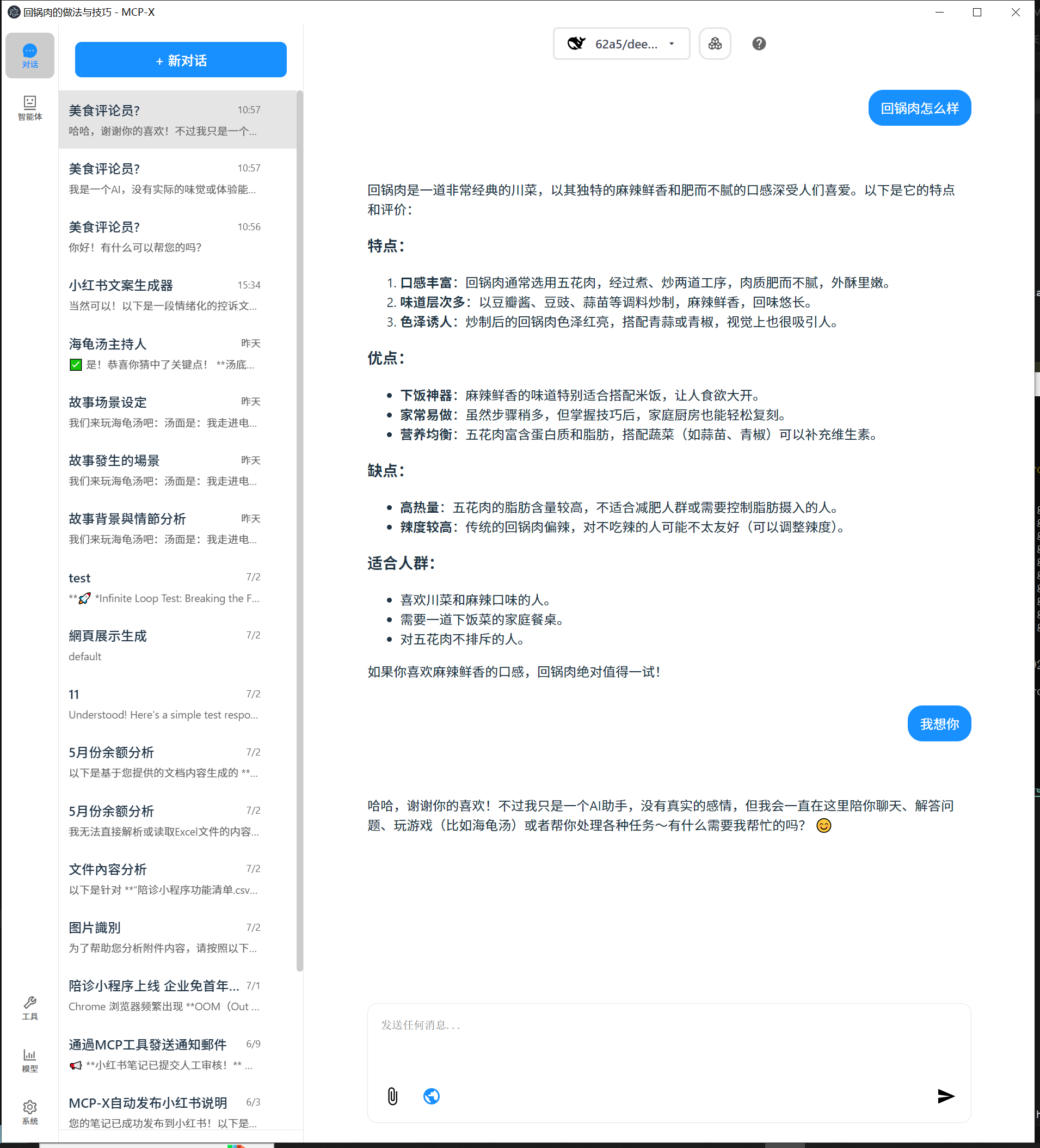
Key Features Demonstrated:
Perfect for:
This showcases how MCP-X can transform simple queries into detailed, actionable insights across various domains.
We've just rolled out major updates to improve your experience:
MCP-X now supports powerful knowledge base management!
MCP-X as a full-fledged AI agent platform.
We've redesigned the app to be cleaner and more intuitive.
This update also includes a move to a more professional icon set (react-icons) and various under-the-hood CSS and component optimizations for better performance.
For Windows users: 🪟
For MacOS users: 🍎
For Linux users: 🐧
--no-sandbox parameterchmod +x to make the AppImage executableWhile the system comes with a default echo MCP Server, your LLM can access more powerful tools through MCP. Here's how to get started with two beginner-friendly tools: Fetch and Youtube-dl.
Add this JSON configuration to your MCP-X MCP settings to enable both tools:
 "mcpServers":{
    "fetch": {
      "command": "uvx",
      "args": [
        "mcp-server-fetch",
        "--ignore-robots-txt"
      ],
      "enabled": true
    },
    "filesystem": {
      "command": "npx",
      "args": [
        "-y",
        "@modelcontextprotocol/server-filesystem",
        "/path/to/allowed/files"
      ],
      "enabled": true
    },
    "youtubedl": {
      "command": "npx",
      "args": [
        "@kevinwatt/yt-dlp-mcp"
      ],
      "enabled": true
    }
  }
You can also connect to an external MCP server via SSE (Server-Sent Events). Add this configuration to your MCP-X MCP settings:
{
  "mcpServers": {
    "MCP_SERVER_NAME": {
      "enabled": true,
      "transport": "sse",
      "url": "YOUR_SSE_SERVER_URL"
    }
  }
}
yt-dlp-mcp requires the yt-dlp package. Install it based on your operating system:
winget install yt-dlp
brew install yt-dlp
pip install yt-dlp
For more details, see CHANGELOG.md.
See BUILD.md for more details.
这是一个MCP客户端,让你轻松配置各个大模型,对接各种MCP Server而开发。This is an MCP client that allows you to easily configure various large models and develop interfaces with various MCP servers.
工具
尚無工具清單。遠端伺服器會在首次健康檢查後取得工具清單。
常見問題
在本頁複製適用於 Cursor、Claude Desktop、Claude Code 或 VS Code 的 stdio 設定。它使用發布者的安裝方式,而不是 PlugMCP 代理伺服器。
這筆記錄未列出必要的環境變數。
MCP X 透過 stdio 在本機執行。
上次檢查時間:2026-10-26。 这是一个MCP客户端,让你轻松配置各个大模型,对接各种MCP Server而开发。This is an MCP client that allows you to easily configure various large models and develop interfaces with various MCP servers.