wechat-reader
面向 AI Agent 的微信公众号阅读工具,提供 CLI、MCP server 和 Python API,可复用用户已登录、已验证的浏览器会话。
wechat-reader 适合这样的场景:用户已经有一个真实浏览器窗口可以手动完成微信验证,而 agent 需要一个结构化、可重试、可诊断的阅读接口。

接入你的智能体
從發布者安裝。不是 PlugMCP 端點。
遠端 URL 還是本機指令? 兩種安裝方式的差異
來自發布者
面向 AI Agent 的微信公众号阅读工具,提供 CLI、MCP server 和 Python API,可复用用户已登录、已验证的浏览器会话。
wechat-reader 适合这样的场景:用户已经有一个真实浏览器窗口可以手动完成微信验证,而 agent 需要一个结构化、可重试、可诊断的阅读接口。
面向 AI Agent 的微信公众号文章阅读工具。提供 CLI、MCP server 和 Python API。
如果你的 AI agent 或自动化流程需要可靠地读取微信公众号文章,这个工具就是为你准备的。
问题: 微信文章链接对程序化访问极不友好。用 curl、requests、web_fetch 直接抓取,经常拿到空白页、验证码页或登录墙——而且是静默失败,你的 agent 甚至不知道自己拿到的是垃圾。
这个工具的不同之处:
ok、captcha_required、rate_limited),agent 知道到底发生了什么典型使用场景:
不适合你的情况: 偶尔读一篇微信文章——直接复制粘贴更快。这个工具是为微信链接频繁出现在自动化流程中、需要每次都能读通的场景设计的。
wechat-reader:直接在终端里读取、打开、诊断微信文章页面wechat-reader-mcp:把同样的能力暴露给 Claude、Codex 等支持 MCP 的宿主wechat_reader:在你自己的 Python 工具里直接调用要求 Python 3.11+。
git clone https://github.com/xiguawang/wechat-reader.git
cd wechat-reader
uv sync
uv run playwright install chromium
如果你不使用 uv,也可以退回到:
pip install -e .
python -m playwright install chromium
wechat-reader read "https://mp.weixin.qq.com/s?..." --json
wechat-reader setup
wechat-reader-mcp
from wechat_reader import read_article_sync

result = read_article_sync("https://mp.weixin.qq.com/s?...", strategy="auto", timeout=30)
print(result.status, result.title)
attach、launch、playwright、auto 四种浏览器策略ok、captcha_required、rate_limited 等结构化状态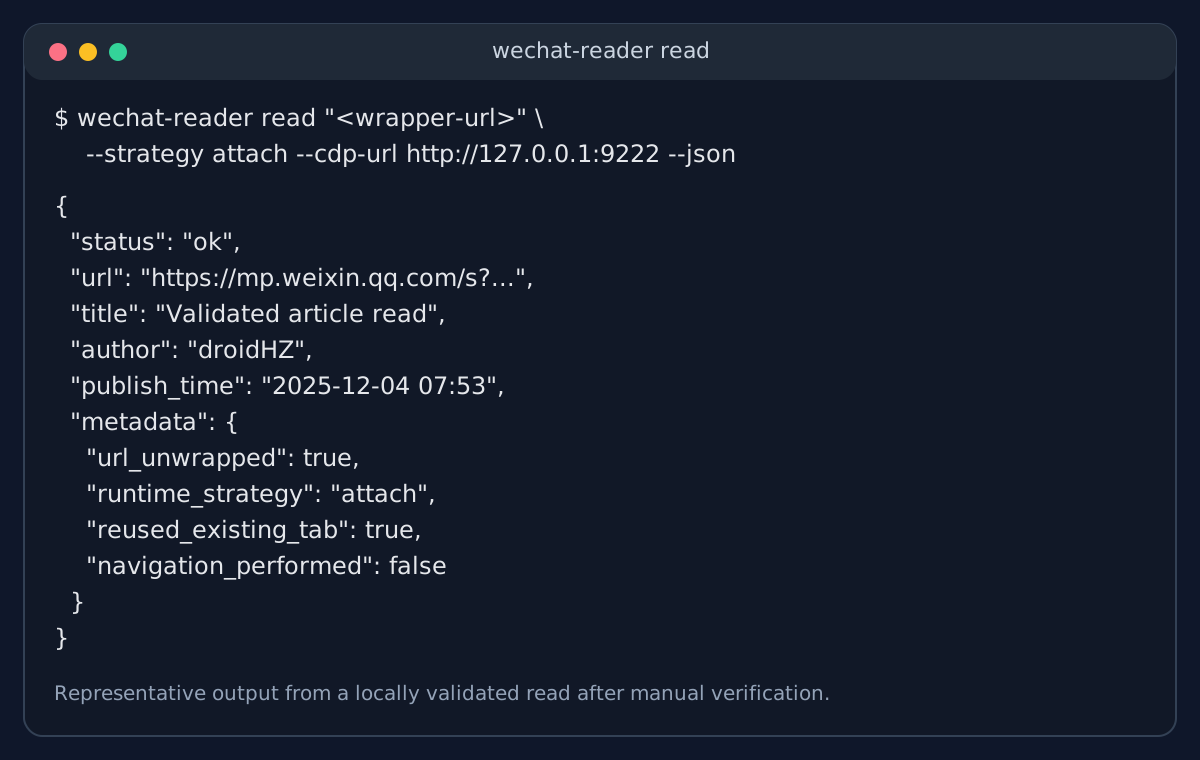
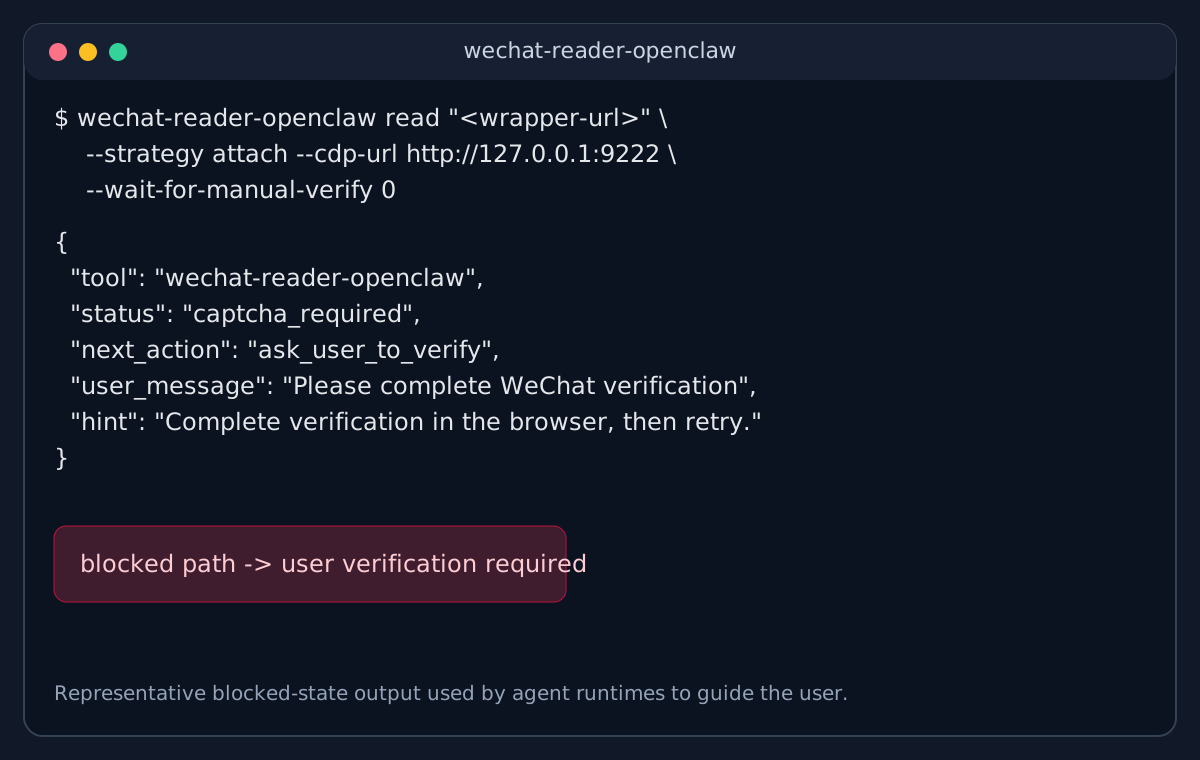
项目内置了一个 stdio MCP server:
wechat-reader-mcp
当前暴露的 tools:
wechat_read_articlewechat_open_articlewechat_list_tabswechat_read_current_tabwechat_get_statuswechat_setupsetupwechat-reader setup
wechat-reader setup --json
tabswechat-reader tabs --wechat-only
wechat-reader tabs --wechat-only --json
openwechat-reader open "https://mp.weixin.qq.com/s?..." \
--strategy launch \
--channel chrome \
--json
readwechat-reader read "https://mp.weixin.qq.com/s?..." \
--strategy auto \
--timeout 30 \
--json
如果输入的是微信验证包装链接,例如 mp/wappoc_appmsgcaptcha?...&target_url=...,工具会先解包到真实文章 URL,再做 tab 匹配和导航,避免把已验证页面重新带回验证码入口。
wechat-reader 不是一个承诺“稳定绕过微信风控”的通用抓取器。
EPERMMIT
面向 AI Agent 的微信公众号文章阅读工具。提供 CLI、MCP server 和 Python API。
工具
尚無工具清單。遠端伺服器會在首次健康檢查後取得工具清單。
常見問題
在本頁複製適用於 Cursor、Claude Desktop、Claude Code 或 VS Code 的 stdio 設定。它使用發布者的安裝方式,而不是 PlugMCP 代理伺服器。
這筆記錄未列出必要的環境變數。
Wechat Reader 透過 stdio 在本機執行。
上次檢查時間:2026-10-27。 面向 AI Agent 的微信公众号文章阅读工具。提供 CLI、MCP server 和 Python API。
