Kanban MCP
A full-featured Kanban board with integrated Model Context Protocol (MCP) server, allowing AI coding agents to manage projects and tasks programmatically.
接入你的智能体
从发布者处安装。不是 PlugMCP 端点。
远程 URL 还是本机命令? 两种安装方式的区别
来自发布者
A full-featured Kanban board with integrated Model Context Protocol (MCP) server, allowing AI coding agents to manage projects and tasks programmatically.
A full-featured Kanban board with integrated Model Context Protocol (MCP) server, allowing AI coding agents to manage projects and tasks programmatically.
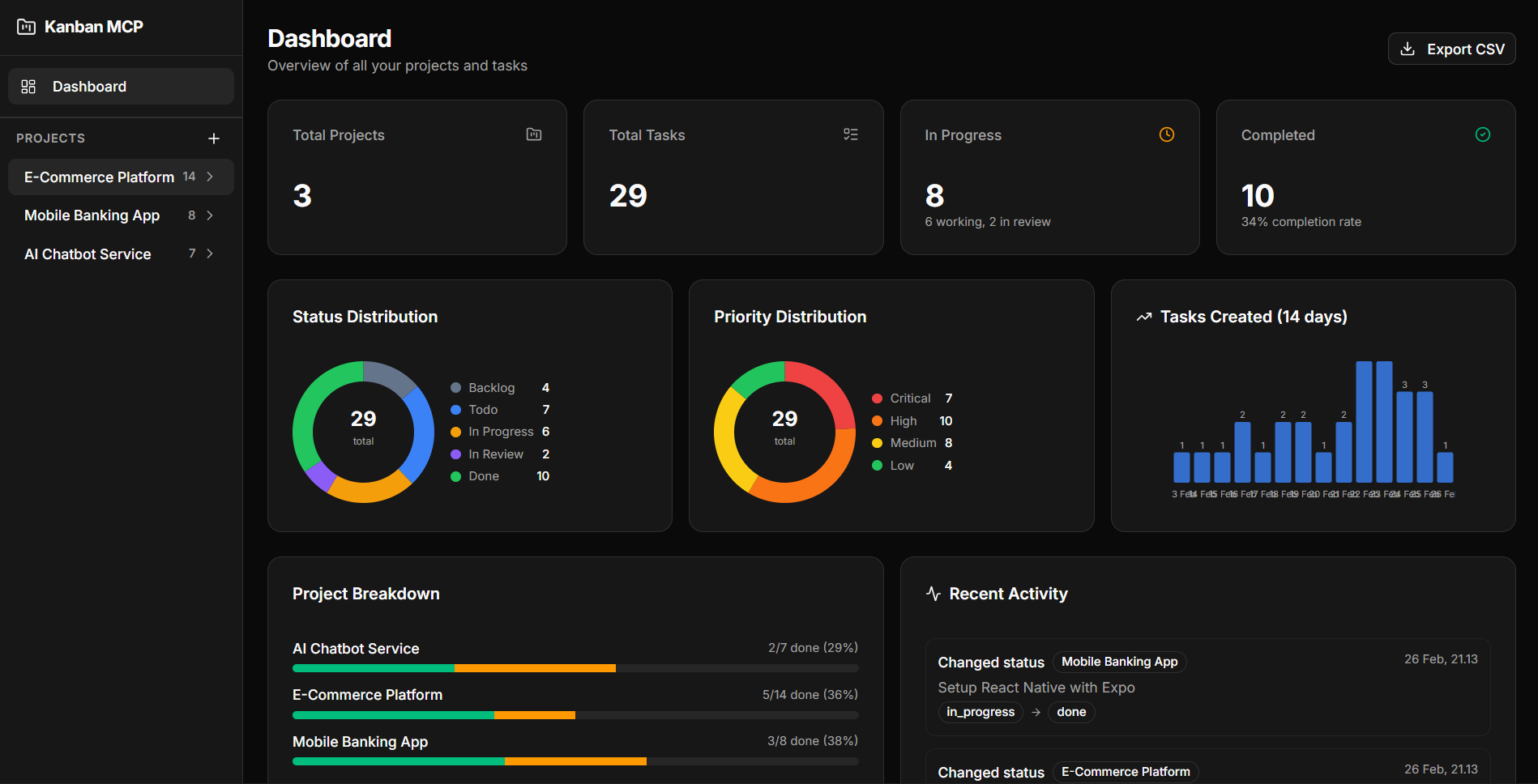
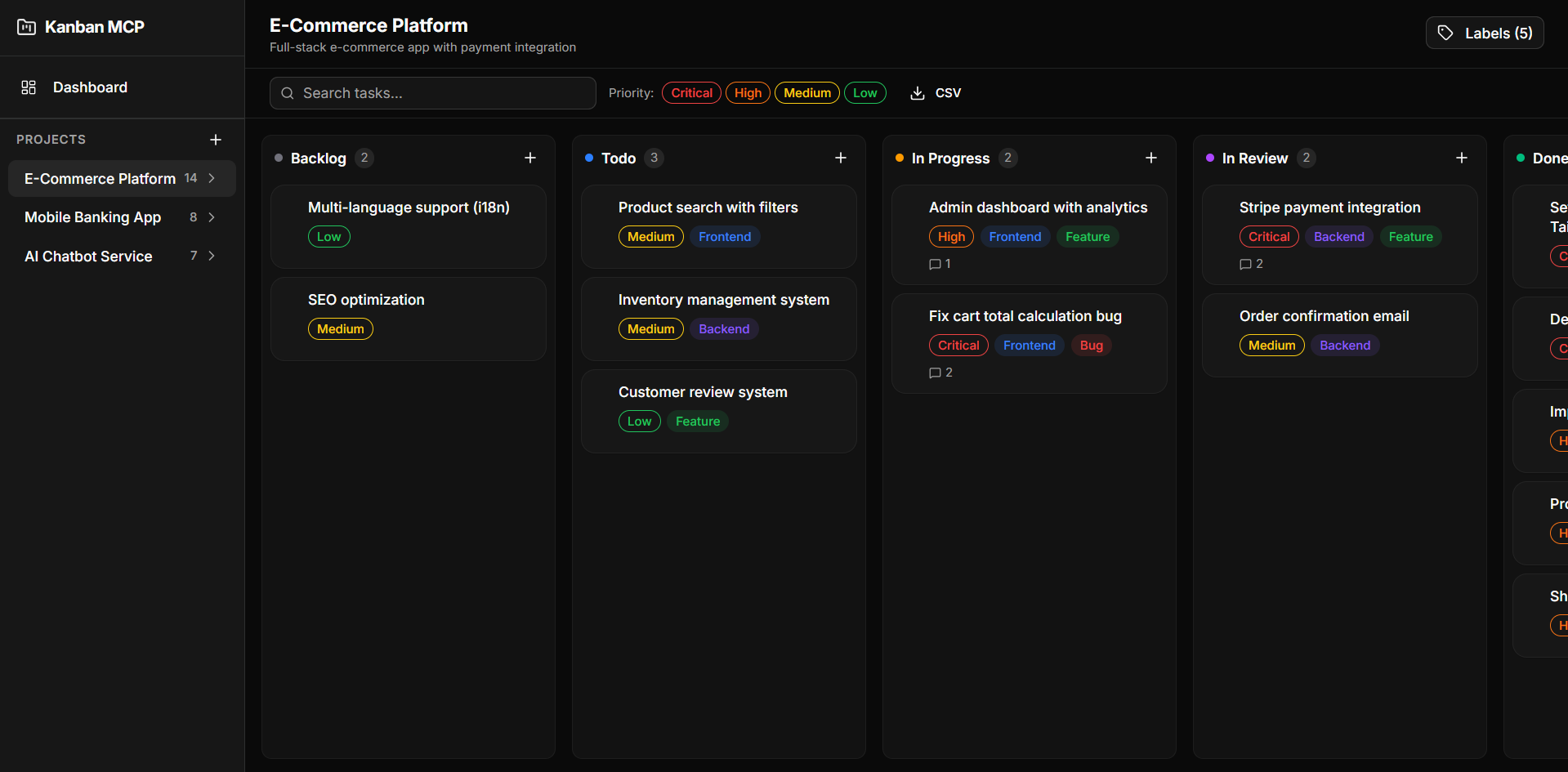
git clone https://github.com/dzikrihilman/kanban-mcp.git
cd kanban-mcp
npm install
npm run db:generate
npm run db:migrate
npm run dev
Open http://localhost:3000.
The MCP server exposes project and task management as tools for AI coding agents (Claude, Cursor, Windsurf, etc).
npm run mcp:start
Add the following to your MCP client configuration:
Claude Desktop (claude_desktop_config.json):
{
  "mcpServers": {
    "kanban-mcp": {
      "command": "npx",
      "args": ["tsx", "/absolute/path/to/kanban-mcp/src/mcp-server/index.ts"]
    }
  }
}
Cursor / Windsurf / Antigravity (mcp_config.json):
{
  "mcpServers": {
    "kanban-mcp": {
      "command": "npx",
      "args": ["tsx", "/absolute/path/to/kanban-mcp/src/mcp-server/index.ts"]
    }
  }
}
Replace
/absolute/path/to/kanban-mcpwith the actual path to your project.
Once configured, your AI agent can:
"Create a new project called 'My App' and add 3 tasks to it"
"Move task X to in_progress"
"Show me the dashboard summary"
"Export all tasks as CSV"
src/
├── app/
│   ├── api/              # API routes
│   │   ├── activity/     # Activity log
│   │   ├── analytics/    # Analytics data
│   │   ├── comments/     # Comments CRUD
│   │   ├── dashboard/    # Dashboard summary
│   │   ├── export/       # CSV export
│   │   ├── labels/       # Labels CRUD
│   │   ├── projects/     # Projects CRUD
│   │   ├── task-labels/  # Task-label junction
│   │   └── tasks/        # Tasks CRUD + reorder
│   ├── projects/[id]/    # Kanban board page
│   └── page.tsx          # Dashboard page
├── components/
│   ├── charts/           # DonutChart, MiniBarChart
│   ├── dashboard/        # DashboardView
│   ├── kanban/           # Board, Column, Card, FilterBar, etc.
│   ├── layout/           # AppSidebar
│   └── ui/               # shadcn/ui components
├── hooks/
│   └── useKanbanStore.ts # Zustand store
├── lib/db/
│   ├── schema.ts         # Drizzle schema
│   ├── index.ts          # DB client
│   └── migrate.ts        # Migration runner
├── mcp-server/
│   ├── index.ts          # MCP server (13 tools, 4 resources)
│   └── db-client.ts      # Standalone DB client for MCP
└── types/
    └── index.ts          # Shared types
To make your AI agent automatically track every development task using Kanban MCP, you can add a system prompt and/or install it as a skill.
Add the system prompt from docs/SYSTEM_PROMPT.md to your AI agent configuration. This instructs the agent to:
[Feature], [Fix], [Refactor], [Docs], [Test])See the file for setup instructions for Claude Desktop, Cursor, Windsurf, and Antigravity.
Copy docs/SKILL.md to your Antigravity skills folder:
mkdir -p ~/.gemini/antigravity/skills/kanban-mcp
cp docs/SKILL.md ~/.gemini/antigravity/skills/kanban-mcp/SKILL.md
Once installed, the agent will automatically activate the skill when it detects keywords like task, project, kanban, track, progress, todo, or backlog.
See docs/SKILL.md for the full workflow reference and rules.
MIT
A full-featured Kanban board with integrated Model Context Protocol (MCP) server, allowing AI coding agents to manage projects and tasks programmatically.
工具
暂无工具列表。远程服务器在首次健康检查后会获得工具列表。
常见问题
在本页复制适用于 Cursor、Claude Desktop、Claude Code 或 VS Code 的 stdio 配置。它使用发布者的安装方式,而不是 PlugMCP 代理。
此记录未列出必需的环境变量。
Kanban 通过 stdio 在本地运行。
上次检查时间:2026-11-05。 A full-featured Kanban board with integrated Model Context Protocol (MCP) server, allowing AI coding agents to manage projects and tasks programmatically.
