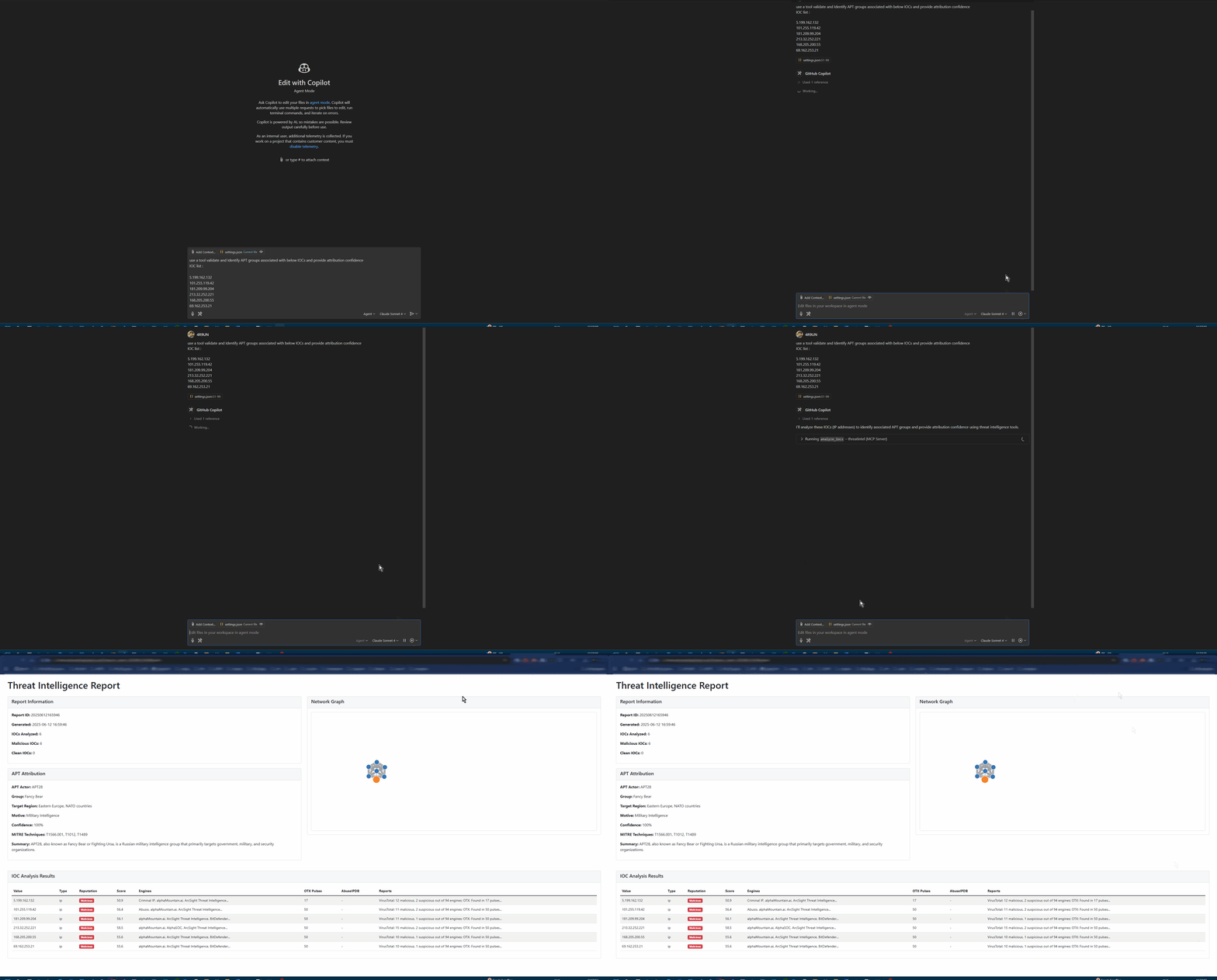
🚀 MCP AI Powered Threat Intelligence - Revolutionizing CybersecurityBuilt by Arjun Trivedi (4R9UN) - Enterprise-Grade Threat Intelligence Platform
A comprehensive Model Context Protocol (MCP) server that provides enterprise-grade threat intelligence capabilities through natural language AI prompts. Analyze IPs, domains, URLs, and file hashes across multiple threat intelligence platforms with advanced APT attribution and interactive reporting.
✨ Why FastMCP ThreatIntel?
🎯 Purpose-Built for Modern Security Teams
🤖 AI-First Design: Natural language queries with intelligent IOC detection
🔗 MCP Integration: Seamless integration with Claude Desktop, VSCode (Roo-Cline), and other AI assistants
⚡ Lightning Fast: UV-powered development with optimized async processing
🏢 Enterprise Ready: Production-grade Docker containers and Kubernetes support
🔍 Multi-Source Intelligence
VirusTotal: File and URL reputation analysis with 70+ antivirus engines
AlienVault OTX: Community-driven threat intelligence and IOC feeds
AbuseIPDB: IP reputation and geolocation with abuse confidence scoring
IPinfo: Enhanced geolocation, ASN, and infrastructure data
🤖 AI-Powered Analysis
Natural Language Interface: Query threats using plain English
Advanced APT Attribution: Confidence-scored attribution with MITRE ATT&CK mapping
Intelligent IOC Detection: Auto-detects IP addresses, domains, URLs, and file hashes
📦 Python Package: Embed in your applications and workflows
🏗️ Architecture
graph TB
    A[AI Assistant] --> B[MCP Protocol]
    C[CLI Interface] --> D[Core Engine]
    B --> D

    D --> E[IOC Processor]
    D --> F[Attribution Engine]
    D --> G[Report Generator]

    E --> H[VirusTotal API]
    E --> I[OTX API]
    E --> J[AbuseIPDB API]
    E --> K[IPinfo API]

    F --> L[APT Patterns]
    F --> M[MITRE ATT&CK]

    G --> N[HTML Reports]
    G --> O[JSON Export]
    G --> P[STIX Output]
🚀 Quick Start
Choose your preferred installation method and get started in minutes:
🐍 pip (Fastest)
# Install from PyPI
pip install fastmcp-threatintel

# Interactive setup wizard
threatintel setup

# Analyze your first IOC
threatintel analyze 8.8.8.8 --output-format table --verbose
🐳 Docker (Production Ready)
# Pull and run with your API keys
docker pull arjuntrivedi/fastmcp-threatintel:latest
docker run -e VIRUSTOTAL_API_KEY=your_key \
           -e OTX_API_KEY=your_key \
           arjuntrivedi/fastmcp-threatintel:latest \
           analyze 192.168.1.1
🔥 UV (Developer Recommended)
# Clone and install with UV
git clone https://github.com/4R9UN/fastmcp-threatintel.git
cd fastmcp-threatintel
uv sync

# Run interactive setup
uv run threatintel setup

# Start analyzing
uv run threatintel interactive
📦 Poetry (Traditional)
# Clone and install with Poetry
git clone https://github.com/4R9UN/fastmcp-threatintel.git
cd fastmcp-threatintel
poetry install

# Activate and run
poetry shell
threatintel analyze example.com --output-format html --open-browser
⚙️ Configuration
🔑 API Keys Setup
Get your free API keys and unlock the full potential:
"Analyze IP 8.8.8.8 for security threats and provide geolocation data"
"Check if domain example.com has any malicious associations"
"Perform comprehensive threat analysis on 185.220.101.1 with APT attribution"
"Generate a security incident report for these IOCs: [list]"
We welcome contributions from the cybersecurity community!
Quick Start
# Fork and clone
git clone https://github.com/YOUR_USERNAME/fastmcp-threatintel.git
cd fastmcp-threatintel

# Setup development environment
uv sync --dev
uv run pre-commit install

# Make your changes and test
uv run pytest
uv run ruff format . && uv run ruff check .

# Submit your PR
git push origin feature/your-feature