Docs: https://bkraad47.github.io/ramen/ · Get started · How it works · · · · · · ·
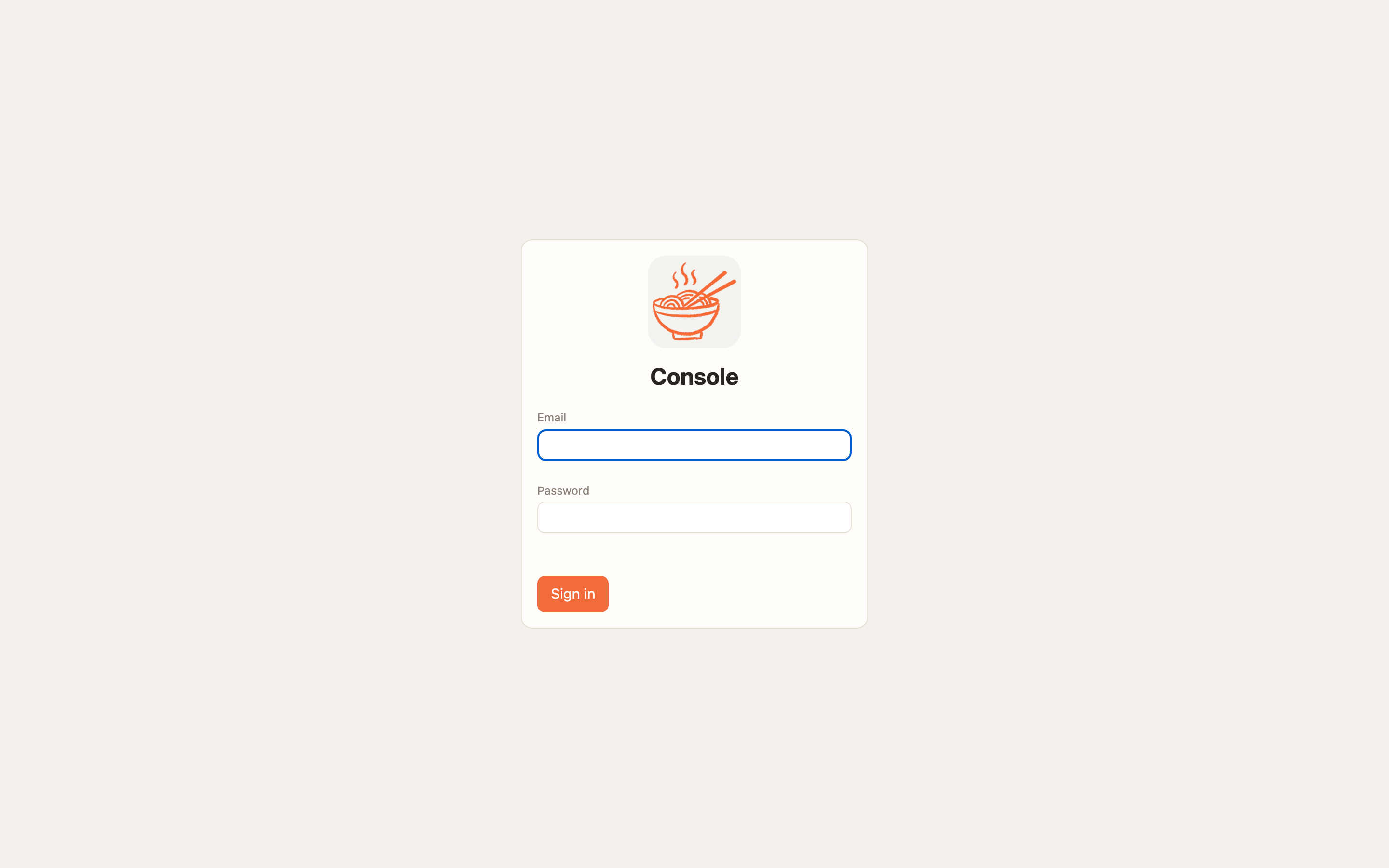
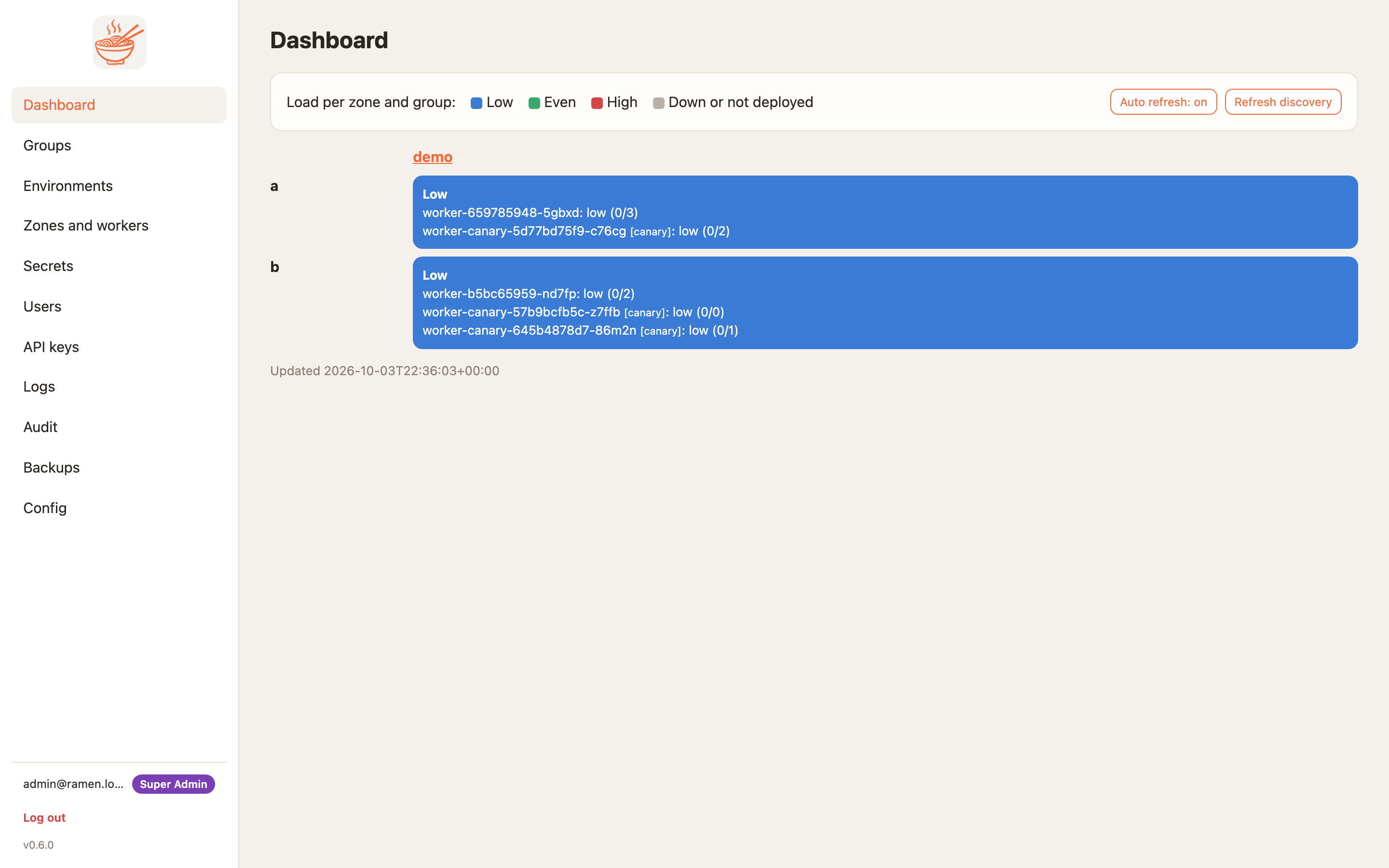
| Login | Dashboard, load per zone and group |
|---|---|
 |  |
接入你的智能体
发布者自己的 URL。不是 PlugMCP 端点。
用我们的密钥与日志托管一份副本。
https://{ramen_edge}/mcp上方的 Claude 按钮会打开 Claude,并填好名称和 URL。你仍需在那里确认。
claude mcp add --transport http bkraad47-ramen https://{ramen_edge}/mcpRun in a terminal.
{ "mcpServers": { "bkraad47-ramen": { "command": "npx", "args": [ "-y", "mcp-remote", "https://{ramen_edge}/mcp" ] } }}claude_desktop_config.json
远程 URL 还是本机命令? 两种安装方式的区别
来自发布者
Docs: https://bkraad47.github.io/ramen/ · Get started · How it works · · · · · · ·
Self-hosted, multi-zone MCP server platform for GKE, EKS and AKS. A git repo of Python tools becomes canary-deployed, autoscaled Rust + Python workers with NeMo guardrails per tool, Entra ID / Google Workspace SSO, custom roles, OAuth 2.1, secrets, IP rules and audit. Clients on macOS, Windows and Linux.
Streamable HTTP is the front door. Every worker serves
POST /mcp— a URL and a bearer header, nothing to install — next to the gRPC service it has had since 0.3.1, on the same port, through the same guards. The stdio bridge stays for clients that only speak stdio.
Status. Current release 0.8.0, verified live on GKE, EKS and AKS on 2026-10-17 — smoke, the 63-check release suite and six load-test scenarios on each cloud — then torn down; CI proves both transports on Linux and Windows. The single record of what each run covered, and what is tested only, is Transport → What is verified.
Build and deploy your own MCP tools across zones. Ramen turns a git repo of tools, resources and prompts into a fleet of MCP workers behind a cloud load balancer, and keeps who-can-call-what, secrets, guardrails, canary gates and the audit trail in one console. It is a platform for your tools, not a gateway in front of someone else's. Each worker pairs a Rust MCP node (Streamable HTTP and gRPC on one port, bearer auth, IP allow-lists, health, logs) with a Python 3.12 runtime that pip-installs and runs your code: user code never runs in the process that holds the keys. The shape, the data model and why each piece is where it is: How it works.
tools/list, diff its tool schemas against stable
(breaking changes stop unless you say breaking: true), run the repo's golden cases, then roll stable. Failure
leaves stable untouched.ramen-group /
ramen-zone, so one client config works for every zone.policy.py of your own. A blocked call is a readable tool error and the access
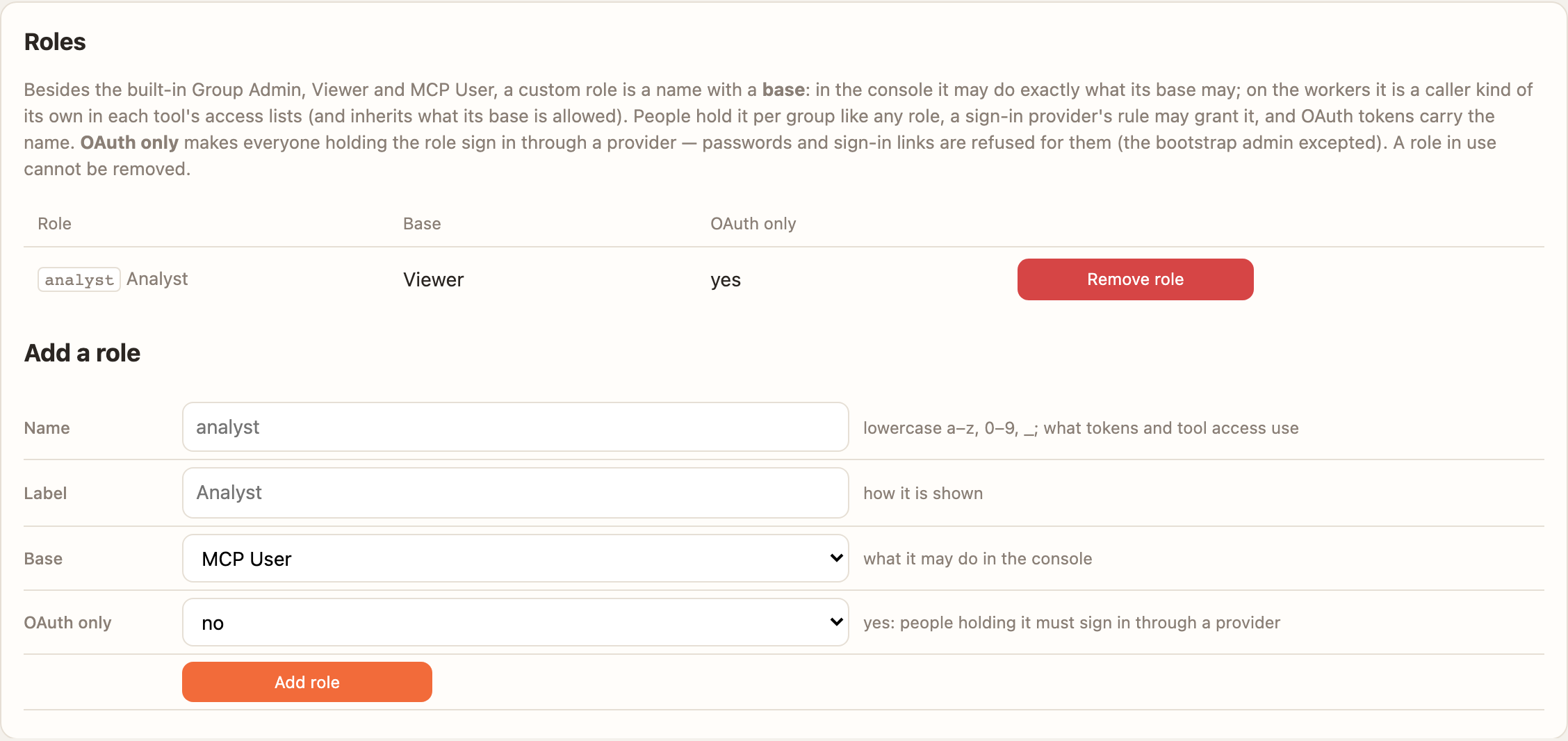
log names the rail. Fail-closed by default.analyst on Viewer), usable in memberships, provider rules and per-tool access; a role can be OAuth only.
Decide per environment who may see and who may call each tool; a drift signal flags a caller repeating one call.rmk_ MCP keys and rmn_ API keys stored as salted hashes, IP rules per zone at the node
and at the cloud edge, secrets that are never displayed, Redis throttles, an audit line for every action.Start here · the demo group repo ramen-demo-mcp-group (point a group at it and press Deploy) · the stdio bridge ramen-mcp-bridge on PyPI (
uvx ramen-mcp-bridge@latest) · the images bkraad47/ramen-worker and bkraad47/ramen-console on Docker Hub and GHCR.
Needs Docker with compose v2, uv, git and make. make up pulls the release's two images from Docker Hub,
about a minute; make up BUILD=1 builds them from source instead (three to five minutes).
git clone https://github.com/bkraad47/ramen && cd ramen
make up       # Firestore emulator + console https://localhost:8443 + one worker (localhost:8080: Streamable HTTP + gRPC)
make demo     # zone, group `demo` from the demo repo, an rmk_ key, a canary deploy, then a tools/call
#   PASS: demo_calculator_tool(2,3,add) -> 5      <- the success line
open https://localhost:8443    # self-signed cert; [email protected] + the generated password: grep ADMIN_PASSWORD deploy/local/.env
make down     # stop and remove volumes
make demo is safe to re-run: an existing zone, group or environment answers "exists" and a fresh key is
generated each time. Nothing in the stack is a static secret: make up generates the admin password, Fernet key,
MCP key, admin key and session secret into deploy/local/.env (git-ignored), and scripts/check_secrets.py fails CI
if a literal one ever returns.
A worker is a URL (/mcp) and two routing headers, ramen-group and ramen-zone. The credential decides whose
name a call runs under:
rmk_) in Authorization: Bearer, for agents and automation. Any HTTP-capable client.Every form, with the pages you will see: Get started → Connect a client · Connect with OAuth · Transport → Connecting. In a cloud, the group page's How MCP users sign in card prints the exact commands for your install.
| Login | Dashboard, load per zone and group |
|---|---|
| |
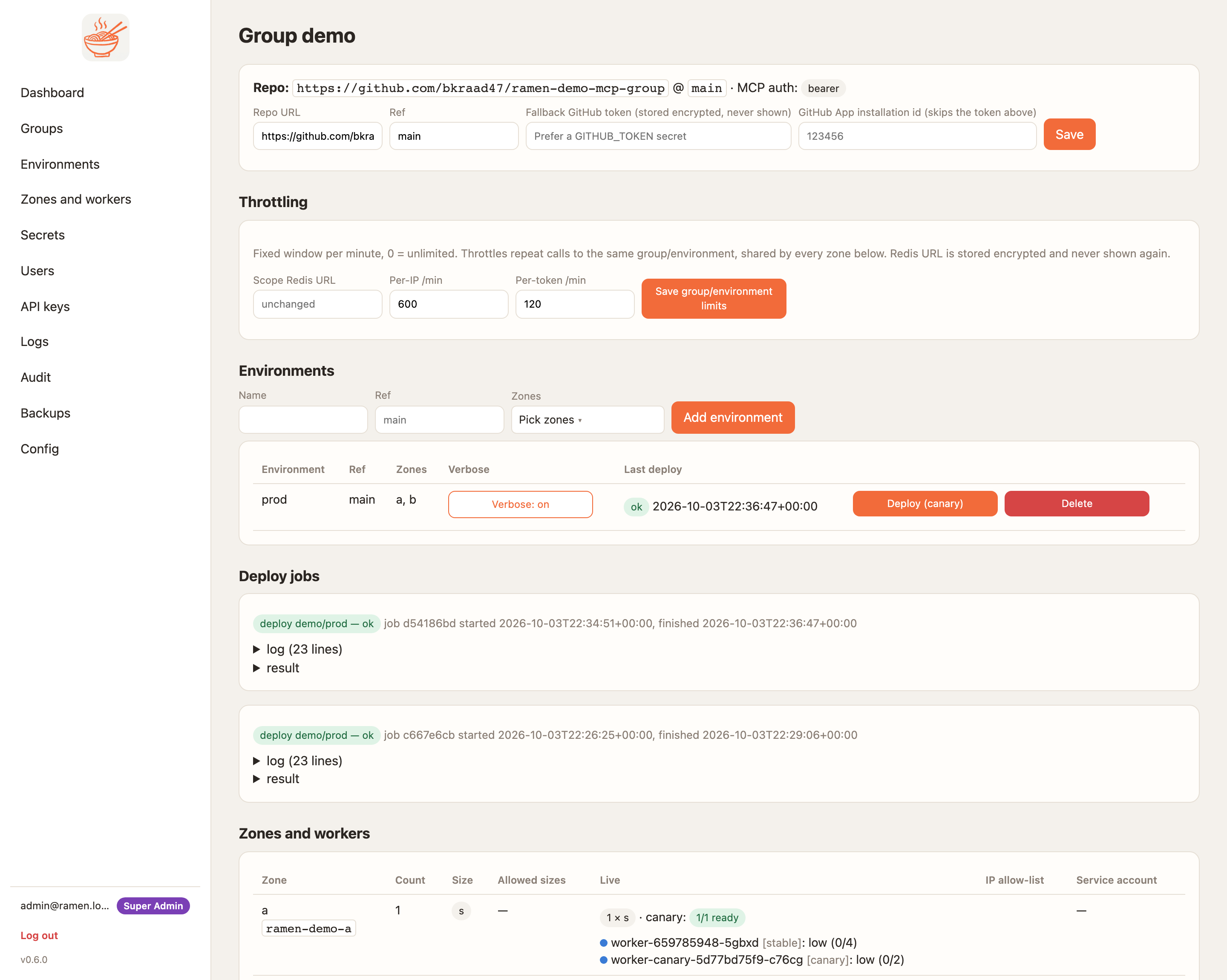
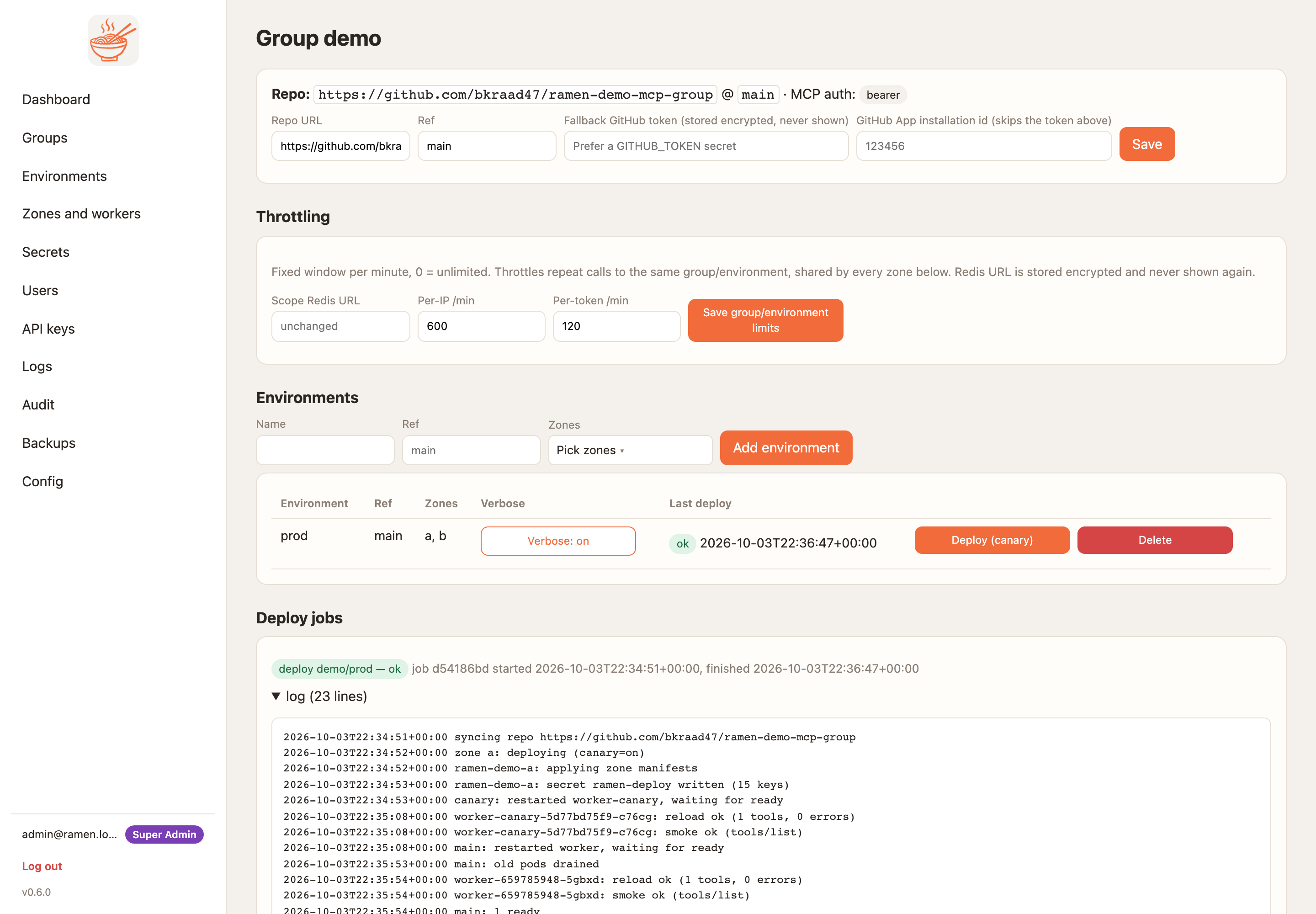
| Group: environments, deploy jobs, zones/workers, MCP keys | Deploy job with streamed log |
|---|---|
 |  |
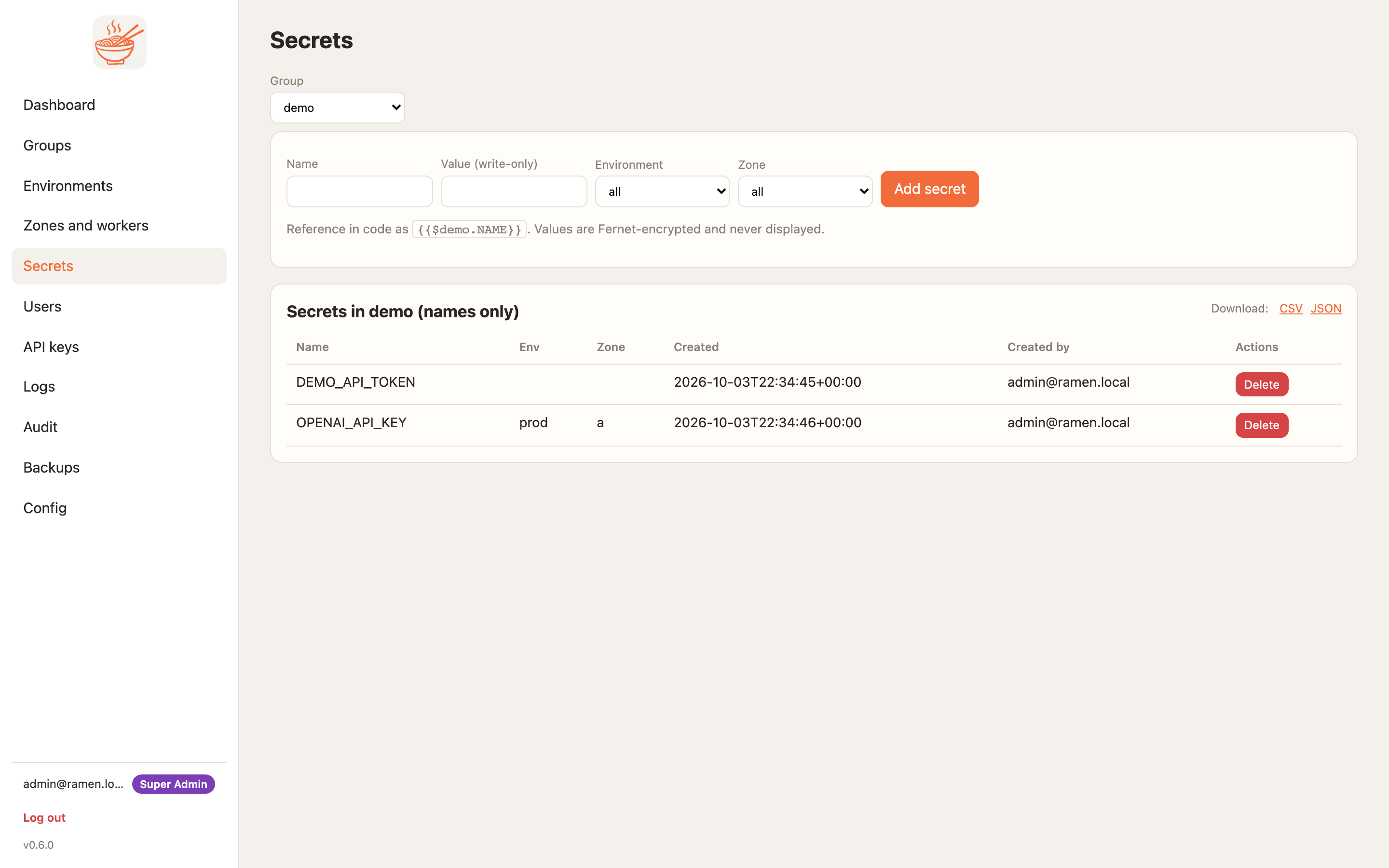
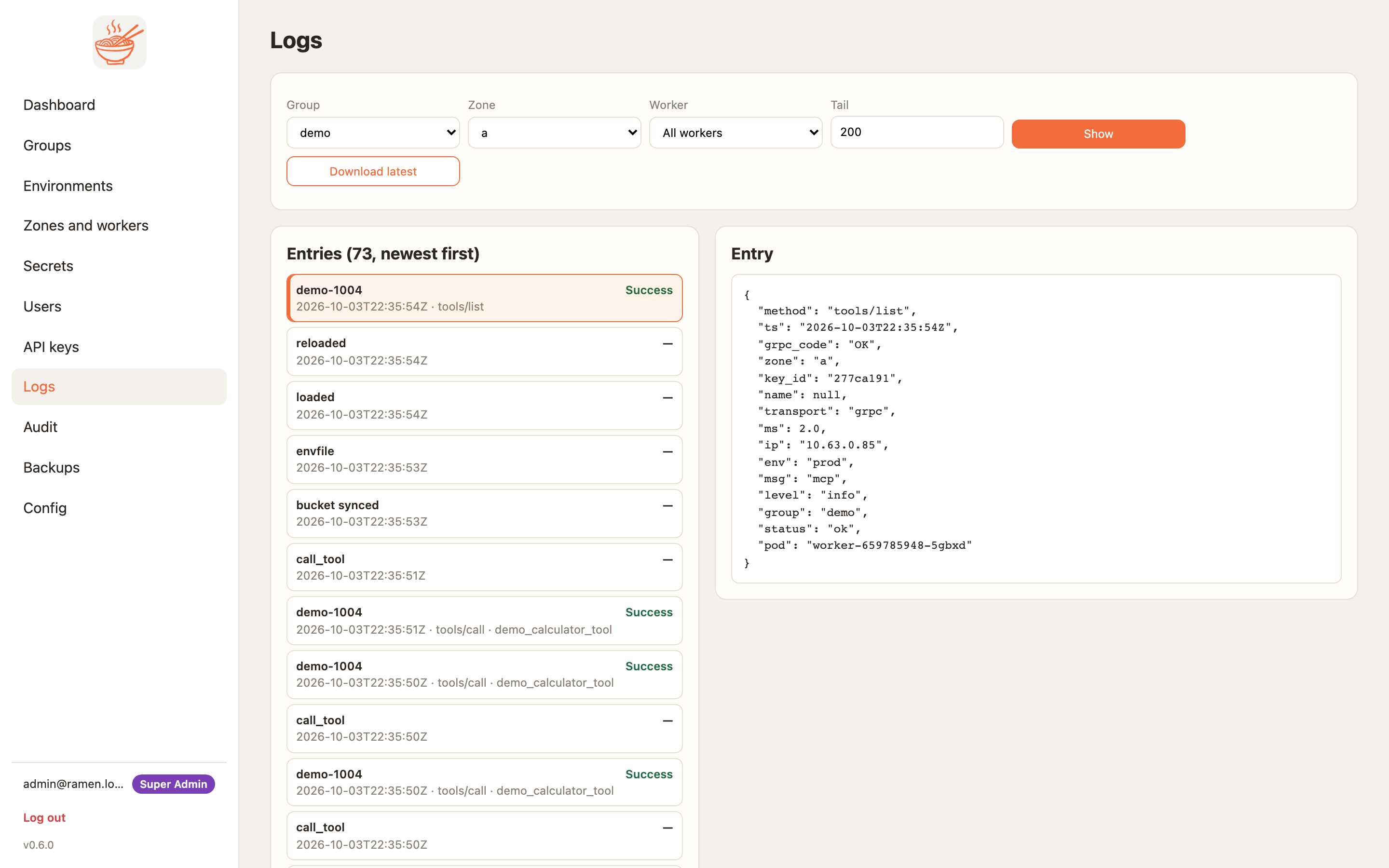
| Secrets (names only, values never shown) | Logs (one JSON line per MCP call, downloadable) |
|---|---|
 |  |
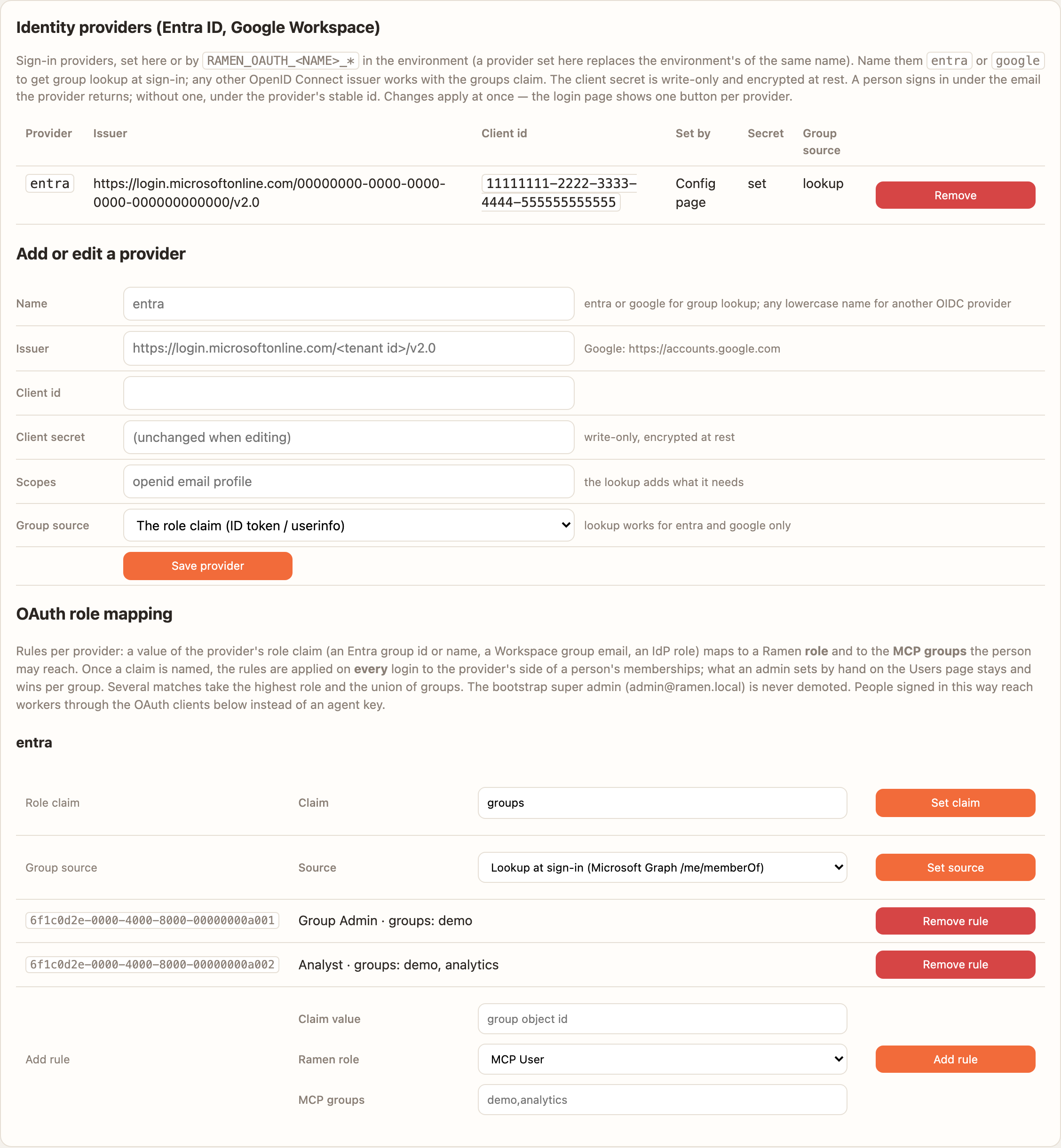
| Identity providers: Entra ID with group lookup and role rules | Custom roles, one OAuth-only |
|---|---|
 |  |
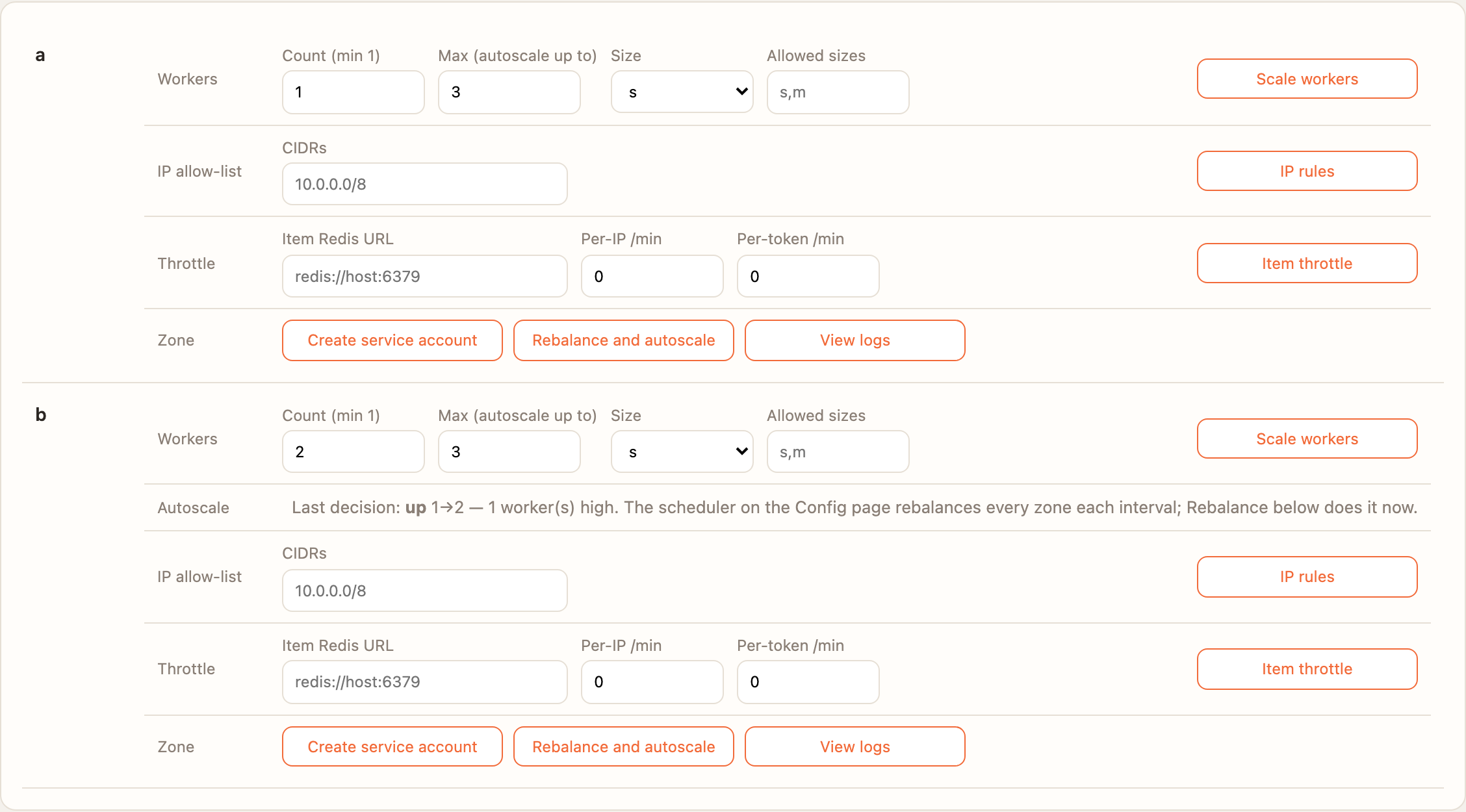
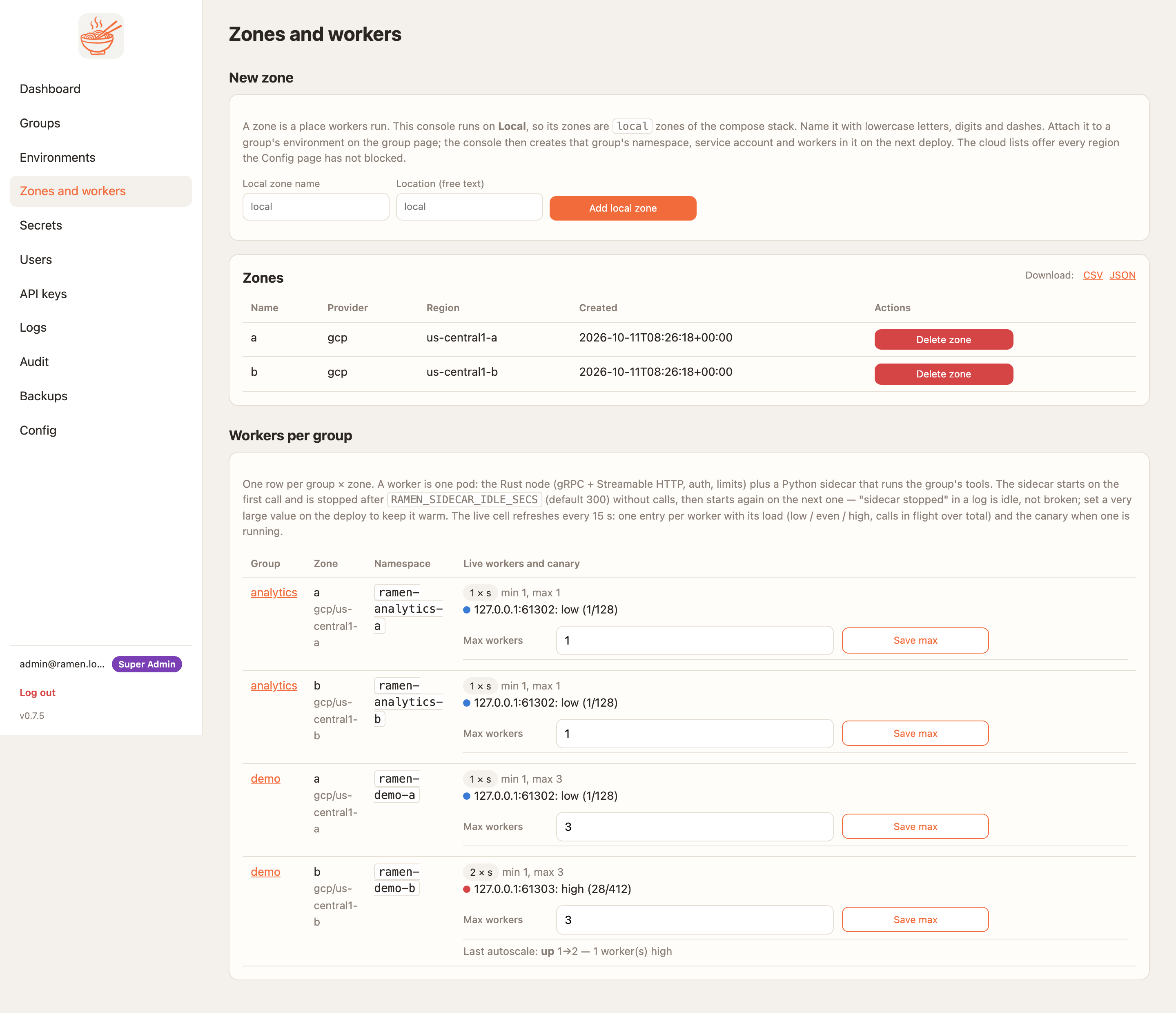
| Zone actions: count, max, last autoscale decision | Zones and workers with the max per group |
|---|---|
 |  |
Workers speak Streamable HTTP (POST /mcp, MCP spec 2025-06-18) and gRPC (ramen.v1.Mcp/Call) on one port
through one implementation of every guard, so a check is on both transports or on neither. TLS ends at the load
balancer. The node checks the credential, the source range at the provider's x-forwarded-for hop, blocked names
and the size and in-flight caps. The runtime reaches the bucket as the zone's own cloud identity, and guardrails run
between the runtime and your tool. Hop by hop, with what protects each and what is verified:
Transport. Boundaries and non-goals:
Threat model.
Bring-up is the same on each: terraform apply → helm upgrade --install (the release's public images, or
make push to your own registry) → add a zone and a group in the console → Deploy. About 25 minutes, mostly waiting
for the cluster and the load balancer. The edge gets a publicly trusted certificate on a free sslip.io hostname
(Let's Encrypt on AKS), so clients use https://<public_hostname>/mcp and the bridge points at
<public_hostname>:443 --tls with nothing to import. What each cloud run covered:
Transport → What is verified.
A group repo is any git repo with mcp/tools/<name>/<name>.py + <name>.json (and resources/, prompts/,
requirements.txt). Secrets are referenced as {{$group.NAME}} or exported through mcp/env.yaml; nothing about
the transport leaks into tool code. Declare output and the worker publishes it as outputSchema and validates every
result; add mcp/tests.yaml and your cases gate every deploy; add mcp/guardrails.yaml and NeMo rails or a
policy.py check the arguments before a tool runs and its result before it leaves the worker. Start from
ramen-demo-mcp-group; the contract, local development and heavy
dependencies: The MCP repo ·
Guardrails.
Architecture: ARCHITECTURE.md · Changes: CHANGELOG.md · Versions: tracker · Which versions go together: Releases
make up BUILD=1      # the compose stack from source instead of the published images
make test            # runtime-py and console (pytest, 90% coverage gate) plus node-rs (fmt, clippy, test)
make test-harness    # tests/: conformance + e2e (skips without a running stack)
make proto           # regenerate Python stubs from proto/ (Rust stubs build via tonic-build)
make demo-worker     # node + runtime locally without Docker
uv run --project docs --group docs mkdocs serve   # docs at http://127.0.0.1:8000
See CONTRIBUTING.md — use it, fork it, change it, with attribution; renaming it as a new commercial product of your own is not acceptable.
BSD-3-Clause © 2026 Raad. See LICENSE.
Self-hosted, multi-zone MCP server platform for GKE, EKS and AKS. A git repo of Python tools becomes canary-deployed, autoscaled Rust + Python workers with NeMo guardrails per tool, Entra ID / Google
{ "mcpServers": { "bkraad47-ramen": { "url": "https://{ramen_edge}/mcp", "headers": {} } }}概览
Self-hosted, multi-zone MCP server platform for GKE, EKS and AKS. A git repo of Python tools becomes canary-deployed, autoscaled Rust + Python workers with NeMo guardrails per tool, Entra ID / Google Workspace SSO, custom roles, OAuth 2.1, secrets, IP rules and audit. Clients on macOS, Windows and Linux.
工具
暂无工具列表。远程服务器在首次健康检查后会获得工具列表。
常见问题
在本页复制适用于 Cursor、Claude Desktop、Claude Code 或 VS Code 的 http 配置。它使用发布者的安装方式,而不是 PlugMCP 代理。
此记录未列出必需的环境变量。
Ramen 通过 HTTP 访问。
上次检查时间:2026-10-28。 Self-hosted, multi-zone MCP server platform for GKE, EKS and AKS. A git repo of Python tools becomes canary-deployed, autoscaled Rust + Python workers with NeMo guardrails per tool, Entra ID / Google Workspace SSO, custom roles, OAuth 2.1, secrets, IP rules and audit. Clients on macOS, Windows and Linux.