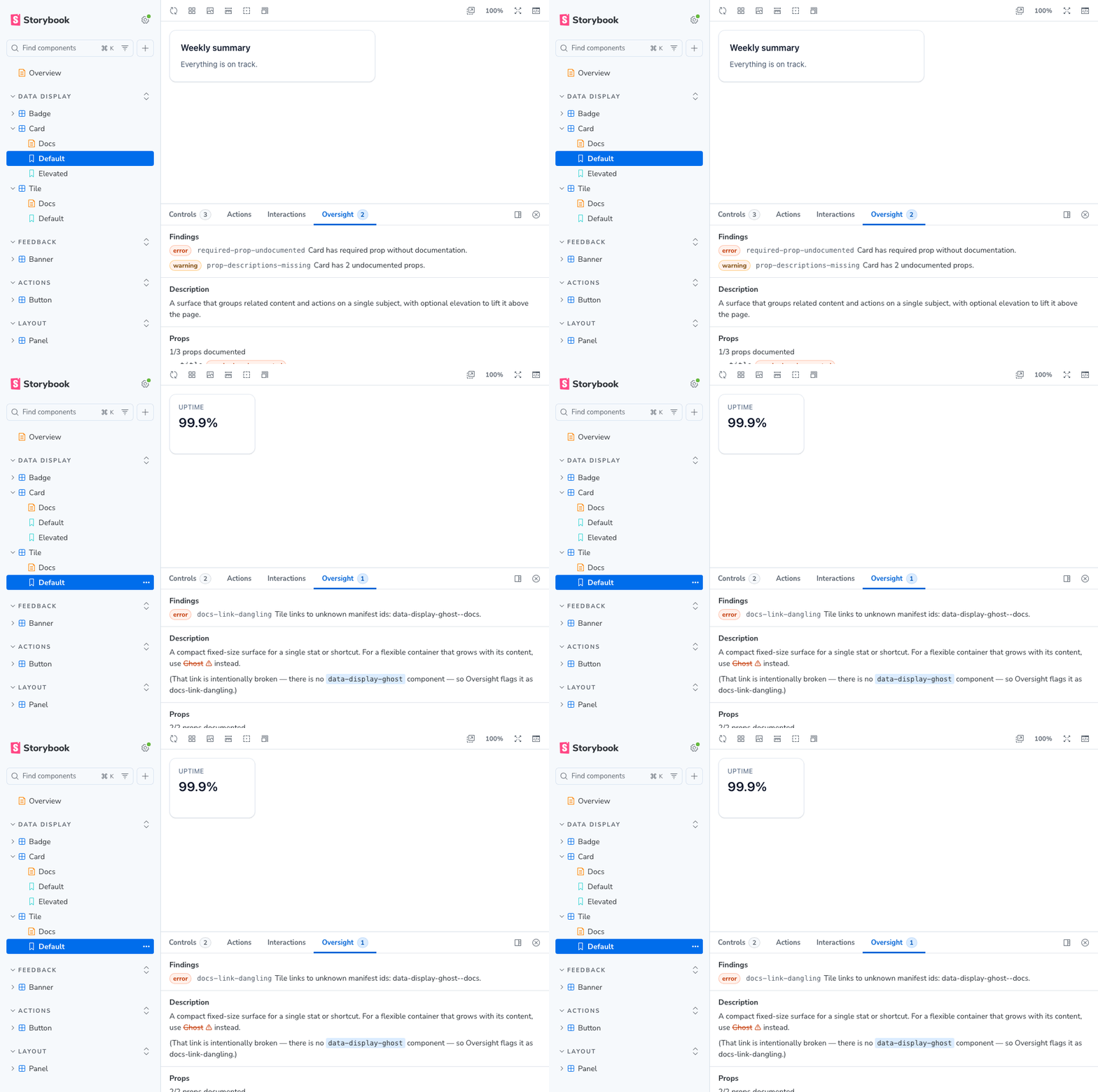
The rules live once, in a shared core, and run two ways: one interactive in Storybook, one headless in CI. Each README below has the full install, usage, and options:
接入你的智能体
发布者自己的命令。不是 PlugMCP 端点。
用我们的密钥与日志托管一份副本。
npx -y [email protected]Claude Code 没有针对本地命令的安装链接。复制下方命令并在终端中运行。
claude mcp add oversight-lint -- npx -y oversight-lint@0.7.1在终端中运行。
{ "mcpServers": { "oversight-lint": { "command": "npx", "args": [ "-y", "[email protected]" ] } }}claude_desktop_config.json
远程 URL 还是本机命令? 两种安装方式的区别
来自发布者
The rules live once, in a shared core, and run two ways: one interactive in Storybook, one headless in CI. Each README below has the full install, usage, and options:
Lint your Storybook MCP components manifest in CI. Fails the build when your agent would read missing or broken component docs.
| Package | Use it for |
|---|---|
| storybook-addon-oversight | Lints the manifest live in Storybook: an addon panel on every story and an inline Docs block, while you work. |
| oversight-lint | Lints the built manifest in CI. Fails the build when a change drops or breaks a component's docs. The command is oversight. |
| oversight-lint-action | Runs the CI linter as a GitHub Action, reporting findings as annotations. Lives in its own repo. |
The rules are shared, so they are documented in docs/ rather than in either package. This applies whether you run the CLI or the addon:
docs/                          the rules, and how to satisfy them, shared by both packages
packages/
  core/                        oversight-core, the rules engine (pure, private, bundled into the addon and the CLI)
  storybook-addon-oversight/   the Storybook addon (panel + Docs block)
  cli/                         oversight-lint, the CI linter
  agent-view/                  records what the MCP serves an agent (private, tests only)
.storybook/  stories/          the demo Storybook that dogfoods the addon
oversight-core holds every rule as pure functions with zero Storybook or React imports. The addon and the CLI each bundle it, so the two can never disagree about what a finding is. It is never published on its own.
oversight-agent-view publishes nothing either, and ships no rules. It calls Storybook's MCP server over a manifest and snapshots what comes back, one variant per failure mode, so the rules can be judged against the text an agent receives rather than against the manifest they read. When the server changes what it serves, a test fails instead of a rule's justification quietly ceasing to be true. What the agent actually receives is what it produced.
pnpm install
pnpm exec playwright install chromium  # once, for the browser checks
pnpm -r build        # build every package (tsc typecheck + tsup bundle)
pnpm test            # unit projects, then the built Storybook, then the demo's stories
pnpm test:unit       # just the unit projects, no build, no browser
pnpm built-storybook-checks  # just the Docs block and panel, against the last build
pnpm lint
pnpm build-storybook # build the addon, then the demo Storybook
pnpm storybook       # run the demo at http://localhost:6006
The demo ships a handful of components each engineered to trip one rule. Open a component's story to see the addon panel, or its Docs page for the inline block. Run oversight storybook-static/manifests/components.json after pnpm build-storybook to see the CLI report the same findings.
Changes land through pull requests; see CONTRIBUTING.md.
Per-package release history: storybook-addon-oversight and oversight-lint.
MIT
Lint your Storybook MCP components manifest in CI. Fails the build when your agent would read missing or broken component docs.
{ "mcpServers": { "oversight-lint": { "command": "npx", "args": [ "-y", "[email protected]" ] } }}工具
暂无工具列表。远程服务器在首次健康检查后会获得工具列表。
常见问题
在本页复制适用于 Cursor、Claude Desktop、Claude Code 或 VS Code 的 stdio 配置。它使用发布者的安装方式,而不是 PlugMCP 代理。
此记录未列出必需的环境变量。
Oversight Lint 通过 stdio 在本地运行。
上次检查时间:2026-11-16。 Lint your Storybook MCP components manifest in CI. Fails the build when your agent would read missing or broken component docs.
