MCP Gateway
Give AI applications safe access to existing APIs and MCP servers.
Turn REST/OpenAPI services and existing MCP servers into focused, secured MCP endpoints—without rebuilding every integration from scratch.
接入你的智能体
从发布者处安装。不是 PlugMCP 端点。
远程 URL 还是本机命令? 两种安装方式的区别
来自发布者
Give AI applications safe access to existing APIs and MCP servers.
Turn REST/OpenAPI services and existing MCP servers into focused, secured MCP endpoints—without rebuilding every integration from scratch.
Transform any HTTP endpoint into an MCP server. Aggregate multiple MCP servers, manage configuration profiles, and serve them through a unified gateway with multi-tenant isolation.
MCP Gateway sits between MCP clients and the systems they need to use:
flowchart LR
  APIs["REST / OpenAPI"] --> Gateway["MCP Gateway"]
  Remote["Remote MCP servers"] --> Gateway
  Stdio["stdio MCP servers"] --> Adapter["Optional Adapter"]
  Adapter --> Gateway
  Gateway --> Profiles["Focused MCP endpoints"]
  Profiles --> Clients["MCP clients and AI applications"]
The Gateway can expose HTTP/OpenAPI tools directly and proxy remote MCP servers. The optional Adapter publishes local stdio MCP servers over streamable HTTP and can aggregate related systems before they reach the Gateway.
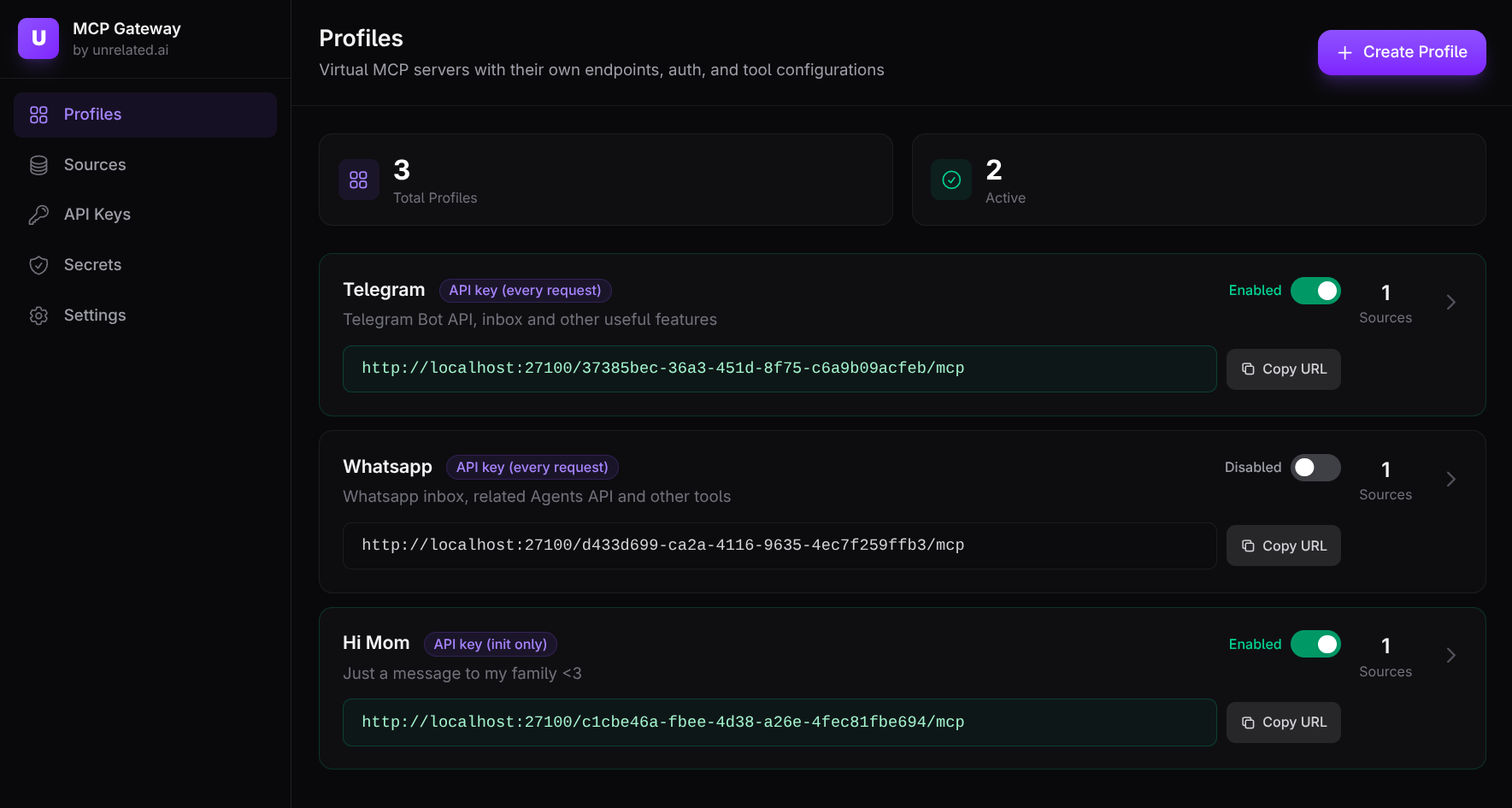
Each profile is a virtual MCP server with its own endpoint, tools, authentication, and policy. One deployment can serve a single developer or isolate many teams and environments.
Common uses include:
Version 1.0 includes OAuth resource-server support, the unrelated client CLI with
compact tool discovery, and stateful/sessionless upstream interoperability.
Upgrading from 0.x: The v1 migration guide covers configuration changes, database migration, and rollback for existing installations.
The quickest path uses published Docker images and does not require cloning this repository.
Prerequisite: Docker with Docker Compose.
curl -fsSL -o mcp-gateway-compose.yml \
  https://raw.githubusercontent.com/unrelated-ai/mcp-gateway/gateway-v1.0.1/docker-compose.quickstart.yml
curl -fsSL -o mcp-gateway-images.env \
  https://raw.githubusercontent.com/unrelated-ai/mcp-gateway/gateway-v1.0.1/deploy/images.env
GATEWAY_VERSION=1.0.1 UI_VERSION=1.0.1 \
  docker compose --env-file mcp-gateway-images.env -f mcp-gateway-compose.yml up -d
The onboarding flow creates the first tenant and starter profile. From there:
Authorization: Bearer <API_KEY_SECRET> on every request.Each profile is available at:
http://127.0.0.1:27100/<PROFILE_ID>/mcp
The quickstart starts with an empty database. Sources and profiles added through the UI persist across restarts in a named volume.
To stop or reset it:
docker compose --env-file mcp-gateway-images.env -f mcp-gateway-compose.yml down
docker compose --env-file mcp-gateway-images.env -f mcp-gateway-compose.yml down -v # also delete local data
The Gateway supports HA-friendly session routing through Gateway session tokens
(Mcp-Session-Id). Adapters normally run close to the systems they expose, while the Gateway
provides the public endpoint and shared policy layer.
unrelated-mcp-gateway): tenant/profile-based MCP routing, authentication, policy,
limits, and audit logging.unrelated-mcp-adapter): expose HTTP, OpenAPI, or stdio MCP sources through one
streamable HTTP MCP endpoint.unrelated): named profile contexts, login, tool search/calls, and a compact stdio MCP proxy.unrelated-gateway-admin): operator and automation workflows.Start the complete development stack:
make up
This starts Postgres, the migrator, Gateway, Web UI, example adapters, HTTPBin, and Petstore. Open the UI at http://127.0.0.1:27102.
Useful commands:
make help      # list available targets
make down      # stop the stack
make up-reset  # delete demo data; run make up afterward
For component-level development:
make adapter-runmake build-release-adaptermake cli-dev CLI_ARGS="--help"tests/fixtures/Published container images:
ghcr.io/unrelated-ai/mcp-gatewayghcr.io/unrelated-ai/mcp-gateway-migratorghcr.io/unrelated-ai/mcp-gateway-operatorghcr.io/unrelated-ai/mcp-gateway-uighcr.io/unrelated-ai/mcp-adapterStable releases use :latest and :X.Y.Z tags. Pre-releases use :X.Y.Z-rc.N.
GitHub Releases also include static Linux Adapter and Gateway admin CLI binaries for
x86_64-unknown-linux-musl under their respective release tags.
The published Adapter image contains a minimal static binary. For stdio MCP servers that require Node, Python, or other runtimes, copy that binary into a suitable runtime image. See the stdio server documentation.
Transform any HTTP endpoint into an MCP server. Aggregate multiple MCP servers, manage configuration profiles, and serve them through a unified gateway with multi-tenant isolation.
工具
暂无工具列表。远程服务器在首次健康检查后会获得工具列表。
常见问题
在本页复制适用于 Cursor、Claude Desktop、Claude Code 或 VS Code 的 stdio 配置。它使用发布者的安装方式,而不是 PlugMCP 代理。
此记录未列出必需的环境变量。
MCP Gateway 通过 stdio 在本地运行。
上次检查时间:2026-10-28。 Transform any HTTP endpoint into an MCP server. Aggregate multiple MCP servers, manage configuration profiles, and serve them through a unified gateway with multi-tenant isolation.
