eShopLite
eShopLite is a set of reference .NET applications implementing an eCommerce site with features like Semantic Search, Model Context Protocol (MCP), Reasoning models, vector databases, and more.
- ☁️ Scenarios use .NET and Aspire, with a stable .NET 10 baseline and an isolated .NET 11 RC2 scenario for experimental Blazor AI components. See the dependency baseline below for compatibility exceptions.
- 🌟 Don't forget to star (🌟) this repo to find it easier later.
- ➡️ Get your own copy by Forking this repo and find it next in your own repositories.
- ❓ Have a question? Besides creating issues or pull requests, the best option for questions is to join the Azure AI Discord channel, where a team of AI experts can help you.
Features
This project framework provides the following features:
- Modern .NET application architecture with .NET Aspire
- Various search capabilities (keyword search, semantic search)
- Integration with multiple AI models (GPT-4o, DeepSeek-R1, etc.)
- Vector database implementations (In Memory, Azure AI Search, Chroma DB and others)
- Real-time audio capabilities
- Model Context Protocol (MCP) server and client implementation
eShopLite Scenarios
The project includes several scenarios demonstrating different capabilities:
New to Scenario 18? Start with its three-step quick start, then explore the screenshots and blog-to-code walkthrough.
Getting Started
Prerequisites
- .NET 10 SDK 10.0.402, pinned in the root
global.json - Docker Desktop or Podman
- Azure Developer CLI (azd) (for Azure deployment)
- Git
- Aspire CLI: install with
dotnet tool install -g Aspire.Cli --version 13.6.1(used for setting local secrets viaaspire secret set)
Dependency baseline
The October 14, 2026 refresh updates the 17 existing scenarios other than 14-MAFDevUI
to Aspire 13.6.1 and the latest compatible NuGet releases. The root SDK stays on stable
.NET 10; Scenario 18 overrides it with .NET 11 RC2
for the experimental Blazor components. Install both SDKs to work on all scenarios.
The refresh includes Microsoft.Extensions.AI 10.11.0, OpenTelemetry 1.19, Microsoft Agent Framework 1.24.0, MCP 2.2.0, and A2A 1.0.0-preview3 where used. Existing prerelease dependencies remain prerelease where no stable replacement provides the required functionality. MCP SSE transports and A2A text parts have been migrated to the current APIs rather than merely changing package versions.
Scenarios 08 and 12 deliberately retain the latest EF Core 9 servicing release, 9.0.21:
their EFCore.SqlServer.VectorSearch 9.0.0 provider requires that EF major. The other
EF-backed scenarios use 10.0.13. Local dotnet-ef tool manifests follow the matching
EF major. Upgrading the SQL vector provider to native EF 10 requires a separate vector
entity/query migration, not mixing EF 9 relational assemblies with EF 10 tests.
Direct PKCS references select patched 10.0.13 instead of vulnerable transitive versions.
14-MAFDevUI has not been refreshed: its local instructions require an Azure
best-practices tool that is unavailable in this session. Its existing dependency versions
are retained until that prerequisite is supplied. Builds and existing tests passed for
the other 17 existing scenario solutions (80 existing tests), and Scenario 18 has 29
passing tests. Scenario 18 was also validated locally with SQL Server 2025, real Foundry
embeddings, and gpt-6-luna via Responses: streamed catalog cards, cart rejection/approval,
missing product specifications, and restart against existing data. These checks do not
establish cloud deployability or validate every other scenario against real models.
See CHANGELOG.md for the new scenario, dependency migrations, setup scripts, and known upgrade boundaries.
Start a scenario locally
Each scenario has its own aspire.config.json, so Aspire selects that scenario's AppHost
instead of inheriting the repository-root selection:
cd .\scenarios\18-BlazorAgenticUI
aspire start
Use aspire run for a foreground session, and aspire stop to stop the selected app.
Install the SDK requested by that scenario's nearest global.json: .NET 10.0.402 for
stable scenarios, or .NET 11 RC2 for Scenario 18. A .NET 11 installation does not satisfy
the stable .NET 10 pin. AppHost selection does not install SDKs or configure credentials.
To verify every scenario's local selection without starting services:
pwsh .\scripts\Tests\Test-ScenarioAppHosts.ps1
Installation
-
Clone the repository:
git clone https://github.com/Azure-Samples/eShopLite.git -
Navigate to the scenario directory of interest:
cd eShopLite/scenarios/[scenario-folder] -
Login to Azure:
azd auth login -
Provision and deploy all the resources:
azd upIt will prompt you to provide an
azdenvironment name (like "eShopLite"), select a subscription from your Azure account, and select a location where the necessary models, like gpt-4.1-mini and ADA-002 are available, a sample region can be "eastus2".
Shared Microsoft Foundry models and local secrets
Use PowerShell 7 and sign in with az login. The new setup script creates or reuses an
AIServices account, deploys the common chat and embedding models, then configures local
AppHost user-secrets through the Aspire CLI. Supply your own subscription, resource group,
globally unique account name, and region:
pwsh .\scripts\Initialize-FoundryModels.ps1 `
  -SubscriptionId '<subscription-id>' `
  -ResourceGroupName 'rg-eshoplite' `
  -AccountName '<globally-unique-account-name>' `
  -Location 'eastus2' `
  -DryRun
Remove -DryRun to provision resources and write secrets. This can incur Azure charges.
-DryRun and -WhatIf make no Azure calls and do not establish model availability.
The default chat model and deployment name are gpt-6-luna; embeddings use
text-embedding-3-small. The script resolves model versions from the regional catalog
and checks SKU support and quota before provisioning. It stops if the requested model is
unavailable, with no automatic substitution. Override model/version, deployment name, SKU,
or capacity with the corresponding -Chat* and -Embeddings* parameters.
It reuses matching deployments and refuses to overwrite conflicting deployments or enable
key authentication on an account that disables it.
This provisions common model dependencies for local development, not every scenario's
infrastructure. SQL/containers remain managed by each AppHost; Azure AI Search, realtime
audio, DeepSeek, GitHub Models, and other specialized dependencies still need their
scenario-specific setup. It does not change model declarations used by azd up.
Configure secrets for existing deployments
Secret setup requires the SDK selected by each AppHost's nearest global.json.
The script checks SDK availability before requesting a key. If using a nonstandard SDK
installation, pass -DotNetRoot "<SDK installation directory>"; the override applies
only to child commands. An Aspire exit code 7 can indicate a missing SDK, not an Azure
authentication problem. Scenario 18 specifically requires .NET 11 RC2.
The existing scripts\Set-AzureOpenAISecrets.ps1 configures secrets only, without creating
Azure resources. It discovers every eShopAppHost.csproj, including layouts without src,
and automatically includes future scenarios. Scenario 18 (18-BlazorAgenticUI) has its own
AppHost and independent user-secrets store, and is included automatically. Directories
without an AppHost are reported as skipped. Run from the repo root:
pwsh .\scripts\Set-AzureOpenAISecrets.ps1
The script interactively prompts for four values:
Use -DryRun to preview the commands without executing them:
pwsh .\scripts\Set-AzureOpenAISecrets.ps1 -DryRun
For a preview without prompts or an API key:
pwsh .\scripts\Set-AzureOpenAISecrets.ps1 `
  -Endpoint 'https://<your-resource>.openai.azure.com/' -NonInteractive -DryRun
Non-interactive writes additionally require -ApiKey as a SecureString, supplied from a
masked prompt or a secure credential source, not a plaintext key in command history.
Local .NET user-secrets are not an encrypted production secret store.
Internally, the script calls the Aspire CLI (aspire secret set) for each AppHost it discovers. To set a single value manually, use the same command directly:
aspire secret set Parameters:AzureOpenAIEndpoint "https://<your-resource>.openai.azure.com/" \
  --apphost scenarios/01-SemanticSearch/src/eShopAppHost/eShopAppHost.csproj
Note: Scenario-specific extra parameters (e.g.,
Parameters:AzureOpenAIRealtimeDeploymentNamein 03-RealtimeAudio,Parameters:DeepSeekEndpointin 05-deepseek,Parameters:GitHubModelsTokenin 11-GitHubModels) must still be set manually. See each scenario's README for details.
Quickstart
- Navigate to a specific scenario folder (e.g.,
scenarios/01-SemanticSearch/) - Follow the README instructions in that scenario folder
- Run the solution using
dotnet runin the appropriate host project folder
Demo
To run the demo, follow these steps:
- Navigate to the specific scenario folder
- Follow the "Run the solution" instructions in that scenario's README
- Access the application via the URLs provided in the console output
Sample Application
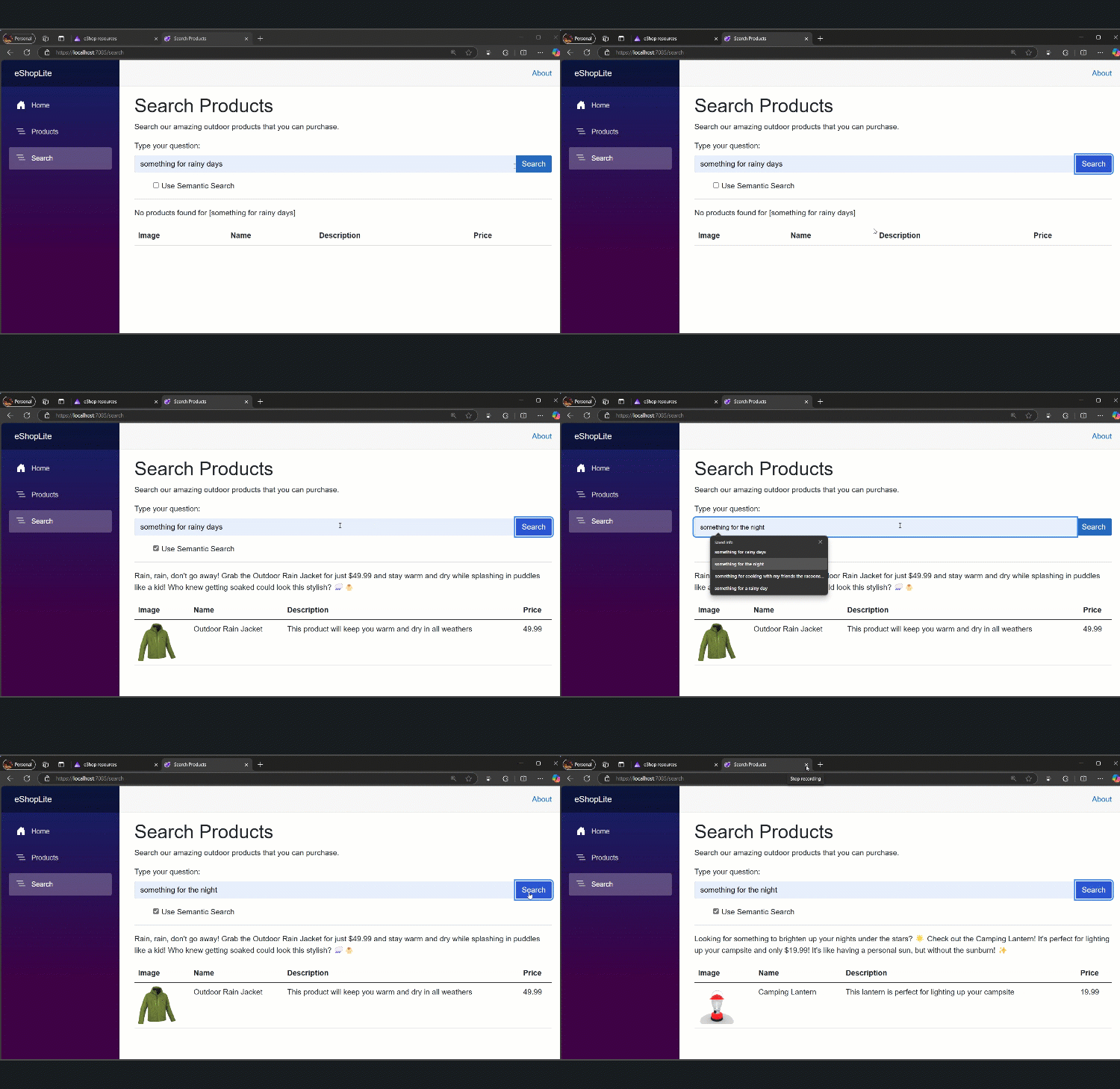
This is the eShopLite Aplication running, performing a Keyword Search:

This is the eShopLite Aplication running, performing a Semantic Search:
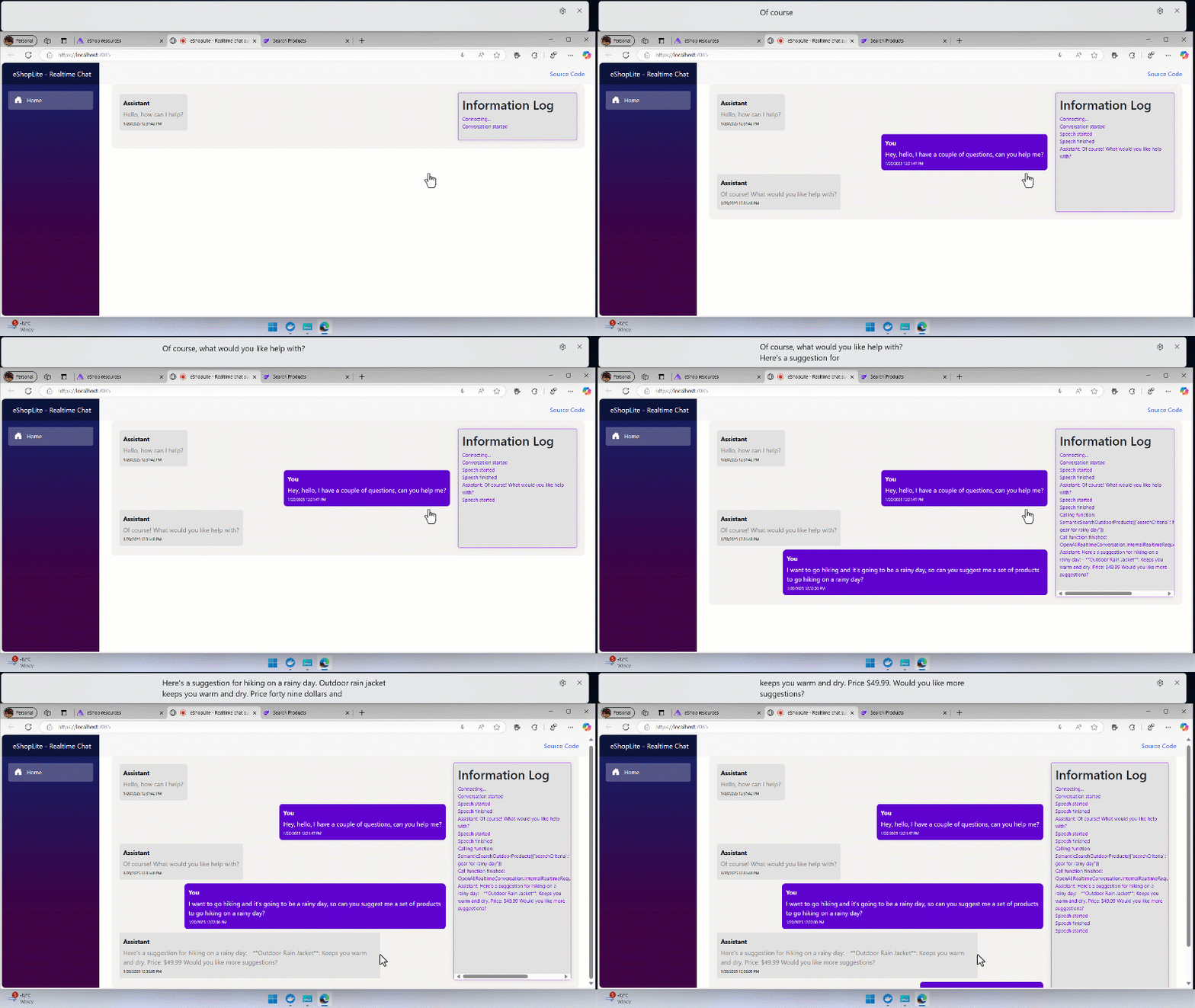
This is the eShopLite Application running the Realtime Audio feature:
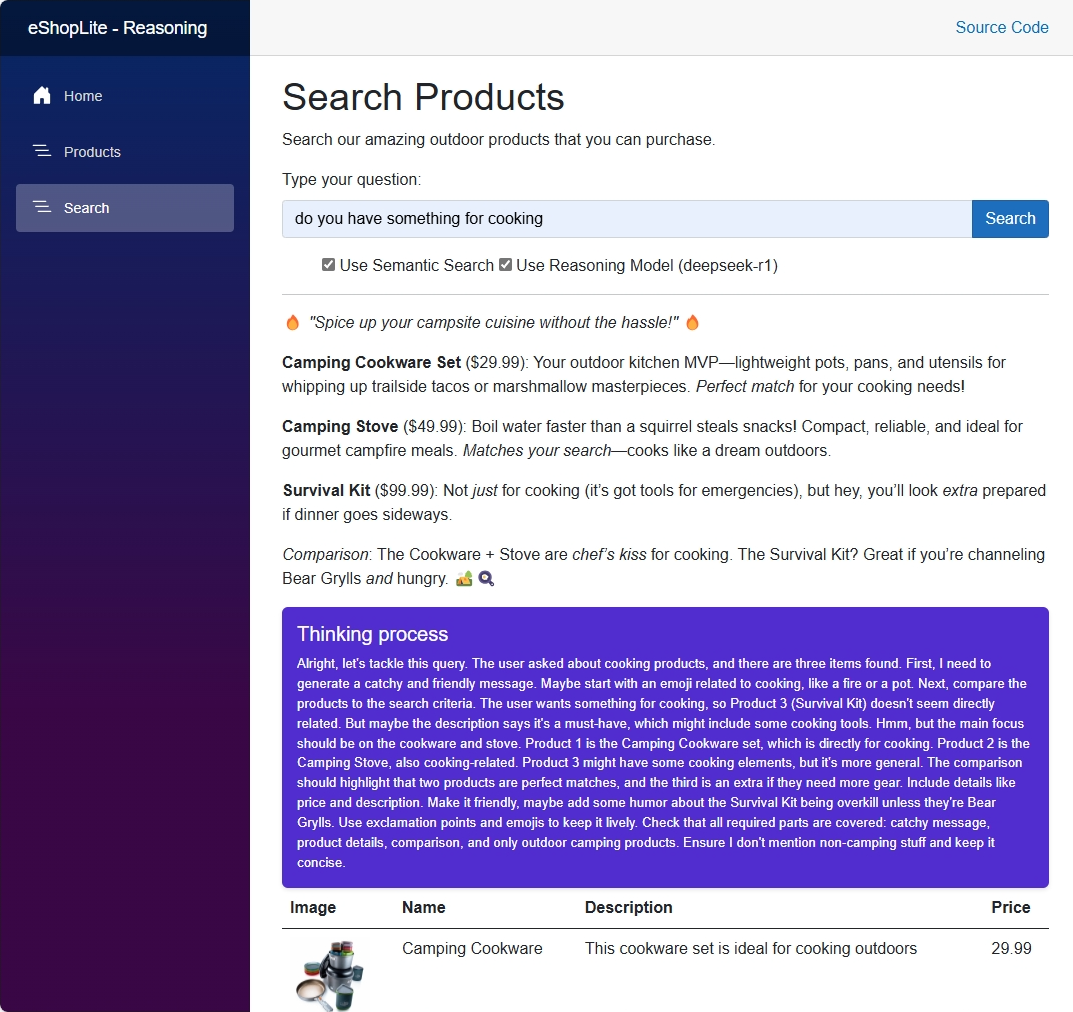
This is the eShopLite Application using the DeepSeek-R1 Reasoning Model:
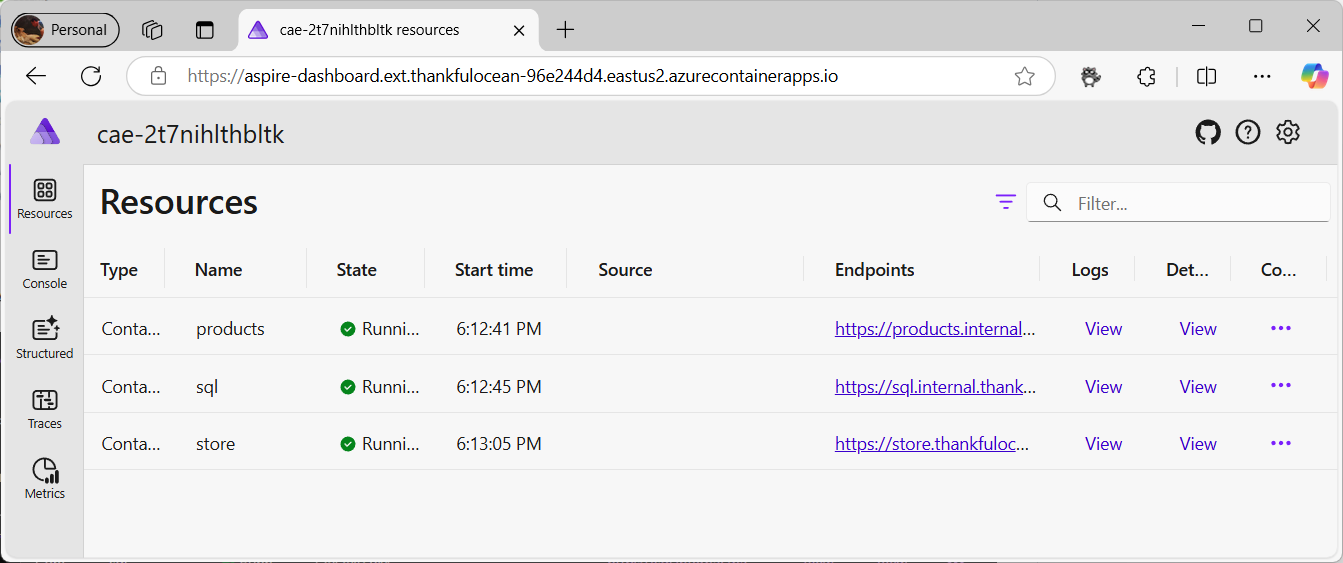
The Aspire Dashboard to check the running services:
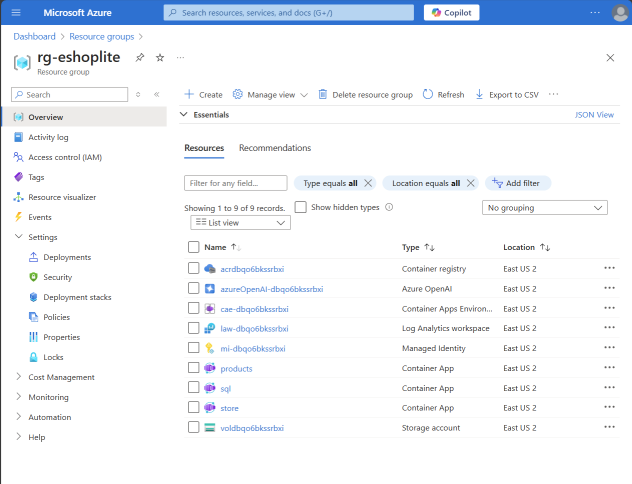
The Azure Resource Group with all the deployed services:
Resources
Getting Help
If you get stuck or have questions about building AI apps, join:
If you have product feedback or errors while building, visit: