Commonplace
A local-first macOS activity tracker with AI-powered classification, a daily commonplace book, and an MCP server for Claude.
Everything stays on your machine. No cloud, no telemetry, no accounts.
Agenten stärken
Installation vom Herausgeber. Kein PlugMCP-Endpunkt.
Host a copy with our keys and logs.
Noch kein paketiertes Release in der Registry. Folgen Sie der README des Repositorys.
Remote-URL oder ein Befehl auf Ihrem Rechner? Worin sich die beiden Installationen unterscheiden
Auf PlugMCP ausführen
A new server you create. It is not this listing's official endpoint. Use the publisher install when you want their URL and their credentials.
StartenVom Herausgeber
A local-first macOS activity tracker with AI-powered classification, a daily commonplace book, and an MCP server for Claude.
Everything stays on your machine. No cloud, no telemetry, no accounts.
Local-first macOS activity tracker with AI-powered classification, a daily commonplace book, and an MCP server for Claude.
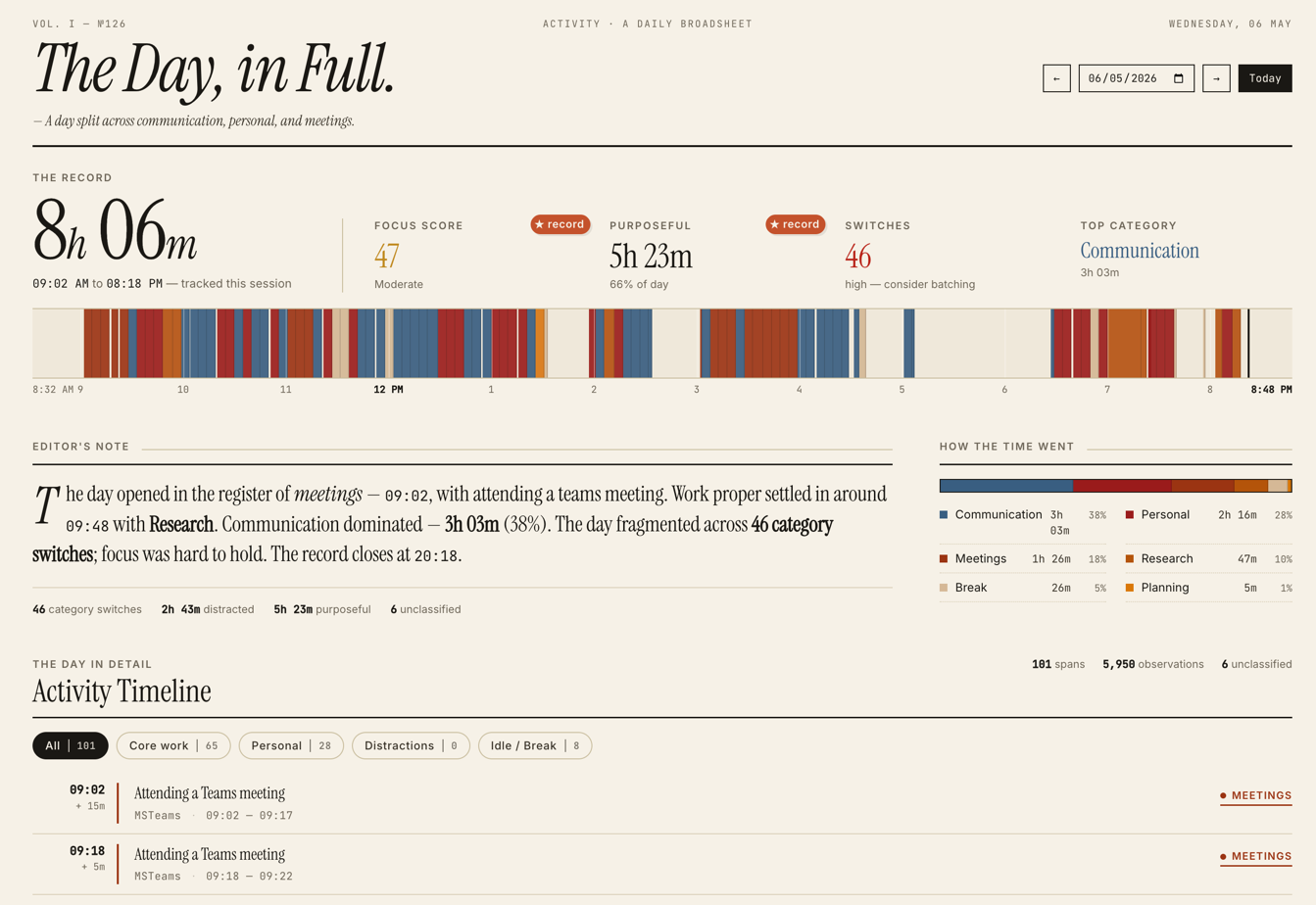
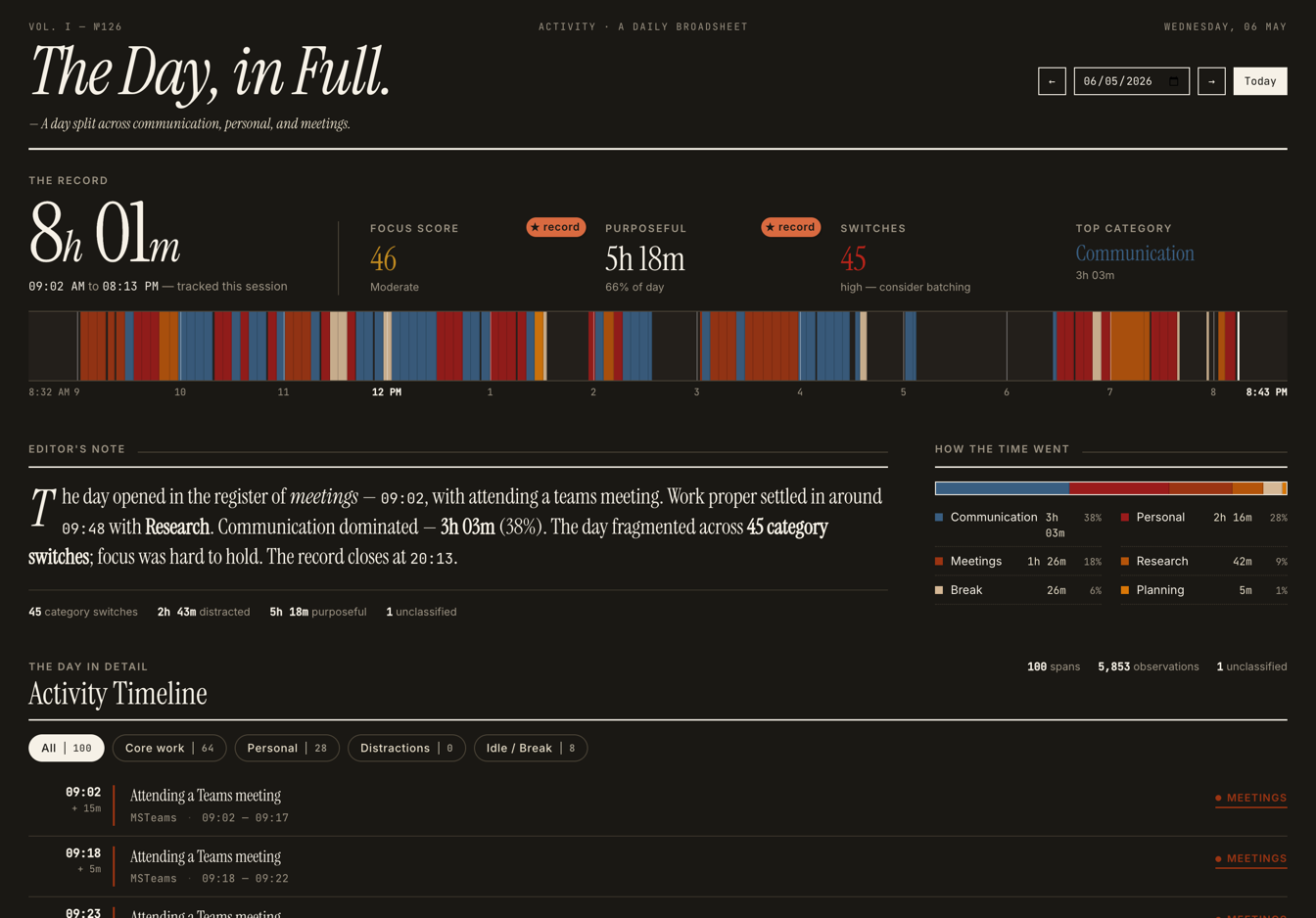
Dashboard — today's timeline, hourly bars, focus score, category breakdown.
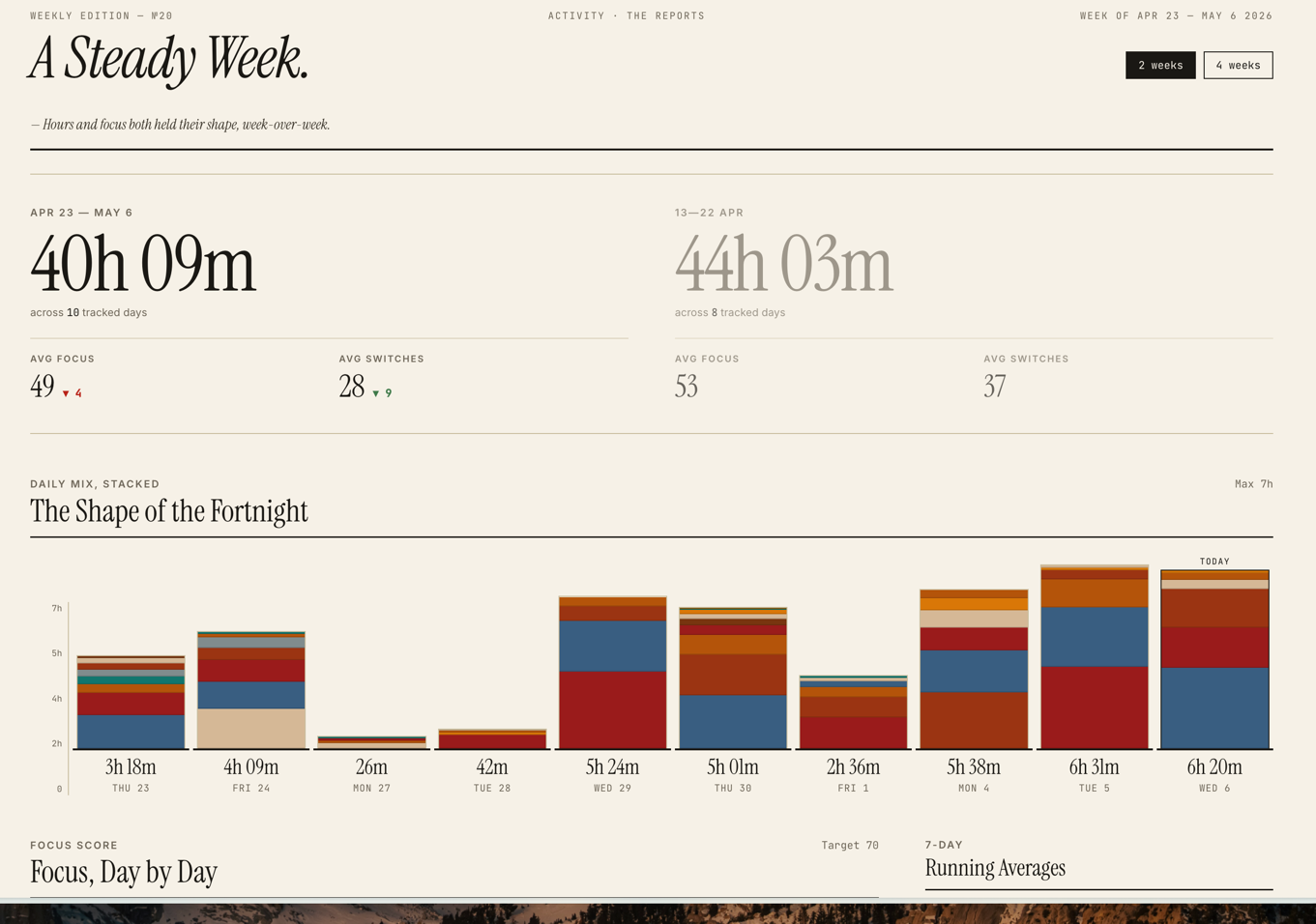
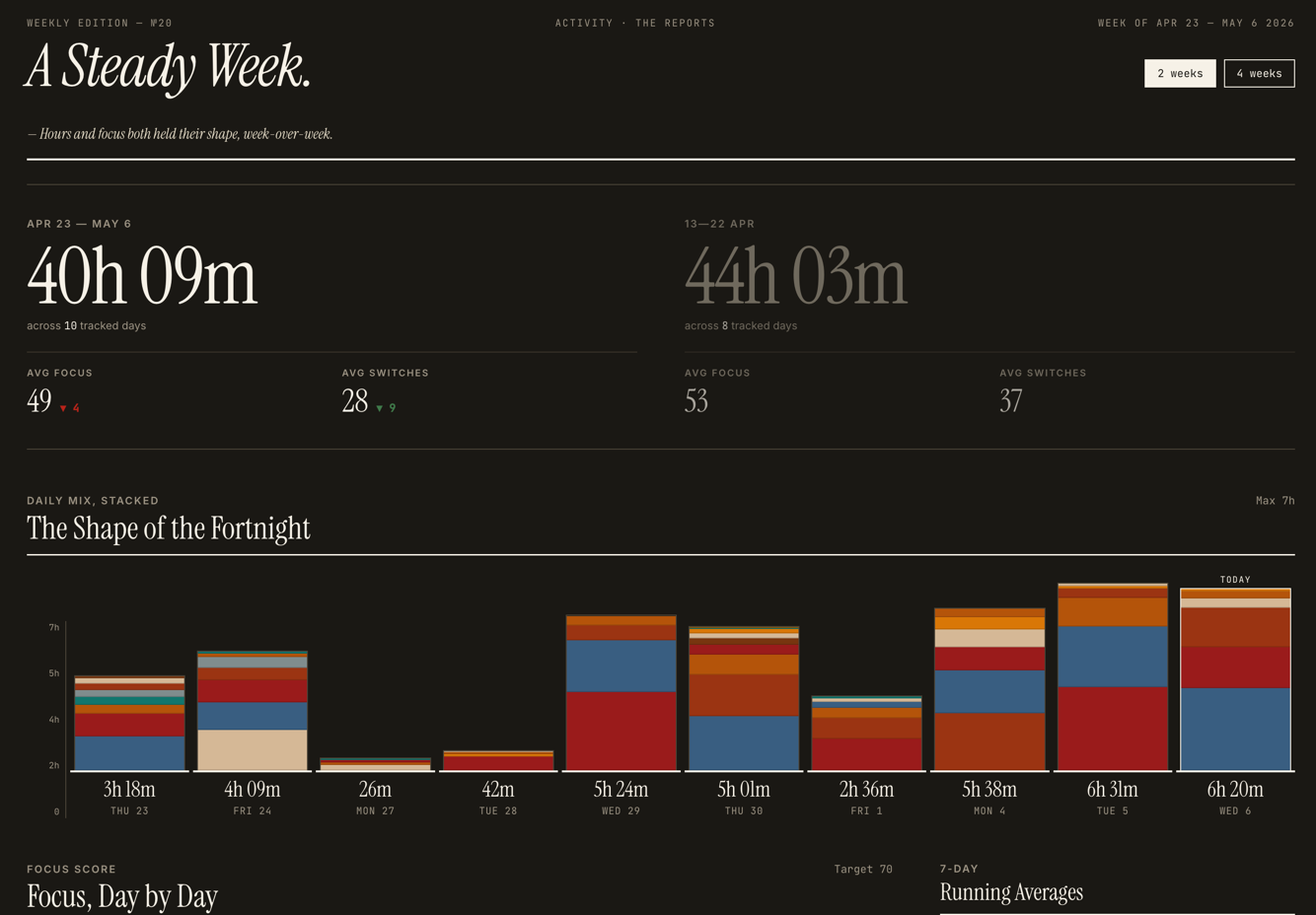
Reports — week-on-week trends and category comparison.
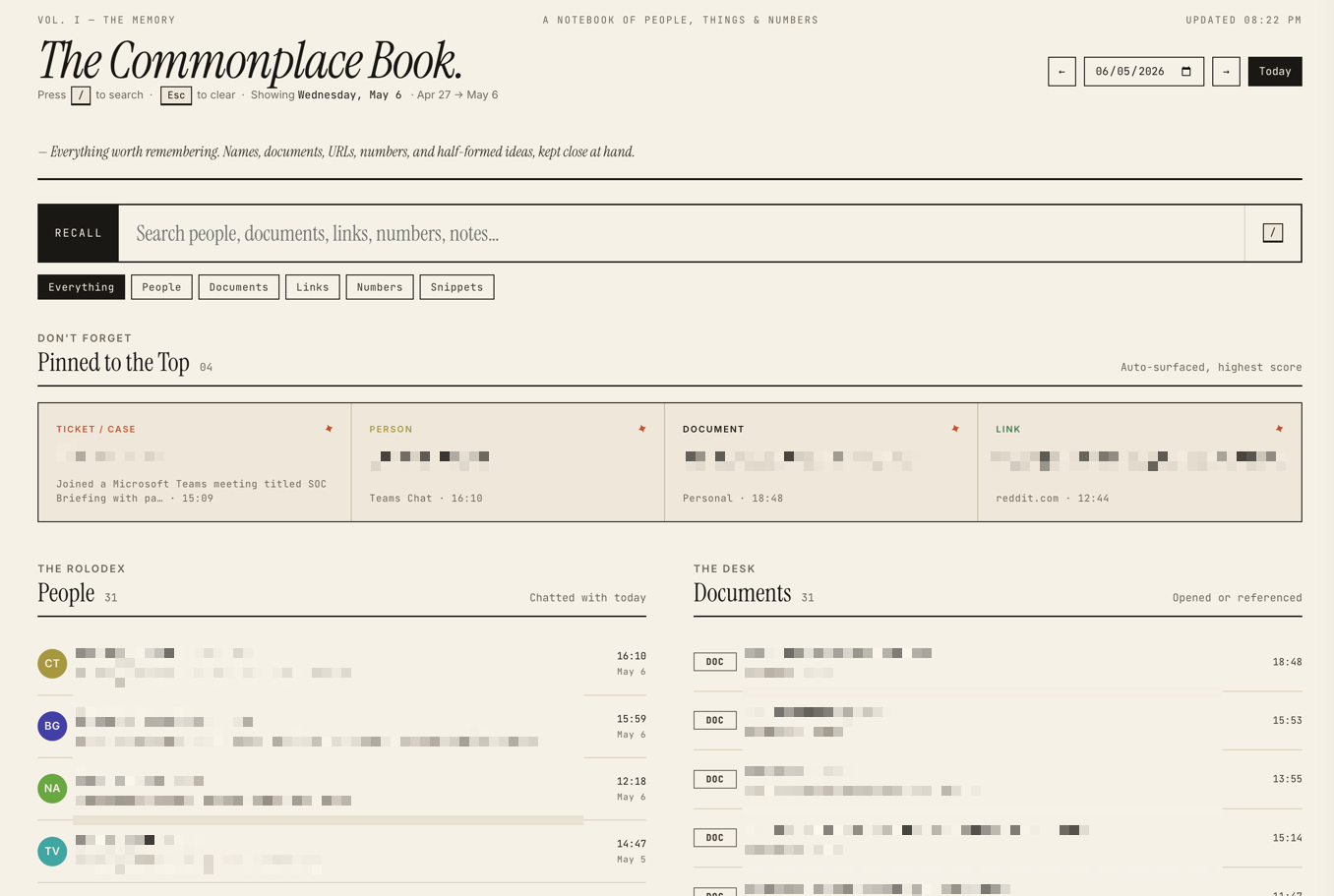
Commonplace Book — your daily memory: people, documents, links, tickets, snippets — searchable, with a click-to-zoom panel for each person.
screencapture)qwen3:8b)git clone https://github.com/bharatrameshwar/commonplace.git
cd commonplace
# Create venv and install
python3 -m venv .venv
.venv/bin/pip install -e .
# Configure
cp config.example.yaml config.yaml
$EDITOR config.yaml # set user_profile.name, role, self_aliases
# Pull the AI model (or edit config.yaml to use a different one)
ollama pull qwen3:8b
# Install launchd agents (capture, dashboard, classifier, cleanup)
./scripts/install.sh
# Open the dashboard
open http://127.0.0.1:8420
To stop everything:
./scripts/install.sh --uninstall
config.yaml is read at startup. The most important section is user_profile:
user_profile:
  name: "Jane Doe"
  self_aliases:
    - "jane doe"
    - "doe, jane"
  role: "Software engineer"
  organization: "Acme Corp"     # optional, used in classifier prompt
  person_stopwords:             # words that look like names but aren't
    - "Acme"
    - "Project Phoenix"
Filling these in keeps:
Commonplace runs all AI locally through Ollama. Nothing is sent to any external API — your activity stays on your machine.
The default model is qwen3:8b — a balanced choice that fits comfortably on a 16GB Mac and handles classification, memory extraction, and weekly per-person summaries well. Pull it once with ollama pull qwen3:8b.
Configure under ai: in config.yaml:
ai:
  ollama_url: "http://localhost:11434"
  model: "qwen3:8b"
Or override per-process with environment variables — OLLAMA_URL, OLLAMA_MODEL.
local_classifier.py, runs every 5 min) — categorises each span into Development / Meetings / Communication / etc., and writes a one-line description.tracker/people_summary.py, nightly via cleanup.py) — for each person you interacted with in the last 7 days, generates 2-3 sentences summarising what you discussed./api/digest) — a 3-5 sentence narrative summary of your day on demand.The capture daemon, dashboard rendering, search, and people-extraction don't use AI — they're plain Python and SQL.
Anything Ollama can serve will work — adjust model: in config.yaml and pull it. Some that have been tested:
Larger models (14B+) work but are usually slower than the value warrants for this kind of structured-output task. Models without strong instruction-following or JSON-mode support tend to produce malformed outputs that get silently discarded.
The classifier daemon logs Ollama not running or model not available. Skipping. and tries again next interval — capture continues unaffected. Classified categories and memory items just won't appear until Ollama comes back up.
Data lives in ~/.local/share/commonplace/.
/ — today's dashboard (timeline, hourly bars, focus score)/reports — weekly trends and category comparison/search — the Commonplace Book: today's people, documents, links, tickets, snippets — searchable, with a click-to-zoom panel for each person showing their weekly summaryAdd to your Claude Desktop or Claude Code config:
{
  "mcpServers": {
    "commonplace": {
      "command": "/path/to/commonplace/.venv/bin/python",
      "args": ["/path/to/commonplace/mcp_server.py"]
    }
  }
}
Then ask Claude things like "what was I working on yesterday afternoon?" or "summarise my last week of meetings with Lochner."
SQLite for storage (FTS5 for search). Plain Flask for the dashboard. PyYAML for config. No JS framework — the templates are server-rendered HTML with vanilla JS sprinkles.
Capture is macOS-specific. A port to Windows or Linux would need to swap three concrete layers:
osascript, called from daemon.py and tracker/browser.py. Replace with the OS-native equivalent (Win32 GetForegroundWindow + UIA on Windows; X11/Wayland tooling on Linux).screencapture shelled out from tracker/screenshot.py. Replace with mss, PIL.ImageGrab, or platform APIs.launchd plists in scripts/launchd/. Replace with Task Scheduler, systemd user units, or cron.Everything else (the SQLite schema, dashboard, classifier, MCP server, people extraction, config loader) is platform-agnostic Python and ports cleanly.
PR-only workflow. Main is locked. See CONTRIBUTING.md.
MIT — see LICENSE.
Local-first macOS activity tracker with AI-powered classification, a daily commonplace book, and an MCP server for Claude.
Tools
Noch keine Tool-Liste. Remote-Server erhalten eine nach dem ersten Health-Check.
FAQ
Kopieren Sie auf dieser Seite die stdio-Konfiguration für Cursor, Claude Desktop, Claude Code oder VS Code. Sie nutzt die Installation des Herausgebers, keinen PlugMCP-Proxy.
In diesem Eintrag ist keine erforderliche Umgebungsvariable aufgeführt.
Commonplace läuft lokal über stdio.
Zuletzt geprüft: 2026-10-27. Local-first macOS activity tracker with AI-powered classification, a daily commonplace book, and an MCP server for Claude.

