Perplexity Ask MCP Server
An MCP server implementation that integrates the Sonar API to provide Claude with unparalleled real-time, web-wide research.
Please refer to the official DeepWiki page for assistance with implementation.
Agenten stärken
Der eigene Befehl des Herausgebers. Kein PlugMCP-Endpunkt.
Host a copy with our keys and logs.
npx -y [email protected]Claude Code hat keinen Installationslink für einen lokalen Befehl. Kopieren Sie den Befehl unten und führen Sie ihn in einem Terminal aus.
claude mcp add chand45-perplexity-ask -- npx -y chand45-perplexity-ask@0.2.0In einem Terminal ausführen.
{ "mcpServers": { "chand45-perplexity-ask": { "command": "npx", "args": [ "-y", "[email protected]" ] } }}claude_desktop_config.json
Remote-URL oder ein Befehl auf Ihrem Rechner? Worin sich die beiden Installationen unterscheiden
Auf PlugMCP ausführen
A new server you create. It is not this listing's official endpoint. Use the publisher install when you want their URL and their credentials.
StartenVom Herausgeber
An MCP server implementation that integrates the Sonar API to provide Claude with unparalleled real-time, web-wide research.
Please refer to the official DeepWiki page for assistance with implementation.
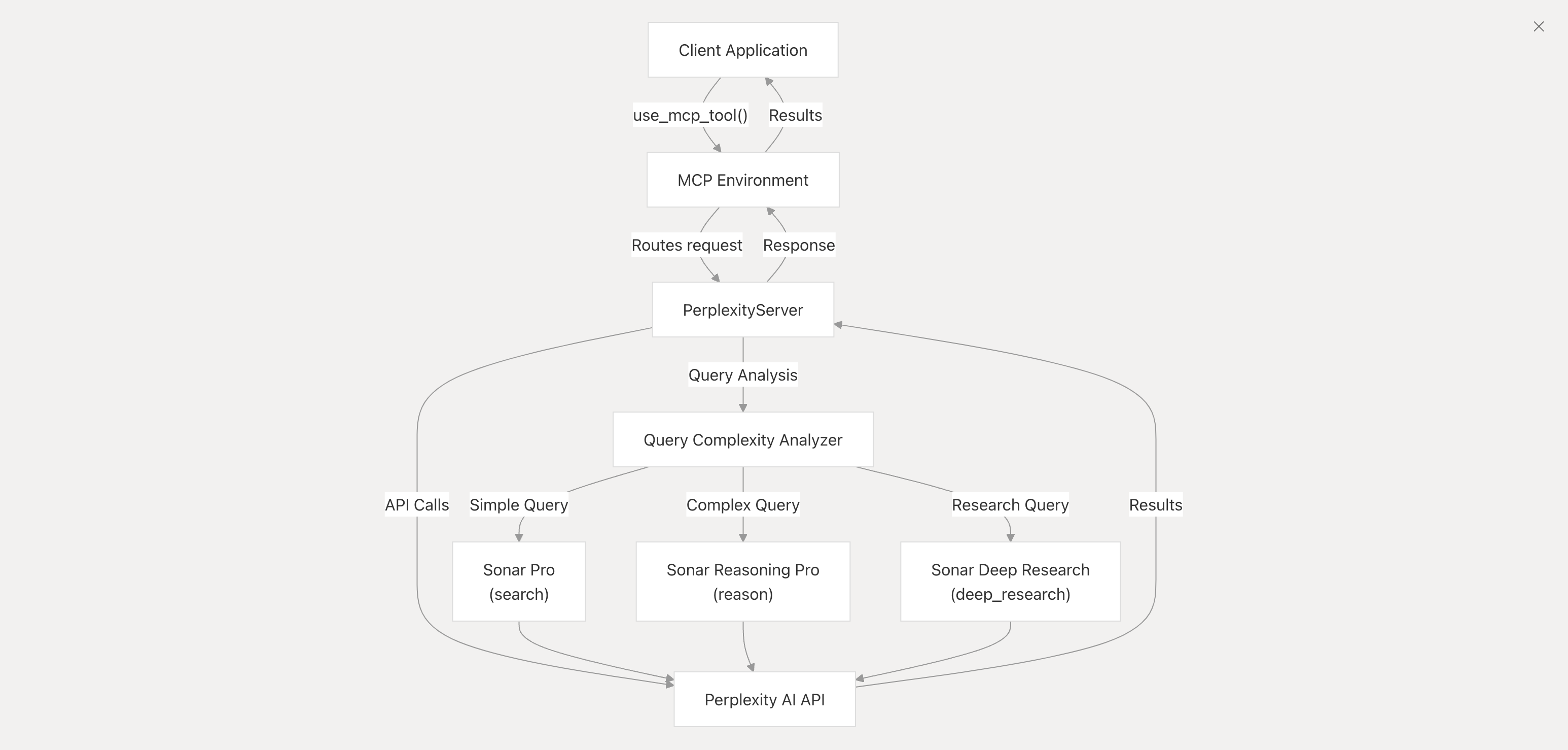
MCP server for Perplexity API integration. Includes tools for search, reason and research.
Credits: DeepWiki powered by Devin
messages (array): An array of conversation messages.
role (string): The role of the message (e.g., system, user, assistant).content (string): The content of the message.Clone this repository:
git clone [email protected]:ppl-ai/modelcontextprotocol.git
Navigate to the perplexity-ask directory and install the necessary dependencies:
cd modelcontextprotocol/perplexity-ask && npm install
PERPLEXITY_API_KEY.Download Claude desktop here.
Add this to your claude_desktop_config.json:
{
  "mcpServers": {
    "perplexity-ask": {
      "command": "docker",
      "args": [
        "run",
        "-i",
        "--rm",
        "-e",
        "PERPLEXITY_API_KEY",
        "mcp/perplexity-ask"
      ],
      "env": {
        "PERPLEXITY_API_KEY": "YOUR_API_KEY_HERE"
      }
    }
  }
}
{
  "mcpServers": {
    "perplexity-ask": {
      "command": "npx",
      "args": [
        "-y",
        "server-perplexity-ask"
      ],
      "env": {
        "PERPLEXITY_API_KEY": "YOUR_API_KEY_HERE"
      }
    }
  }
}
You can access the file using:
vim ~/Library/Application\ Support/Claude/claude_desktop_config.json
Docker build:
docker build -t mcp/perplexity-ask:latest -f Dockerfile .
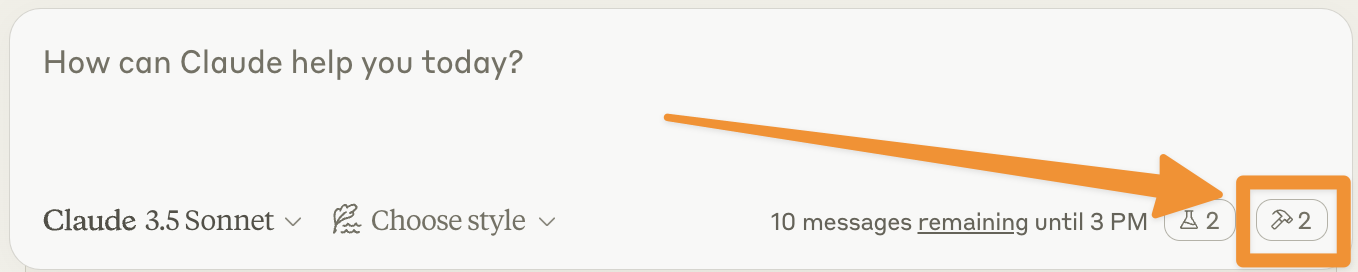
Let's make sure Claude for Desktop is picking up the two tools we've exposed in our perplexity-ask server. You can do this by looking for the hammer icon:
After clicking on the hammer icon, you should see the tools that come with the Filesystem MCP Server:
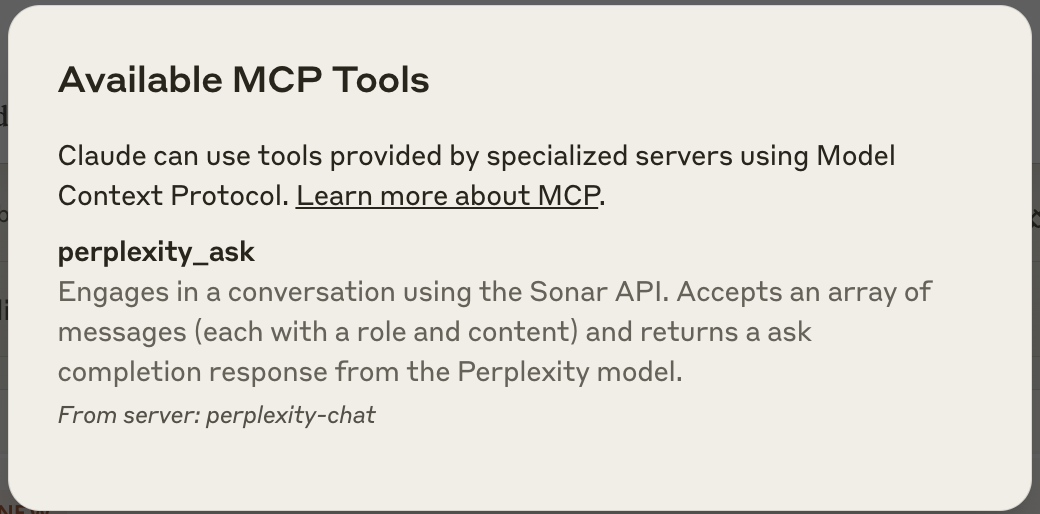
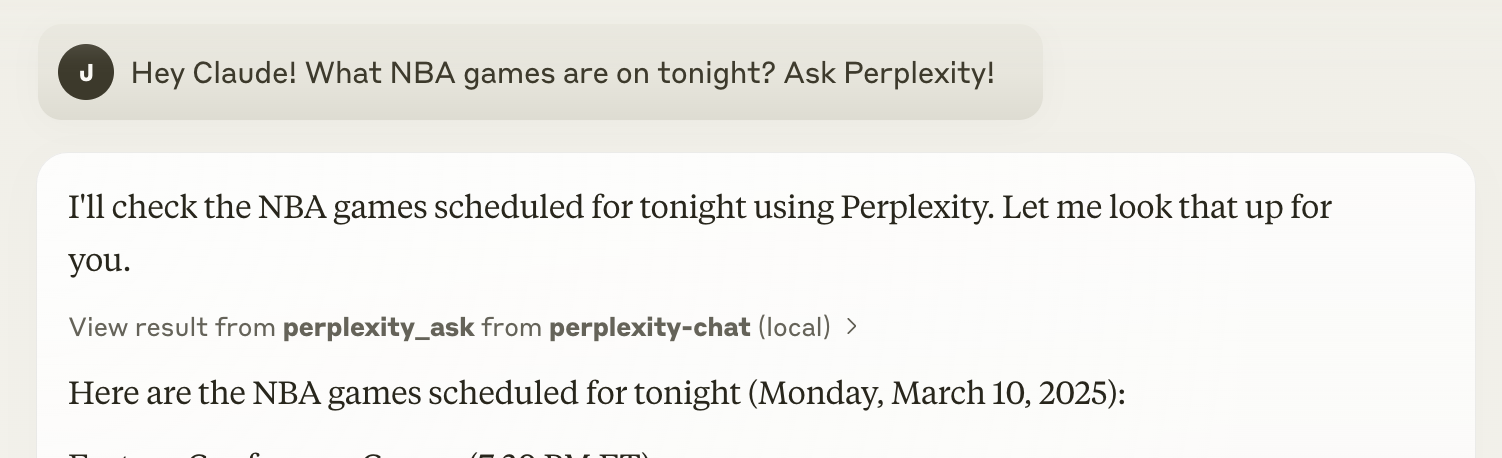
If you see both of these this means that the integration is active. Congratulations! This means Claude can now ask Perplexity. You can then simply use it as you would use the Perplexity web app.
Currently, the search parameters used are the default ones. You can modify any search parameter in the API call directly in the index.ts script. For this, please refer to the official API documentation.
The Claude documentation provides an excellent troubleshooting guide you can refer to. However, you can still reach out to us at [email protected] for any additional support or file a bug.
You can also use our MCP with Cursor (or any other app that supports this). To use Sonar with Cursor, you can follow the following steps.
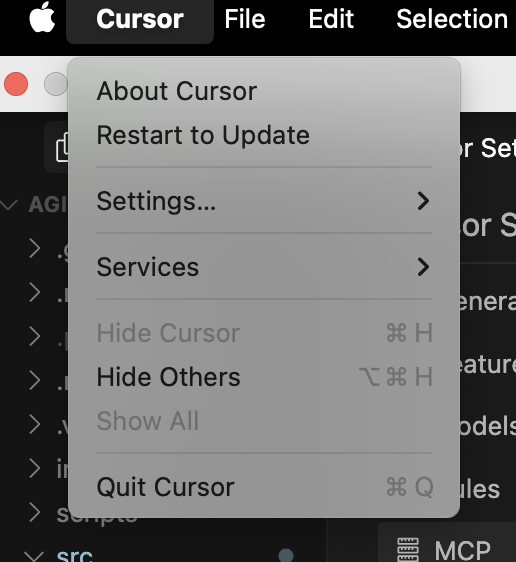
And click on Add new global MCP server
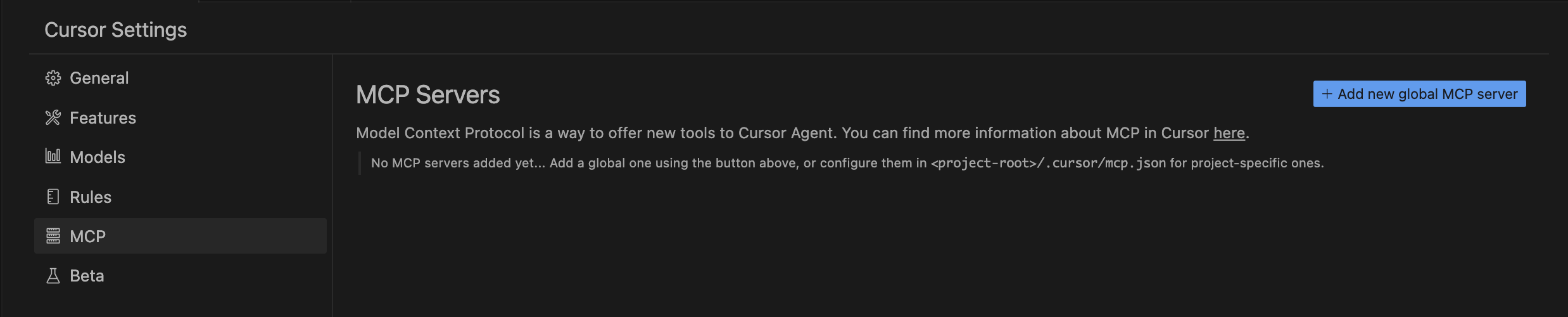
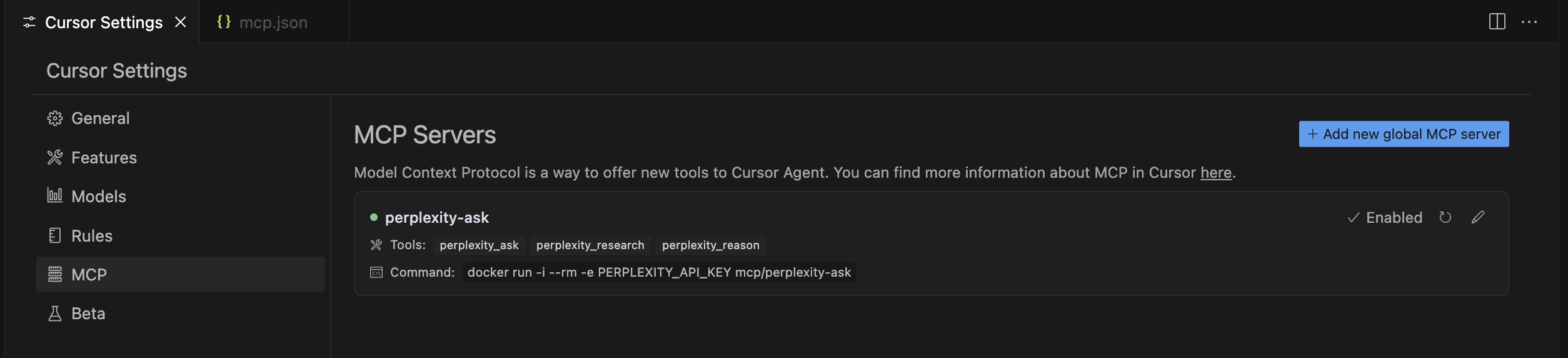
This is the same configuration you would use for any other application that supports MCP.
You should then see the application being part of your available tools like this:
This MCP server is licensed under the MIT License. This means you are free to use, modify, and distribute the software, subject to the terms and conditions of the MIT License. For more details, please see the LICENSE file in the project repository.
MCP server for Perplexity API integration. Includes tools for search, reason and research.
{ "mcpServers": { "chand45-perplexity-ask": { "command": "npx", "args": [ "-y", "[email protected]" ] } }}Tools
Noch keine Tool-Liste. Remote-Server erhalten eine nach dem ersten Health-Check.
FAQ
Kopieren Sie auf dieser Seite die stdio-Konfiguration für Cursor, Claude Desktop, Claude Code oder VS Code. Sie nutzt die Installation des Herausgebers, keinen PlugMCP-Proxy.
In diesem Eintrag ist keine erforderliche Umgebungsvariable aufgeführt.
Chand45 Perplexity Ask läuft lokal über stdio.
Zuletzt geprüft: 2026-11-16. MCP server for Perplexity API integration. Includes tools for search, reason and research.