Obsidian Rust MCP
A high-performance MCP (Model Context Protocol) server for Obsidian knowledge base management, built with Rust.
Agenten stärken
Installation vom Herausgeber. Kein PlugMCP-Endpunkt.
Host a copy with our keys and logs.
Noch kein paketiertes Release in der Registry. Folgen Sie der README des Repositorys.
Remote-URL oder ein Befehl auf Ihrem Rechner? Worin sich die beiden Installationen unterscheiden
Auf PlugMCP ausführen
A new server you create. It is not this listing's official endpoint. Use the publisher install when you want their URL and their credentials.
StartenVom Herausgeber
A high-performance MCP (Model Context Protocol) server for Obsidian knowledge base management, built with Rust.
High-performance MCP server that gives AI agents structured, read/write access to an Obsidian vault via fast Rust tooling.
projects/easytier, journal/2026-03)cargo build --release
The MCP surface exposes only help and executeCommand. Legacy flat tools are removed:
The MCP server exposes only two tools to save client tokens:
Typical flow: help → obsidian.guide → obsidian.search → obsidian.write
help{}
{ "topic": "obsidian.write", "detail": true }
executeCommand{
"command": "obsidian.search",
"args": { "tags": ["docker"], "keyword": "nginx" }
}
{
  "command": "obsidian.write",
  "args": {
    "directory": "tech",
    "filename": "nginx-guide",
    "tags": ["nginx"],
    "aliases": ["Nginx Guide"],
    "status": "active",
    "content": "markdown body",
    "append": true
  }
}
obsidian.*)See docs/arch.md for architecture and docs/todo.md for roadmap.
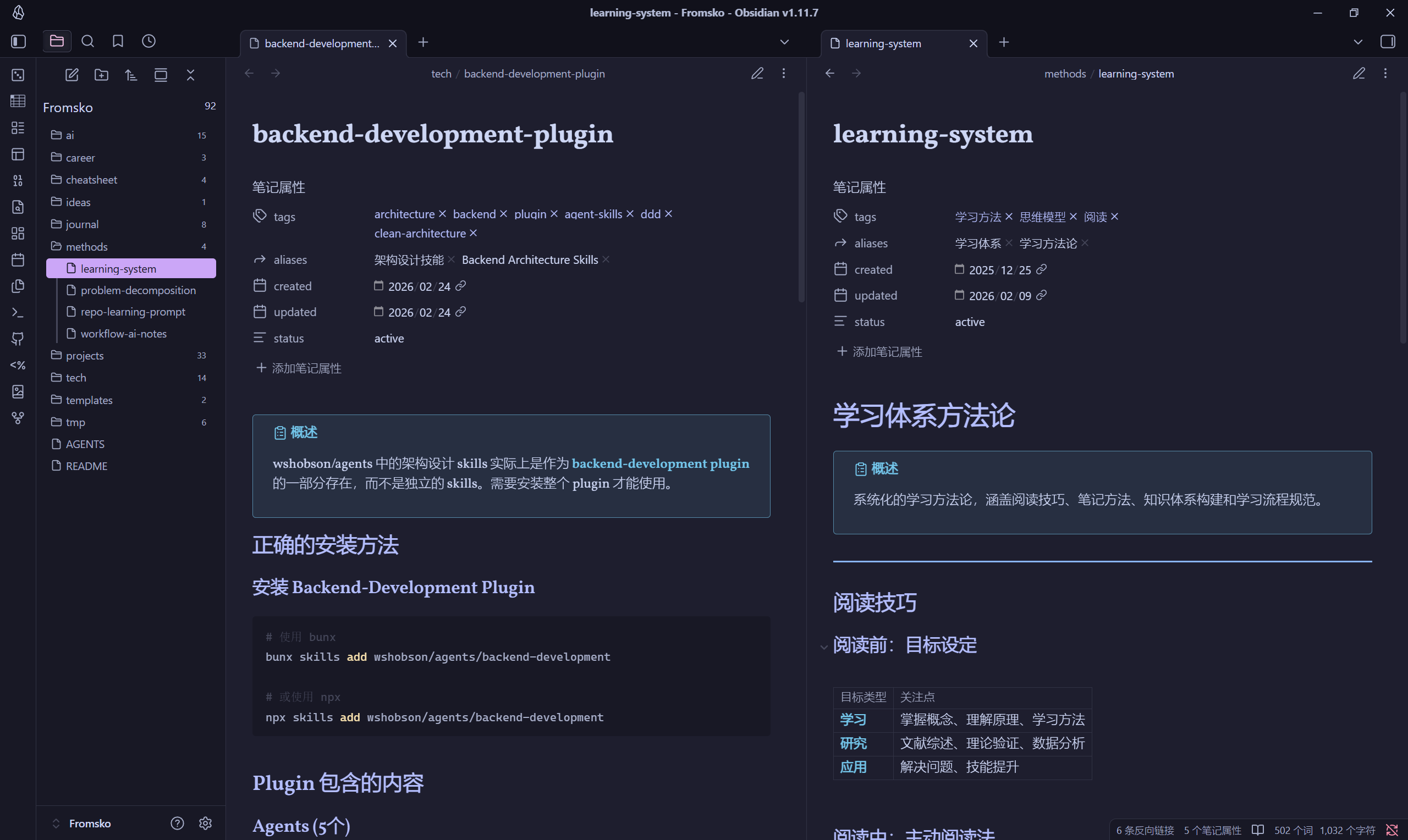
Set the OBSIDIAN_VAULT_ROOT environment variable to point to your Obsidian vault:
# Linux/macOS
export OBSIDIAN_VAULT_ROOT="/path/to/your/vault"

# Windows (cmd)
set OBSIDIAN_VAULT_ROOT=D:\notes\Fromsko

# Windows (PowerShell)
$env:OBSIDIAN_VAULT_ROOT="D:\notes\Fromsko"
Edit the VAULT_ROOT constant in src/config.rs:
pub const VAULT_ROOT: &str = r"D:\notes\Fromsko";
Configure the vault path directly in your MCP client configuration:
{
  "fromsko-note": {
    "command": "/path/to/obsidian-mcp",
    "disabled": false,
    "env": {
      "OBSIDIAN_VAULT_ROOT": "/path/to/your/vault"
    }
  }
}
Replace /path/to/obsidian-mcp with the actual path to your compiled binary, and /path/to/your/vault with your Obsidian vault path.
Note: This is the recommended approach when using this MCP server with clients like Claude Desktop, Cursor, or other MCP-compatible tools.
See docs/obsidian-mcp.example.json and docs/STRUCTURE.md.
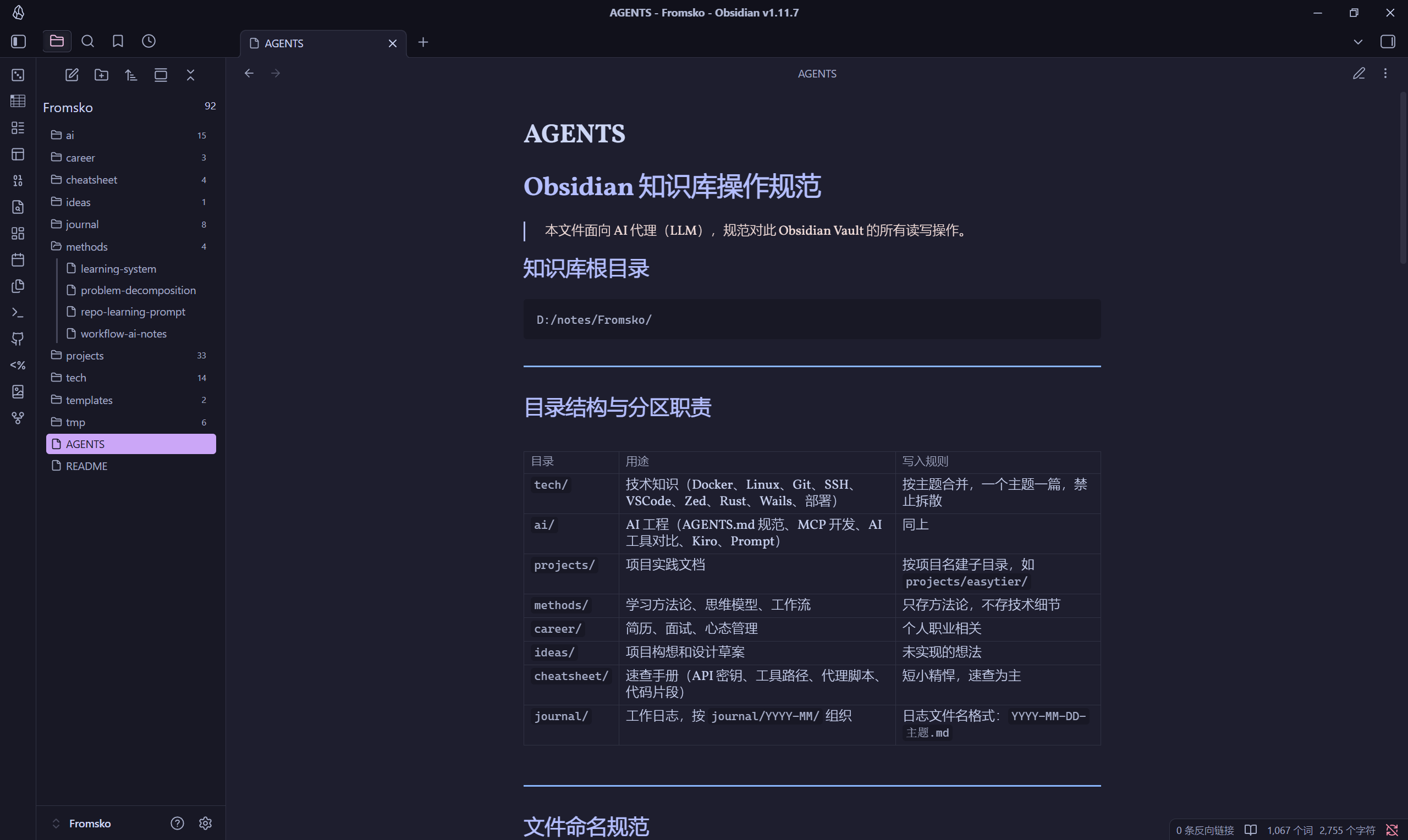
Default top-level directories (override via config):
Notes can be organized in the following top-level directories (nested subdirectories supported at any depth):
tech - Technical notesai - AI/ML related notesprojects - Project documentationmethods - Methodologies and processescareer - Career developmentideas - Ideas and brainstormingcheatsheet - Quick reference guidesjournal - Daily journalsSee docs/STRUCTURE.md for the full layout. Summary:
src/
  config/       # AppConfig (env + JSON)
  validation/   # Path/directory rules
  vault/        # LocalVault + CloudVault
  note/         # frontmatter, index, semantic search
  service/      # ObsidianService
  command/      # registry, help, dispatch
  mcp/          # MCP: help + executeCommand
docs/
  arch.md, STRUCTURE.md, write-note-tips.md
tests/
  service_integration.rs, mcp_stdio.rs, registry.rs
cargo test # unit + integration + MCP stdio
MIT - see LICENSE file for details.
High-performance MCP server that gives AI agents structured, read/write access to an Obsidian vault via fast Rust tooling.
Tools
Noch keine Tool-Liste. Remote-Server erhalten eine nach dem ersten Health-Check.
FAQ
Kopieren Sie auf dieser Seite die stdio-Konfiguration für Cursor, Claude Desktop, Claude Code oder VS Code. Sie nutzt die Installation des Herausgebers, keinen PlugMCP-Proxy.
In diesem Eintrag ist keine erforderliche Umgebungsvariable aufgeführt.
Obsidian Rust läuft lokal über stdio.
Zuletzt geprüft: 2026-10-28. High-performance MCP server that gives AI agents structured, read/write access to an Obsidian vault via fast Rust tooling.

