ShipSwift
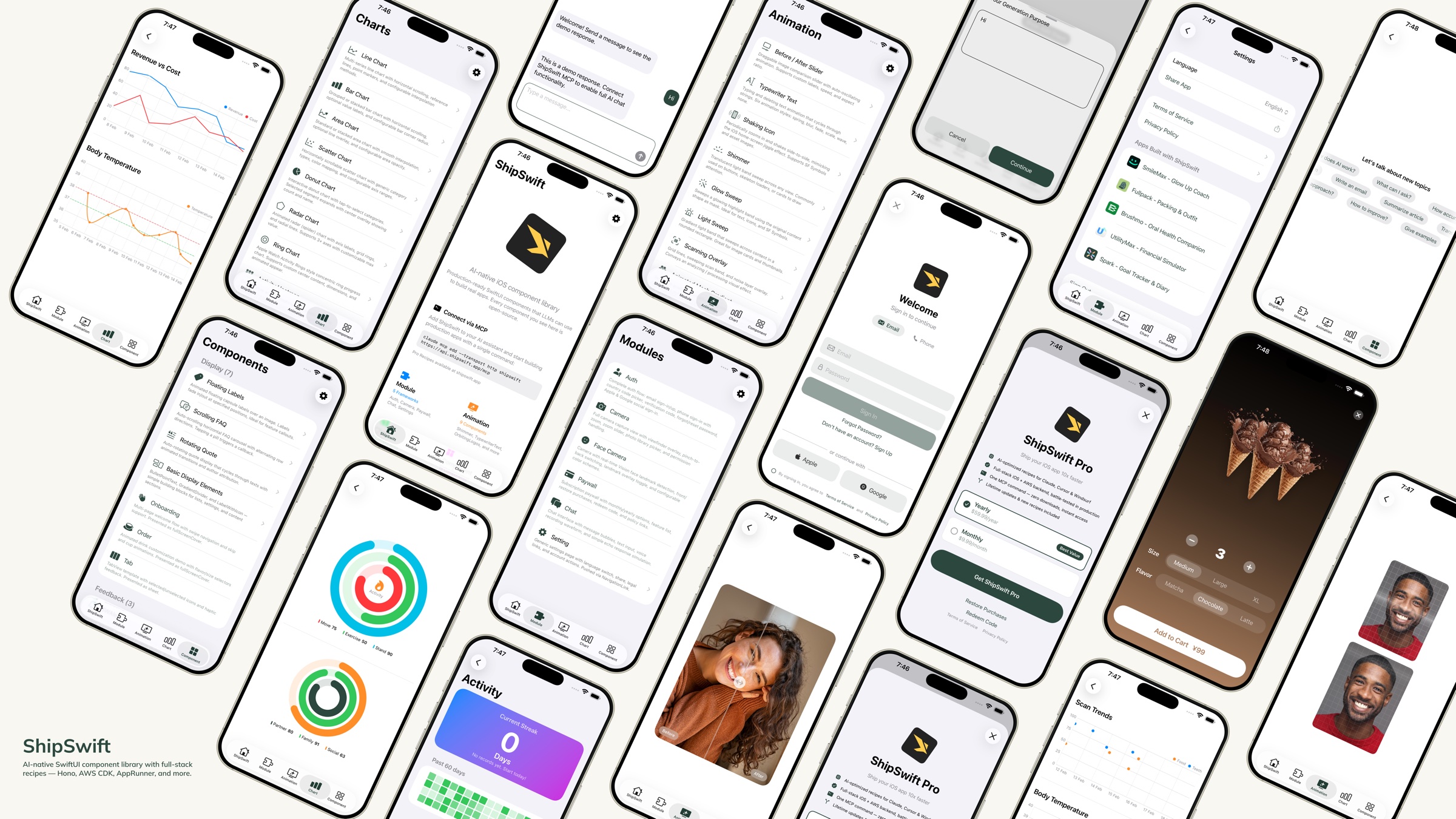
AI-native SwiftUI component library — production-ready code that LLMs can use to build real apps.
Agenten stärken
Die eigene URL des Herausgebers. Kein PlugMCP-Endpunkt.
Host a copy with our keys and logs.
https://api.shipswift.app/mcpDie Claude-Schaltfläche oben öffnet Claude mit ausgefülltem Namen und ausgefüllter URL. Sie bestätigen dort noch.
claude mcp add --transport http io.github.signerlabs-shipswift https://api.shipswift.app/mcpRun in a terminal.
{ "mcpServers": { "io.github.signerlabs-shipswift": { "command": "npx", "args": [ "-y", "mcp-remote", "https://api.shipswift.app/mcp" ] } }}claude_desktop_config.json
Remote-URL oder ein Befehl auf Ihrem Rechner? Worin sich die beiden Installationen unterscheiden
Auf PlugMCP ausführen
A new server you create. It is not this listing's official endpoint. Use the publisher install when you want their URL and their credentials.
StartenOne command gives your AI everything it needs — production-ready SwiftUI components, full-stack skills, and the context to build real apps without guessing.
Browse every skill live at shipswift.app — searchable catalog, copy-paste source, live previews.
Download the Showcase App to preview every component on your device.
ShipSwift gets your AI 80% of the way. If you need the last 20% — your unique features, your brand, your backend — wired up by the people who wrote the skills, we ship it for you.
Built on the same component library you see in this repo, so you keep ownership and can extend forever.
Get a quote: [email protected] · shipswift.app
Step 1 — Install ShipSwift Skills:
npx skills add signerlabs/shipswift-skills
Step 2 — Connect the MCP server so your AI can fetch skills:
# Claude Code
claude mcp add --transport http shipswift https://api.shipswift.app/mcp

# Gemini CLI
gemini mcp add --transport http shipswift https://api.shipswift.app/mcp
For Cursor, VS Code Copilot, Windsurf, and other tools, see the Skills repo for MCP setup.
Step 3 — Ask your AI:
Install skills that read source files directly from this repo — works offline, no server needed:
npx skills add signerlabs/ShipSwift
Your AI can then browse the component catalog and read source code locally. Try:
Tip: If you also connect the MCP server (Option 1), your AI gets access to additional Pro skills (backend guides, compliance templates, pitfall docs).
ShipSwift/SWPackage/ into your Xcode projectSWAnimation/, SWChart/, and SWComponent/ is self-contained — just copy the file and SWUtil/ if neededgit clone https://github.com/signerlabs/ShipSwift.git
cd ShipSwift
open ShipSwift.xcodeproj
Select a simulator or device, then press Cmd+R to build and run.
SwiftUI animations: Shimmer · TypewriterText · ShakingIcon · GlowSweep · LightSweep · ScanningOverlay · AnimatedMeshGradient · BeforeAfterSlider · OrbitingLogos · FullScreenButton
Canvas-rendered 3D: DotSphere · CharSphere
Metal-shader procedural backgrounds: Dots · Starfield · FractalClouds · InkSmoke · LiquidChrome · Plasma · AnimatedLoop
Metal-shader backgrounds: Metaballs · Halftone · Water · LiquidMetal · NeuroNoise · DotOrbit · Voronoi · SimplexNoise · ColorPanels · SmokeRing · Swirl
30 animation components total — see the Showcase App for live previews.
LineChart · BarChart · AreaChart · DonutChart · RingChart · RadarChart · ScatterChart · ActivityHeatmap
Display: FloatingLabels · ScrollingFAQ · RotatingQuote · BulletPointText · GradientDivider · Label · MarkdownText · OnboardingView · OrderView · RootTabView · VideoPlayer Feedback: Alert · Loading · ThinkingIndicator Input: TabButton · Stepper · AddSheet · SearchBar
DebugLog · String/Date/View extensions · LocationManager
ShipSwift/
├── SWPackage/
│   ├── SWAnimation/          # Animation components
│   ├── SWChart/              # Chart components
│   ├── SWComponent/          # UI components
│   │   ├── Display/          #   Display components
│   │   ├── Feedback/         #   Feedback components
│   │   └── Input/            #   Input components
│   ├── SWModule/             # Multi-file frameworks
│   │   ├── SWAuth/           #   Authentication
│   │   ├── SWCamera/         #   Camera + face detection
│   │   ├── SWPaywall/        #   Subscription paywall
│   │   ├── SWChat/           #   Chat + voice input
│   │   ├── SWSetting/        #   Settings page
│   │   ├── SWSubjectLifting/ #   Background removal
│   │   └── SWTikTokTracking/ #   TikTok attribution
│   └── SWUtil/               # Shared utilities
├── View/                     # Showcase app views
├── Service/                  # App services
└── Component/                # Shared app components
All types use the SW prefix (e.g., SWAlertManager, SWStoreManager).
View modifiers use .sw lowercase prefix (e.g., .swAlert(), .swPageLoading(), .swPrimary).
SWUtil        ← no dependencies on other SWPackage directories
SWAnimation   ← may depend on SWUtil only
SWChart       ← may depend on SWUtil only
SWComponent   ← may depend on SWUtil only
SWModule      ← may depend on SWUtil and SWComponent
ShipSwift provides free and Pro skills — each skill includes complete SwiftUI source code, implementation steps, and best practices. Your AI assistant can retrieve any skill on demand.
* Pro skills — include full backend, compliance templates, and pitfall guides. Coming soon: Push Notifications, Analytics Dashboard.
Three tools are available: listSkills, getSkill, searchSkills.
Learn more at shipswift.app · Skills repo: signerlabs/shipswift-skills
All iOS client code is open-source under the MIT license. Pro skills add everything you need to go from prototype to production.
See pricing for details.
Contributions are welcome! Please follow these steps:
git checkout -b feature/amazing-feature)git commit -m 'Add amazing feature')git push origin feature/amazing-feature)This project is licensed under the MIT License — see the LICENSE file for details.
40+ production-ready SwiftUI recipes for building full-stack iOS apps via MCP.
{ "mcpServers": { "io.github.signerlabs-shipswift": { "url": "https://api.shipswift.app/mcp", "headers": {} } }}Tools
Noch keine Tool-Liste. Remote-Server erhalten eine nach dem ersten Health-Check.
FAQ
Kopieren Sie auf dieser Seite die http-Konfiguration für Cursor, Claude Desktop, Claude Code oder VS Code. Sie nutzt die Installation des Herausgebers, keinen PlugMCP-Proxy.
In diesem Eintrag ist keine erforderliche Umgebungsvariable aufgeführt.
ShipSwift wird über HTTP erreicht.
Zuletzt geprüft: 2026-11-10. 40+ production-ready SwiftUI recipes for building full-stack iOS apps via MCP.