sqemo-mcp
— AI agents that follow your team's database naming standard.
Agenten stärken
Der eigene Befehl des Herausgebers. Kein PlugMCP-Endpunkt.
Host a copy with our keys and logs.
npx -y [email protected]Claude Code hat keinen Installationslink für einen lokalen Befehl. Kopieren Sie den Befehl unten und führen Sie ihn in einem Terminal aus.
claude mcp add io.github.sqemo-sqemo -- npx -y sqemo-mcp@2.8.3In einem Terminal ausführen.
{ "mcpServers": { "io.github.sqemo-sqemo": { "command": "npx", "args": [ "-y", "[email protected]" ] } }}claude_desktop_config.json
Remote-URL oder ein Befehl auf Ihrem Rechner? Worin sich die beiden Installationen unterscheiden
Auf PlugMCP ausführen
A new server you create. It is not this listing's official endpoint. Use the publisher install when you want their URL and their credentials.
StartenYour agent models in business terms ("Customer Number"); the column comes out as cust_no
because your word list says customer → cust, number → no (case and delimiter are rules
too, so CUST_NO is one setting away). Same input, same name, every
table, every agent. Overrides are allowed but flagged, and a CLI lint catches drift in CI.
{ "mcpServers": { "sqemo": { "command": "npx", "args": ["-y", "sqemo-mcp"] } } }
Works with Claude Code, Claude Desktop, Cursor, and any MCP client. Local .erd.json files
need no account; cloud ERDs and Pro tools need npx sqemo-mcp login.
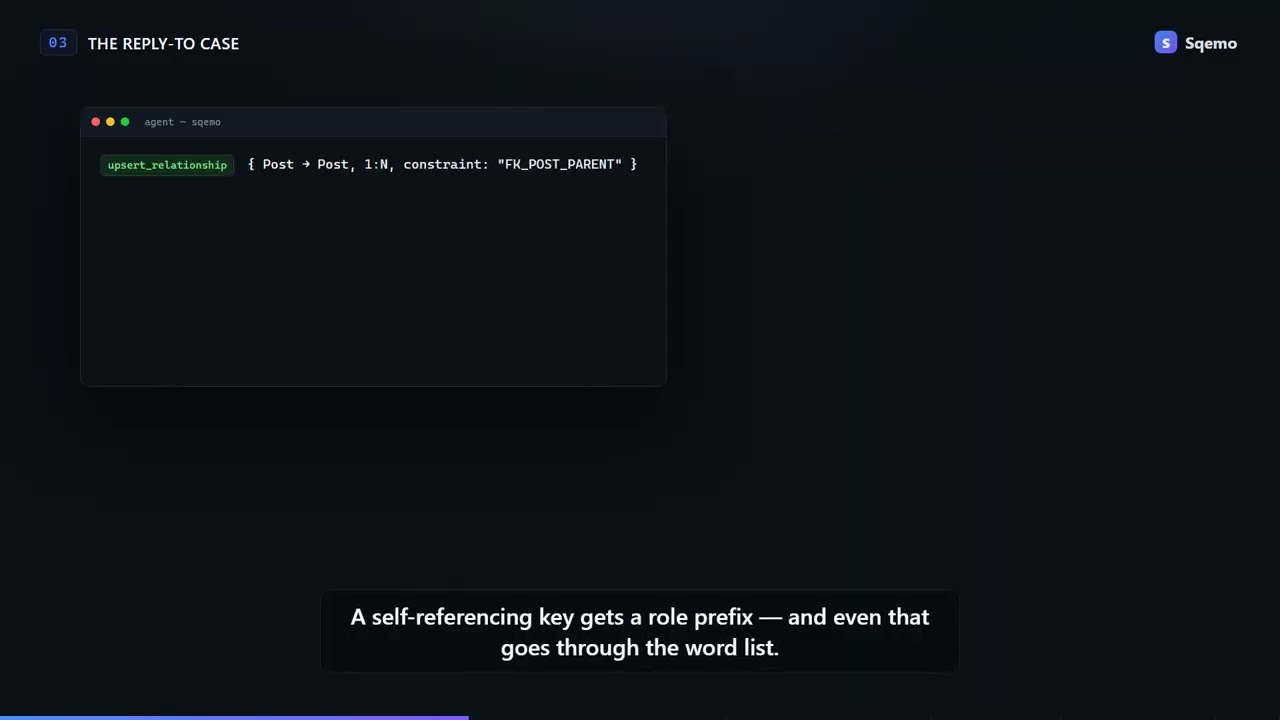
Model a discussion board where members post articles, a post can be a reply to another post, and members comment on posts.
The agent calls the tools with logical names and never types a column name:
upsert_entity    { logicalName: "Post" }
// → { physicalName: "POST" }

upsert_attribute { logicalName: "Post Content", domain: "Content" }
// → { physicalName: "POST_CNTS" }          // Content → CNTS: from the team word list

upsert_attribute { logicalName: "Delete Flag", domain: "Flag" }
// → { physicalName: "DELETE_YN" }          // Flag → YN: same rule in every table

lint_erd
// → naming drift, missing words, referential integrity — before any DDL is written
CNTS and YN are not the agent's taste. They are your word list's abbreviations, applied the
same way they were applied in every other table your team has modelled. Domains carry the data
type, so Content is varchar(1000) everywhere it appears.
Full walkthrough with every tool call: Describe the work, get a governed schema.
AI agents can query and edit entities, relationships, and domains; generate physical names
from a shared team glossary; import/export SQL (7 dialects) and DBML; and compare the model
against a live database. Works with both local .erd.json files and ERDs stored on the
Sqemo cloud.
sqemo-mcpio.github.sqemo/sqemoRequires Node.js >= 22. Local-file tools work without any account or configuration. Login is needed for cloud ERD tools, and for the tools marked (Pro) below.
.mcp.json){
"mcpServers": {
"sqemo": { "command": "npx", "args": ["-y", "sqemo-mcp"] }
}
}
Add the same mcpServers entry to your config file:
%APPDATA%\Claude\claude_desktop_config.json~/Library/Application Support/Claude/claude_desktop_config.json.cursor/mcp.json){
"mcpServers": {
"sqemo": { "command": "npx", "args": ["-y", "sqemo-mcp"] }
}
}
npx sqemo-mcp login    # pick Google, GitHub, or email + password
npx sqemo-mcp logout   # removes stored credentials
login asks how you want to sign in. Google and GitHub open a browser tab, complete a
PKCE OAuth flow, and hand the session back through a one-shot loopback server on
127.0.0.1; the third option takes an email and password in the terminal. Only a
refresh token is ever stored.
~/.erdmaker/credentials.json (mode 0600 on POSIX);
your password is never persisted.--password forces the email + password path,
--provider google|github forces a browser path.printf 'email\npassword\n' | npx sqemo-mcp login127.0.0.1). Over SSH or in CI, use --password or the SQEMO_EMAIL /
SQEMO_PASSWORD environment variables.36 tools in total.
Read-only against your own database. Both query only the information schema — never table data — and the connection URL is used by this local process only, never sent to Sqemo servers.
Cloud writes require owner or shared-editor permission and are protected by version CAS with 3-way auto-merge for concurrent edits.
Offline, file-based subcommands (no login needed):
# Naming-standard check — exits 1 on violations, great as a CI gate
npx sqemo-mcp lint schema.erd.json

# Schema export to stdout
npx sqemo-mcp export schema.erd.json --format sql --dialect postgres > schema.sql
npx sqemo-mcp export schema.erd.json --format dbml > schema.dbml
Drift mode compares the model against a real database or a dump, and exits 1 when they disagree (Pro, requires login):
npx sqemo-mcp lint schema.erd.json --db "$DATABASE_URL" [--db-schema public] [--strict]
npx sqemo-mcp lint schema.erd.json --schema dump.sql --dialect postgres
npx sqemo-mcp lint --erd <cloud-erd-id> --db "$DATABASE_URL" --ignore 'tmp_*'
GitHub Actions example:
- run: npx sqemo-mcp lint schema.erd.json
- run: npx sqemo-mcp lint schema.erd.json --db "${{ secrets.DATABASE_URL }}"
The request caps are a safety net against agents stuck in loops; exceeding them
returns a rate_limited error that tells the agent to stop and notify the user.
All tool errors return { code, message } — e.g. not_authenticated, no_permission,
save_conflict (retry after re-reading), validation_failed, rate_limited.
Design ERDs with your team's naming standards: query/edit entities and relationships, SQL/DBML
{ "mcpServers": { "io.github.sqemo-sqemo": { "command": "npx", "args": [ "-y", "[email protected]" ] } }}Tools
Noch keine Tool-Liste. Remote-Server erhalten eine nach dem ersten Health-Check.
FAQ
Kopieren Sie auf dieser Seite die stdio-Konfiguration für Cursor, Claude Desktop, Claude Code oder VS Code. Sie nutzt die Installation des Herausgebers, keinen PlugMCP-Proxy.
In diesem Eintrag ist keine erforderliche Umgebungsvariable aufgeführt.
Sqemo läuft lokal über stdio.
Zuletzt geprüft: 2026-11-10. Design ERDs with your team's naming standards: query/edit entities and relationships, SQL/DBML