Agenten stärken
Installation vom Herausgeber. Kein PlugMCP-Endpunkt.
Host a copy with our keys and logs.
Noch kein paketiertes Release in der Registry. Folgen Sie der README des Repositorys.
Remote-URL oder ein Befehl auf Ihrem Rechner? Worin sich die beiden Installationen unterscheiden
Auf PlugMCP ausführen
A new server you create. It is not this listing's official endpoint. Use the publisher install when you want their URL and their credentials.
Starten
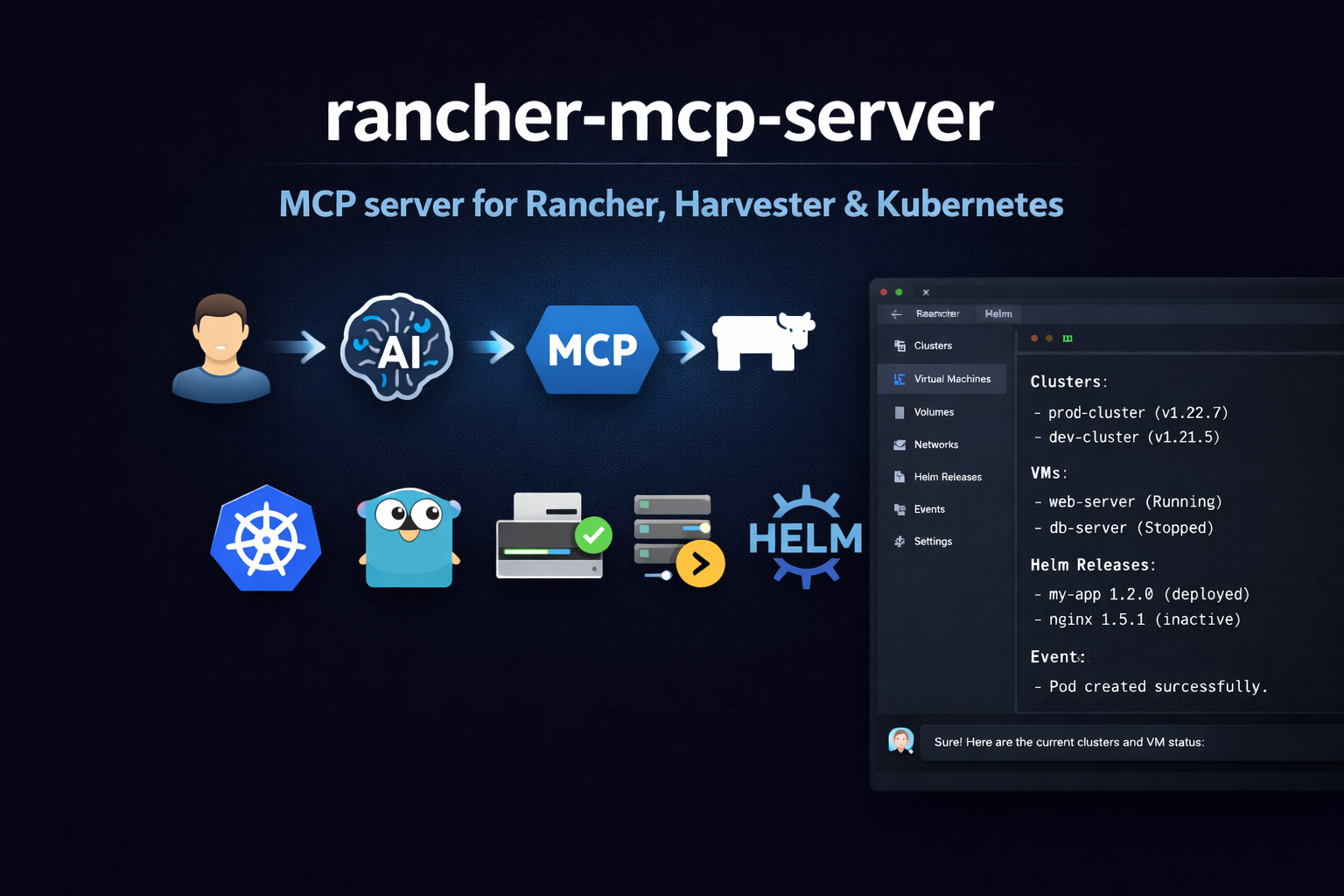
Model Context Protocol (MCP) server for the Rancher ecosystem: multi-cluster Kubernetes, Harvester HCI (VMs, storage, networks), and Fleet GitOps.
A walkthrough of how this MCP server works (example in Cursor).
/v3) for schemas, users, tokens, auth configs, global role bindings, cluster registration tokens, node drivers, cloud credentials, catalogs, cluster repos, feature flags, settings, audit (when exposed); support bundle and generic actions when writes are enabled/k8s/clusters/...) and Norman (/v3/...); no CLI wrappers--show-sensitive-data)RANCHER_MCP_*), or file (YAML/TOML)npm install -g rancher-mcp-server
Add to .cursor/mcp.json (project-level) or ~/.cursor/mcp.json (global):
{
  "mcpServers": {
    "rancher": {
      "command": "npx",
      "args": [
        "-y", "rancher-mcp-server",
        "--rancher-server-url", "https://rancher.example.com",
        "--rancher-token", "token-xxxxx:yyyy",
        "--toolsets", "harvester,rancher,kubernetes,fleet"
      ]
    }
  }
}
Restart Cursor after saving. Check Settings → Tools & MCP that rancher is listed and enabled.
Add to your Claude Desktop config (claude_desktop_config.json):
{
  "mcpServers": {
    "rancher": {
      "command": "npx",
      "args": [
        "-y", "rancher-mcp-server",
        "--rancher-server-url", "https://rancher.example.com",
        "--rancher-token", "token-xxxxx:yyyy",
        "--toolsets", "harvester,rancher,kubernetes,fleet"
      ]
    }
  }
}
If you prefer to keep the token out of the JSON config:
{
  "mcpServers": {
    "rancher": {
      "command": "npx",
      "args": ["-y", "rancher-mcp-server"],
      "env": {
        "RANCHER_MCP_RANCHER_SERVER_URL": "https://rancher.example.com",
        "RANCHER_MCP_RANCHER_TOKEN": "token-xxxxx:yyyy",
        "RANCHER_MCP_TOOLSETS": "harvester,rancher,kubernetes"
      }
    }
  }
}
For VM create, snapshots, backups, image/volume create, addon switch, host maintenance mode, VPC create/update/delete, VPC NAT gateway create, Harvester setting updates, Kubernetes create/patch/delete, Helm install/upgrade/rollback, Fleet gitrepo create/delete, and Norman writes (tokens, users, auth configs, role bindings, cluster registration tokens, cloud credentials, catalog refresh, feature flags, settings, rancher_norman_action, support bundle), add --read-only=false. Delete operations (Norman tokens/bindings/registration tokens/cloud credentials, VPC NAT gateway delete, plus existing toolset deletes) also require --disable-destructive=false (default).
{
  "mcpServers": {
    "rancher": {
      "command": "npx",
      "args": [
        "-y", "rancher-mcp-server",
        "--rancher-server-url", "https://rancher.example.com",
        "--rancher-token", "token-xxxxx:yyyy",
        "--toolsets", "harvester,rancher,kubernetes,helm,fleet",
        "--read-only=false"
      ]
    }
  }
}
For web clients or remote access (e.g. Claude Code claude mcp add -t http), add --transport and --port:
{
  "mcpServers": {
    "rancher": {
      "command": "npx",
      "args": [
        "-y", "rancher-mcp-server",
        "--rancher-server-url", "https://rancher.example.com",
        "--rancher-token", "token-xxxxx:yyyy",
        "--transport", "http",
        "--port", "8080"
      ]
    }
  }
}
The server uses the MCP Streamable HTTP transport. The default MCP path is /mcp; connect to http://localhost:8080/mcp (or your server base URL + /mcp). Best supported with Claude Code; Cursor support may vary.
If you prefer to build the Go binary yourself:
go build -o rancher-mcp-server ./cmd/rancher-mcp-server
Then reference the binary directly in your MCP config:
{
  "mcpServers": {
    "rancher": {
      "command": "/absolute/path/to/rancher-mcp-server",
      "args": [
        "--rancher-server-url", "https://rancher.example.com",
        "--rancher-token", "token-xxxxx:yyyy",
        "--toolsets", "harvester,rancher,kubernetes,fleet"
      ]
    }
  }
}
List tools accept cluster (required), namespace, format (json|table), limit (default 100), continue (pagination token for next page). Write tools require read_only: false.
Use harvester_vm_create with:
harvester_network_create (type=kubeovn) then harvester_subnet_create with provider={network}.{namespace}.ovn, vpc=<vpc-name>, and nat_outgoing=true.managedtap (recommended for KubeOVN) or bridge. Uses Multus as primary network.ovn.kubernetes.io/logical_switch annotation.Example: VM on network vswitch1 in namespace default, managedTap interface, subnet vswitch1-subnet:
harvester_vm_create cluster=<cluster-id> namespace=default name=testvm image=<image> network=vswitch1 interface_type=managedtap subnet=vswitch1-subnet
Rancher tools use the management cluster (local). There is no cluster parameter on these tools.
https://<rancher>/v3/...)Norman tools call Rancher’s JSON management API. Discover types and collection URLs for your server with rancher_norman_schema_list / rancher_norman_schema_get (schema ids such as user, token, cluster).
Read-only (always registered with the rancher toolset)
When --read-only=false
When --read-only=false and --disable-destructive=false
rancher_cluster_repo_list / rancher_cluster_repo_get: Tries Norman /v3/clusterrepos first. If that returns 404 (common), falls back to catalog.cattle.io/v1 ClusterRepo on the local cluster via Steve/Kubernetes, trying namespaces cattle-global-data, fleet-default, fleet-local, cattle-fleet-system. Success JSON includes "_source":"kubernetes_api_fallback". If nothing works, the tool still returns 200-style JSON with "_source":"unavailable" and per-attempt errors—not a hard MCP error—so automation can continue.rancher_catalog_list / rancher_catalog_get: If Norman /v3/catalogs is not registered (404), returns JSON with "_source":"unavailable" instead of failing.rancher_audit_log_list: If the server returns 404 or 405 (GET not supported), returns JSON with "_source":"unavailable" and _http_status; audit may be disabled or exposed outside Norman.For catalog data when ClusterRepo is unavailable everywhere, use kubernetes_list on cluster local with api_version catalog.cattle.io/v1 and kind ClusterRepo, or Helm / Fleet tools as appropriate.
All tools take cluster (Rancher cluster ID). Install/upgrade require chart, release; optional repo_url, version, values (JSON).
All tools use the Rancher management cluster (local). Optional namespace (default: fleet-default). List tools support format, limit, continue (pagination). fleet_gitrepo_create requires name, repo; optional branch, paths. fleet_gitrepo_action supports: pause, unpause, disablePolling, enablePolling, forceUpdate. fleet_gitrepo_clone copies spec from an existing GitRepo to a new name.
All tools take cluster (Rancher cluster ID). List/get support namespace, format (json|table), limit, continue (pagination). Create/patch/delete are gated by read_only and disable_destructive. kubernetes_logs does not support follow (streaming); use tail_lines and since_seconds to limit output. In some Rancher/proxy setups pod logs can return 503 or stream errors; see Troubleshooting.
mcp-server), then Create.token-abc12:xyz...). Use it as --rancher-token or RANCHER_MCP_RANCHER_TOKEN.Harvester tools require the cluster ID (e.g. c-tx8rn) on each call.
.../c/<cluster-id>/....curl -s -H "Authorization: Bearer YOUR_TOKEN" "https://YOUR_RANCHER_URL/k8s/clusters/local/v1/management.cattle.io.clusters" | jq '.data[] | {name: .metadata.name}'curl -s -H "Authorization: Bearer YOUR_TOKEN" "https://YOUR_RANCHER_URL/v3/schemas" | jq '.data[0:5].id'For HTTP server mode, use the container image from GitHub Container Registry (ghcr.io). For Cursor/Claude with stdio, use npm (see Quick start).
Run the server and expose the port:
docker run -d -p 8080:8080 \
  -e RANCHER_MCP_RANCHER_SERVER_URL=https://rancher.example.com \
  -e RANCHER_MCP_RANCHER_TOKEN="token-xxxxx:yyyy" \
  -e RANCHER_MCP_TRANSPORT=http \
  -e RANCHER_MCP_PORT=8080 \
  ghcr.io/mrostamii/rancher-mcp-server:latest
http://localhost:8080/mcp (Streamable HTTP; default path is /mcp). Example: claude mcp add -t http rancher http://localhost:8080/mcpApache-2.0
Model Context Protocol (MCP) server for the Rancher ecosystem: multi-cluster Kubernetes, Harvester HCI (VMs, storage, networks), and Fleet GitOps.
Tools
Noch keine Tool-Liste. Remote-Server erhalten eine nach dem ersten Health-Check.
FAQ
Kopieren Sie auf dieser Seite die stdio-Konfiguration für Cursor, Claude Desktop, Claude Code oder VS Code. Sie nutzt die Installation des Herausgebers, keinen PlugMCP-Proxy.
In diesem Eintrag ist keine erforderliche Umgebungsvariable aufgeführt.
Rancher läuft lokal über stdio.
Zuletzt geprüft: 2026-10-28. Model Context Protocol (MCP) server for the Rancher ecosystem: multi-cluster Kubernetes, Harvester HCI (VMs, storage, networks), and Fleet GitOps.
