Mailtea Agent Plugin
Send email and newsletters. Just ask.
Mailtea lets your AI assistant send and schedule email, check delivery, write and design newsletters, manage contacts, and build your publication's website, all from a conversation. It is for newsletter writers, creators and teams who send with Mailtea, and for developers who want an agent to handle email without writing integration code.
What you get
167 tools, grouped by what they work on:
| Tool family | What your assistant can do |
|---|---|
Email (email.*) | Send, batch, schedule, cancel and resend email, check it before sending, track delivery and engagement, and read and reply to inbound mail |
Newsletters (issue.*, monetize.*) | Draft, edit, preview, test, schedule and send newsletters, publish them to your website, follow delivery progress, and manage sponsor offers |
Templates (template.*) | Create, render, publish, duplicate and version reusable email templates |
Audience (contact.*, contact_property.*, segment.*, topic.*, suppression.*) | Manage contacts and their properties, import a CSV, build segments and topics, handle suppressions, and run referral milestones |
Automations (automation.*, automation_run.*, event.*, event_definition.*) | Build, validate, preview, enable and measure multi-step automations, and send the custom events that start them |
Website (site.*, section.*) | Edit pages, sections, navigation, footer, theme and design brief, manage images, and publish your publication's website |
Sending setup (domain.*, sender.*) | Add and verify sending and tracking domains, and manage senders |
Analytics (analytics.*) | Newsletter performance, trends, poll results and CSV exports |
Account (publication.*, api_key.*, webhook.*, auth.*) | List and create publications, connect custom website domains, manage API keys and webhooks, and check who is connected |
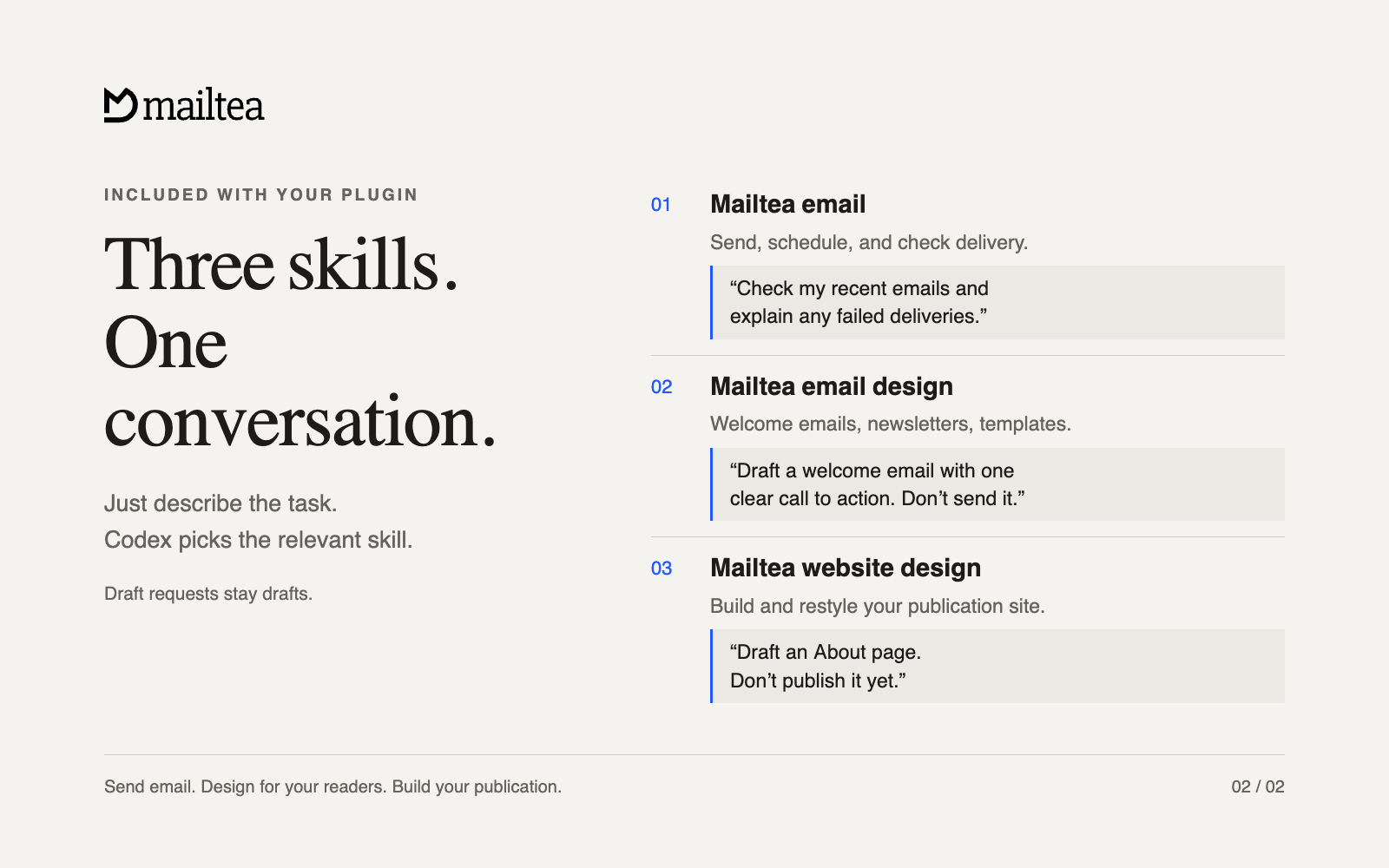
Three skills, ready when you need them
Your assistant picks the relevant skill from your request. You can also name a skill if you want to be explicit.
| Included skill | What it helps you do | Try saying |
|---|---|---|
Mailtea email (mailtea-email) | Send or schedule email, check delivery, draft newsletters, and manage contacts | “Help me send my first email.” |
Mailtea email design (mailtea-email-design) | Design welcome emails, newsletters, and reusable templates for real inboxes | “Draft a welcome email with one clear call to action. Do not send it yet.” |
Mailtea website design (mailtea-site-design) | Build or restyle your publication's website, with changes saved as drafts | “Draft an About page for my publication. Do not publish it yet.” |
The plugin does not replace Mailtea Studio, or the SDKs and CLI for application code. Use it when an AI assistant should do the work for you.
Connect
| Where you use AI | How to connect |
|---|---|
| Claude.ai | Settings, then Connectors, then Add custom connector, and paste https://api.mailtea.app/mcp |
| Claude Desktop | Install Mailtea from Discover, or add the same custom connector as on Claude.ai |
| Claude Code | claude plugin marketplace add mailtea-app/mailtea-agent-plugin, then claude plugin install mailtea@mailtea |
| Cursor | Settings, then Plugins, then Add from repository: mailtea-app/mailtea-agent-plugin |
| VS Code | Command Palette, then MCP: Browse servers, then Mailtea |
| Codex | codex plugin marketplace add mailtea-app/mailtea-agent-plugin, then codex plugin add mailtea@mailtea |
More clients, and a one-line install for each, are under Get started.
The first time you connect, you sign in to Mailtea in your browser, pick one publication, and choose an access level from read only to full access. Your assistant can act only inside that publication at that level, and you can revoke the connection in Mailtea at any time.
Docs · Support · Privacy policy · Terms of service
Get started
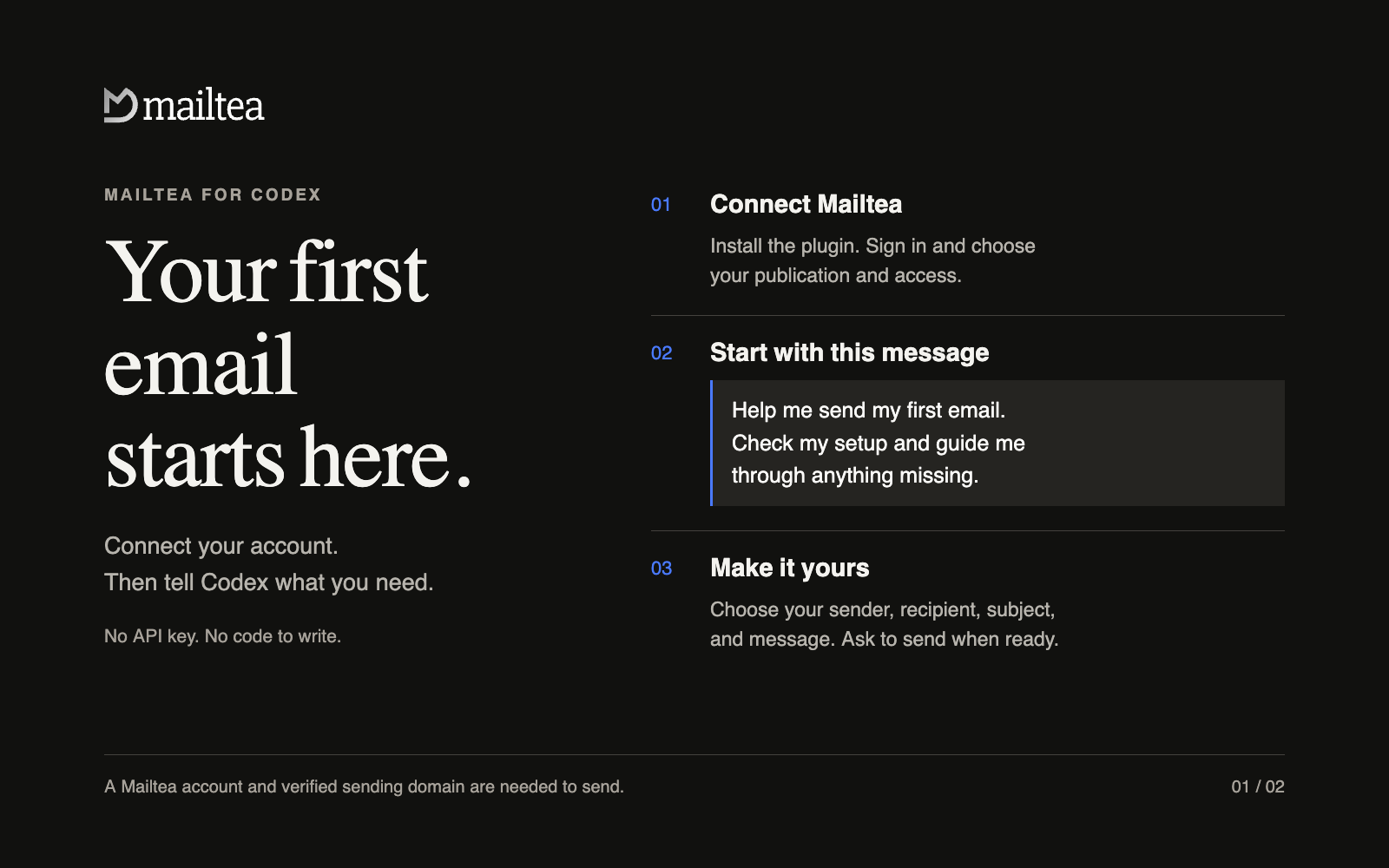
You need a Mailtea account. Sending also needs a verified sending domain. The hosted connection needs no API key, no Node.js install, and no code. You sign in through your browser.
| Client | Install |
|---|---|
| Any client | npx plugins add mailtea-app/mailtea-agent-plugin |
| Codex | codex plugin marketplace add mailtea-app/mailtea-agent-plugin then codex plugin add mailtea@mailtea |
| Claude Code | claude plugin marketplace add mailtea-app/mailtea-agent-plugin then claude plugin install mailtea@mailtea |
| Cursor | Settings → Plugins → Add from repository, or npx plugins add mailtea-app/mailtea-agent-plugin -t cursor |
| Grok Bot (in Cursor) | Installs with the Cursor plugin above; no separate step |
| VS Code / GitHub Copilot | Command Palette → MCP: Browse servers, or npx plugins add mailtea-app/mailtea-agent-plugin -t vscode |
| Kiro | MCP settings → add server, or npx plugins add mailtea-app/mailtea-agent-plugin -t kiro |
| Grok Build | /marketplace, add mailtea-app/mailtea-agent-plugin, then install mailtea |
| Gemini CLI | gemini extensions install https://github.com/mailtea-app/mailtea-agent-plugin |
| OpenCode | Add the MCP server https://api.mailtea.app/mcp (type remote) in opencode.json, then run opencode mcp auth mailtea |
| GitHub Copilot CLI | copilot mcp add mailtea https://api.mailtea.app/mcp, then connect from an interactive session |
| Windsurf | Settings → Cascade → MCP servers → add https://api.mailtea.app/mcp |
| Claude.ai | Settings → Connectors → Add custom connector → https://api.mailtea.app/mcp |
| ChatGPT | Settings → Connectors → Add → https://api.mailtea.app/mcp (Developer mode) |
| Kiro (one click) |  |
| Cline | MCP Servers, then Configure MCP Servers: add the Cline entry from Manual configuration |
| Zed | Add the Zed entry from Manual configuration to settings.json |
| Warp | Settings, then Agents, then MCP servers: paste the Warp entry from Manual configuration |
| JetBrains AI Assistant | MCP settings: add the JetBrains entry from Manual configuration. It has no browser sign-in yet, so it sends a personal access token. Junie signs in through the browser itself |
| Amazon Q Developer CLI | Add the Amazon Q entry from Manual configuration to your agent configuration, then run /mcp in a session to sign in |
| Devin, Perplexity, Mistral Le Chat, Manus | Add a custom MCP connector with the URL https://api.mailtea.app/mcp |
npx plugins add is the universal path. The
plugins CLI reads this package's
plugin.json and installs it into whichever agent tools it detects: Claude
Code, Cursor, Codex, Grok Build, Kimi Code, GitHub Copilot CLI, and VS Code.
Use -t <target> to pick one, and npx plugins targets to see what it found.
Then open a new session, connect Mailtea through the browser sign-in prompt, choose your publication and the access you want to grant, and paste:
Help me send my first email with Mailtea. Check my setup and guide me through anything missing.
Your agent checks the publications, senders, and domain verification available to your account, and explains the next step for anything missing. You do not need to know tool names or pick a skill.
Need an account? Start with Mailtea. Need a sending domain? Domain setup.
Manual configuration
Every entry points at the same hosted server, https://api.mailtea.app/mcp.
Unless a row above says otherwise, you sign in through your browser the first
time the client connects, and there is no key to paste.
Cline (cline_mcp_settings.json):
{"mcpServers": {"mailtea": {"type": "streamableHttp", "url": "https://api.mailtea.app/mcp"}}}
Zed (settings.json):
{"context_servers": {"mailtea": {"url": "https://api.mailtea.app/mcp"}}}
Warp (Settings, then Agents, then MCP servers):
{"mailtea": {"url": "https://api.mailtea.app/mcp"}}
JetBrains AI Assistant: it cannot sign in through the browser yet, so send a Mailtea personal access token (create one in Settings → API keys) as the Authorization header. Junie signs in through the browser and needs no header.
{"mcpServers": {"mailtea": {"url": "https://api.mailtea.app/mcp", "headers": {"Authorization": "Bearer mt_pat_xxx"}}}}
Amazon Q Developer CLI (agent configuration file), then run /mcp in a
session and open the sign-in link it prints:
{"mcpServers": {"mailtea": {"type": "http", "url": "https://api.mailtea.app/mcp"}}}
Copy a prompt
Send one email. Replace the bracketed details with your own:
Send an email from [my verified sender] to [recipient]. Subject: [subject]. Message: [body].
Schedule a send:
Schedule this email for [date and time, including time zone]. Use [verified sender] and send only to [recipient].
Check delivery:
Check my recent Mailtea emails and explain any failed deliveries.
Create a newsletter draft:
Draft a newsletter for [publication] about [topic]. Give it a clear subject and one call to action. Do not send it yet.
Design your website:
Draft a home page for [publication] using its brand and existing content. Do not publish it yet.
What happens when you ask
- Draft means draft. Draft requests do not send email or publish a website.
- You choose who receives an email. Your agent asks for missing details and uses the sender, recipients, and content you supply or approve.
- An email ID means accepted, not delivered. Ask for delivery status to check the result. Do not repeat a send after a timeout until its status is known.
- Your permissions apply. The connection only reaches what your Mailtea account and the access you grant allow.
If you get stuck
| What you see | What to do |
|---|---|
| No Mailtea tools after installing | Open a new session, check that the plugin is enabled, and connect Mailtea. |
| No browser sign-in prompt | Reconnect from the terminal or MCP settings. See the table below. |
| No publication available | Create one in Mailtea, or reconnect with access to an existing publication. |
| No sender, or the domain is not verified | Follow domain setup, complete the DNS records, and choose a sender on that domain. |
| Permission denied | Reconnect and select access that permits the action. Ask a publication owner if that option is unavailable. |
| A send timed out | Ask your agent to check recent emails before trying again, to avoid duplicates. |
| You want to disconnect | Revoke the connection in Mailtea's API keys / connected agents screen, and disable the plugin in your client. |
Reconnecting per client
| Client | How to reconnect |
|---|---|
| Codex | codex mcp login mailtea |
| Claude Code | /mcp, or claude mcp login mailtea |
| Cursor | MCP settings, then Mailtea, then reconnect |
| VS Code | MCP: Browse servers, then Mailtea |
| Kiro | MCP settings |
| Grok Build | /marketplace, or grok mcp login |
Package layout
The repository root is the plugin root. Every client loads this one directory: Agent Plugins clients (Cursor, VS Code, Kiro, Codex), Claude Code, Grok Build, and the Gemini CLI. There is no per-client subdirectory and no second copy of the skills.
That decision follows from Agent Plugins 1.0.0 §4.1: a path a client resolves
from the package must stay inside the plugin root, so a nested package cannot
share skills/ with the root by symlink or relative path. Nesting would mean
duplicating every skill. A single root keeps one copy, and the mirror's
v<version> release tag reads plugin.json at that same root.
mailtea-agent-plugin/            # this package, and the plugin root
├── plugin.json                  # Agent Plugins 1.0.0 manifest (portable)
├── mcp.json                     # Agent Plugins MCP config (streamable-http)
├── .mcp.json                    # client-native MCP config (Codex, Grok Build)
├── skills/
│   ├── mailtea/SKILL.md         # send / schedule / manage email & newsletters
│   ├── mailtea-email-design/    # email-safe design (ops + HTML)
│   └── mailtea-site-design/     # publication website builder
├── assets/                      # icon and listing images
├── .codex-plugin/plugin.json    # Codex manifest + listing metadata
├── .claude-plugin/              # Claude Code manifest + repository marketplace
├── .cursor-plugin/              # Cursor manifest + repository marketplace
├── .grok-plugin/                # Grok Build manifest + repository marketplace
├── .agents/plugins/marketplace.json  # Codex repository marketplace
├── gemini-extension.json        # Gemini CLI extension manifest
├── server.json                  # MCP Registry entry (app.mailtea/mailtea)
├── GEMINI.md                    # Gemini CLI context file
├── scripts/check-manifests.mjs  # keeps every manifest in agreement
├── CHANGELOG.md
├── README.md
└── LICENSE
Every manifest names the same plugin at the same version with the same
description, points at skills/ and the same MCP endpoint, and carries no
credentials. node scripts/check-manifests.mjs enforces that; the monorepo
runs it as pnpm check:agent-plugin.
Self-hosting and stdio
The hosted server at https://api.mailtea.app/mcp signs in through your
client's browser flow and stores no credentials in this package. For a
self-hosted API or local development, run the MCP server over stdio instead and
let your client inject the token:
# Claude Code example
claude mcp add mailtea -e MAILTEA_API_TOKEN=mt_pat_xxx -- npx -y mailtea-mcp
| Variable | Required | Purpose |
|---|---|---|
MAILTEA_API_TOKEN | yes | PAT (mt_pat_…) or session token |
MAILTEA_PUBLICATION_ID | no | Default publication scope |
MAILTEA_API_BASE_URL | no | Defaults to Mailtea cloud; use http://localhost:7787 for a local API |
Create a personal access token in Settings → API keys, or with
POST /v1/api-keys. Never commit one: Agent Plugins forbids credentials in
package files, and scripts/check-manifests.mjs fails the build if one appears
in an MCP header.
Versioning
There is no npm or PyPI package. The plugin is this repository, so a
release tag is
how you pin one. main always holds the latest:
git clone --branch v0.10.0 --depth 1 https://github.com/mailtea-app/mailtea-agent-plugin.git
Every manifest's version matches the tag, and each release's notes come from
CHANGELOG.md. Semver: a patch sharpens skill wording, a
minor adds a skill or an MCP surface, a major removes or renames one.
Authoring notes
Do not add client-only hooks, commands, or marketplace metadata to the top
level of plugin.json. Put those under a reverse-domain extensions key or in
that client's own directory, per
client extensions.
Skills here are copies of the canonical ones in the Mailtea monorepo. Edit
those, then run pnpm sync:agent-plugin-skills.
Related
- Spec: agent-plugins.org · Build a plugin
- MCP package:
mailtea-mcp - Skills-only mirror: mailtea-agent-skills
- Docs: Agent Plugin
Privacy and support
- Privacy policy: mailtea.app/privacy-policy
- Terms of service: mailtea.app/terms-of-service
- Support: [email protected]
- Docs: Agent Plugin
The plugin stores no credentials. The hosted connection signs in through your browser and reaches only the publication and access you grant, and you can revoke it in Mailtea at any time.