Sparewise
See why your Windows drive is full, and free space safely.
A free, honest PC cleaner for everyone: temp files, browser and app caches, Windows leftovers, big and duplicate files and programs you no longer use, plus the caches developer and AI tools quietly fill (package caches, local AI models, Docker and WSL disks). It tells you what each item is and whether it comes back by itself, frees space only when you say so, and most changes can be put back. It also shows if your PC has been crashing or your battery is worn.
Get it from the Microsoft Store · Download the installer · All downloads · npx sparewise · Windows 10 and 11, x64 and ARM · Free
▶ Watch the 52-second video: what Sparewise finds, clears safely and can undo.
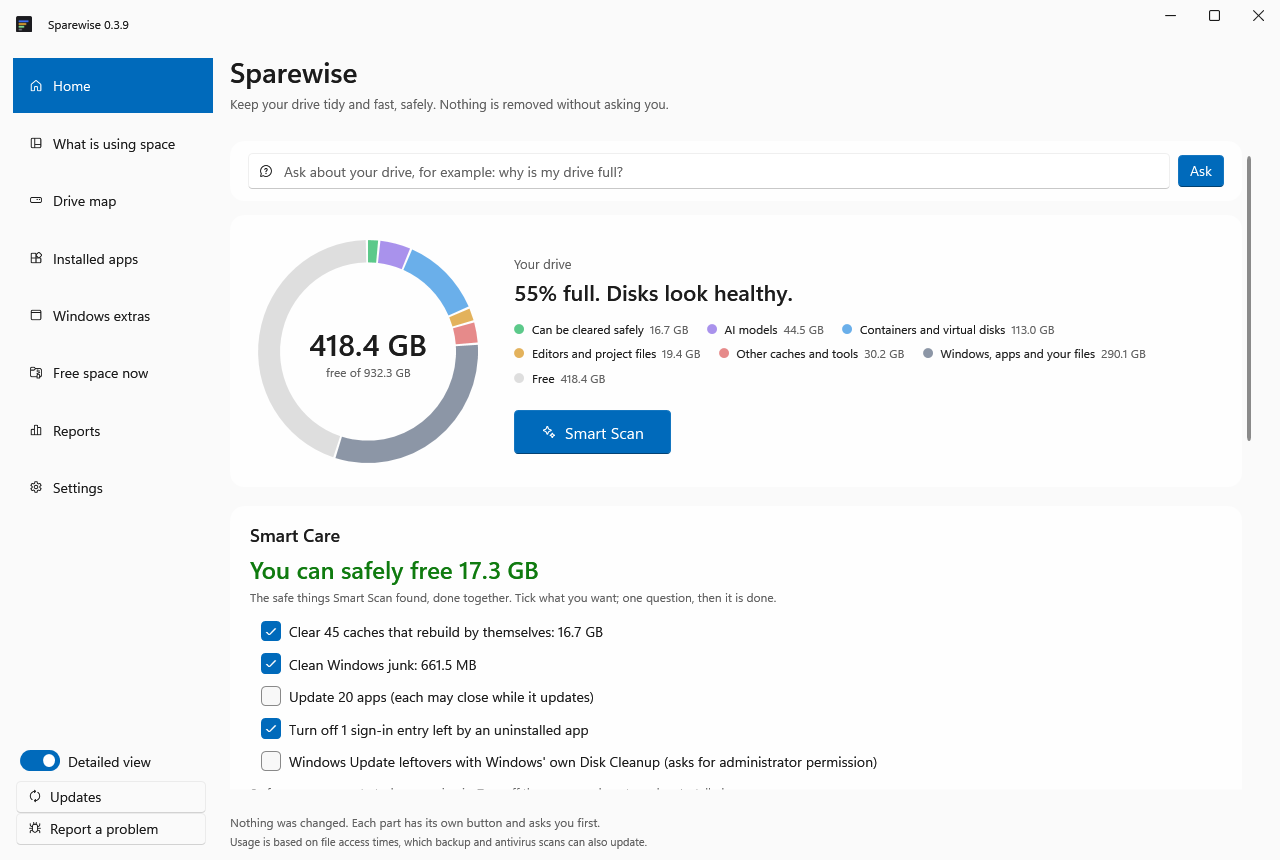
C: drive full? Start here
- Get it without installing: download
Sparewise-win-x64.zip(about 80 MB), unzip it and runSparewise.App.exe. (Or the Microsoft Store version if there is room to install.) - Press Smart Scan. It takes about a minute and changes nothing. Home then says how much can be freed safely and what it is.
- Choose Review and do it. Only caches that rebuild by themselves and old Windows temporary files are ticked. They go to the Recycle Bin, so the space comes back when you empty the Recycle Bin; until then you can put it back.
- Need space right now without removing anything? Free space now → Shrink unused folders compresses folders you have not used in a month, like a zip file, and the space returns at once.
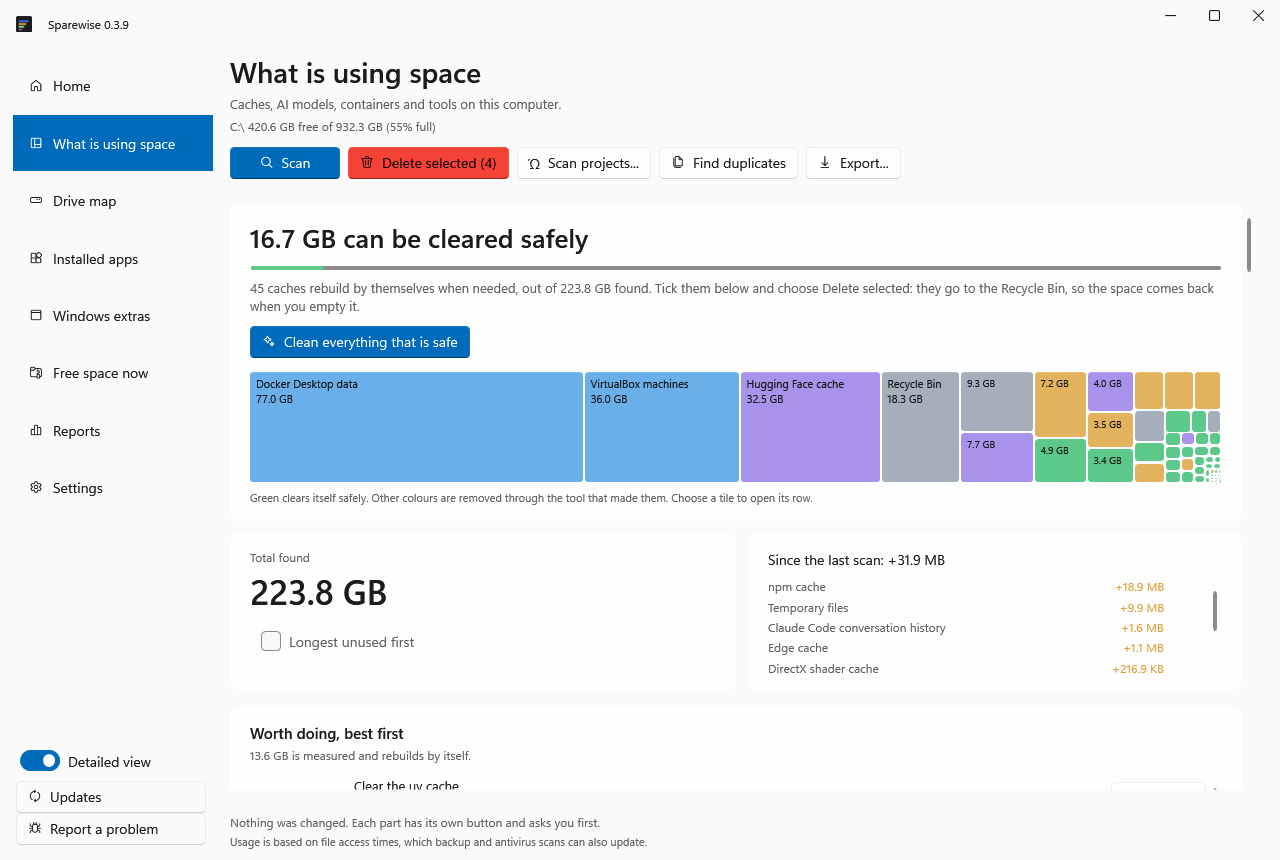
- Still full? It is usually one big thing: AI models, Docker or WSL disks, or a virtual machine. What is using space lists them largest first, each with the right way to shrink it (for example
docker system pruneand compacting the disk for Docker), because deleting those files directly can break the tool that made them.
Why Sparewise
- What it removes can be put back. It goes to the Recycle Bin or is set aside, and comes back with one click.
- Knows what rebuilds itself. Only caches that come back on their own are offered, each with a tested rule, not a guess.
- Built for developers and AI users. Model folders, Docker and WSL disks, and AI coding tools' caches, measured one by one.
- Finds what you keep twice. The same npm package in many projects, the same Python library in many environments, the same AI model in two tools, measured with what storing it once would save.
- Hibernates old projects. An idle project becomes one checked archive without node_modules or build folders; open it to bring the project back.
- Explains a slow PC honestly. A nearly full drive, memory that is really short, a program growing for days, a restart waiting. No "RAM booster" tricks.
- Works with your AI assistant. Claude, Codex and other MCP clients can plan and free space, only within limits you set, with every change recorded, and most of them can be undone.
- No telemetry, no account. Nothing leaves your PC.
Quick start
| You want | Do this |
|---|---|
| The app (recommended) | Install from the Microsoft Store: no warning from Windows, updates through the Store. |
| The app, direct download | Download Sparewise-win-Setup.exe and run it. It installs for your account only, needs no admin rights, and updates itself: when a new version is ready, a Restart to update button appears in the left menu. |
| No install | Download Sparewise-win-x64.zip (or arm64 for ARM laptops), unzip it, and run Sparewise.App.exe. |
| Command line | npx sparewise. Needs Node.js; see the npm page. |
The direct download may make Windows warn the first time ("Windows protected your PC") because the installer is not code-signed yet (the Microsoft Store version is signed by Microsoft). Choose More info → Run anyway. Each release lists SHA-256 checksums, so you can check that a download is the genuine one.
What it finds
- Developer caches: npm, pnpm, Yarn, pip, uv, conda, Cargo, Go, Gradle, Maven, NuGet and more
- AI: Ollama, LM Studio and Hugging Face models one by one, with when each was last loaded; caches of Cursor, Claude, Copilot, Codex and other AI coding tools
- Containers and virtual disks: Docker and WSL disks that never shrink by themselves
- Projects and editors: node_modules, virtual environments and build folders (never one you committed to git), old VS Code, Cursor and Windsurf extensions, git history waiting to be packed
- Windows: installers apps keep after updating, temporary files, update leftovers, old installers in Downloads, browser caches, the Recycle Bin, hibernation file
- Your own files: large videos, duplicates and folders you have not opened in months. Reported only: Sparewise never removes these by itself.
How it keeps you safe
- Scanning changes nothing.
- It asks first, every time.
- Put back what you change. What Sparewise removes goes to the Recycle Bin or is set aside, and it never empties the Recycle Bin. The one exception: Windows' own Disk Cleanup, which Sparewise can start for Windows Update leftovers, deletes permanently, and Windows asks for administrator permission first.
- Only things that come back by themselves (caches that rebuild) are offered for clearing, each with a tested safety rule and the evidence behind it.
- Honest results. It measures what was actually freed. Files a program has open stay where they are, and it says so.
- Private. No account, no telemetry; nothing about your PC is sent anywhere. It goes online only to check for its own updates (once a day, or never if you turn that off) and for things you ask for; see the privacy page.
- Your choice, your backups. Provided as is, without warranty. It changes nothing unless you confirm it or allow it in Settings; keep backups of anything you cannot afford to lose. See the terms of use and the license.
For AI assistants
Sparewise is also an MCP server, so Claude, Cursor, VS Code, Claude Code and Codex can ask why your drive is full, plan a cleanup and, only within limits you set, apply it. They can never delete anything permanently.
- In the app: Settings → Connect AI assistants, one click per assistant.
- From a terminal:
claude mcp add sparewise -- npx -y sparewise mcp
codex mcp add sparewise -- npx -y sparewise mcp
- Claude desktop app: download
sparewise-<version>.mcpbfrom the latest release and double-click it. - Claude Code plugin:
/plugin marketplace add sparewise/sparewise, then/plugin install sparewise@sparewise. - Gemini CLI:
gemini extensions install https://github.com/sparewise/sparewise.
Get Sparewise only from the Microsoft Store, GitHub releases, npm or sparewise.app. Copies from anywhere else are not ours.
Questions
Is it free? Yes, everything is free to use today. Later versions may add paid features; the version you have keeps the terms it came with (see LICENSE).
Where is the source code? Sparewise is closed source. The "Source code" links that GitHub adds to every release contain only this README and the license files, not the program.
Who makes it? One independent developer, not a company. Sparewise is published as an individual on the Microsoft Store and here on GitHub, and it is free: no account, no ads, no tracking.
Does it need administrator rights? No. The few extras that use Windows' own admin tools (the fast drive map, Disk Cleanup) ask first, and you can say no.
Something went wrong or looks wrong? Choose Report a problem in the app, or open an issue. Questions and ideas are welcome in Discussions.
Like it?
If Sparewise freed space for you, a ⭐ on this page helps other people find it. Problems and ideas are welcome in Issues.
License
Free to use; proprietary. See LICENSE and third-party notices.