Expense
Expense is a seamless receipt tracking solution: receipts are automatically sent via email, mileage uses the tax rate provided by the IRS, and a smart AI assistant does your data entry so that you can forget about the process altogether.
PRODUCT.md is the map: what the product is, how it works, the pages a person uses, the architecture and data model, and the vocabulary. This file is the front door; that one is the orientation.
Screenshots
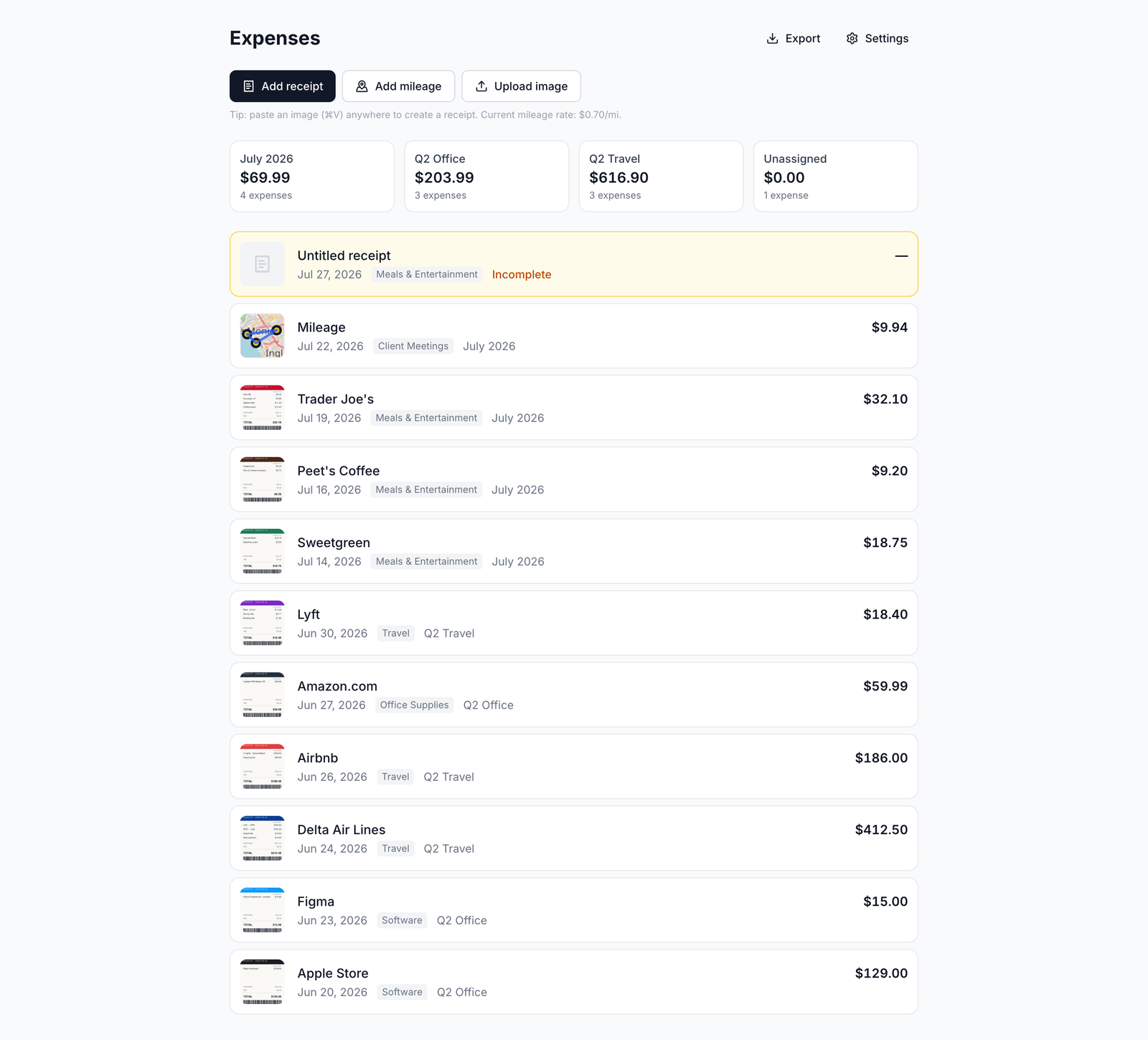
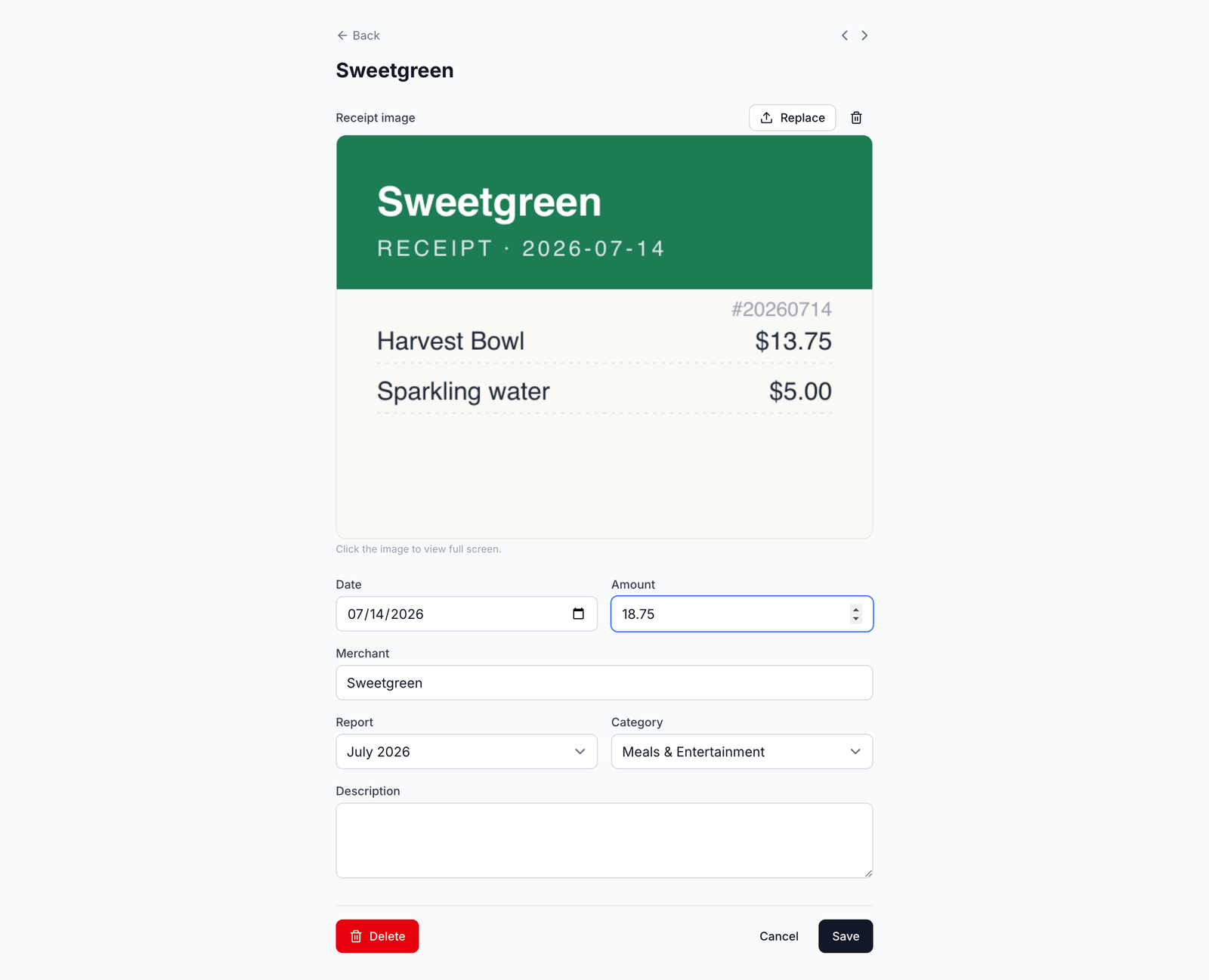
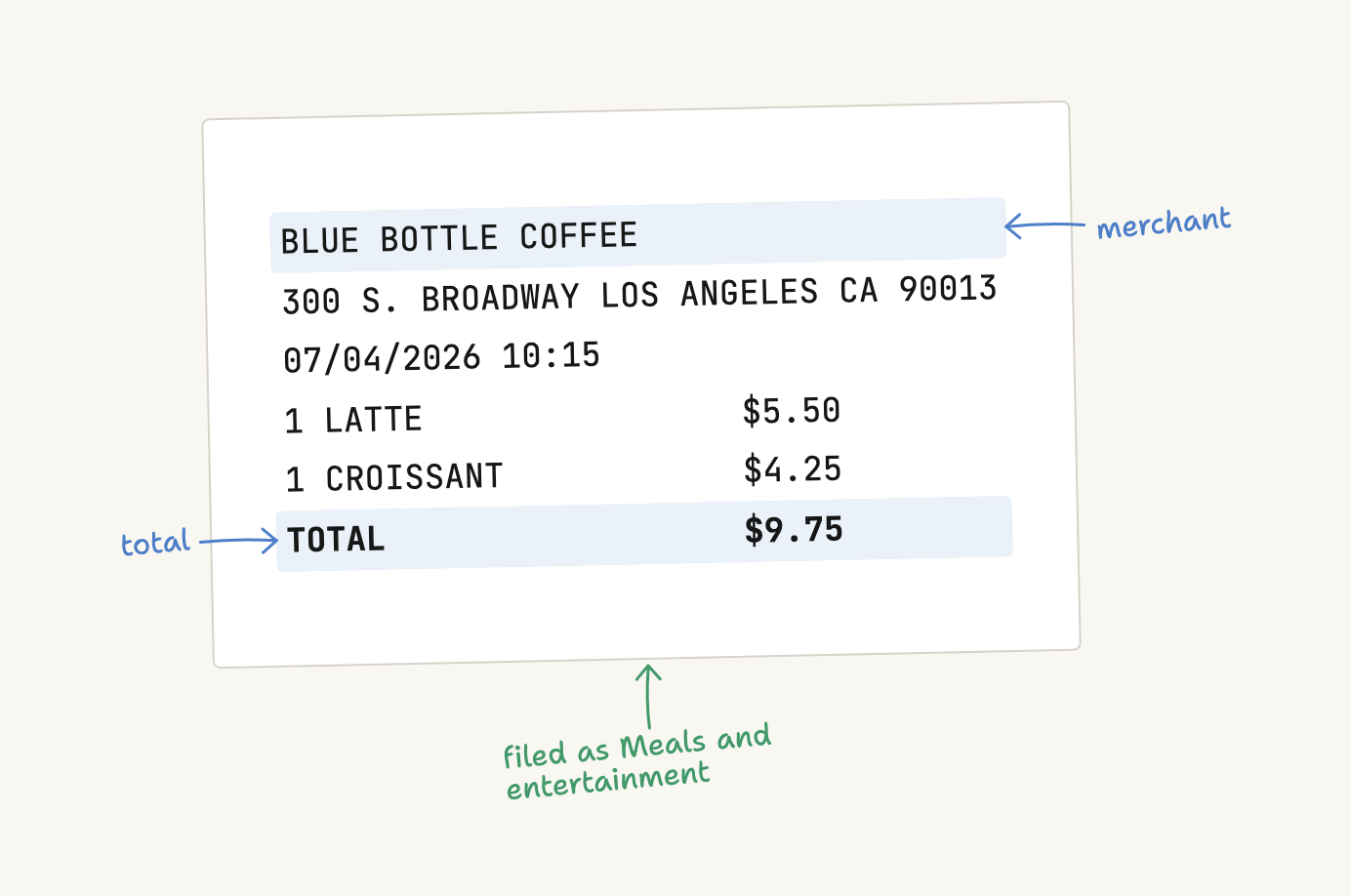
What it does
Receipts come in from a photo, a screenshot, a PDF, the clipboard, a connected Fastmail or Gmail mailbox, or an MCP assistant; each one is read for merchant, amount and category, filed under an IRS Schedule C line, and kept with its image. Drives are mapped and priced at the IRS rate for the trip date and type. The year leaves as a PDF per report, with the receipts attached, or as one ZIP of everything. A warranty document dropped on the warranties page becomes a record you can find by how soon coverage ends.
Free, no card, no ads, no paid tier. Not built for corporate expense policy, approvals, or double-entry bookkeeping. The full tour, with the pages and the rules behind each one, is in PRODUCT.md.
AI assistants (MCP)
The app speaks the Model Context Protocol at https://expense.labnotes.org/mcp.
An assistant connects with OAuth — you sign in and click Allow — so there are no
API keys. A connected assistant can capture a receipt, log a drive, answer
questions about your spending, manage reports, and match a bank statement.
// Claude — .mcp.json (no headers needed: the client discovers OAuth)
{
  "mcpServers": {
    "expense": {
      "type": "http",
      "url": "https://expense.labnotes.org/mcp"
    }
  }
}
The reference is docs/mcp.md; the tools are listed in PRODUCT.md.
Accounts
Email is the login name, hashed with scrypt, with a signed-cookie session. Everything belongs to an account; an account has several users; accounts are fully isolated from each other. Sign up for a new one, or join an existing one with the 8-character invite code in Settings. Image keys are namespaced per account, so two accounts can never collide. More detail in PRODUCT.md and docs/accounts.md.
How it is built
One app, one Postgres database, no monorepo. React Router v8 in framework mode
(SSR), where the URL tree is the filesystem; Prisma 8 contract-first, so
prisma/contract.prisma is the schema and there are no migration files; images
stored as bytes in Postgres rather than in object storage. Deployed on Vercel
plus Supabase Postgres, where a push to main deploys. The diagrams are in
PRODUCT.md.
Run it locally with pnpm dev; the environment variables, the connection
poolers and the deploy path are in docs/operations.md and
docs/deploy.md.
Documentation
| Document | What is in it |
|---|---|
| PRODUCT.md | What it is, how it works, the tour, architecture, vocabulary |
| AGENTS.md | The invariants, commands and traps that bind a change here |
| docs/files.md | Every notable file, one line each |
| docs/operations.md | Env vars, poolers, secrets, incident history |
| docs/deploy.md | Deploy ordering and the smoke checks |
| docs/extraction.md | How a receipt is read, and the caps around it |
| docs/receipts-by-email.md | The Fastmail forwarding path |
| docs/email-connections.md | Connected mailboxes and inbox review |
| docs/reconciliation.md | Matching a statement to expenses |
| docs/accounts.md | Accounts, users, invites |
| docs/mcp.md | The assistant-facing reference |
| docs/code-style.md · docs/testing.md · docs/dark-mode.md | Conventions |