Metroidvania Studio
Metroidvania Studio is a free, open-source 2D level editor for metroidvania games. Build connected rooms, paint autotiled maps, and design minimaps with JSON export for multiple game engines. The room-based map editor runs locally in your browser or the Windows program.
Website · Documentation · Downloads
Automate your workflow: Lua scripts, a headless CLI, and a local MCP server for AI agents.
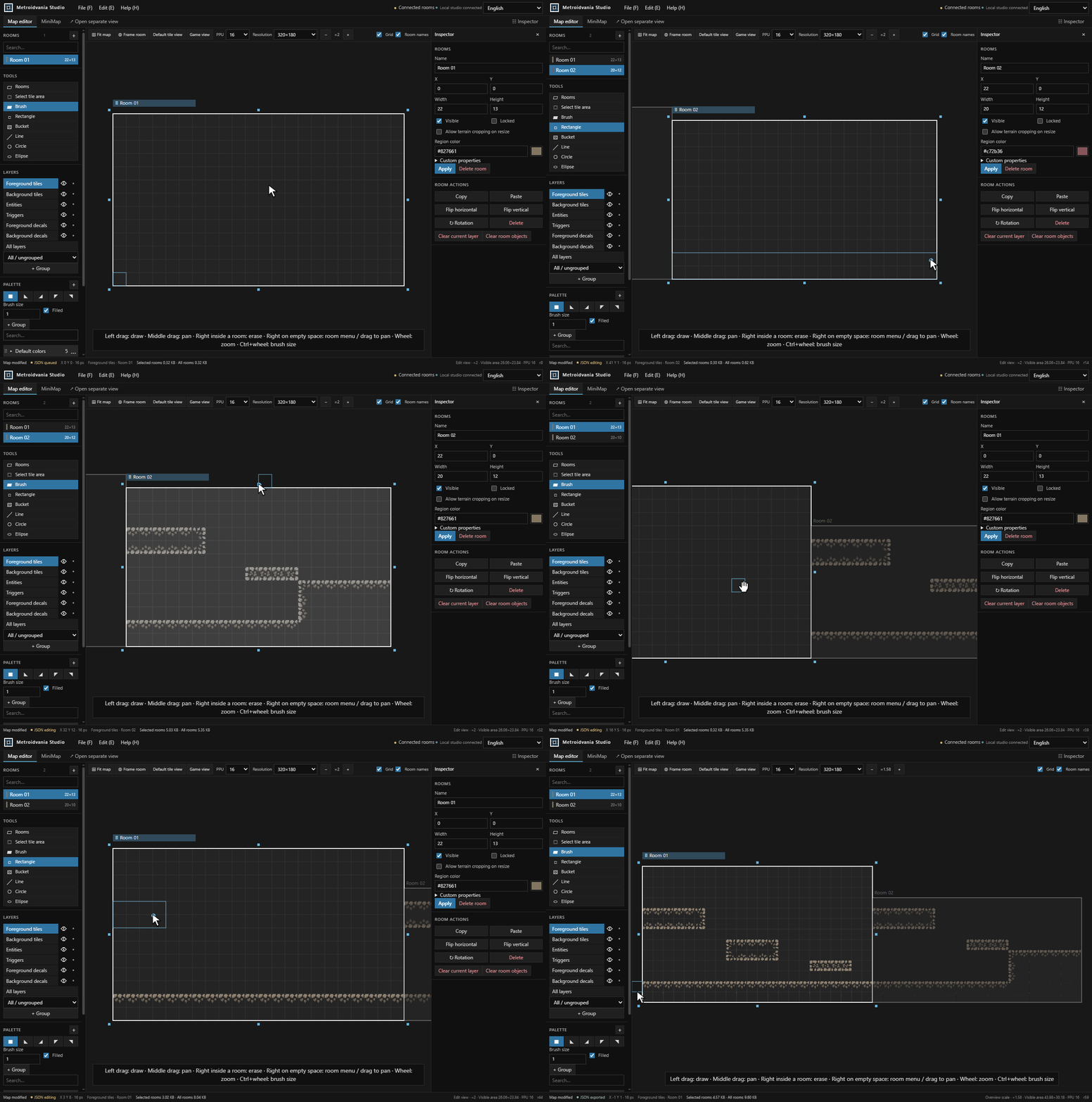
Add Rooms & Paint Tiles
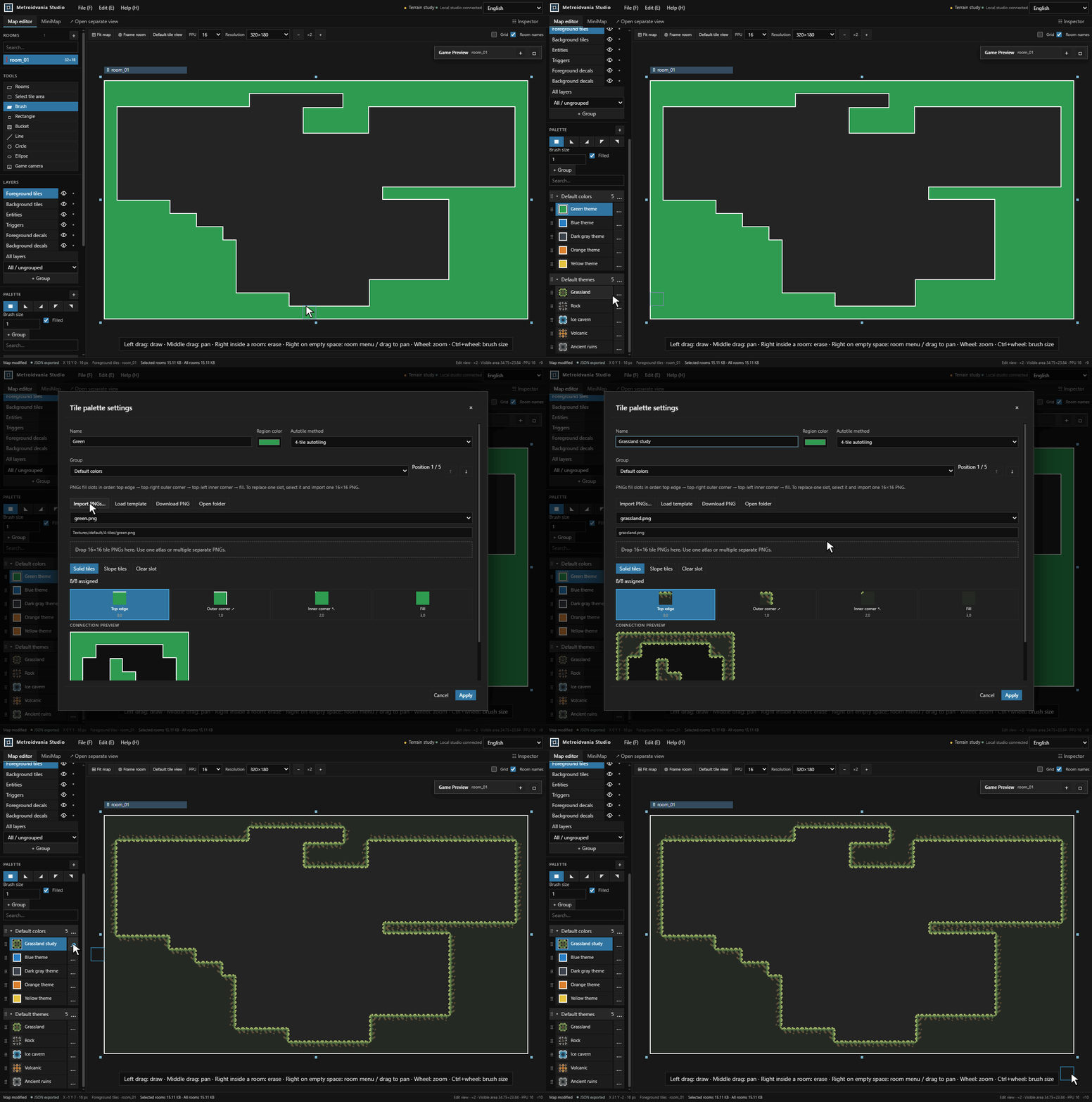
Configure Tile Palettes
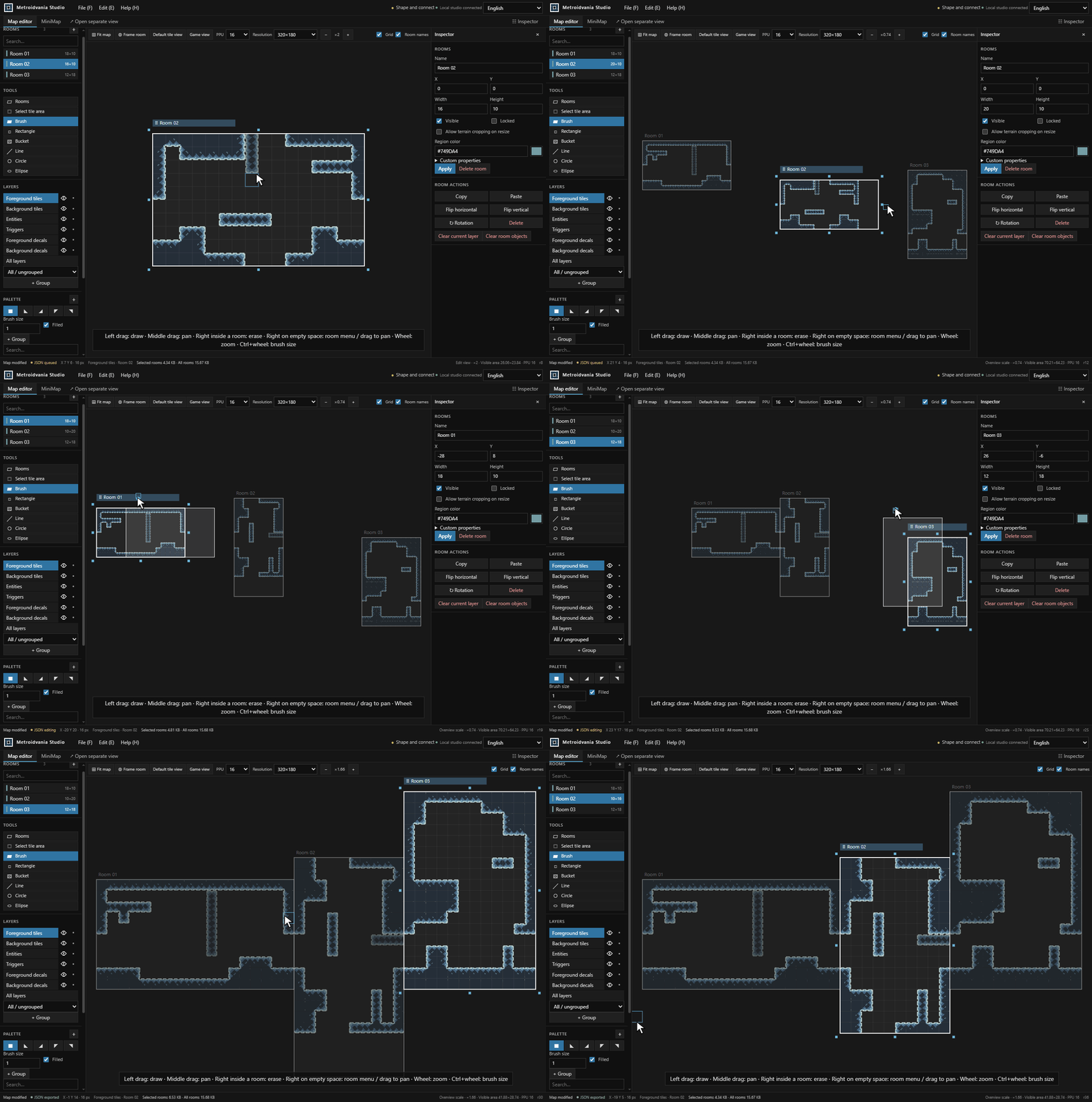
Resize, Rotate & Connect Rooms
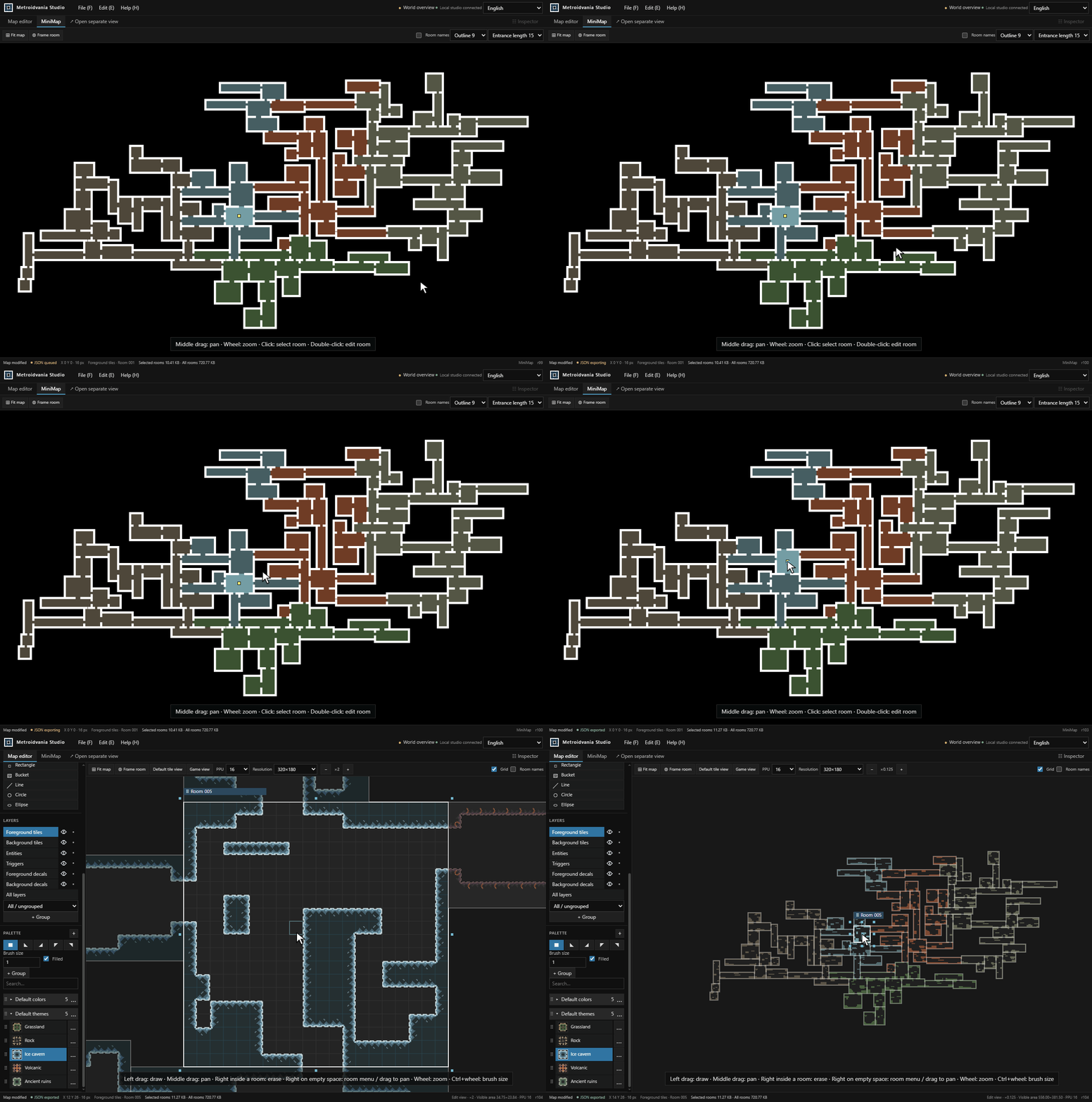
Design Your Minimap
Explore with Game Preview
Get Started
Runs locally on Windows, macOS, and Linux. No game engine installation is required.
Download a ready-to-run package from GitHub Releases, extract it, and open the launch file at the top level. The prebuilt web package requires ASP.NET Core Runtime 10.
To build from source, install:
| Requirement | Used for |
|---|---|
| Node.js 24+ | Building the web UI and running build scripts |
| .NET SDK 10 | Building the local server and command-line tools |
| Git | Validating source files during the build |
Then use the scripts for your platform:
| Platform | Build | Run |
|---|---|---|
| Windows | platform/win/web/build.bat | platform/win/web/run.bat |
| macOS | platform/mac/build.command | platform/mac/run.command |
| Linux | bash platform/linux/build.sh | bash platform/linux/run.sh |
Run checks your local build against the current version and source files. It builds automatically when needed, then opens the studio in your browser. An up-to-date build starts immediately.
Maps and Textures are stored beside the launcher or at the source project root. Find them through File → Storage folders. Room JSON updates automatically in Maps/AutoExport; palette settings are managed in .studio/catalog.json. Keep Maps, Textures and .studio when updating the studio.
Try the Sample World
A new workspace opens a six-room world with a looping route, a vertical shaft, a side chamber, slopes, background tiles, and object markers. You can also open it through Help → Open sample world.
Paint a room, Ctrl-click two rooms to move them together, or switch to the minimap and double-click a room to jump back into editing. See the five-minute walkthrough or sample JSON.
Editing Basics
-
Paint: left-drag inside the active room. The first click on another room selects it.
-
Erase: right-drag inside the active room.
-
Pan and zoom: middle-drag to pan, mouse wheel to zoom, Ctrl + wheel to change brush size. Right-drag on empty space also pans.
-
Arrange rooms: right-click empty space to add a room, drag a room's title strip to move it, or drag its outer handles to resize. Rotation is available in the inspector.
-
Save and exchange maps: use File for saving and JSON import/export. Use Edit for Undo/Redo. Set PPU and resolution in the top toolbar (defaults: 16 and 320×180).
-
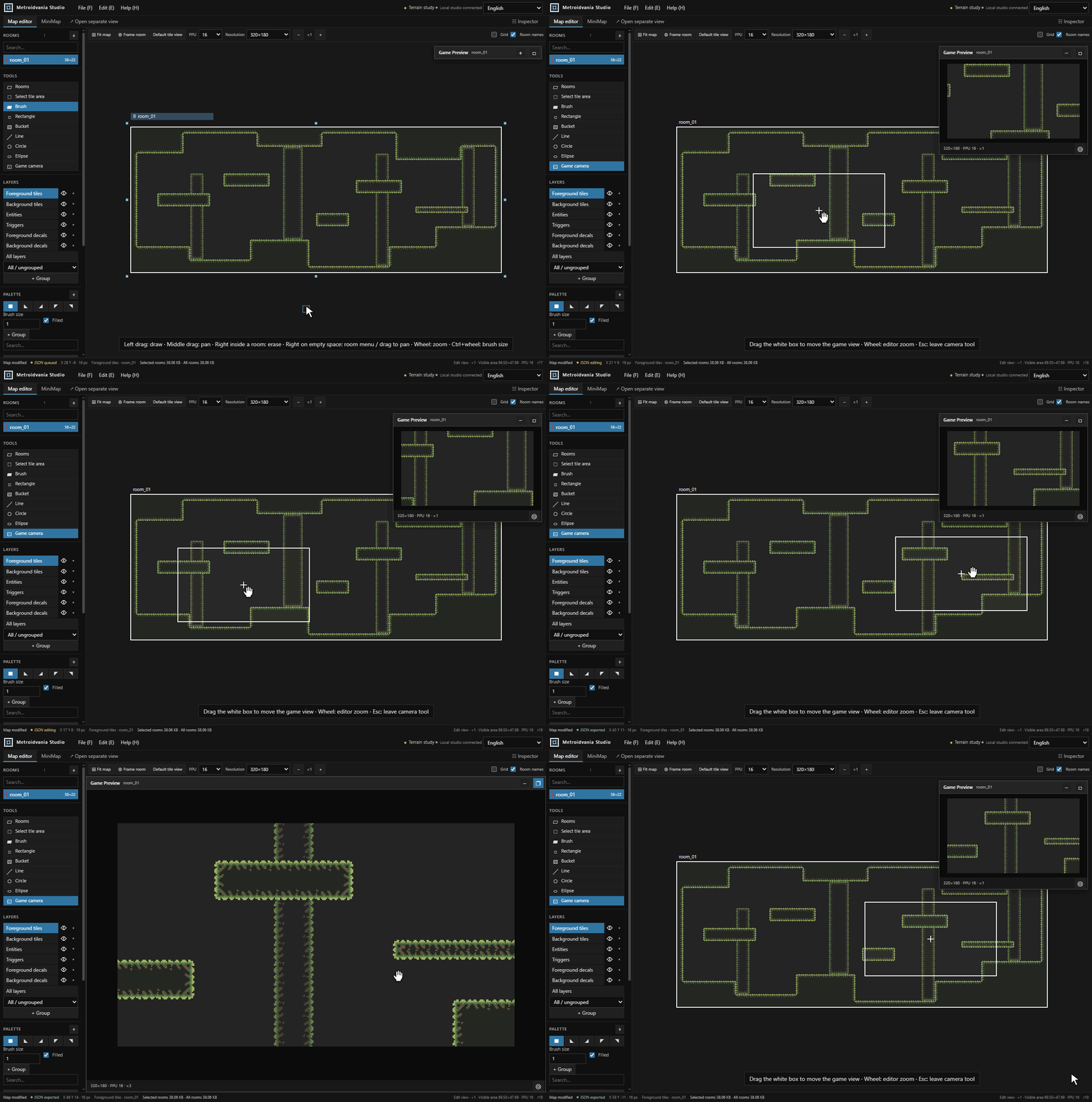
Preview: choose Game camera and drag its white frame. Game Preview follows immediately; expand, maximize, or collapse it as needed.
See Help → Shortcuts for the full control list. The interface follows your browser language and can be changed from the language picker.
Open Help → Documentation for searchable guides and the API reference, including offline access.
Engine Packages
| Engine | Package | Installation |
|---|---|---|
| Unity | .unitypackage | Guide |
| Godot | Addon ZIP | Guide |
| Unreal Engine 4 | Plugin ZIP | Guide |
| Unreal Engine 5 | Plugin ZIP | Guide |
| SDL3 | C++ source ZIP | Guide |
Each engine folder includes translated installation guides. Maps use a shared JSON format; engine packages handle importing and rendering, while gameplay stays in your game project.
Scripts & Automation
Use File → Scripts to generate rooms or repeat editing tasks. Run the same operations headlessly through the CLI, or connect an AI agent through the local MCP server. Dry runs, atomic updates, and revision checks keep scripted edits reviewable.
Install the CLI and MCP tools with Node.js 24+ and the .NET 10 runtime:
npm install --global metroidvania-studio
Using a program download? Run metroidvania-studio-cli.cmd help on Windows, or bash metroidvania-studio-cli.sh help on macOS/Linux. See headless from a download.
Start with the documentation, API reference, Lua examples, or MCP setup.
License
Project-owned code and assets use the MIT License. See Third-party notices for external components and their terms.